

Understanding Authentication with su
When you run a command likesu, it prompts for the root user’s password. Entering the correct password proves your identity and grants you the privileges of the root user. For example:
Introducing PAM
Pluggable Authentication Modules (PAM) provide a flexible mechanism for authenticating users. With PAM, you can plug in different authentication methods, customize utilities likesu, and even require specific actions like plugging in a USB security token for authentication.
PAM’s configuration files can be found in the /etc/pam.d directory. To inspect the directory contents, run:
su file in the directory, which defines the PAM modules for the su utility. Let’s take a closer look at its contents.
pam_wheel.so trust use_uid, an additional authentication module is activated. When you execute su, the modules are processed in the specified order, each serving its distinct purpose.
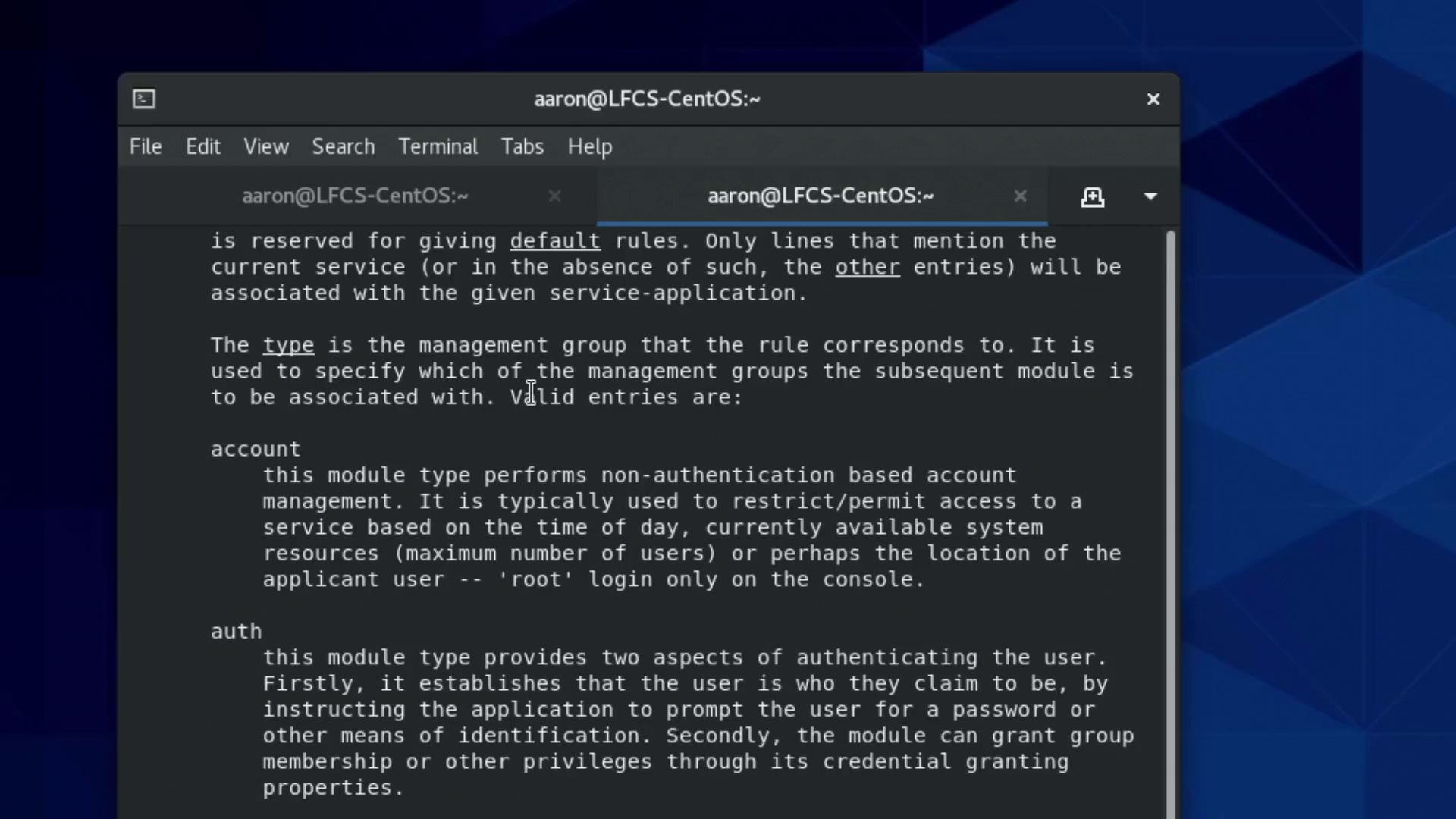
PAM modules are categorized into four types:
- auth modules: Verify the identity of a user.
- account modules: Manage tasks related to user accounts.
- password modules: Handle password updates.
- session modules: Prepare the user’s session after authentication.
How PAM Modules Work
The control fields (e.g., required, sufficient, requisite) in the configuration determine how each module’s result affects the overall authentication process:- required: Every module marked as required runs, even if one fails. All must pass for authentication to succeed.
- requisite: If a module fails, the process halts immediately.
- sufficient: If a module passes, remaining modules may be skipped.
pam_rootok.so module allows the root user to bypass password authentication if the module returns a success.
Here’s the improved configuration snippet with proper alignment for clarity:
Choosing the Right Control Flags
Consider a scenario where you want the user to authenticate only if they provide both a personal USB security token and a password. In such a case, both modules should be set as required. If only one authentication method succeeds, the overall authentication will fail. Alternatively, if you wish to allow access when either method is successful, you would configure both modules as sufficient. The difference between control flags like required, requisite, and sufficient can significantly alter the authentication flow. For instance, a failing requisite module halts the process immediately, whereas a failing required module still lets subsequent modules run to log the attempt or perform other tasks. Below is another display of the detailed PAM configuration: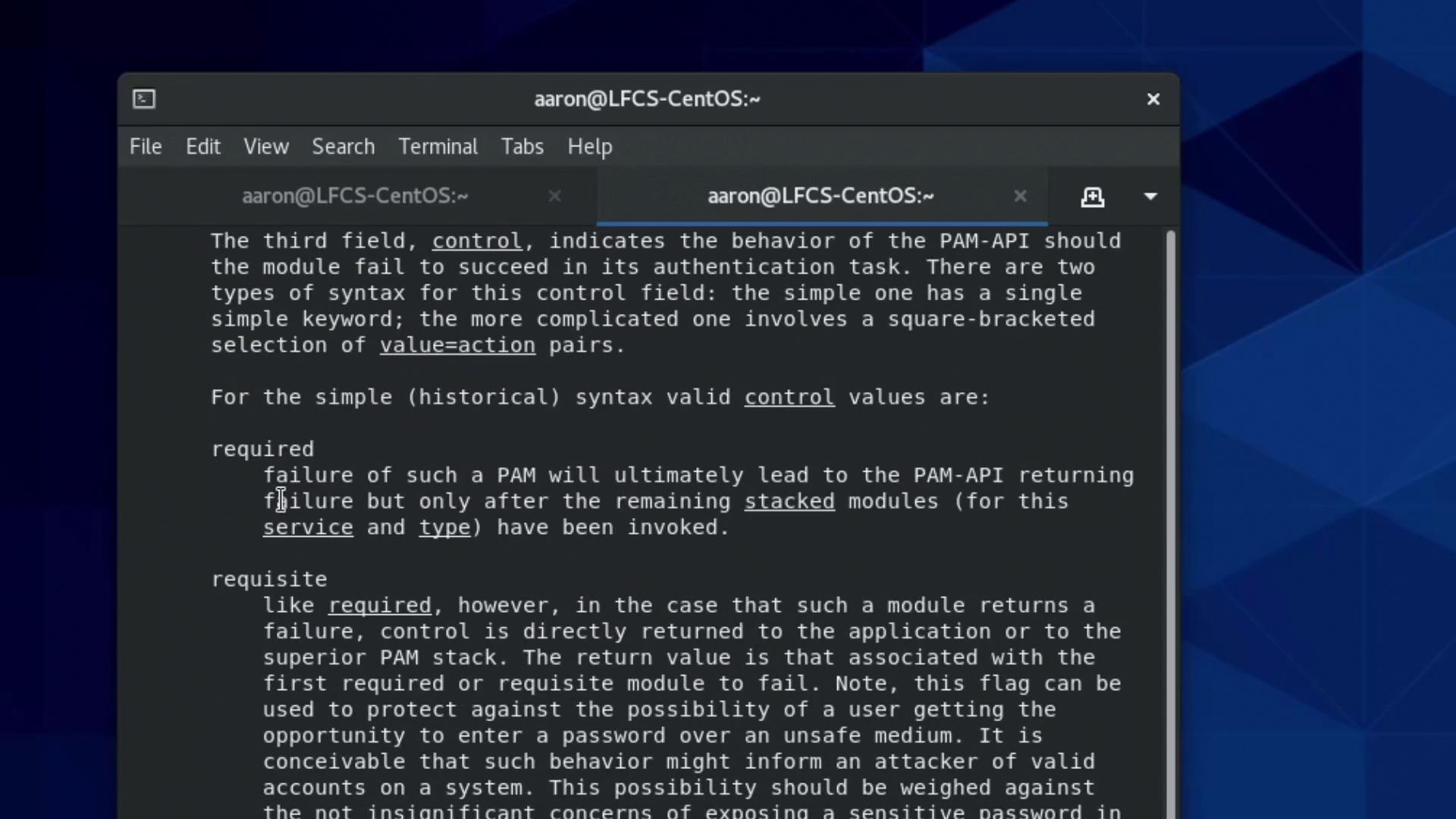
Exploring PAM Modules with man
To see an overview of available PAM modules, execute:pam_unix, pam_wheel, and others. For an in-depth look at the configuration details, try:
Testing the New PAM Configuration
After modifying your PAM configuration for thesu command, confirm that your user is a member of the wheel group with:
pam_wheel.so trust use_uid module, being part of the wheel group should let you switch to the root user without needing a password:
Summary
In this article, we explored how PAM allows you to configure authentication modules in a specific sequence, with diverse control flags that influence the authentication process. We reviewed the syntax of PAM configuration files, observed key modules likepam_rootok.so and pam_wheel.so, and tested the changes using the su command.
For further information, remember to consult these resources:
Proceed to your next demo or lecture for more in-depth coverage of system authentication strategies.