

- “launching”: when the launch is in progress,
- “success”: when the launch is successful, or
- “failed”: when the rocket crashes and the mission fails.
rocket-debug command to investigate the cause of the failure. This command is executed solely when the launch fails, ensuring that no unnecessary operations occur when the launch is successful. The mechanism behind this behavior is implemented via conditional logic in the shell script.
Conditional logic in shell scripting lets you execute commands only when specific conditions are met. It uses an
if statement structure similar to natural language constructs, making scripts more readable and maintainable.Basic Structure of an If Statement
The fundamental structure of a conditionalif statement in a shell script includes:
- The
ifstatement, followed by the condition enclosed in square brackets. - The
thenkeyword, which indicates the start of commands that run if the condition is true. - Optionally, the
eliforelseblocks for handling alternative cases. - The
fistatement, which marks the end of the if block.
- The
rocket_statusvariable stores the result from therocket-statuscommand. - The condition
[ $rocket_status = "failed" ]checks if the status equals “failed”. If true, it runs therocket-debugcommand. - The
elifclause allows for an alternate procedure when the rocket launch is successful.
- Use the comparison operator
=for string equality checks. - Ensure there is a space between the square brackets, the operator, and the values.
- Use the not equals operator (
!=) for checking inequality.
Comparison and Test Operators
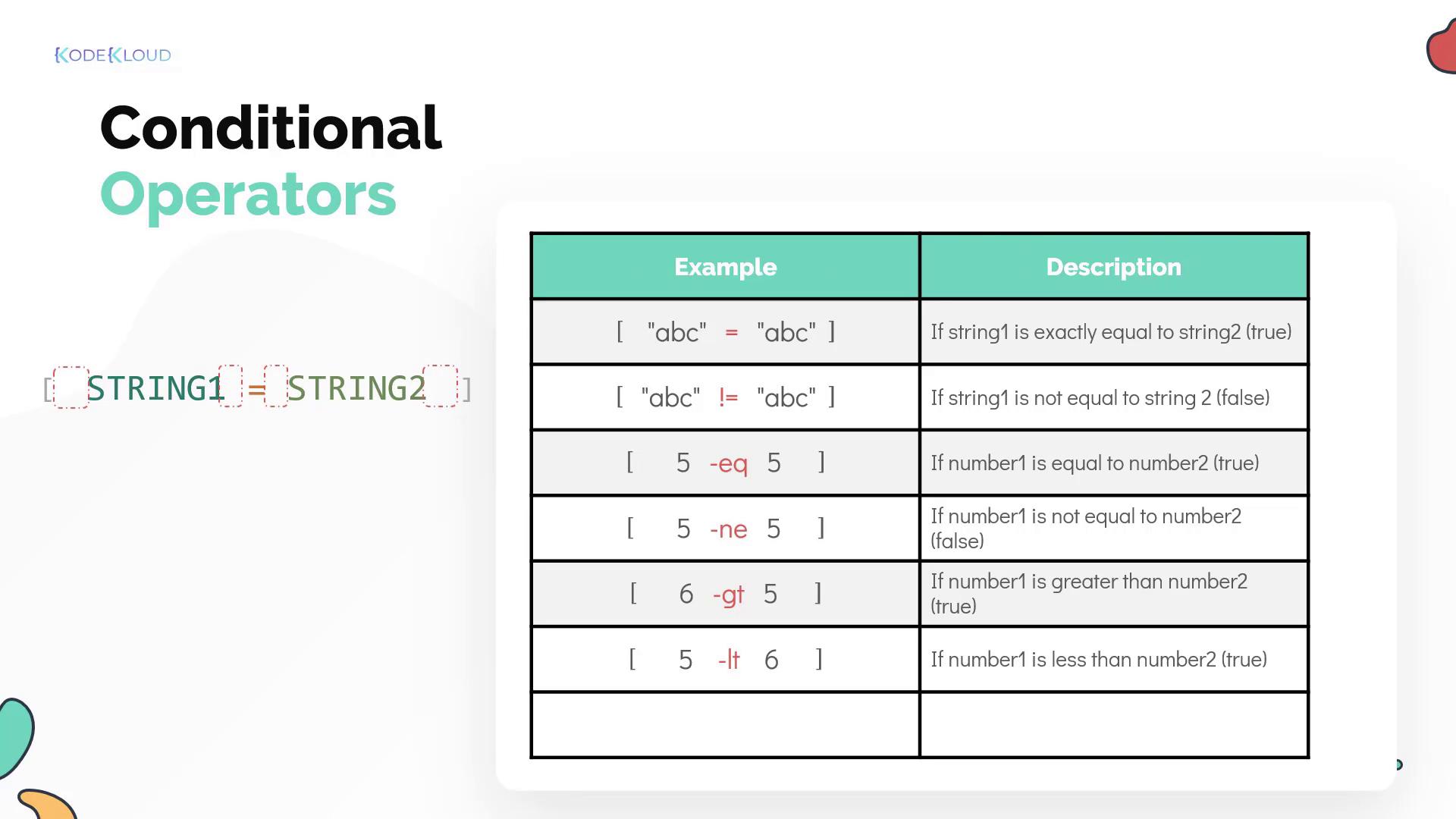
Below is a summary of common operators used in shell scripting for both string and numeric comparisons:-
String Comparisons:
- Equality:
= - Inequality:
!=(or use pattern matching with wildcards in the enhanced syntax)
- Equality:
-
Numeric Comparisons:
- Equal:
-eq - Not equal:
-ne - Greater than:
-gt - Less than:
-lt
- Equal:
Enhanced Syntax with Double Square Brackets
For more advanced conditional expression, you can utilize double square brackets[[ ]]. This syntax offers the following benefits:
- Supports advanced pattern matching.
- Allows the combination of multiple conditions without needing to separate into multiple expressions.
*) indicate that there can be any collection of characters before or after “bc”, making the expression evaluate to true. Remember to avoid enclosing patterns in quotes when using this syntax.
Additional examples of enhanced syntax include:
The operators>and<are used for comparing strings in lexicographical (alphabetical) order.
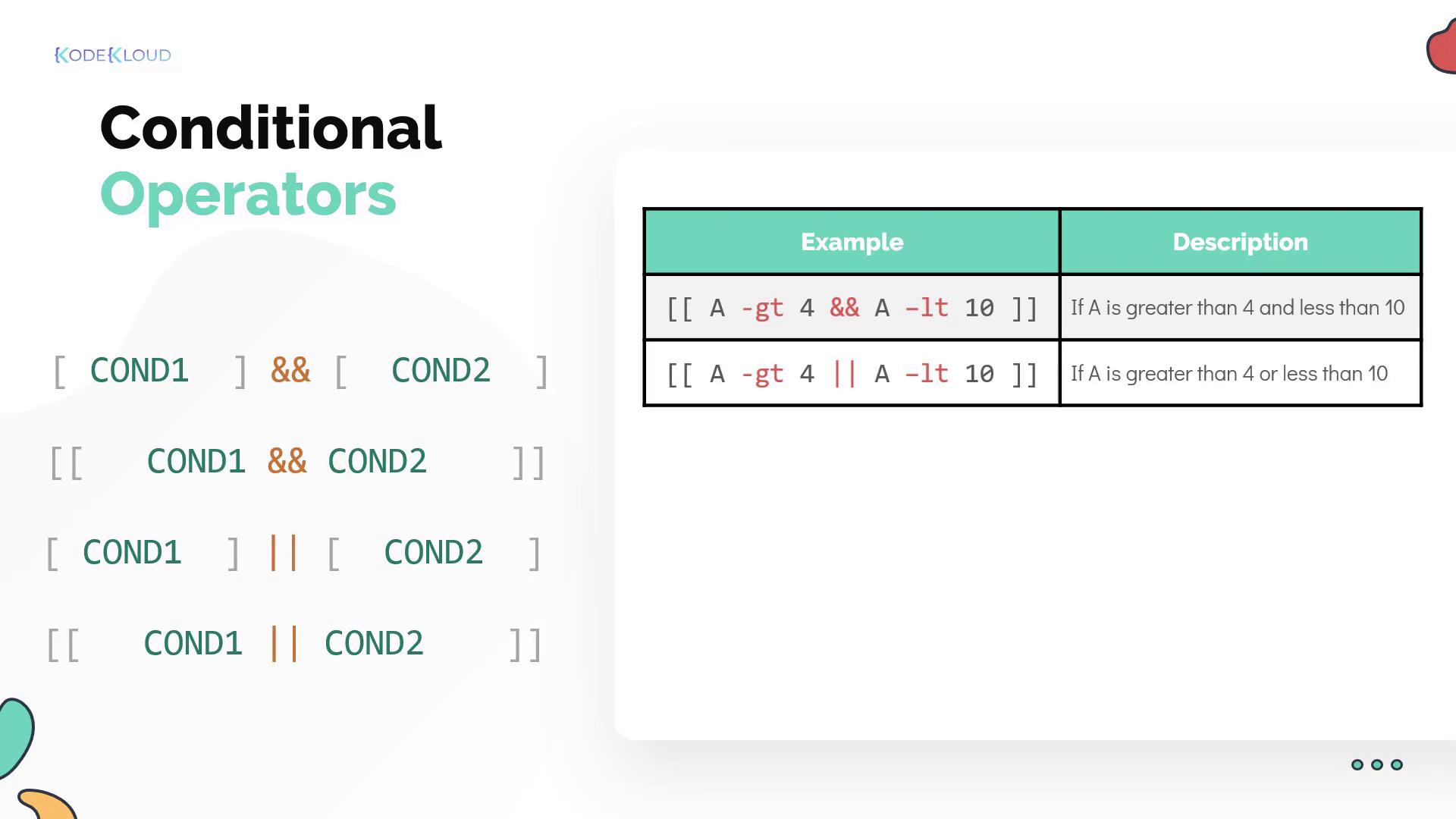
Combining Multiple Conditions
Sometimes, it’s necessary to test multiple conditions in a script. There are two basic logical operators:-
Logical AND (
&&): Ensures that both conditions are true. -
Logical OR (
||): Executes the command if at least one condition is true.
File Test Operators
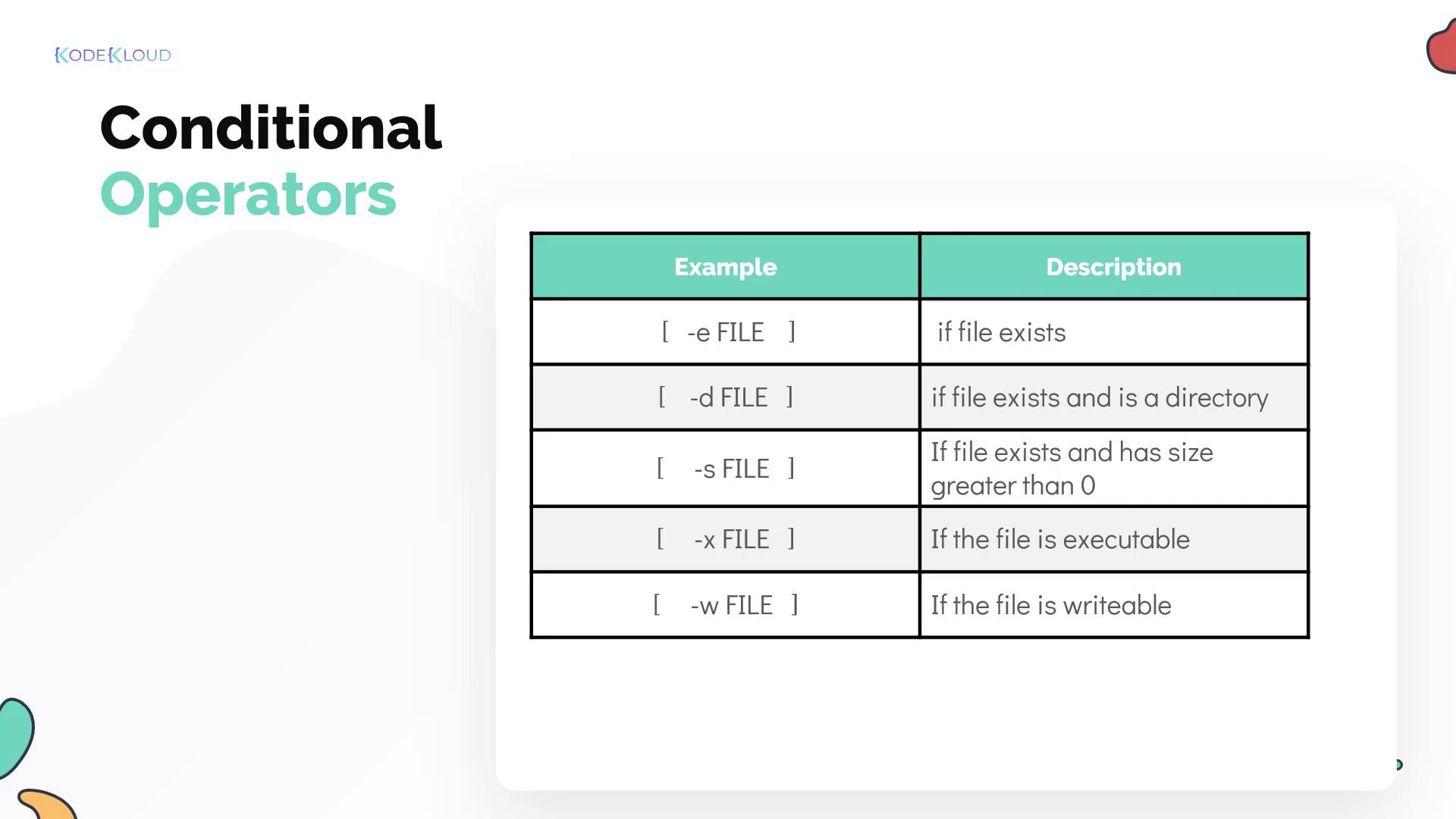
Shell scripts also offer file test operators that allow you to check various file properties:-e: Checks if a file exists.-d: Determines if the given path is a directory.-s: Verifies that the file size is greater than zero.-x: Confirms if the file is executable.-w: Checks if the file is writable.
By mastering these conditional constructions and operators, you can design shell scripts that make intelligent decisions during runtime. This results in more resilient automation workflows and efficient error handling.