This guide explains how to create and manage swap space on a Linux system to optimize memory usage.
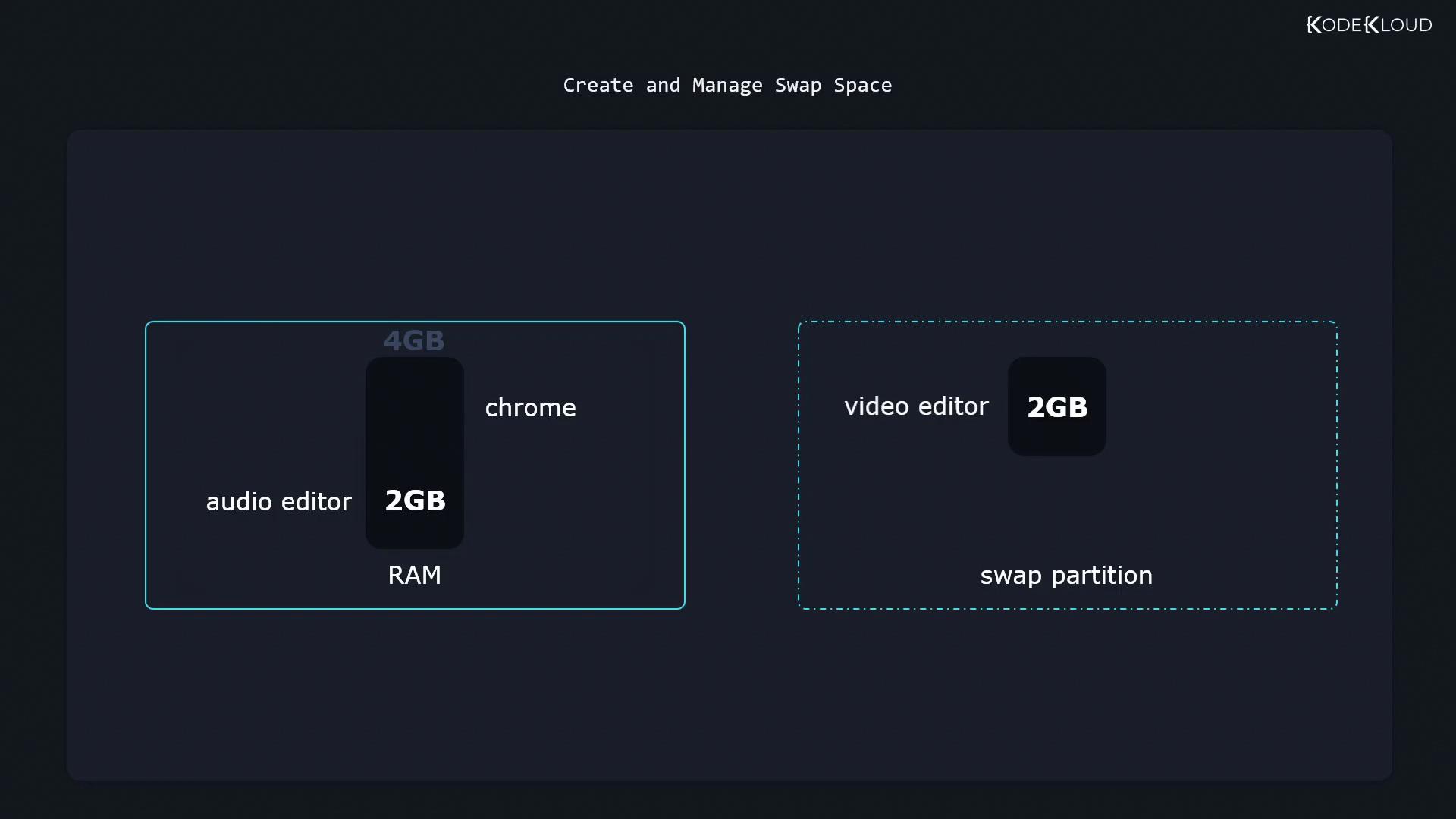
In this guide, you will learn how to create and manage swap space on a Linux system. Swap space is a designated area on disk where Linux temporarily moves data from RAM when physical memory is fully utilized. This process helps ensure that active applications have sufficient RAM to operate efficiently.Consider the following scenario that demonstrates how swap space is used:
A computer has 4 GB of RAM.
A video editor uses 2 GB of RAM.
An audio editor uses another 2 GB of RAM.
With no free RAM available, a 2-GB swap partition is activated.
When launching an additional application like Chrome, Linux shifts inactive data (for example, from the video editor) into swap space to free up RAM.
Below are the detailed steps and commands to set up and manage swap space on your Linux system.
By default, swap space is not activated after a reboot. To ensure that the swap partition is enabled automatically at startup, add an appropriate entry in the /etc/fstab file. This will also help maintain system stability by ensuring that swap is consistently available. For more details on achieving persistent mounts, refer to the file system documentation.
There might be times when you need to disable a swap partition—such as for system maintenance or configuration changes. To disable swap temporarily, execute:
This article has covered both methods for implementing swap space on Linux: using a dedicated swap partition and creating a swap file. In both cases, the steps involve initializing with mkswap, activating with swapon, and verifying the swap status. For persistent swap configurations across reboots or more advanced setups, consult additional system administration resources.Now try these steps in your practice environment for enhanced system performance and efficient memory management.