This article provides a comprehensive guide on managing and configuring LVM storage in Linux, covering key concepts, commands, and operations.
Welcome to our comprehensive guide on managing and configuring LVM (Logical Volume Manager) storage in Linux. LVM is a powerful tool that provides storage flexibility by allowing you to combine free space from different parts of a disk—or even from multiple disks—into a single continuous partition as seen by the operating system. With LVM, you can easily resize storage partitions, making it convenient to expand capacity as your needs grow.In this guide, you will explore various LVM operations, including creating physical volumes, volume groups, and logical volumes, as well as resizing and formatting them. Most CentOS installations come with LVM tools pre-installed. If your system does not have them, install the package with:
Copy
Ask AI
sudo dnf install lvm2
For demonstration purposes, assume that three new virtual disks, each with 5 gigabytes of capacity, have been added to your virtual machine.
In this output, /dev/sda2 is already configured as an LVM physical volume (likely set up during the CentOS installation), so it will be excluded from further operations in this lesson.
To utilize the available storage, create a Volume Group (VG) that aggregates the physical volumes into one virtual disk. For example, combining /dev/sdc and /dev/sdd creates a VG of 10 gigabytes. Create the volume group named “my_volume” with:
Once the physical volumes and volume group are ready, create Logical Volumes (LVs) to act as partitions within the VG.Create a logical volume named “partition1” with a size of 2GB in “my_volume”:
Reducing 100%VG to remaining free space 3.99 GiB in VG.Size of logical volume my_volume/partition1 changed from 2.00 GiB (512 extents) to 3.99 GiB (1022 extents).Logical volume my_volume/partition1 successfully resized.
To reduce a logical volume to a specific size (for example, 2GB), use:
Copy
Ask AI
sudo lvresize --size 2G my_volume/partition1
This command will warn you about potential data loss. If you are sure, confirm the reduction:
Copy
Ask AI
WARNING: Reducing active logical volume to 2.00 GiB.THIS MAY DESTROY YOUR DATA (filesystem etc.)Do you really want to reduce my_volume/partition1? [y/n]: ySize of logical volume my_volume/partition1 changed from 3.99 GiB (1022 extents) to 2.00 GiB (512 extents).Logical volume my_volume/partition1 successfully resized.
Always ensure you have a backup before reducing the size of a logical volume as this operation can result in data loss.
If your logical volume includes a filesystem, you need to resize both the LV and the filesystem concurrently. XFS supports online expansion (but cannot be shrunk while mounted). To expand “partition1” from 2GB to 3GB, run:
To display detailed information about your logical volumes, use:
Copy
Ask AI
sudo lvdisplay
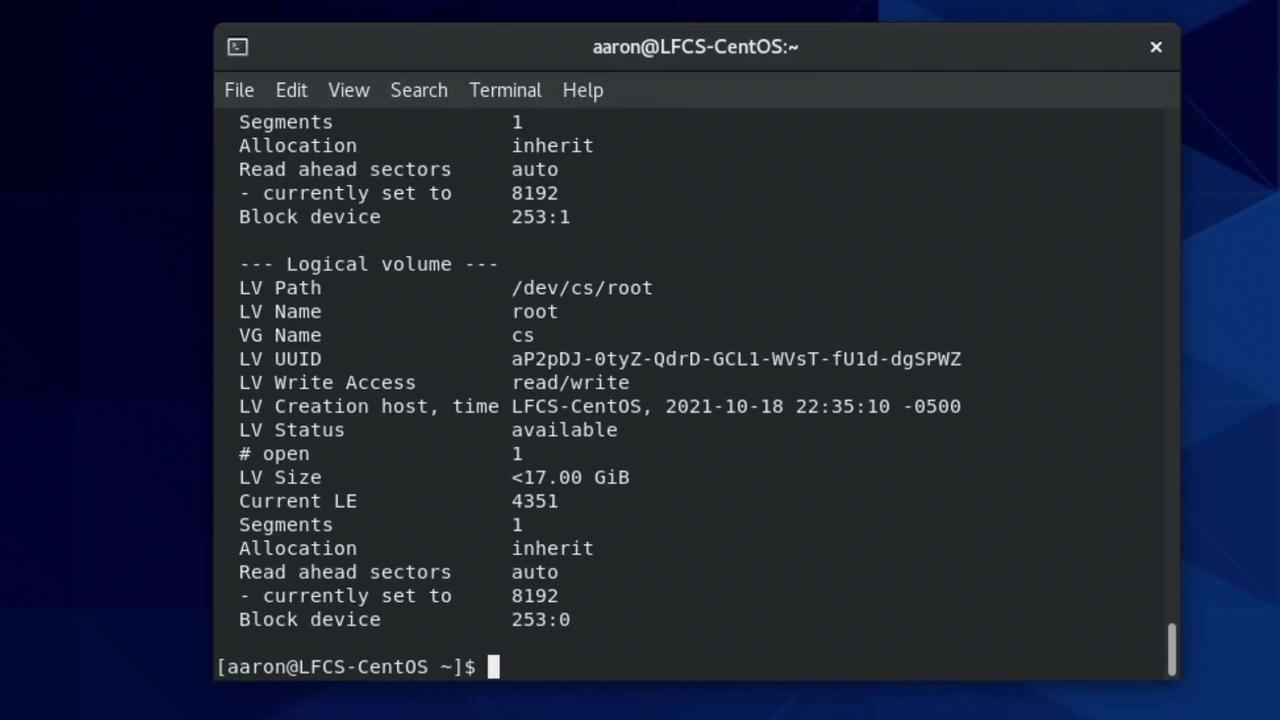
This command shows details such as the LV path, name, size, status, and more. An example output for “partition1” might be:
Copy
Ask AI
--- Logical volume ---LV Path /dev/my_volume/partition1LV Name partition1VG Name my_volumeLV UUID EIlInFA-hqqM-F9Sp-3F7m-oPte-hElc-jRx4vNLV Write Access read/writeLV Creation host, time LFCS-CentOS, 2022-03-24 17:37:40 -0500LV Status available# open 0LV Size 2.00 GiBCurrent LE 512Segments 1Allocation inheritRead ahead sectors auto (currently set to 8192)Block device 253:2
This LV path (/dev/my_volume/partition1) works in a similar way to standard device files like /dev/vda.
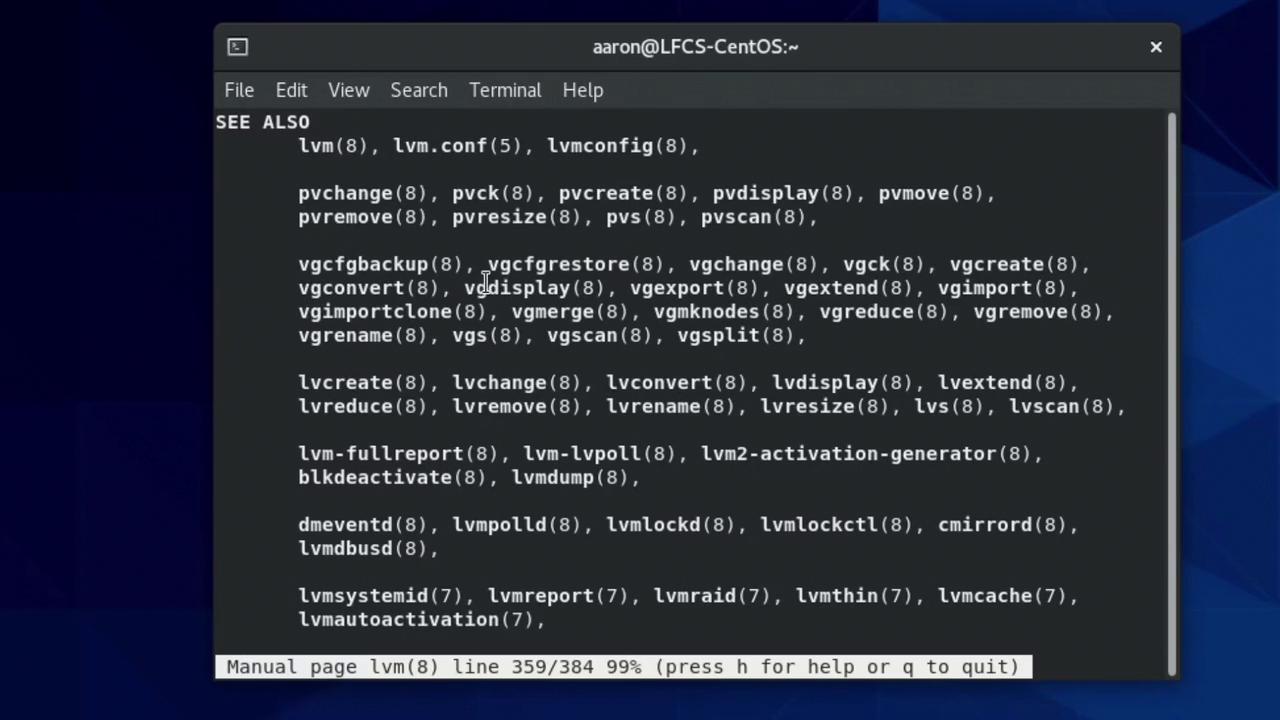
If you ever need help or a quick refresher on any LVM command, refer to the manual pages by running:
Copy
Ask AI
man lvm
While navigating the manual, you can use tab-completion in the terminal. For example, type “vg” and press Tab twice to see available VG options such as:
vgcreate
vgdisplay
vgexport
vgchange
vgck
vgextend
vgimport
vgmerge
vgimportdevices
vgcfgrestore
vgmknodes
vgreduce
vgs
vgsplit
This concludes our guide on managing and configuring LVM storage in Linux. Armed with these commands and tips, you are now ready to explore further lab exercises and enhance your Linux storage management skills.