Why Use Data Sources?
- Read attributes of existing resources without managing their lifecycle.
- Integrate with resources created by CloudFormation, Ansible, Terraform, or manually.
- Avoid duplicating state in multiple configurations.
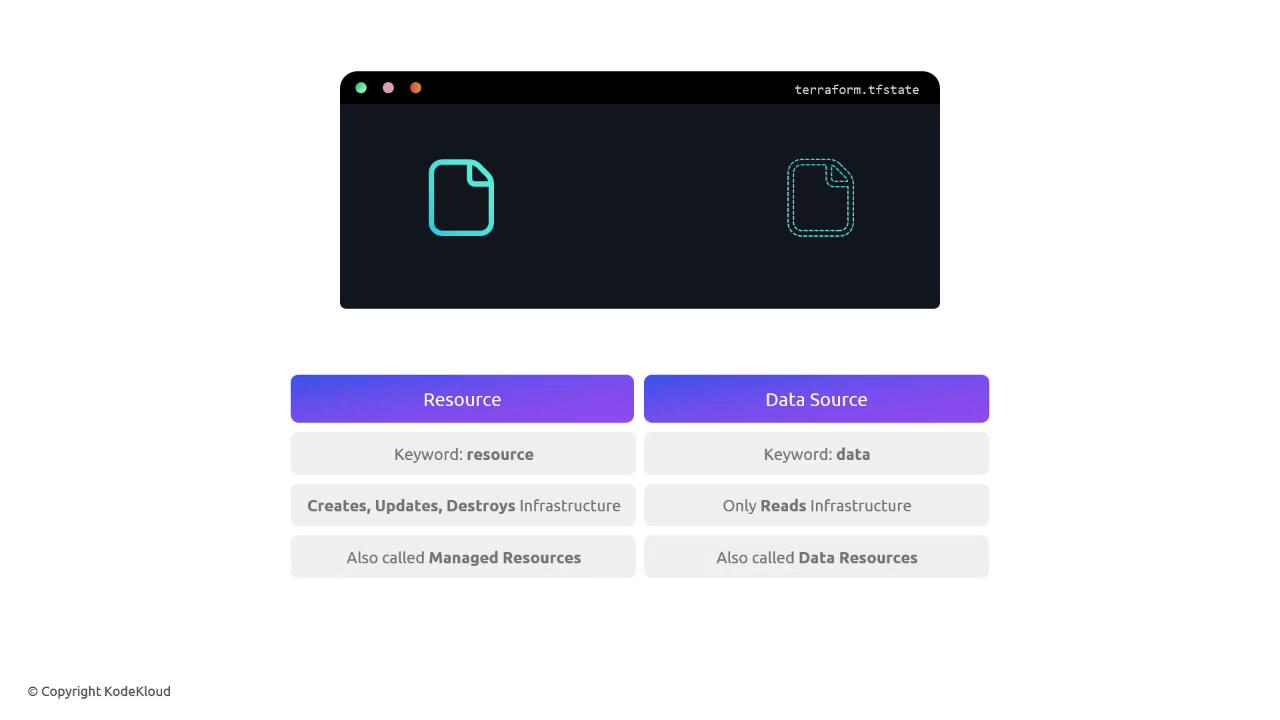
Data sources are read-only. They cannot create, update, or destroy resources. For full lifecycle management, use
resource blocks instead.Referencing an Existing AWS Key Pair
Suppose you already have an AWS Key Pair namedalpha. You can fetch its key_name for use in an EC2 instance:
data "aws_key_pair" "cerberus_key"declares a data source.- The argument
key_name = "alpha"locates the existing key pair. - In the EC2 resource,
data.aws_key_pair.cerberus_key.key_nameprovides the fetched value.
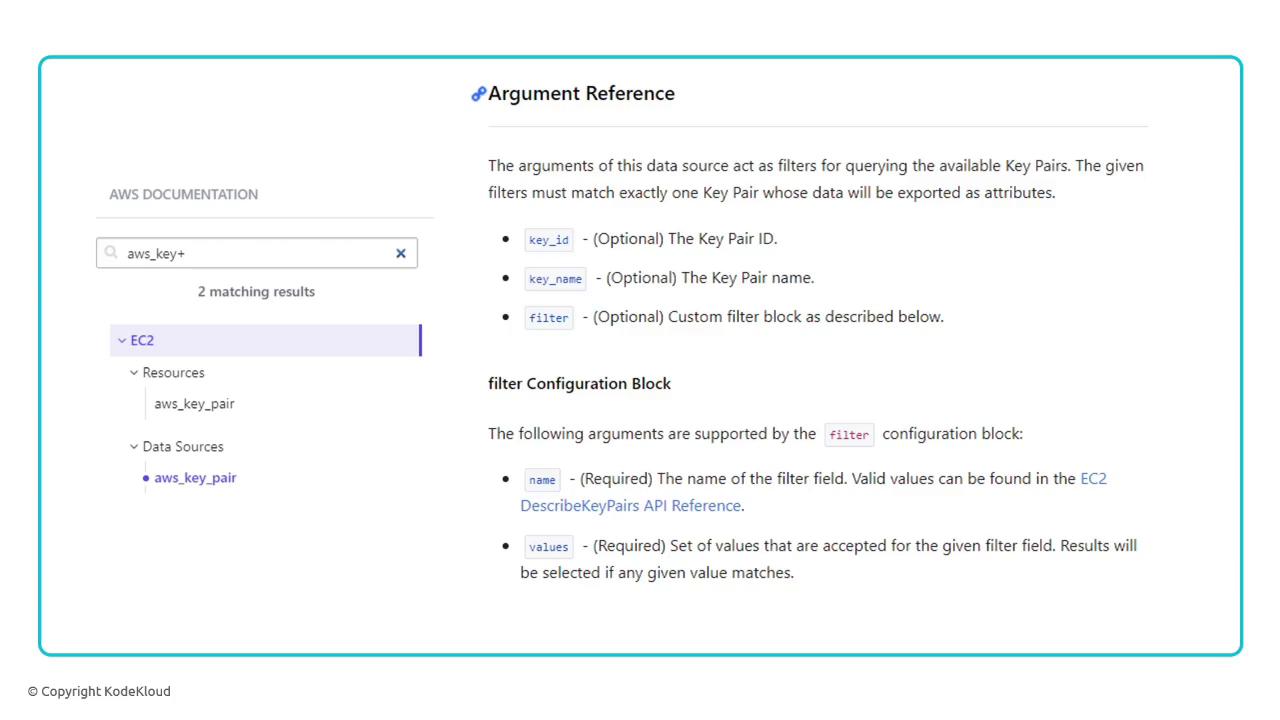
Check the AWS Provider Data Sources documentation for all available arguments and attributes: https://registry.terraform.io/providers/hashicorp/aws/latest/docs/data-sources/key_pair
Filtering Data Sources by Tags
When you can’t identify a resource by a single attribute, use filters. For example, locate the key pair tagged withproject = cerberus:
- The
filterblock matches key pairs with the given tag. - Multiple filters can be combined to narrow the search.
Resources vs. Data Sources
| Aspect | Resource Blocks | Data Source Blocks |
|---|---|---|
| Lifecycle | Create, Read, Update, Delete | Read only |
| Keyword | resource | data |
| Terraform State | Managed | Not managed |
| Use Case | Provision infrastructure | Query existing infrastructure |