This article explains remote state management and state locking in OpenTofu for efficient infrastructure as code practices.
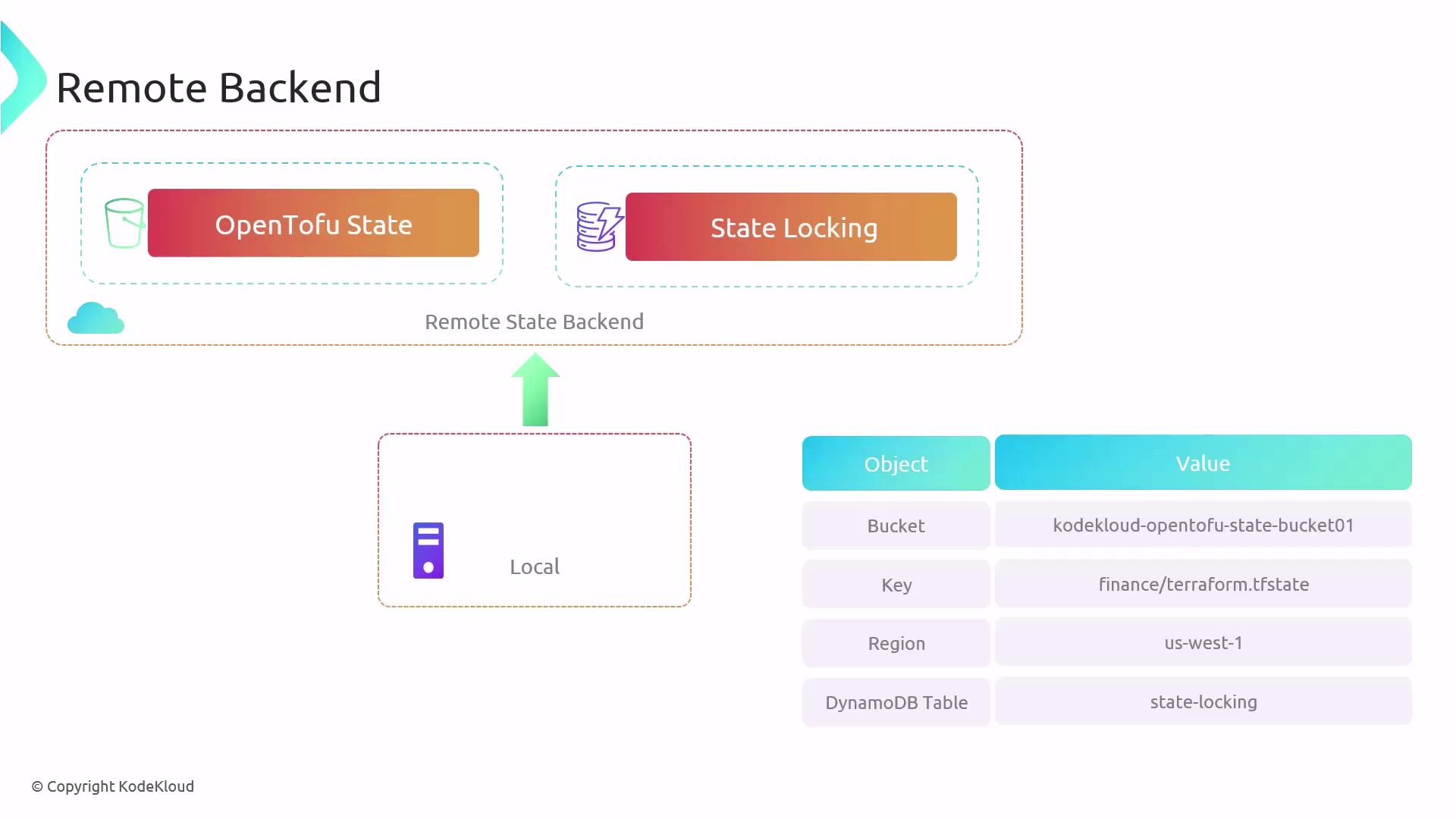
Managing infrastructure as code with OpenTofu relies on state files to map configurations to real resources and track metadata, such as dependencies, for proper creation and deletion order. While local state works for small setups, it becomes a bottleneck in larger teams and complex environments. Remote state backends solve these challenges by providing shared storage, locking, and encryption.
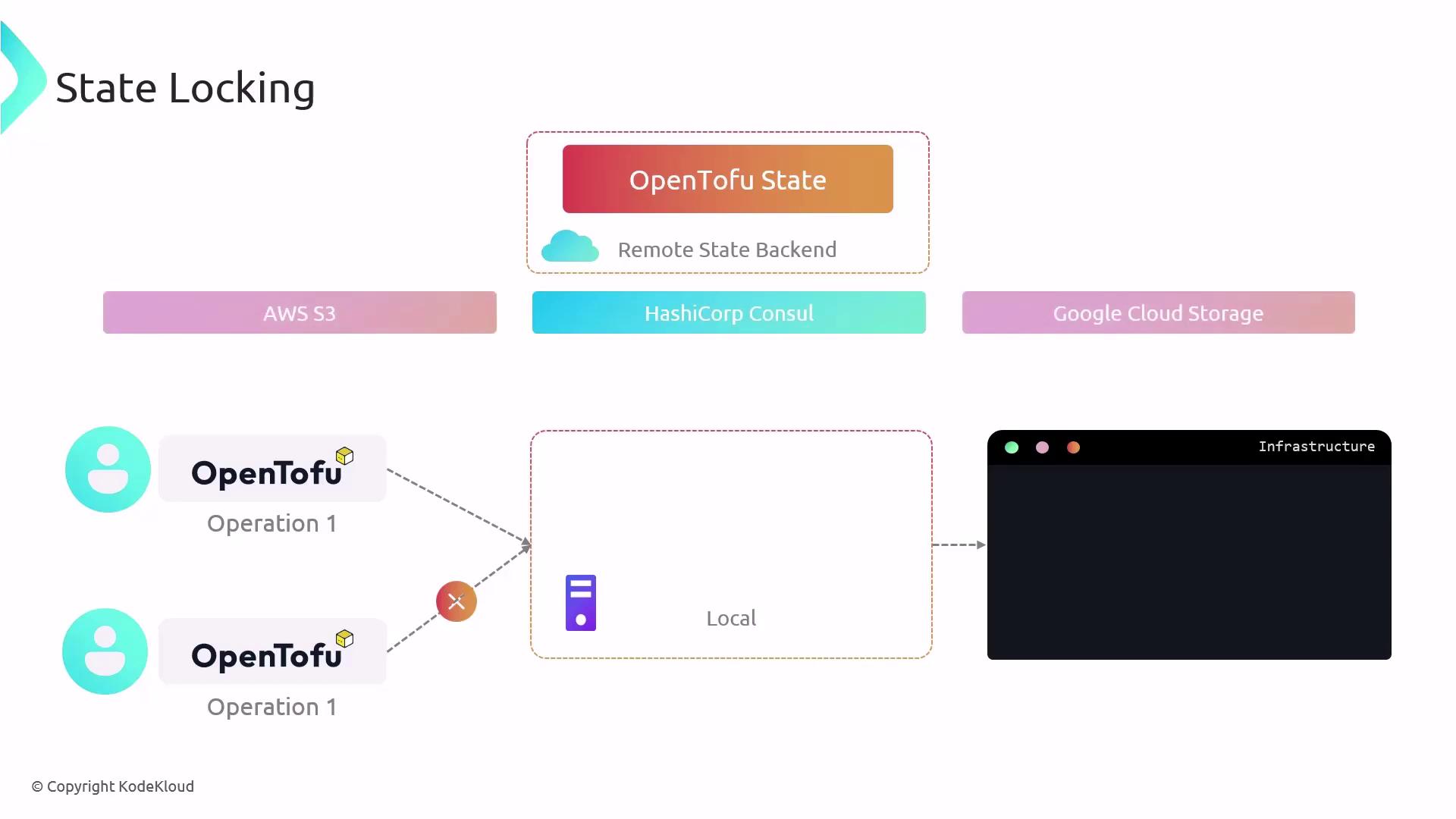
OpenTofu locks the local state file during operations to prevent concurrent writes:
Copy
Ask AI
$ tofu applyPlan: 2 to add, 0 to change, 0 to destroy.Enter a value: yesaws_s3_bucket.finance-2020: Creating......
If you run another tofu apply in parallel, you’ll encounter:
Copy
Ask AI
$ tofu applyError: Error acquiring the state lockError message: resource temporarily unavailableLock Info: ID: fefe3806-007c-084b-be61-cef4cdc77dee Path: terraform.tfstate Operation: OperationTypeApply Who: root@iac-server Version: 1.6.1 Created: 2024-02-10Info: OpenTofu acquires a state lock to protect the state from concurrent writes. Please resolve the issue or retry without locking (-lock=false), though this is not recommended.
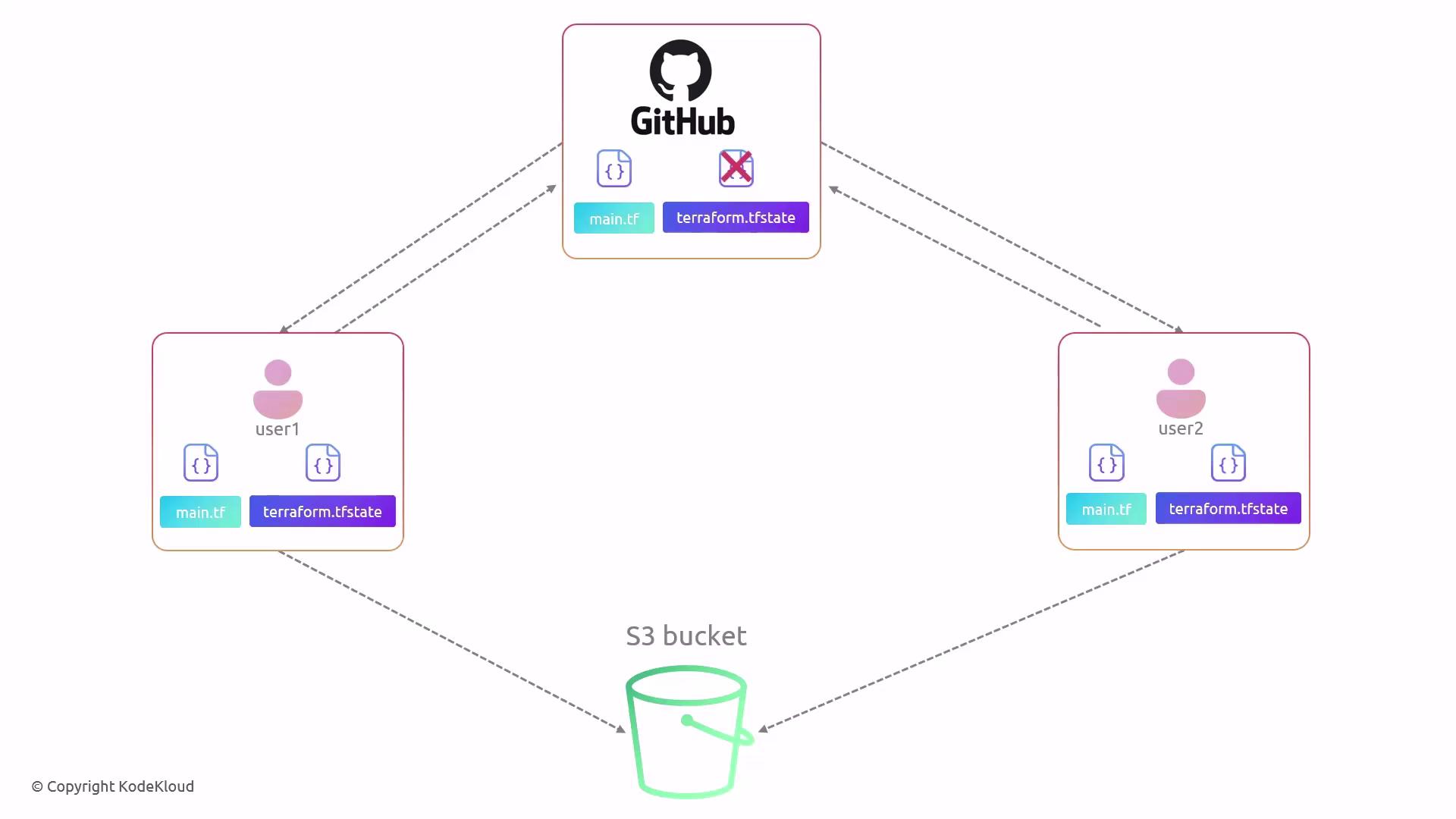
However, version control platforms like GitHub do not support file-level locking, leading to potential merge conflicts and corrupted state:
Run tofu apply and note the backend initialization error:
Copy
Ask AI
$ tofu applyError: Backend initialization required, please run "tofu init"Reason: Initial configuration of the requested backend "s3"
Initialize and migrate your state:
Copy
Ask AI
$ tofu initInitializing the backend...Pre-existing state was found while migrating the previous "local" backend to the newly configured "s3" backend. No existing state was found in the new "s3" backend. Do you want to copy this state to the new "s3" backend? Enter "yes" to copy and "no" to start with an empty state.Enter a value: yesSuccessfully configured the backend "s3"! OpenTofu will automatically use this backend unless the configuration changes.Initializing provider plugins...- Using previously-installed hashicorp/aws v3.7.0...
Responding with yes migrates your local state to S3. You can then remove the local terraform.tfstate file.
Future applies use the remote backend:
Copy
Ask AI
$ tofu applyAcquiring state lock. This may take a few moments...local_file.pet: Refreshing state... [id=a676sd5665sd]Apply complete! Resources: 0 added, 0 changed, 0 destroyed.Releasing state lock. This may take a few moments.
OpenTofu provides the tofu state command group for safe state inspection and modifications. Avoid editing state files manually.
Command
Description
tofu state list
List all resources in the state
tofu state list <address>
Filter by resource address
tofu state show <resource>
Show detailed resource attributes
tofu state mv
Move items within the state file
tofu state rm
Remove items from the state file
Examples:
Copy
Ask AI
$ tofu state show aws_s3_bucket.finance
Copy
Ask AI
$ tofu state listaws_dynamodb_table.carsaws_s3_bucket.finance-202922
Copy
Ask AI
$ tofu state list aws_s3_bucket.financeaws_s3_bucket.finance-202922
Understanding and implementing remote state with state locking ensures a secure, collaborative, and reliable infrastructure lifecycle management workflow.