Prerequisites
- An AWS account with permissions for FIS, EC2, IAM, and CloudWatch Logs
- An existing Auto Scaling group tagged with
experiment=ready - A service role (for example,
fis-workshop-ec2-service-role) allowing FIS to terminate EC2 instances
Step 1: Open the FIS Console
- Sign in to the AWS Management Console.
- Navigate to Fault Injection Simulator under Resilience.
- In the sidebar, choose Experiment templates, then click Create experiment template.
Step 2: Define Experiment Template Details
On the Create experiment template page, complete the basic fields:| Parameter | Value | Description |
|---|---|---|
| AWS account | Your current account | Automatically populated |
| Name | fis-workshop-asg-50-percent | Unique template name |
| Description | Terminate half of the instances | High-level summary of the fault injection goal |
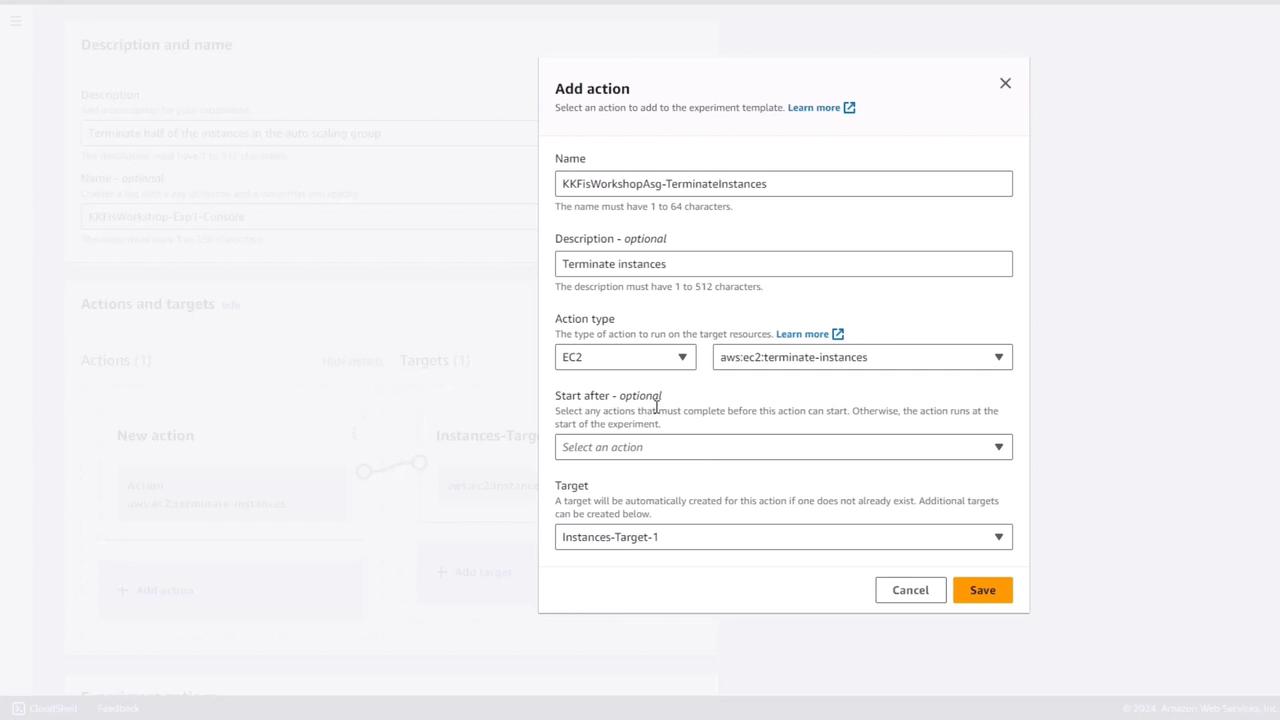
Step 3: Configure the Termination Action
Actions specify the faults FIS injects. For this template:- Action name:
terminate-instances - Action type: EC2 → Terminate instance
- Targets: keep default (
instances-target1) - Start after: leave blank (unused for single-action workflows)
Step 4: Define Target Resources
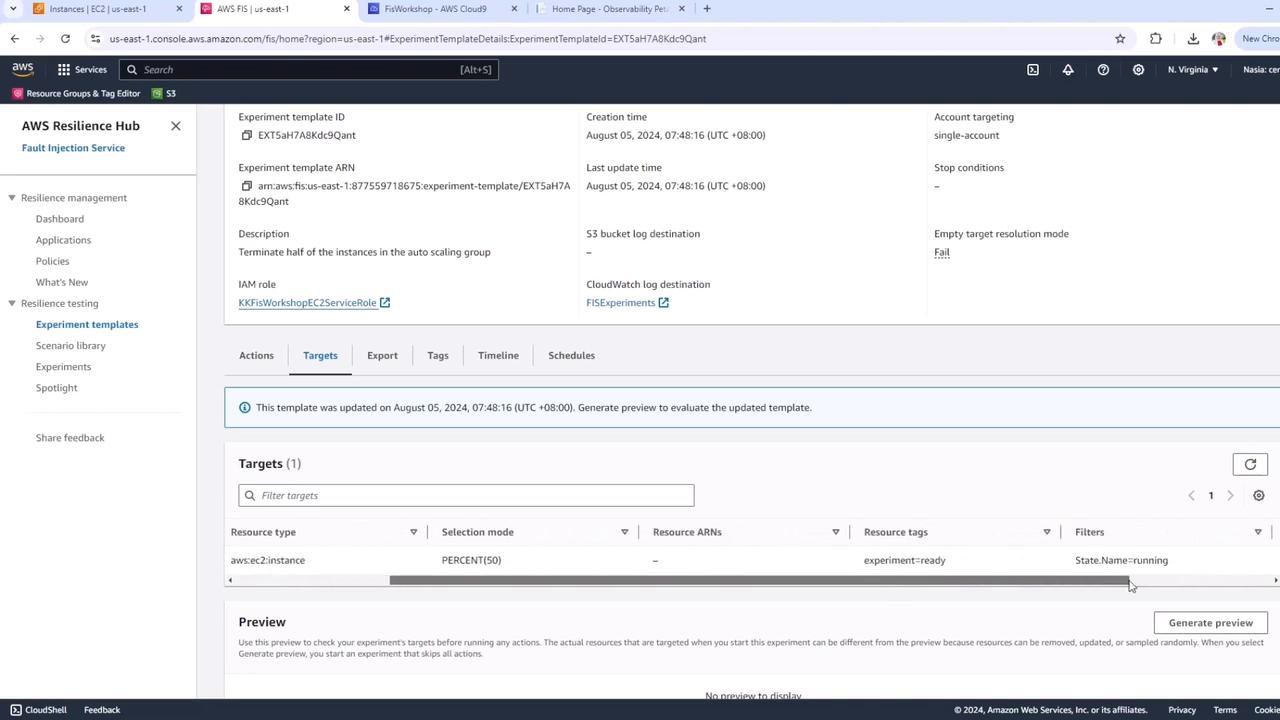
Specify which instances FIS should target:- Click Edit target next to
instances-target1. - Set Target name to
FIS Workshop ASG 50%. - Choose Resource type: EC2 instance.
- Under Target selection, choose Tags and filters.
-
Tag filter
- Key:
experiment - Value:
ready
- Key:
-
Resource filter
- Filter name:
State name - Value:
running
- Filter name:
-
Selection mode
- Percentage:
50%
- Percentage:
experiment=ready are considered, and exactly half are terminated.

Step 5: Select IAM Role & Logging
- Scroll to IAM role and select your FIS service role (e.g.,
fis-workshop-ec2-service-role). - Choose a CloudWatch Logs group to capture FIS events.
No stop conditions are defined in this demo. In production, always add stop conditions (e.g., CPUUtilization thresholds) to avoid uncontrolled failures.
Step 6: Create the Experiment Template
Click Create template. A confirmation appears noting that no stop conditions exist—this is expected for this workshop. Confirm to finalize the template. Your experiment template is now ready. When executed, it will terminate 50% of the instances in the specified Auto Scaling group.