

Getting Started
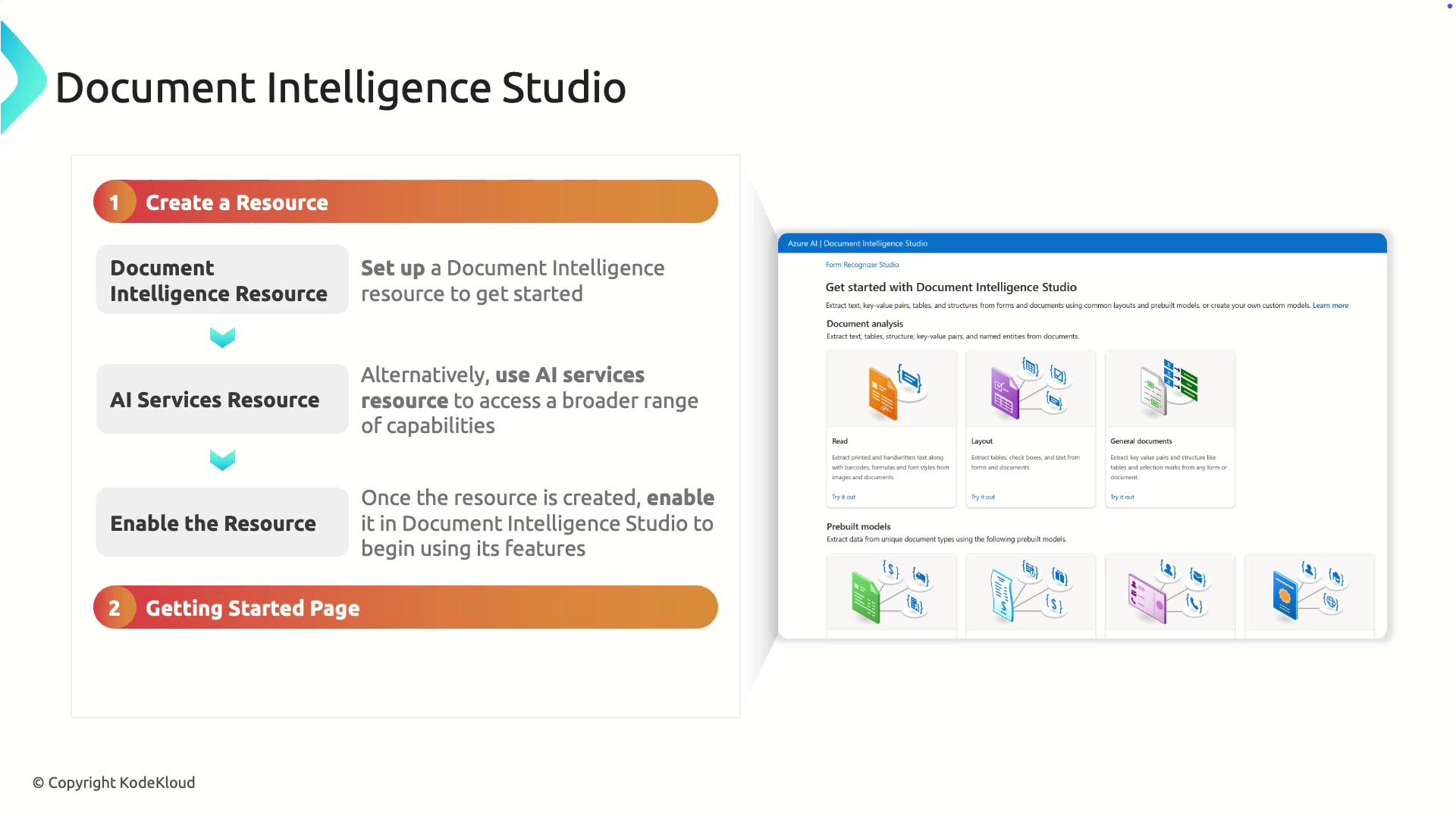
Before you begin using Document Intelligence Studio, you must create a resource. You have two options:- Create a dedicated Document Intelligence resource in Azure.
- Use an existing Azure AI Services multi-service account.
Navigating Document Intelligence Studio
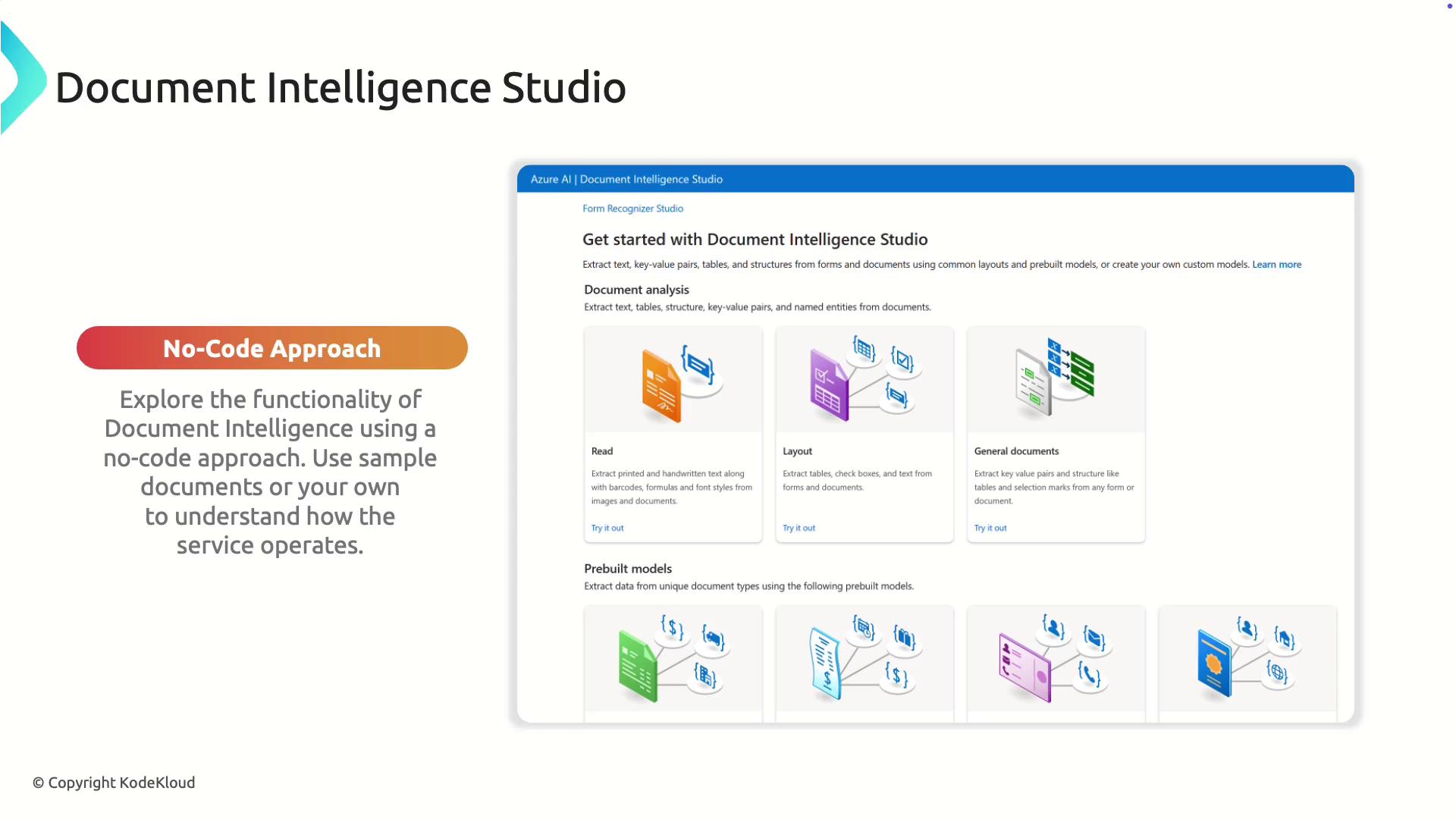
Access Document Intelligence Studio by logging in to the Azure portal and visiting: https://documentintelligence.azure.com Once logged in, you can explore a variety of models tailored for processing different types of documents, including:- Reading
- Layout analysis
- Journal documents
- Invoices
- Receipts
- Identity documents
- Creating a dedicated Document Intelligence service.
- Utilizing Azure AI Services through a multi-service account.
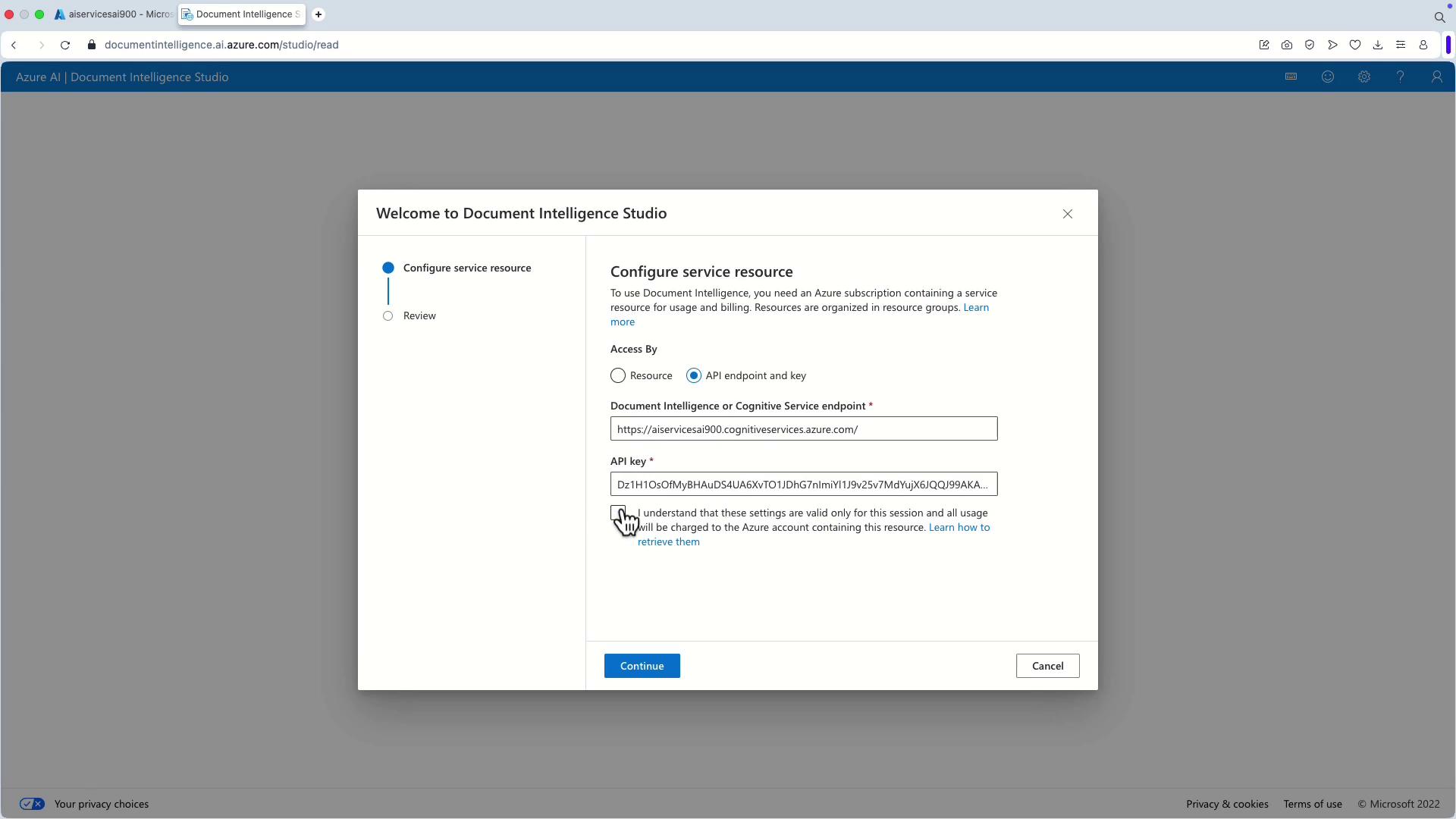
Connecting via Azure AI Services
When opting for Azure AI Services, follow these steps to set up your resource connection:- Locate the Document Intelligence resource within your Azure AI Services account.
- Copy the API endpoint.
- Copy the API key.
- Enter the copied endpoint and API key into Document Intelligence Studio.
- Click “Continue” followed by “Finish” to complete the setup.
Using Pre-Built Models
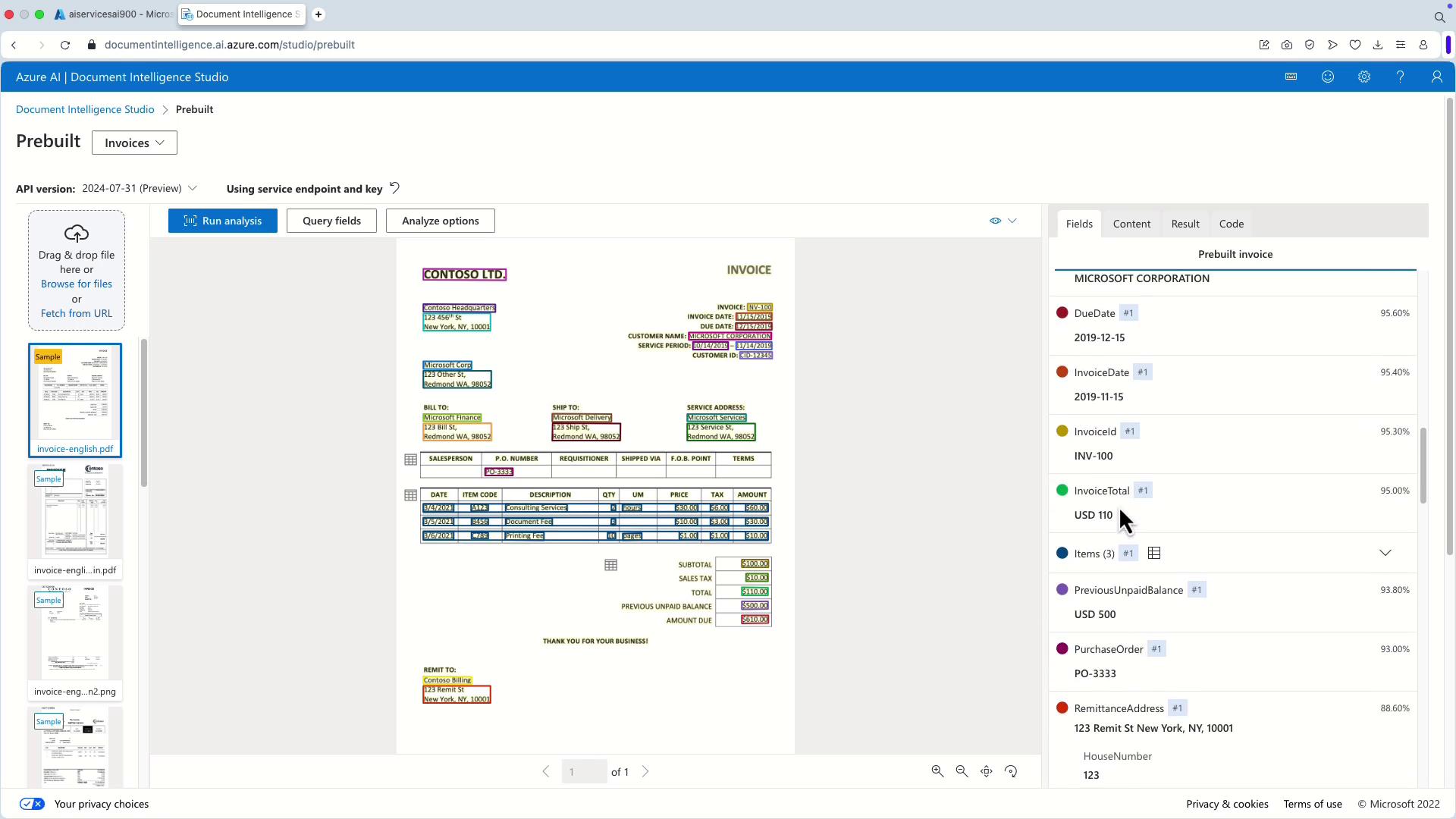
After connecting your resource, you can immediately run analyses on sample documents. For instance, performing an analysis on an invoice will extract key pieces of information such as paragraphs of text and specific fields. This is particularly advantageous for integrating extracted data into other workflows. A common scenario involves processing invoices. By selecting the invoice model, you can automatically extract critical fields like:- Amount due
- Billing address and recipient details
- Customer address
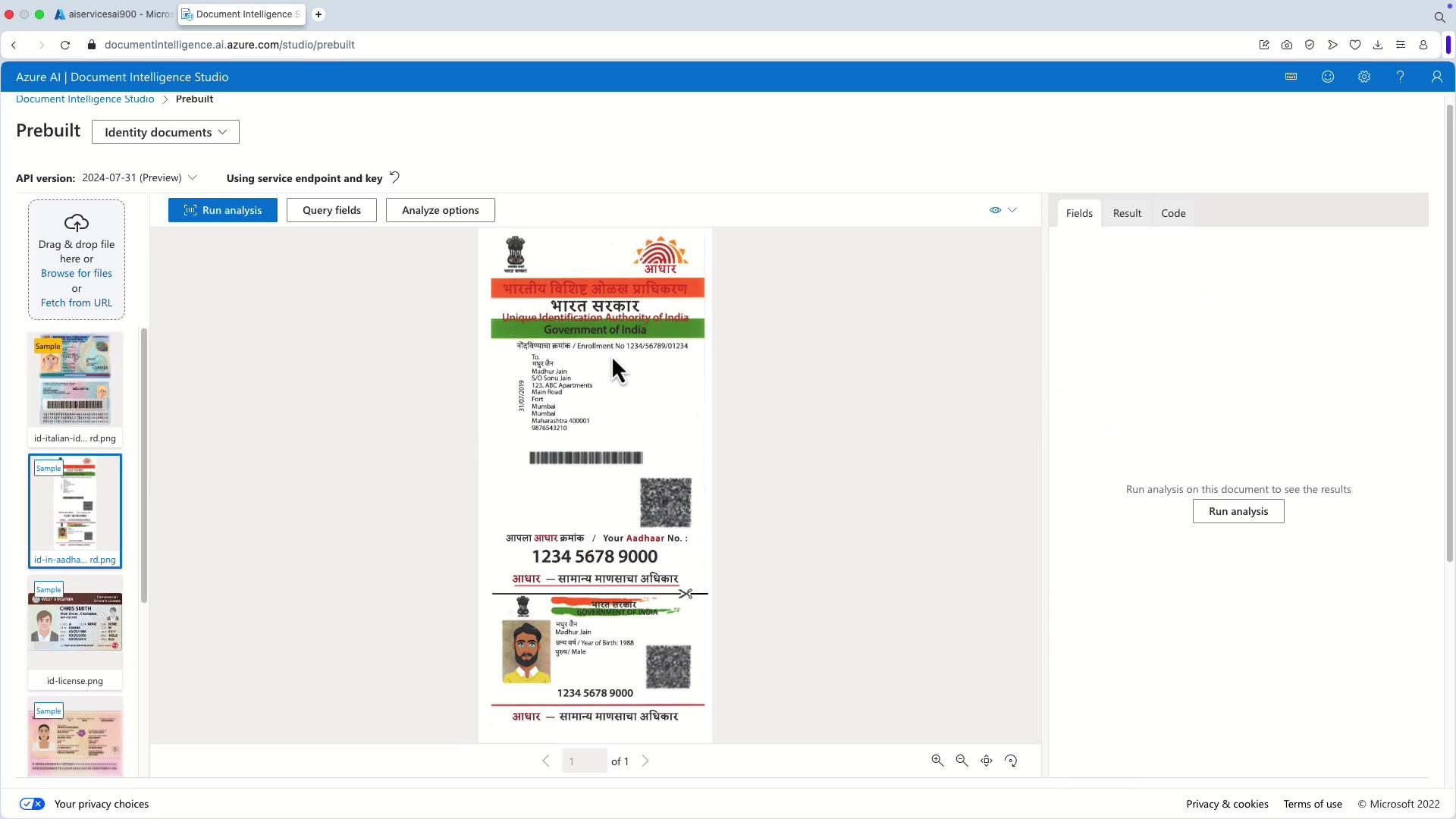
Working with Identity Documents
Document Intelligence Studio is not limited to invoices and forms; it also excels at processing identity documents. By analyzing ID cards, the service can extract crucial details, including:- Address
- Date of birth
- Date of expiration
- Date of issue
Conclusion
Document Intelligence Studio offers an accessible, no-code solution for extracting and analyzing data from a variety of document types. Its seamless integration with Azure AI Services allows businesses to streamline document processing workflows without requiring extensive technical expertise.Stay tuned for our upcoming articles where we will delve into other Azure AI capabilities, such as Azure AI Search, and how they can further enhance your document processing and data extraction processes.