

External vs. Internal Communication
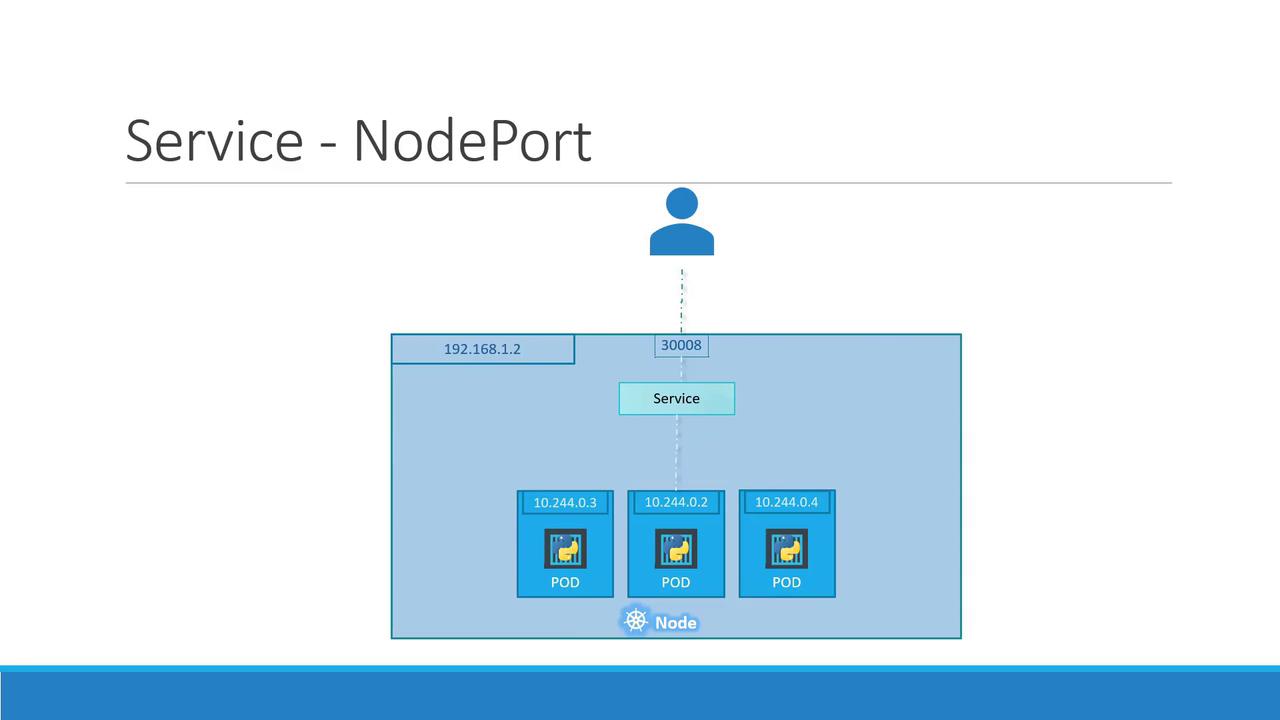
Consider external communication first. Suppose you deploy a Pod running a web application. The Kubernetes node might have an IP address like192.168.1.2, and a laptop on the same network might use 192.168.1.10. However, the Pod’s IP (e.g., 10.244.0.2) belongs to a different network range, making it directly inaccessible from the laptop.
If you SSH into the Kubernetes node using its IP (192.168.1.2), you can fetch the web page hosted by the Pod with:
30008) to the Pod’s target port (typically 80 for web servers). For example, from the node itself:
30008 to the Pod’s web server.
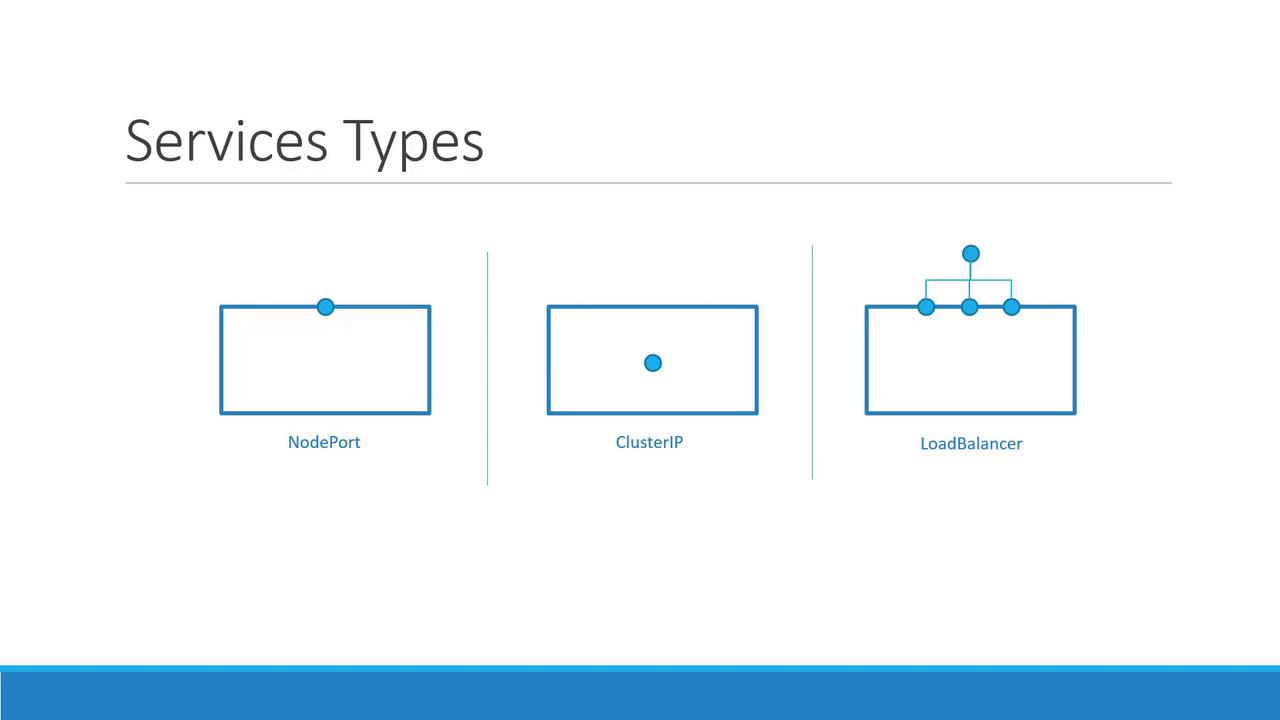
Kubernetes Service Types
Kubernetes supports three primary types of Services:| Service Type | Description | Use Case Example |
|---|---|---|
| NodePort | Exposes a service on a static port on each node’s IP. | External access to a single or multiple pods |
| ClusterIP | Creates a virtual IP for internal cluster communication. | Service connectivity between front-end and back-end pods |
| LoadBalancer | Provisions a load balancer (in supported cloud environments) for distribution. | Balancing traffic across multiple pods |
How NodePort Works
A NodePort Service involves three key ports:- Target Port: The port on the Pod where the web server is running (e.g.,
80). - Service Port: A port on the Service object itself. Within the cluster, the Service also has a ClusterIP.
- Node Port: An externally exposed port on each node. This must be within the range
30000–32767(in our example,30008).
- The
typeis set toNodePort, which means the service will be exposed on a specific port on every node. - The
portssection includes:targetPortto indicate where the web server runs inside the Pod.portwhich defines the Service’s port within the cluster.nodePortrepresenting the port accessible externally on each node.
The only mandatory field in the ports configuration is
port. If you omit targetPort, it defaults to the same value as port. Likewise, if you don’t specify nodePort, Kubernetes will allocate one automatically from the valid range.app: myapp, update your Service definition to include a matching selector:
selector field in the Service ensures that traffic is forwarded to the correct Pods based on matching labels.
After defining the Service, deploy it with:
80:30008/TCP), and confirm that the Service type is NodePort:
192.168.1.2) with port 30008.
Load Balancing Across Multiple Pods and Nodes
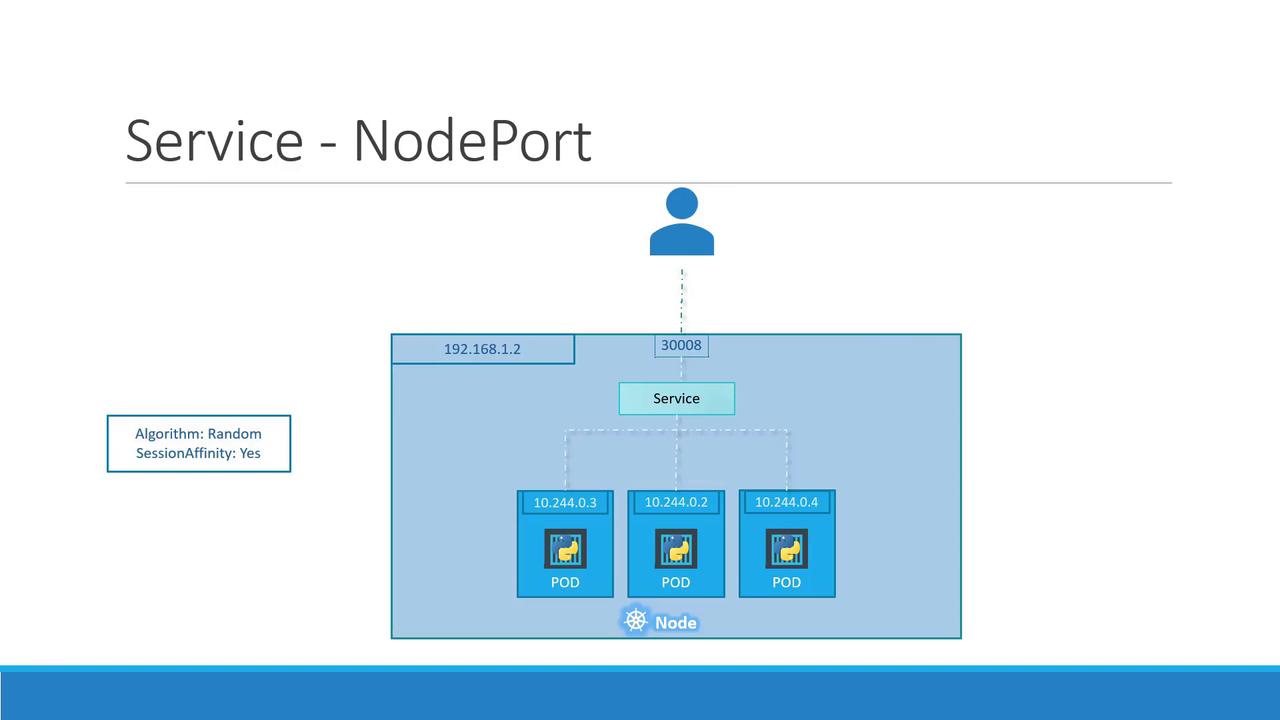
In production environments, you often run multiple instances of your web application to ensure high availability and load balancing. When Pods share the same labels, Kubernetes automatically registers all matching Pods as endpoints for the Service. For example, if there are three Pods with the labelapp: myapp, the NodePort Service will distribute incoming requests among all three. The load balancing algorithm employed is simple and effective—it distributes the requests randomly across the available Pods.
30008) to access your application without any disruption.
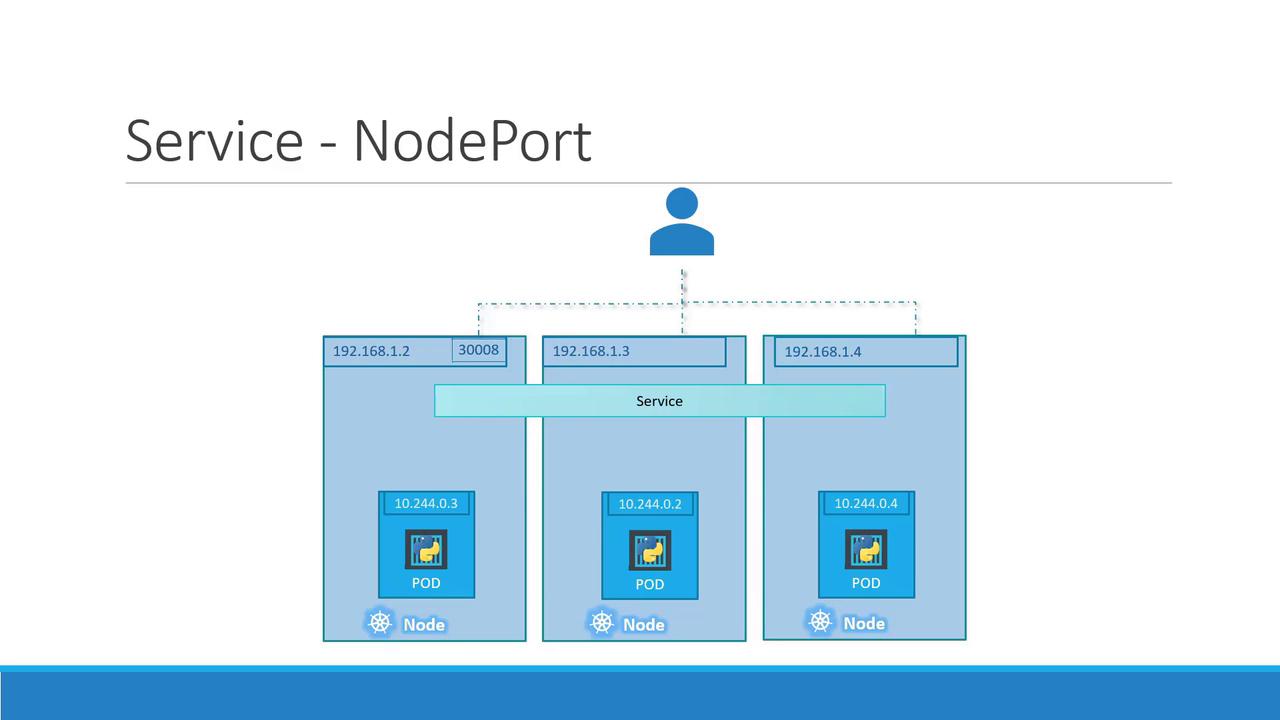
Summary
In summary, whether you have a single Pod on one node, multiple Pods on a single node, or Pods distributed across several nodes, a NodePort Service is configured in the same manner. Kubernetes automatically updates the Service endpoints as Pods are added or removed, making this approach a robust solution for providing external access to your application.For a hands-on demonstration, proceed to the demo section where you’ll see NodePort Services in action. Continue exploring Kubernetes by reviewing the official Kubernetes Documentation.