This guide provides a walkthrough for managing services in Kubernetes,
In this guide, we will walk through the solution for the lab on Services in Kubernetes. The instructions include identifying existing services, checking service types, inspecting target ports, verifying labels and endpoints, reviewing deployments, and finally creating a service to expose a web application.
Next, verify the type of the default service by executing:
Copy
Ask AI
kubectl get service
and
Copy
Ask AI
kubectl get svc
You should see output like this:
Copy
Ask AI
controlplane ~ ➜ kubectl get serviceNAME TYPE CLUSTER-IP EXTERNAL-IP PORT(S) AGEkubernetes ClusterIP 10.43.0.1 <none> 443/TCP 10mcontrolplane ~ ➜ kubectl get svcNAME TYPE CLUSTER-IP EXTERNAL-IP PORT(S) AGEkubernetes ClusterIP 10.43.0.1 <none> 443/TCP 10mcontrolplane ~ ➜
This confirms that the service type is “ClusterIP”. We will focus on this configuration for now, with further details to be discussed later. To verify, run:
Copy
Ask AI
kubectl get serviceNAME TYPE CLUSTER-IP EXTERNAL-IP PORT(S) AGEkubernetes ClusterIP 10.43.0.1 <none> 443/TCP 10m
Copy
Ask AI
kubectl get svcNAME TYPE CLUSTER-IP EXTERNAL-IP PORT(S) AGEkubernetes ClusterIP 10.43.0.1 <none> 443/TCP 10m
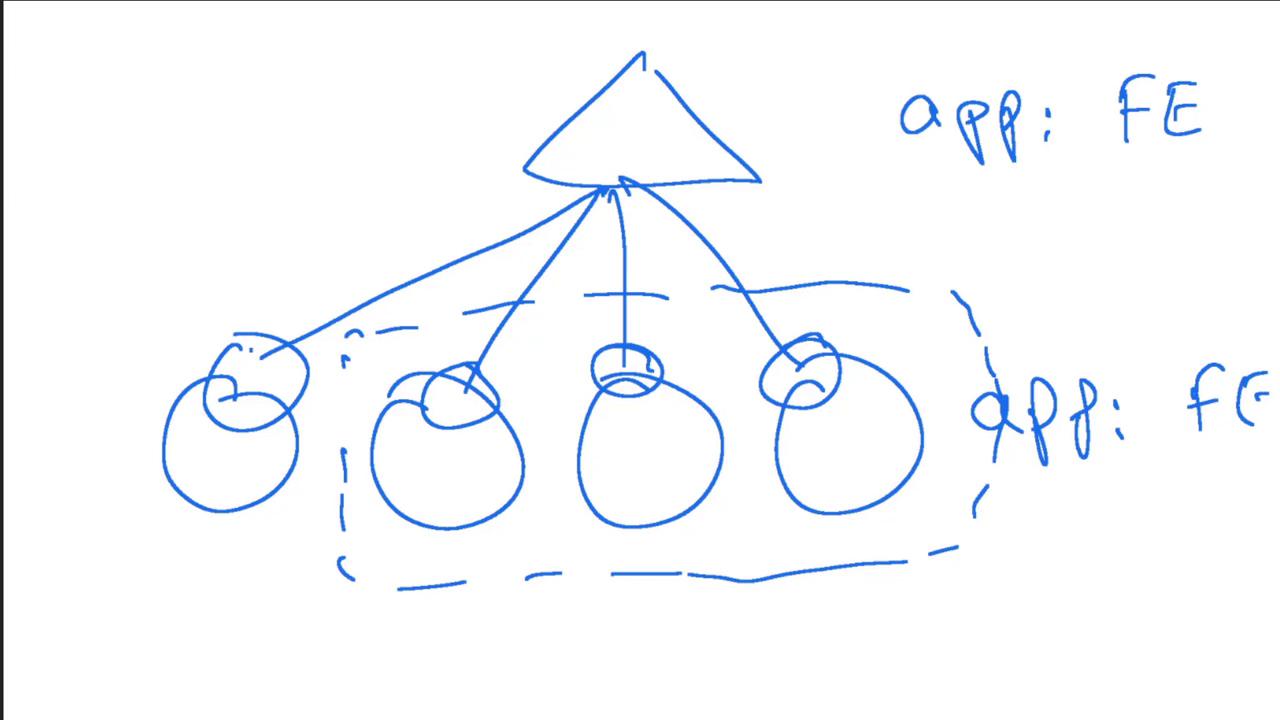
Endpoints list the pods selected by the service based on specified labels. For example, if a service targets three pods (all matching the label selector), then three endpoints will be listed. Conversely, if an extra pod is unintentionally matched, the endpoints list will increase, which could affect traffic routing.Endpoints are essential for troubleshooting. If the service’s selector does not match any pod labels, the endpoints list will be empty, indicating why the application may not be accessible. In a properly configured scenario, services map pod endpoints by associating the service with the IP addresses of matching pods.Here are two diagrams provided for visualization:
If additional pods inadvertently match the service selector, the endpoints list will expand, potentially impacting traffic routing:
In our lab scenario, the Kubernetes service has just one endpoint:
At this point, you may try to access the web application UI using the link provided in the deployment tab; however, you will encounter a “bad gateway” error. This occurs because there is no service configured to expose the deployment:
Copy
Ask AI
controlplane ~ ✗ kubectl get deployNAME READY UP-TO-DATE AVAILABLE AGEsimple-webapp-deployment 0/4 0 0 15scontrolplane ~ ✗ kubectl describe deploy simple-webapp-deploymentName: simple-webapp-deploymentNamespace: defaultCreationTimestamp: Fri, 15 Apr 2022 20:35:47 +0000Labels: <none>Annotations: deployment.kubernetes.io/revision: 1Replicas: 4 desired | 4 updated | 4 total | 4 available | 0 unavailableStrategyType: RollingUpdateMinReadySeconds: 0RollingUpdateStrategy: 25% max unavailable, 25% max surgePod Template: Labels: name=simple-webapp Containers: simple-webapp: Image: kodekloud/simple-webapp:red Port: 8080/TCP Host Port: 0/TCP Environment: <none> Mounts: <none> Volumes: <none>Conditions: Type Status Reason Available True MinimumReplicasAvailable Progressing True NewReplicaSetAvailableOldReplicaSet: <none>NewReplicaSet: simple-webapp-deployment-7b59598d59 (4/4 replicas created)Events: Type Reason Age From Message Normal ScalingReplicaSet 63s deployment-controller Scaled up replica set simple-webapp-deployment-7b59598d59 to 4
Since no service is exposing the deployment, the web application is not accessible.
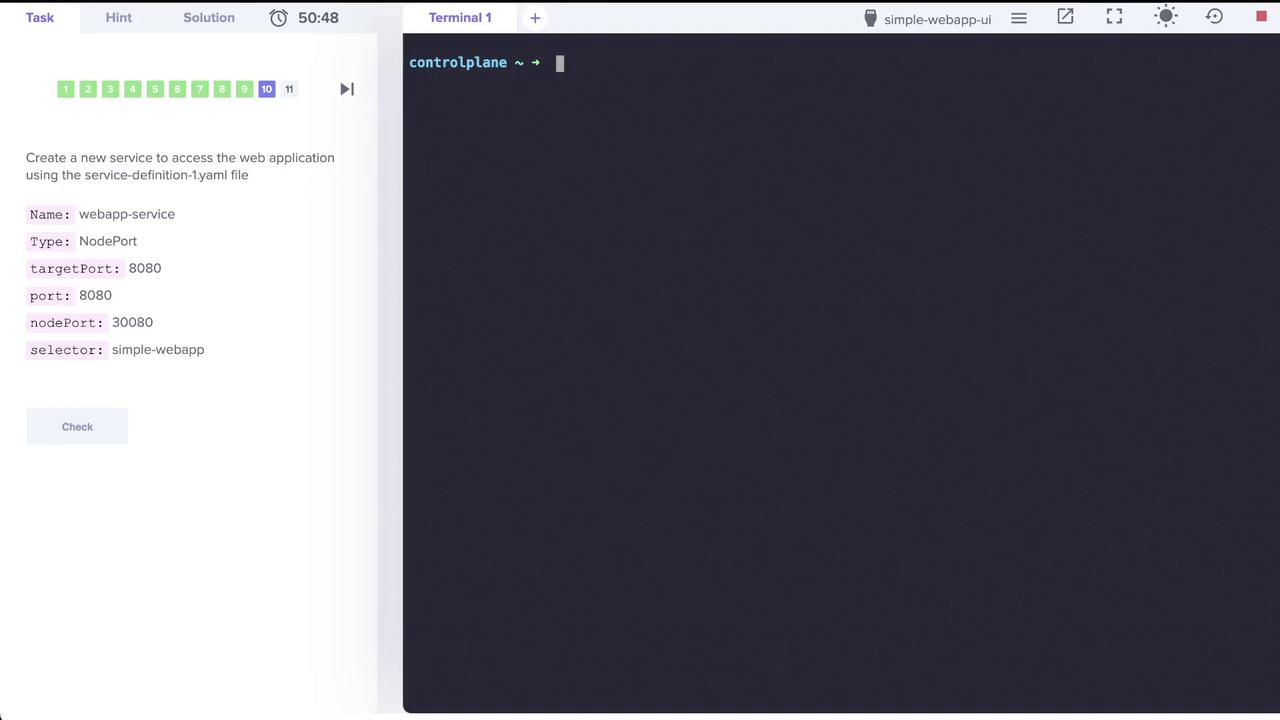
To resolve this, create a new service using a YAML configuration file.