

A Brief History of Containers
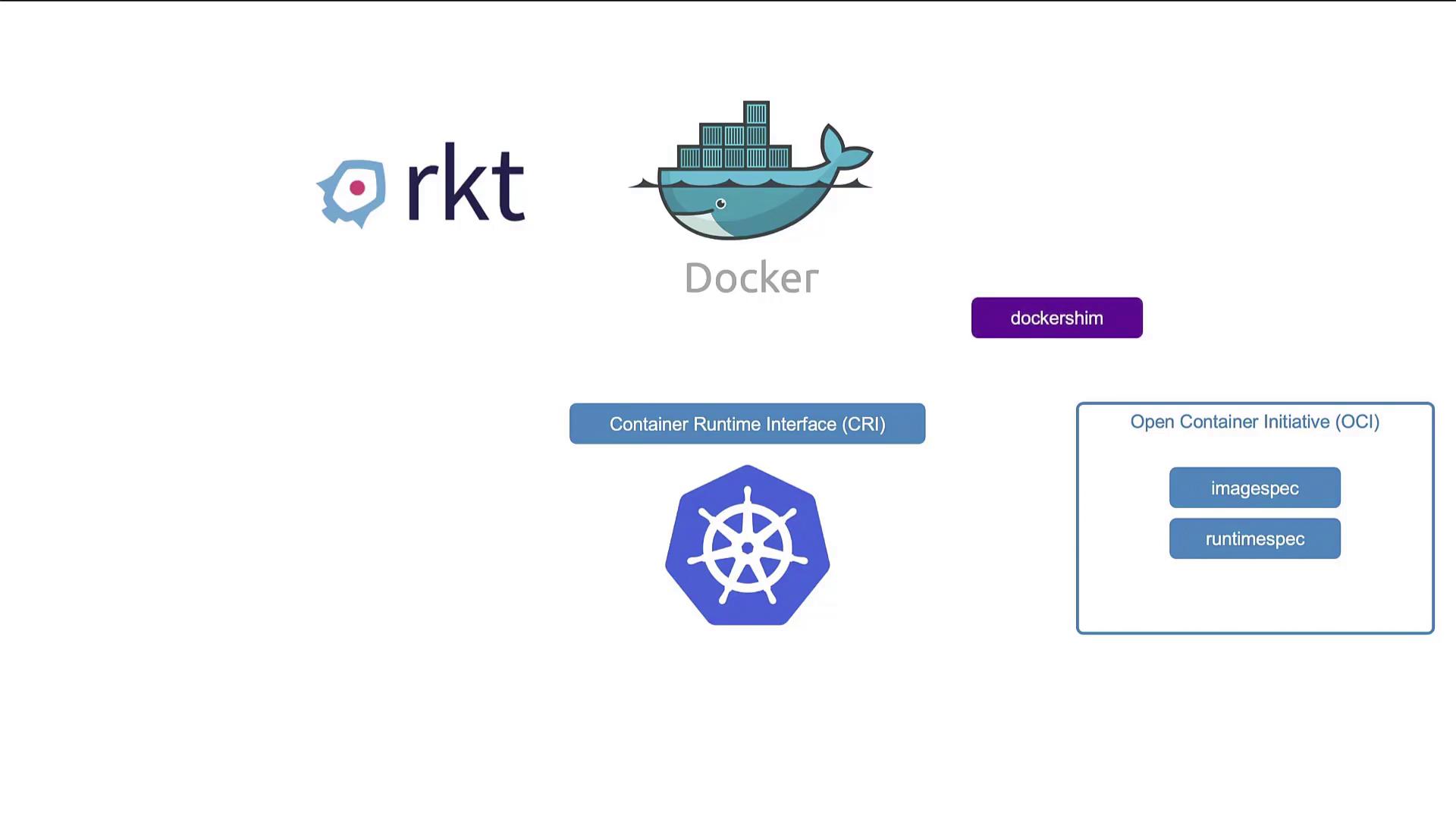
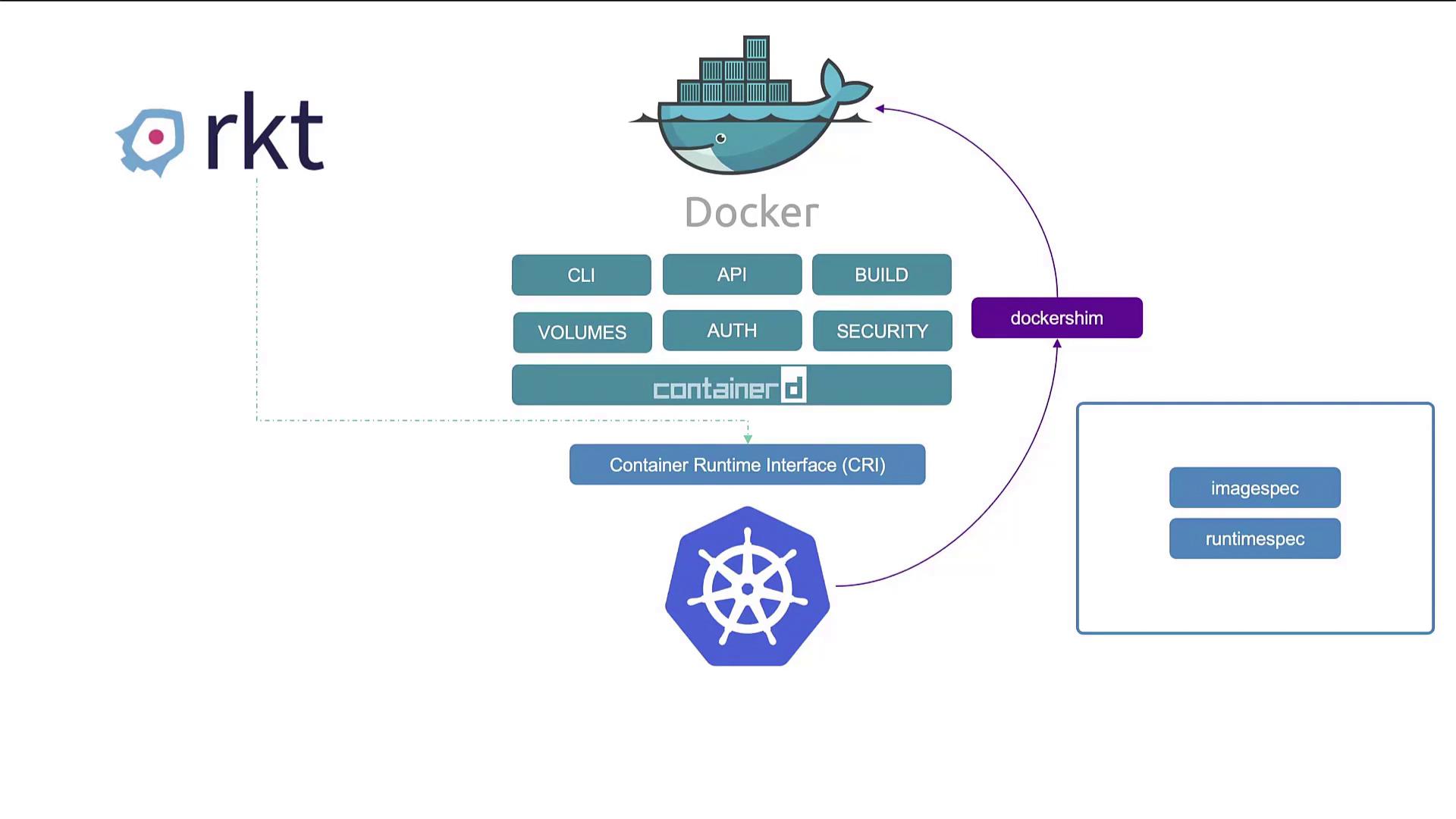
Originally, Docker was the leading container tool thanks to its superior user experience, which led to its widespread adoption. Kubernetes was initially designed to orchestrate Docker containers, creating a tight coupling between the two. However, as Kubernetes gained popularity, the need to support additional container runtimes such as Rocket (rkt) grew. To address this, Kubernetes introduced the Container Runtime Interface (CRI), enabling any OCI-compliant container runtime to integrate seamlessly. The Open Container Initiative (OCI) later defined two key standards:- Image Spec: Outlines how container images should be built.
- Runtime Spec: Establishes the guidelines for developing a container runtime.
Exploring Containerd
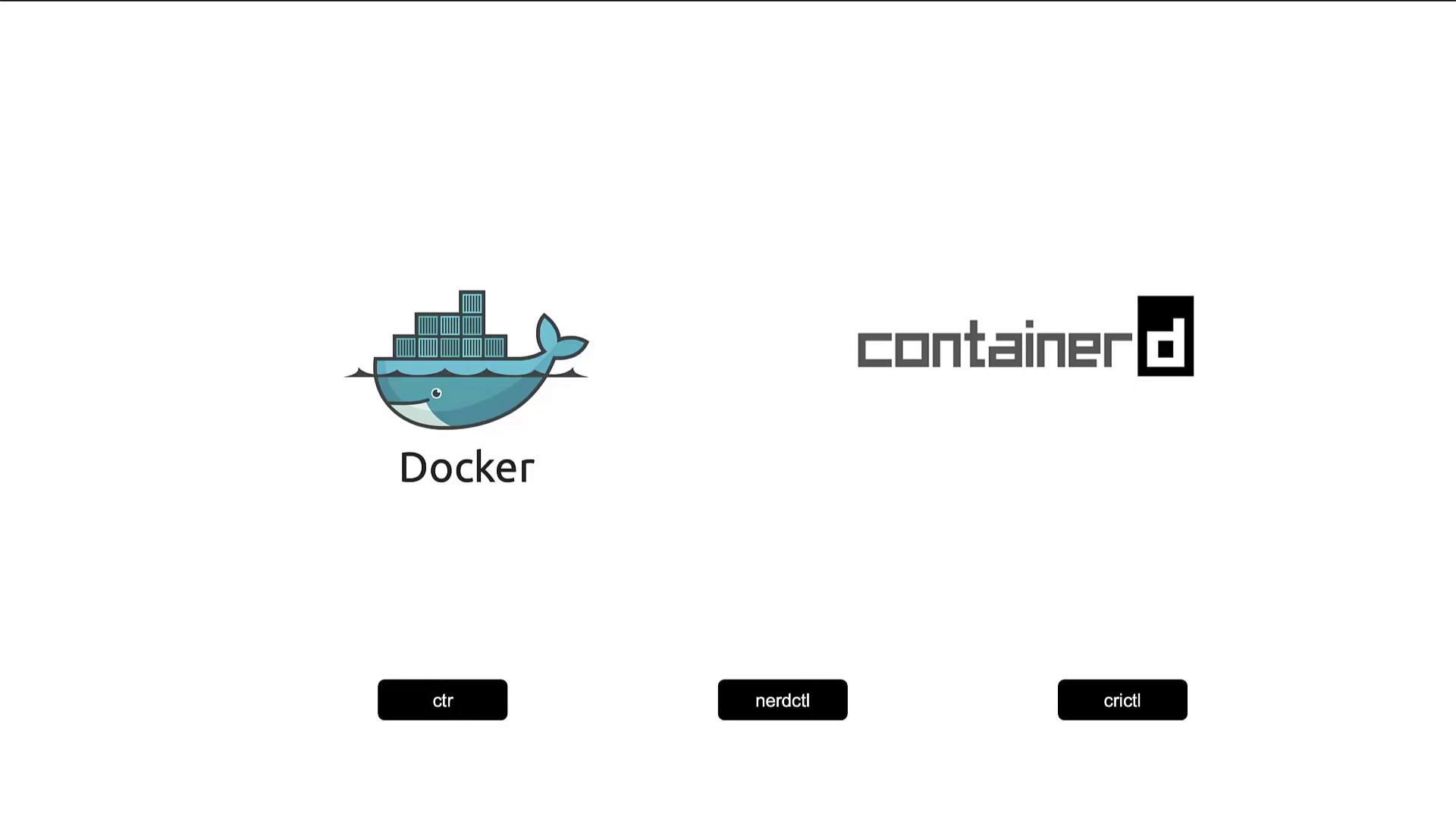
Containerd originated as a component of Docker but has evolved into an independent project under the Cloud Native Computing Foundation with graduated status. It can be installed as a standalone runtime, making it a preferred alternative for users who do not need Docker’s complete set of features. Traditionally, containers were launched with thedocker run command. When using Containerd, you have access to the CTR tool—a CLI primarily focused on debugging rather than everyday container management. For example, installing Containerd can be done as follows:
CTR is primarily designed for debugging purposes. For production environments, consider using alternatives that offer a richer feature set.
nerdctl: A Docker-like CLI for Containerd
To enhance the user experience, the nerdctl CLI provides Docker-like commands while leveraging advanced Containerd features. It supports functionalities such as encrypted container images, lazy image pulling, P2P distribution, image signing, and Kubernetes namespace verification. This makes it easy to replace Docker commands with nerdctl commands, often with minimal modifications. For example, instead of using Docker commands like:CRI Tools from the Kubernetes Community
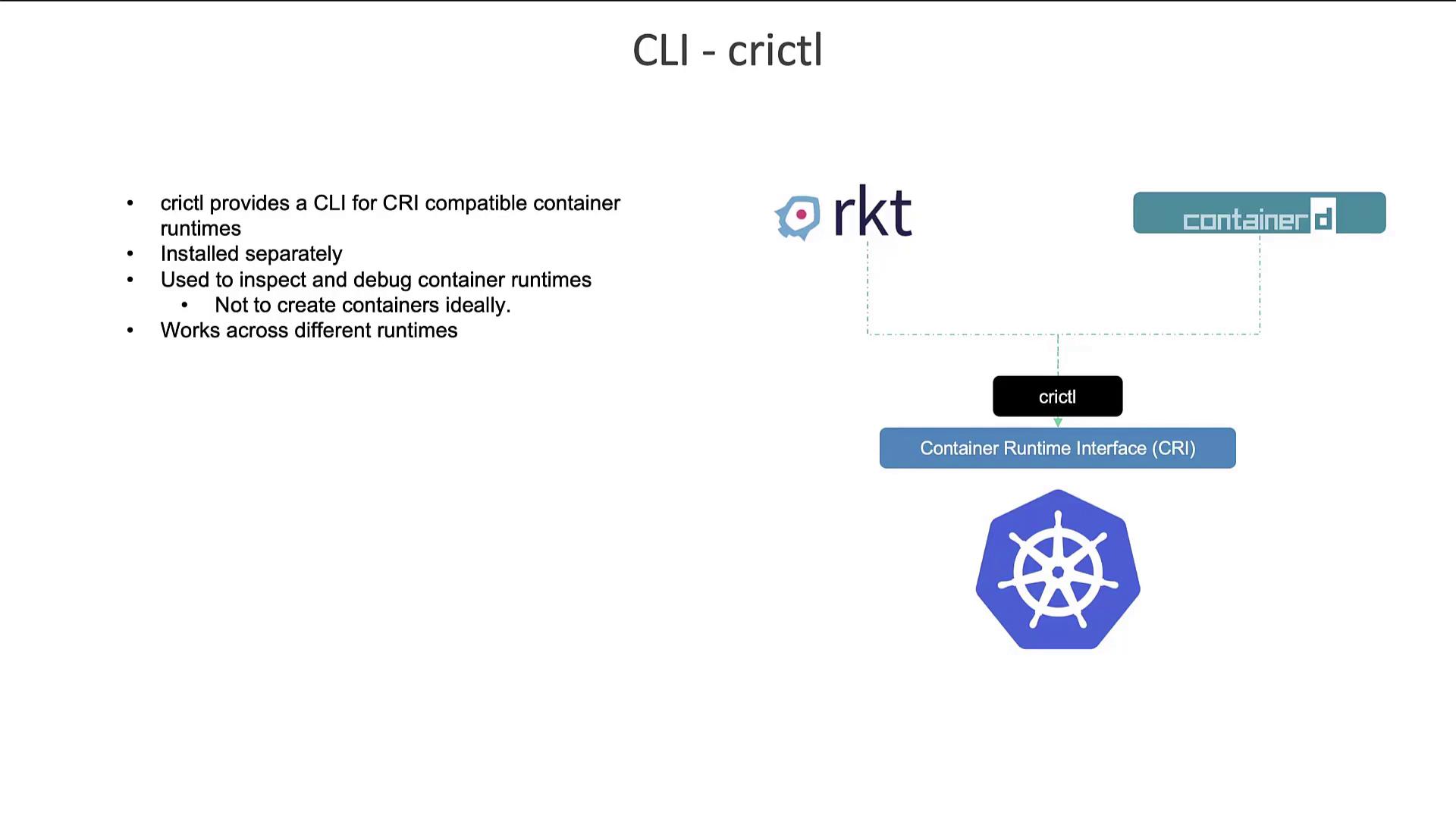
Another valuable tool is crictl, a CLI utility designed to interact with any CRI-compatible container runtime, such as Containerd or CRI-O. Maintained by the Kubernetes community, crictl is geared more towards inspecting and debugging container environments than creating containers. Using crictl, you can perform basic container operations:Crictl is an essential tool for troubleshooting and debugging container runtimes and complements the kubelet’s functionality in Kubernetes.
Comparison of CLI Tools
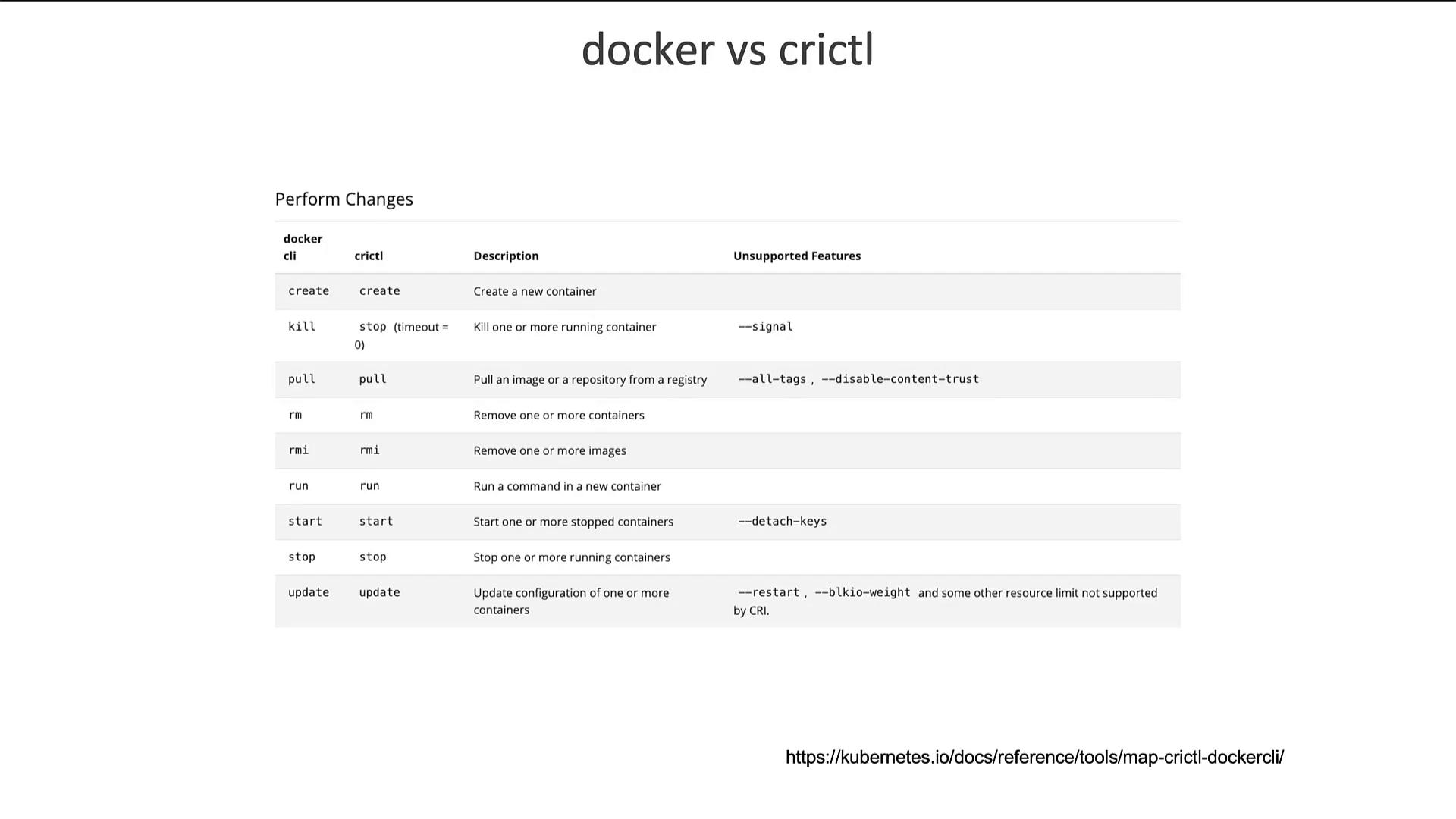
The following image compares Docker and crictl commands, highlighting common operations such as attach, exec, images, info, inspect, logs, ps, stats, and version. For a detailed list of differences, refer to the Kubernetes documentation linked in the chart.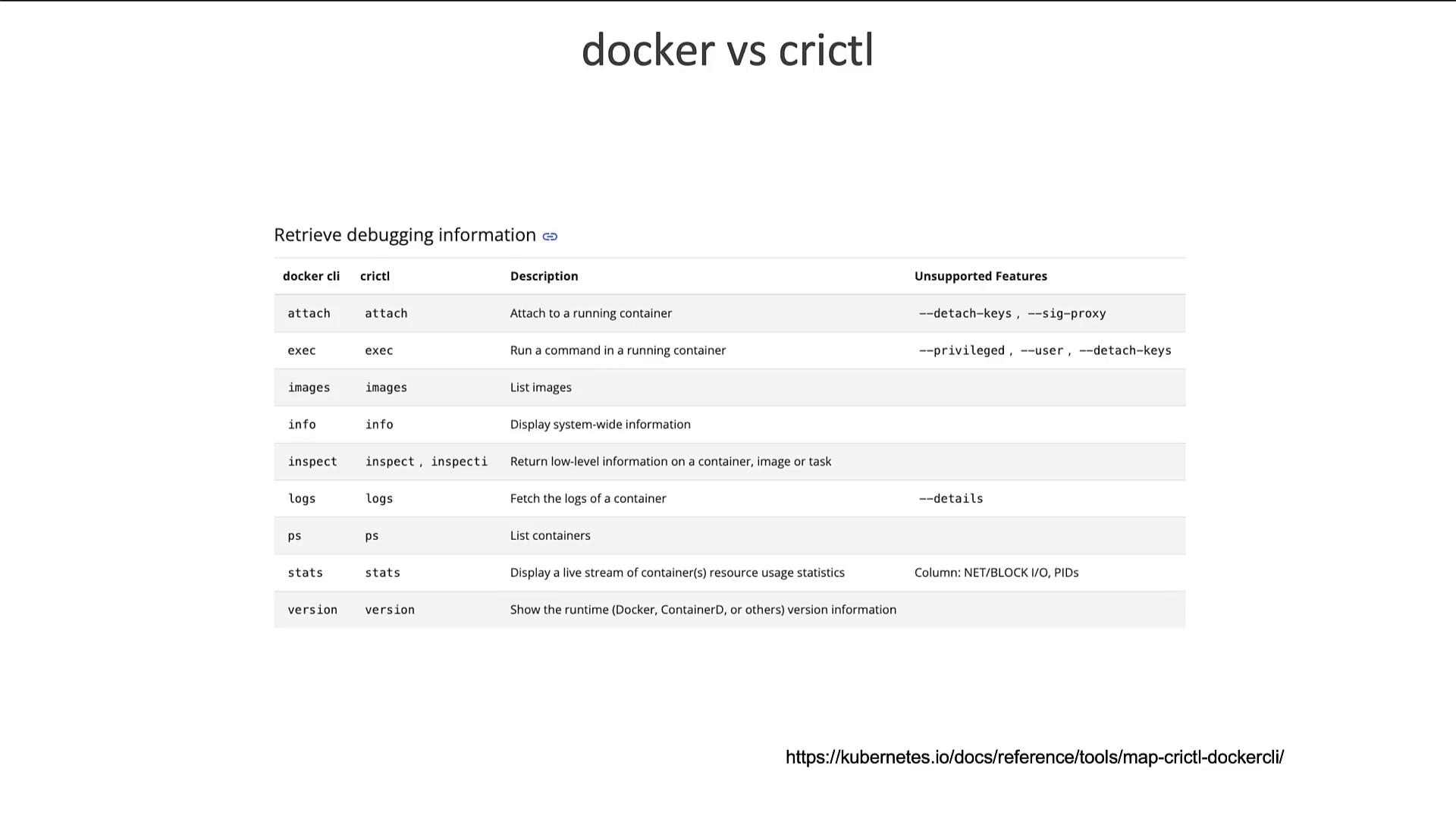
Kubernetes Endpoint Updates
In earlier Kubernetes versions, the kubelet connected to container runtimes using the following endpoints in order:- unix:///var/run/dockershim.sock
- unix:///run/containerd/containerd.sock
- unix:///run/crio/crio.sock
- unix:///var/run/cri-dockerd.sock
- unix:///run/containerd/containerd.sock
- unix:///run/crio/crio.sock
- unix:///var/run/cri-dockerd.sock
Summary
- CTR Tool: Provided with Containerd and ideal for debugging. Not recommended for production workloads.
- nerdctl: Offers a Docker-like CLI for Containerd with enhanced features for container management.
- crictl: A Kubernetes-maintained debugging and inspection tool for any CRI-compatible runtime.