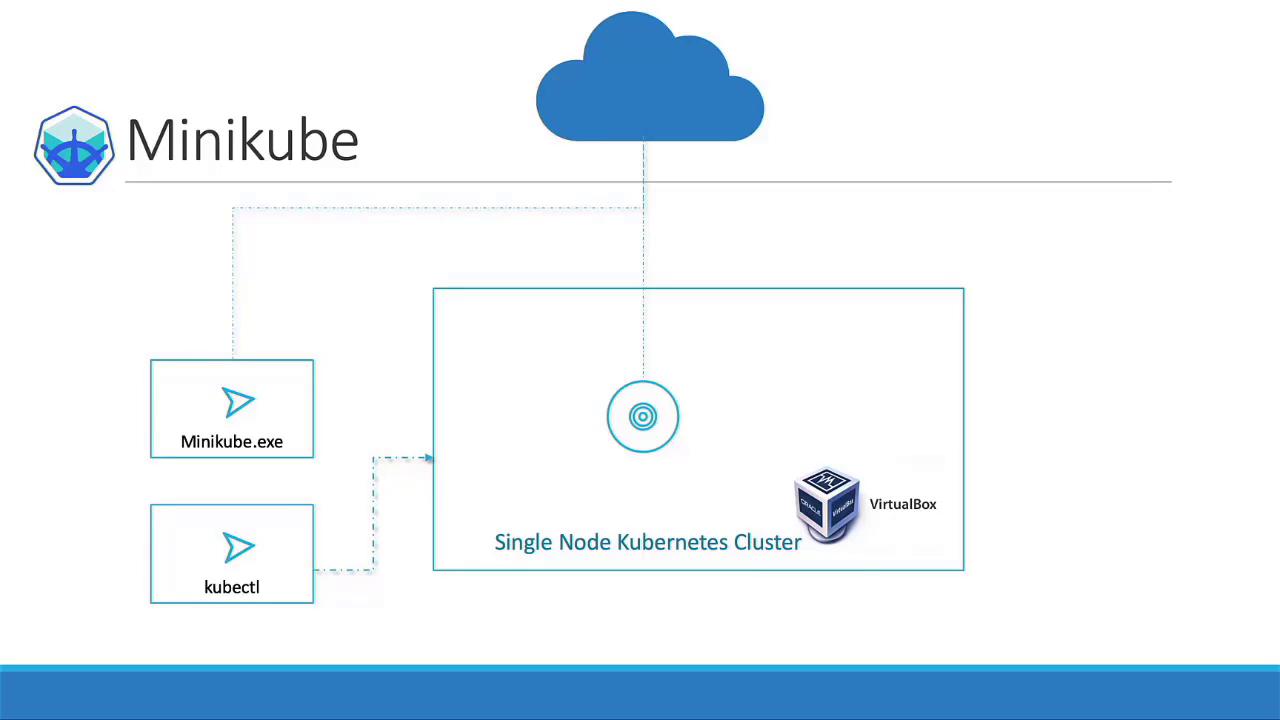
Overview
In this guide, we explore several methods for deploying a Kubernetes cluster:- Local Deployment: Ideal for developers experimenting with Kubernetes using solutions like Minikube or MicroK8s.
- Virtual Machines: Tools such as kubeadm efficiently bootstrap and manage your clusters.
- Cloud Services: Many cloud providers—including GCP, AWS, Azure, and IBM Cloud—offer managed Kubernetes solutions. We even include a demonstration on provisioning a Kubernetes cluster in GCP.
Getting Started with Minikube
Minikube is the easiest way to launch a local Kubernetes cluster. In this section, we cover its setup and benefits. Before diving into the demo, let’s review the core components of a standard Kubernetes setup:-
Master Node Components:
- API Server
- etcd Key-Value Store
- Controllers
- Scheduler
-
Worker Node Components:
- kubelet
- Container Runtime
Minikube streamlines this process by bundling all these components into a single image, providing a pre-configured, single-node Kubernetes cluster.
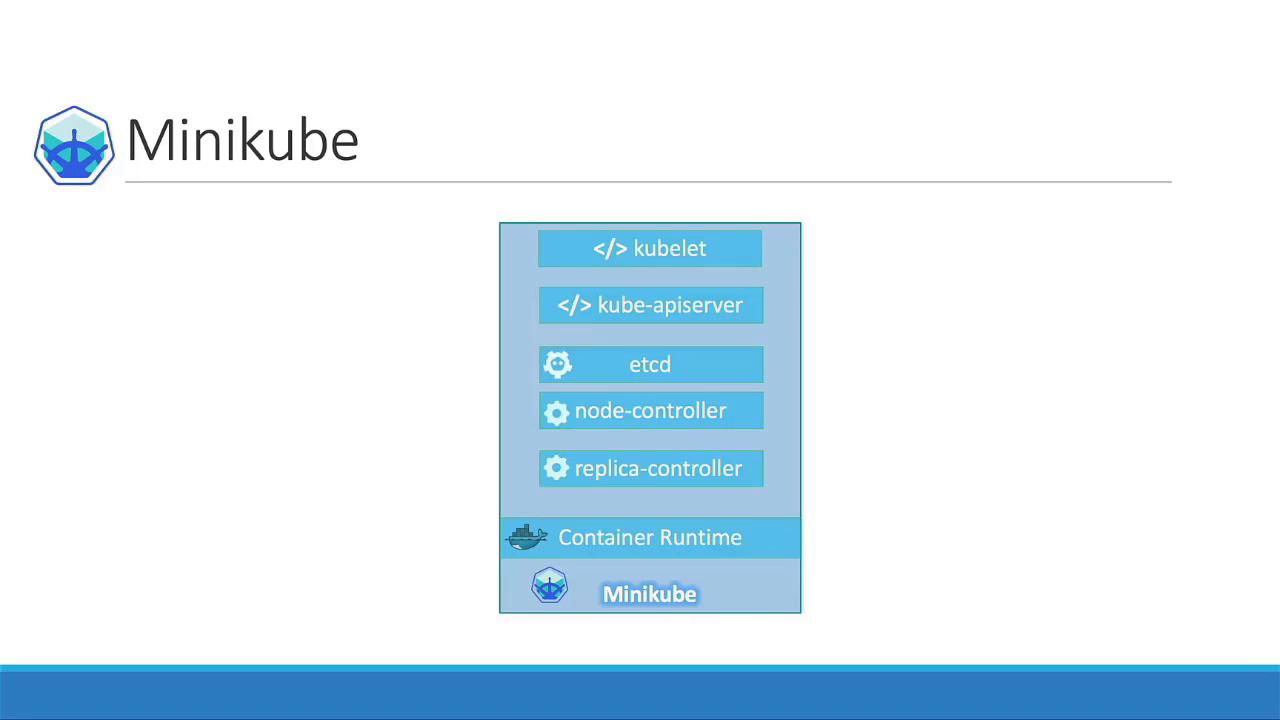
How Minikube Works
Minikube packages the complete Kubernetes bundle into an ISO image that is automatically downloaded and deployed using its command-line utility. It integrates seamlessly with various virtualization platforms, such as:- Oracle VirtualBox
- VMware Fusion
- Hyper-V (for Windows users)
- KVM (for Linux users)
Ensure that a compatible hypervisor (e.g., VirtualBox, Hyper-V, or KVM) is installed on your system before running Minikube.
| Requirement | Description |
|---|---|
| Hypervisor | A virtualization tool such as VirtualBox, Hyper-V, or KVM |
| kubectl | The official Kubernetes command-line tool |
| Minikube executable | The utility that automates ISO download and cluster deployment |