

Understanding Swap with a Simple Scenario
Imagine a system with 4 GiB of RAM:- A video editor consumes 2 GiB.
- An audio editor consumes another 2 GiB.
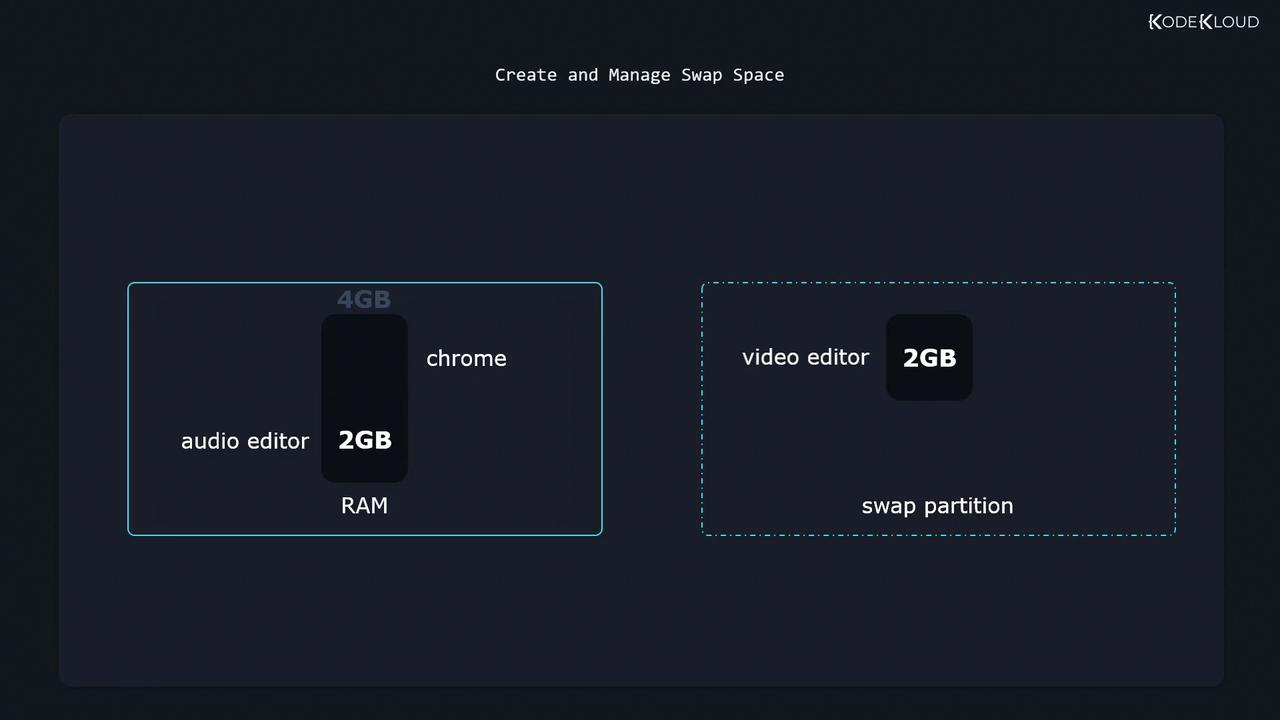
Swap space is much slower than RAM. Use it as overflow memory, not as a substitute for adequate physical RAM.
Checking Existing Swap
List active swap areas:/dev/vdb3 is reserved for swap but not yet active.
Command Reference
| Task | Command |
|---|---|
| List active swap | swapon --show |
| List block devices | lsblk |
| Format a swap partition | sudo mkswap /dev/vdb3 |
| Enable a swap area | sudo swapon --verbose /dev/vdb3 |
| Disable a swap area | sudo swapoff /dev/vdb3 |
| Create a swap file (2 GiB) | sudo dd if=/dev/zero of=/swap bs=1M count=2048 |
| Secure swap file permissions | sudo chmod 600 /swap |
| Format a swap file | sudo mkswap /swap |
| Enable swap file | sudo swapon --verbose /swap |
Creating and Enabling a Swap Partition
-
Format the partition:
-
Activate it immediately:
-
Verify it’s active:
-
Make it persistent by adding to
/etc/fstab:
Disabling Swap
To turn off a swap partition or file:Creating and Using a Swap File
If you cannot repartition the disk, create a swap file instead:-
Create a zero-filled file (2 GiB):
-
Restrict permissions:
-
Format the file as swap:
-
Enable the swap file:
-
Persist across reboots by adding to
/etc/fstab:
Excessive swapping (thrashing) can severely degrade performance. Monitor swap usage with
free -h, vmstat, or htop.