

find with powerful regular expressions in grep to perform advanced text analysis on Linux. Previously, we used simple patterns like searching for “CentOS.” Now, we’ll tackle more complex tasks—such as extracting every IP address (e.g., 203.102.3.5) from multiple scattered files—by writing concise regex patterns that match exactly what you need.
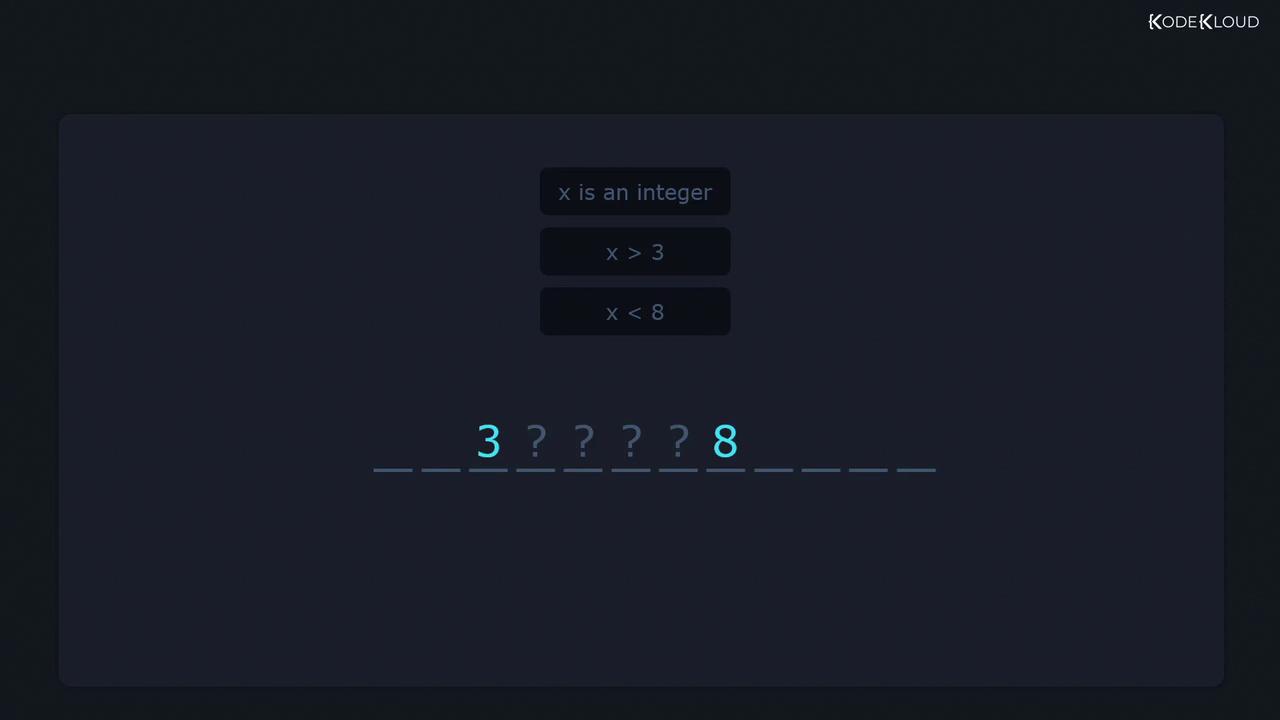
Regular expressions let you define constraints, much like restricting a variable ( x ) in mathematics:
Common Regular Expression Operators
Below is a quick reference to essential regex operators—mastering these accelerates file searches and log parsing:| Operator | Description | Example |
|---|---|---|
| ^ | Start of line | ^root |
| $ | End of line | \.conf$ |
| . | Any single character | c.t |
| * | Zero or more of the preceding element | go*d |
| + | One or more of the preceding element | go+d |
| ? | Zero or one (optional) | colou?r |
| [] | Character class | [0-9] |
| Quantifier (exact, range) | a{3}, b{2,4} | |
| () | Grouping | (abc)+ |
| | | Alternation (logical OR) | cat|dog |
| [^] | Negated character class | [^a-z] |
![The image displays a set of regex operators, including symbols like ^, $, ., *, +, {}, ?, |, [], (), and [^].](https://kodekloud.com/kk-media/image/upload/v1752881402/notes-assets/images/Linux-Professional-Institute-LPIC-1-Exam-101-Perform-Basic-File-Management-Part-2-Using-find/regex-operators-symbols-set.jpg)
Anchors: Matching Line Boundaries
^ (Start of Line)
Restrict your search to the beginning of each line:
/etc/login.defs that start with PASS:
$ (End of Line)
Match patterns only at the end of lines:
Wildcard: The Dot .
The dot . matches exactly one character. To search for any three-letter word starting with ‘c’ and ending with ‘t’:
-w:
Escaping Metacharacters
If you need to match a literal metacharacter (e.g., a dot), escape it with a backslash:Quantifiers: * and +
* (Zero or More)
The asterisk matches zero or more occurrences of the previous element:
. and * to match any sequence between delimiters:
+ (One or More)
In basic grep, + is literal unless escaped. To require at least one occurrence:
Basic
grep treats +, ?, {}, |, and () as literals. To use them without escaping, switch to extended regex mode: