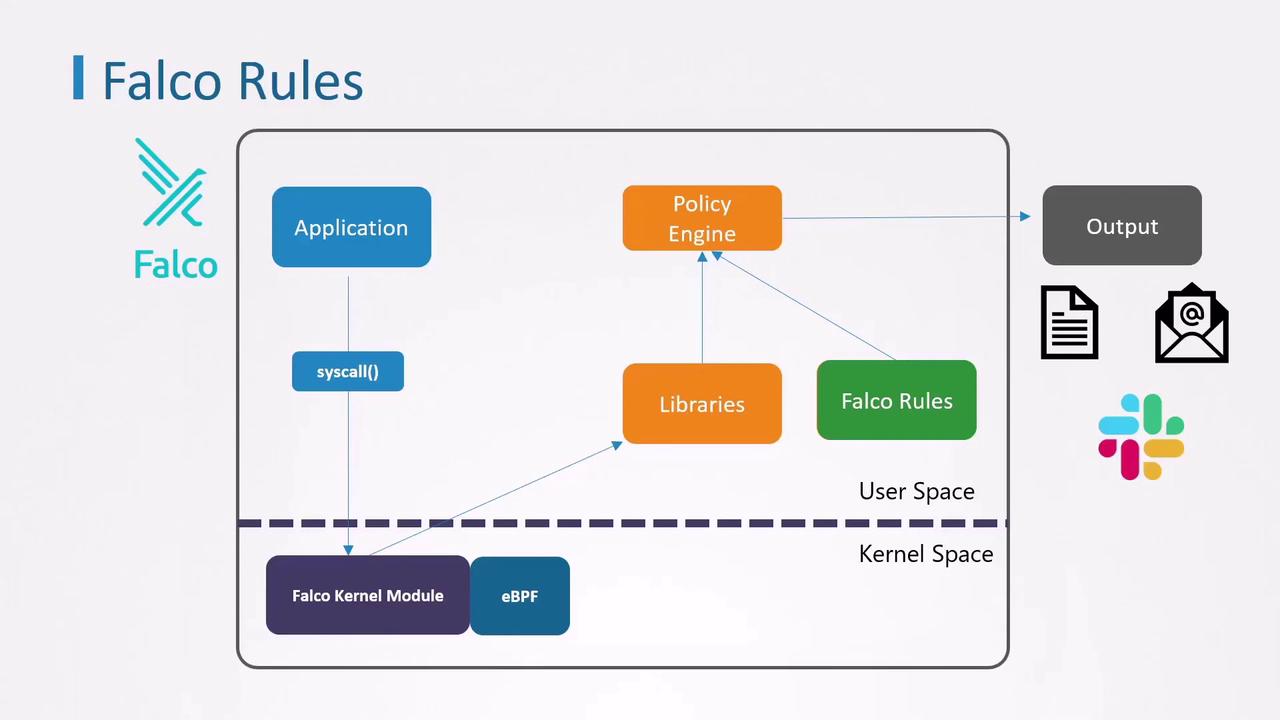
This guide explains how to use Falco for detecting threats in a Kubernetes cluster by verifying installation, testing with nginx, and writing custom rules.
Now that Falco is installed on your cluster nodes, you can detect and alert on suspicious behavior. This guide walks you through verifying the installation, testing Falco with an nginx pod, and writing custom rules.
Example
Built-in rule that detects a shell inside a container:
Copy
Ask AI
- rule: OpenShellInContainer
  desc: Alert when a shell (e.g., bash) is spawned inside a container
  condition: container.id != host and proc.name = bash
  output: Shell opened in container (user=%user.name container=%container.id)
  priority: WARNING
Let’s write a simple rule to catch any shell launched in a container:
Copy
Ask AI
- rule: DetectShellInsideContainer
  desc: Alert if a shell such as bash is opened inside any container
  condition: container.id != host and proc.name = bash
  output: Bash shell opened (user=%user.name container=%container.id)
  priority: WARNING
- rule: DetectShellInsideContainer desc: Alert if any common shell is opened inside a container condition: container.id != host and proc.name in (linux_shells) output: Shell opened (user=%user.name container=%container.id proc=%proc.name) priority: WARNING- list: linux_shells items: [bash, zsh, ksh, sh, csh]
Falco’s built-in macro container is shorthand for container.id != host. Use it to make rules more concise:
Copy
Ask AI
- rule: DetectShellInsideContainer desc: Alert if any common shell is opened inside a container condition: container and proc.name in (linux_shells) output: Shell opened (user=%user.name container=%container.id proc=%proc.name) priority: WARNING- list: linux_shells items: [bash, zsh, ksh, sh, csh]