When you deploy the elephant pod, it enters a CrashLoopBackOff:
Copy
Ask AI
kubectl get podsNAME READY STATUS RESTARTS AGEelephant 0/1 CrashLoopBackOff 1 8s
Inspect its status and events:
Copy
Ask AI
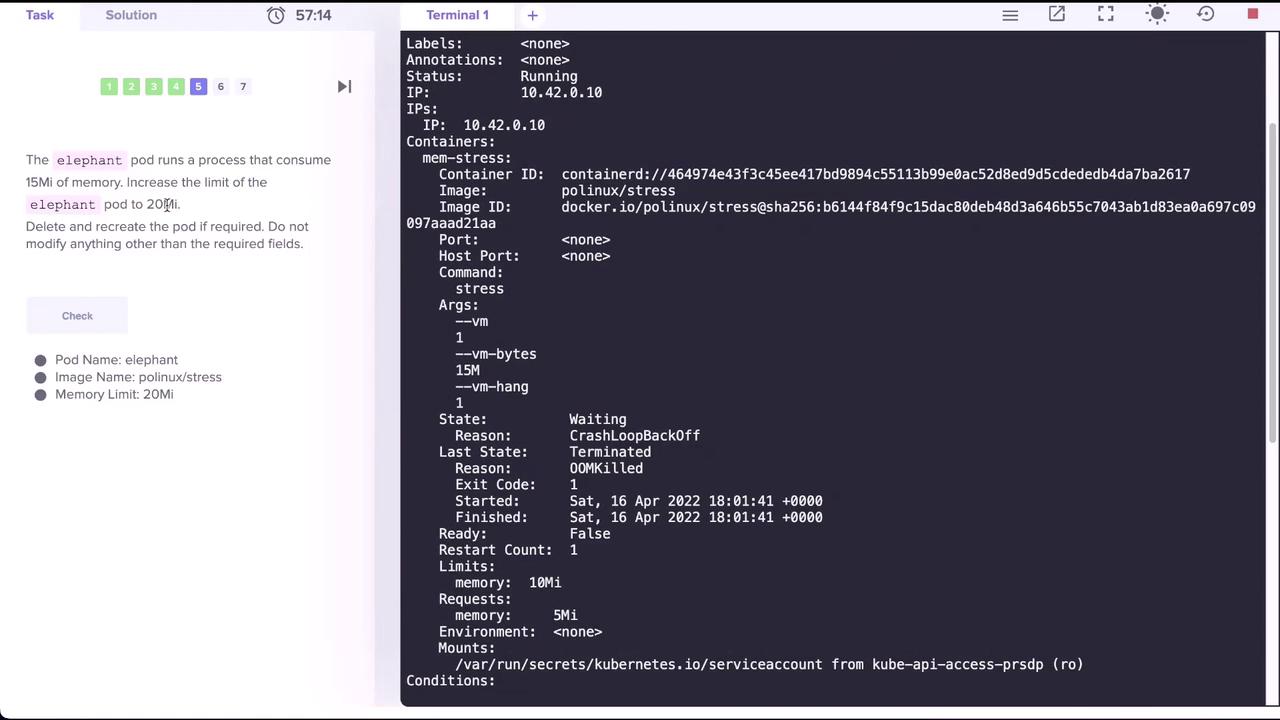
kubectl describe pod elephant
Key output sections:
Copy
Ask AI
Containers: mem-stress: State: Waiting Reason: CrashLoopBackOff Last State: Terminated: Reason: OOMKilled Exit Code: 1 Limits: memory: 10Mi Requests: memory: 5Mi...Events: Type Reason Age From Message Normal Scheduled 23s default-scheduler Successfully assigned default/elephant to controlplane Normal Pulled 20s kubelet Successfully pulled image "polinux/stress" Normal Started 18s kubelet Started container mem-stress Normal Back-off 18s kubelet Back-off restarting failed container
The pod is OOMKilled because it exceeded its 10Mi memory limit while the stress workload uses around 15Mi.
The CrashLoopBackOff status indicates the container repeatedly failed due to out-of-memory errors. Always ensure your limits.memory exceed the actual usage of your application.
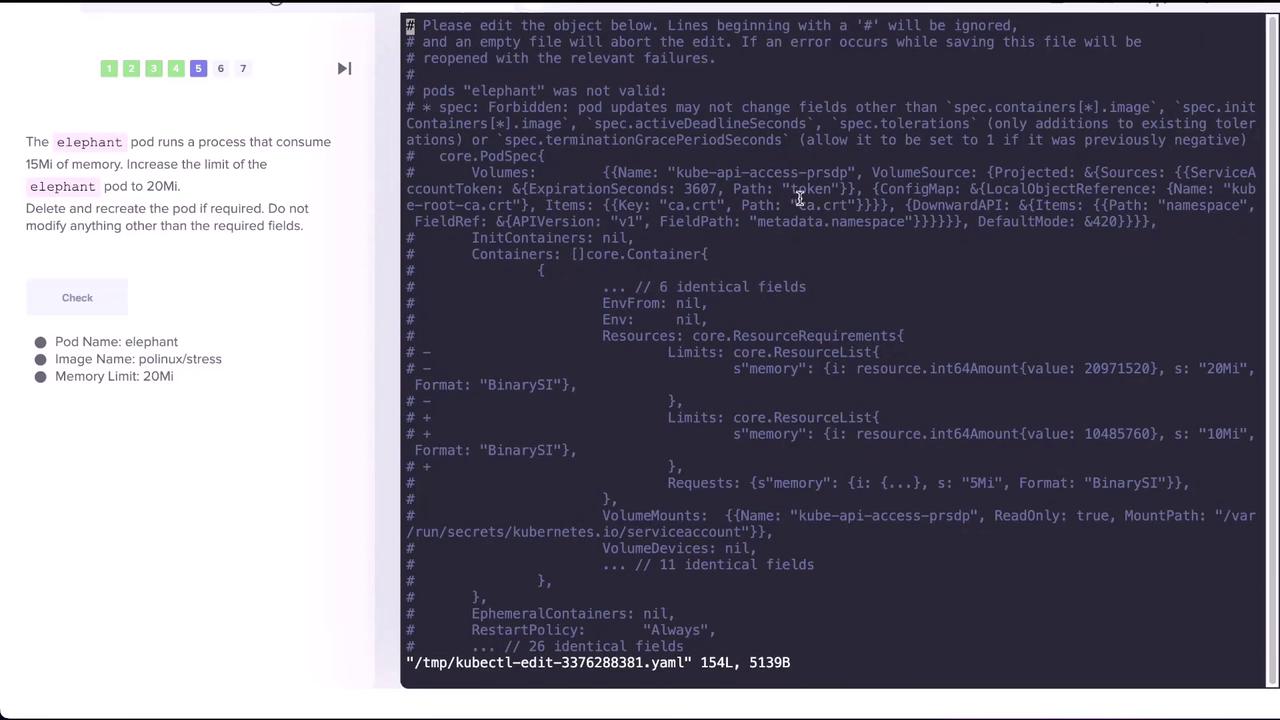
Save and exit. You’ll see an error because live edits to limits are not allowed:
Copy
Ask AI
error: pods "elephant" is invalidA copy of your changes has been stored to "/tmp/kubectl-edit-*.yaml"error: Edit cancelled, no valid changes were saved.
Apply the updated manifest by deleting and recreating the pod: