This article explains how to clone a manifest repository and configure Argo CD for deploying the Solar System application.
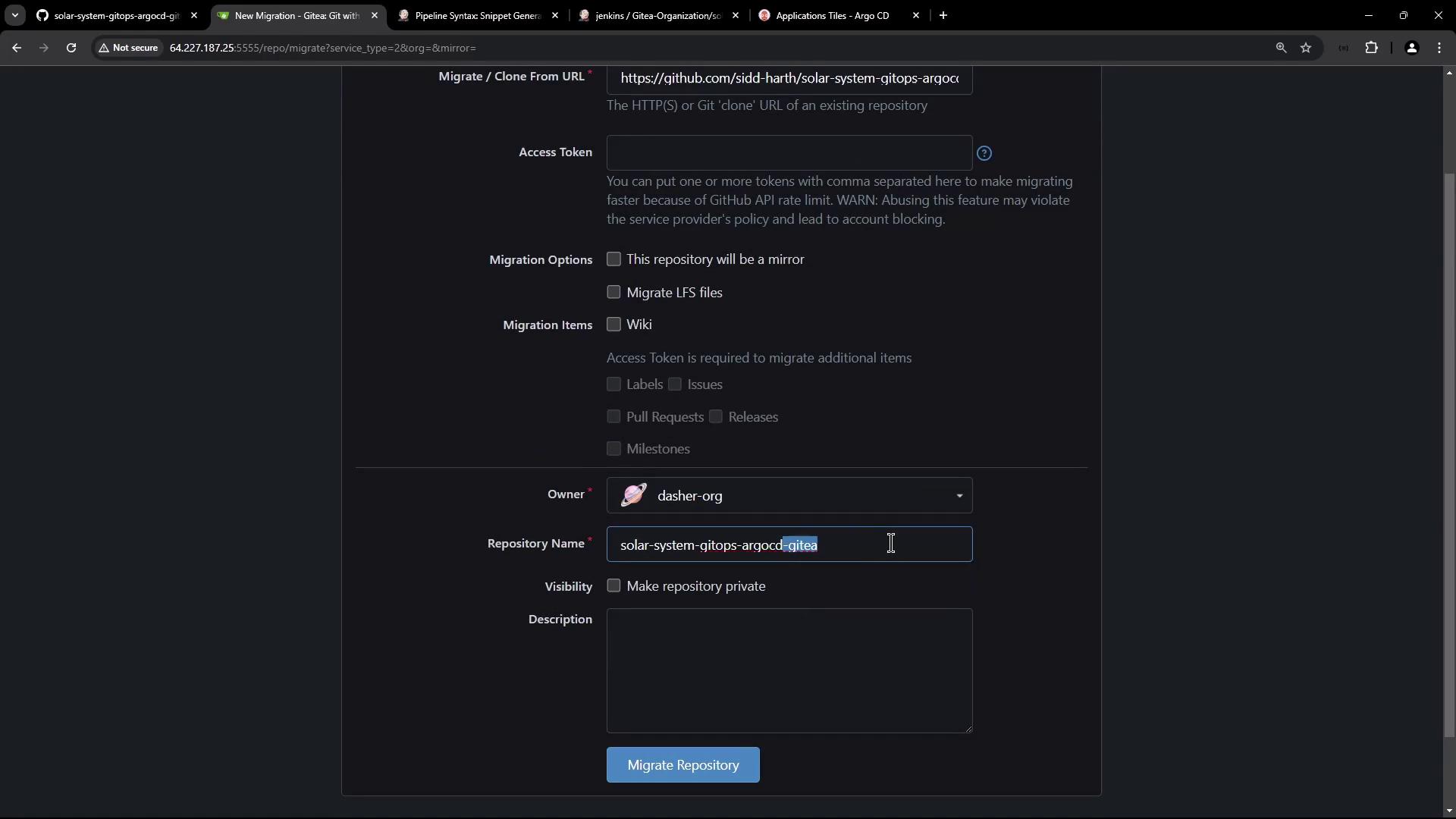
In this lesson, we will walk through the process of cloning a manifest repository and configuring Argo CD to deploy our Solar System application. The GitHub-hosted repository contains a single Kubernetes folder with the deployment and service YAML files.
Clone the repository into Git using your GitHub migration option. In this example, the migration is performed under the “Dash” organization.
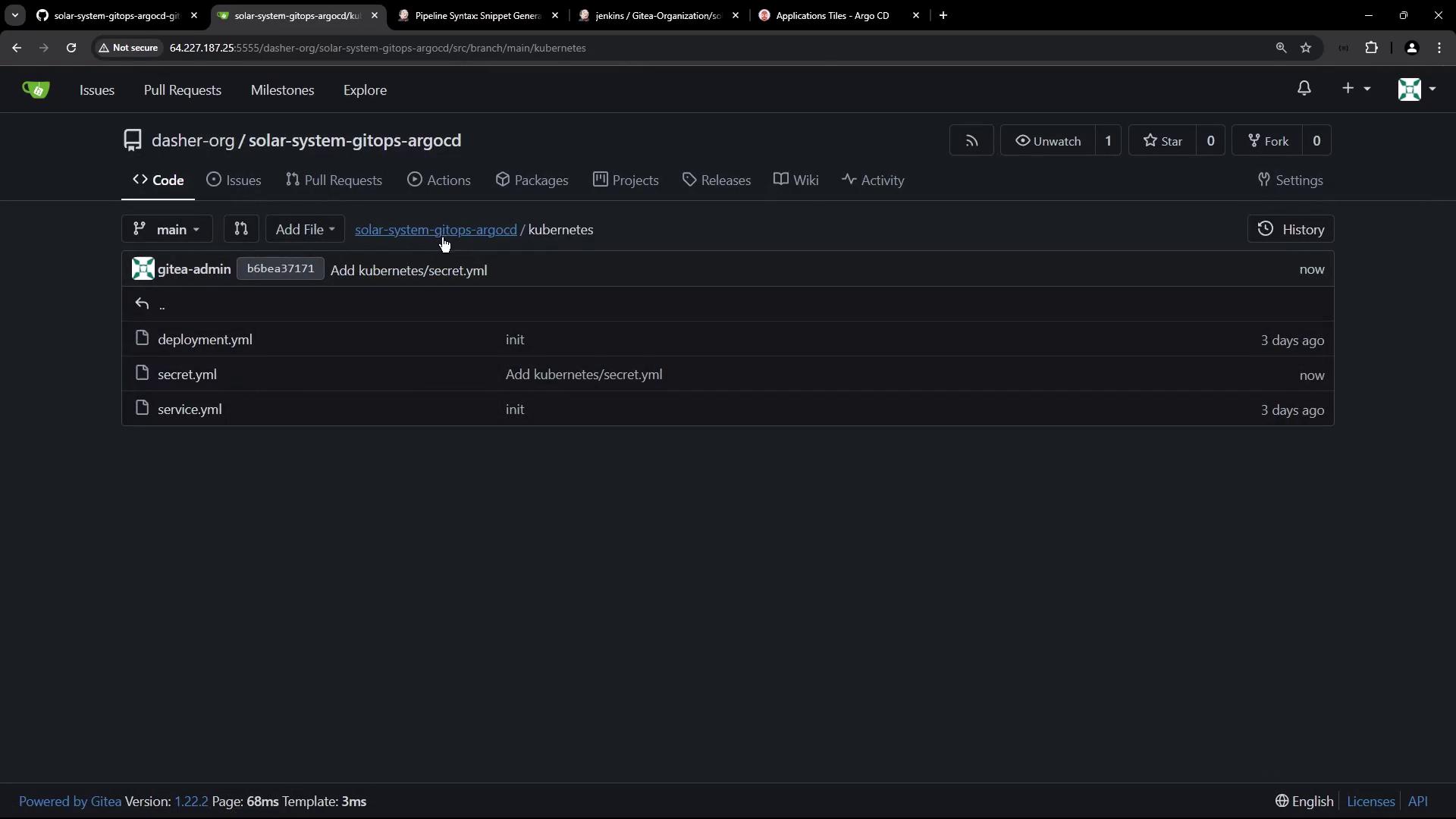
After a brief wait, the repository is successfully imported. Even though both the deployment and service YAML files are present, note that the deployment manifest now requires a secret named mongodb‑secrets—which is currently missing.
Our cluster already has the “solar-system” namespace. You can verify the namespaces and running nodes with the following commands:
Copy
Ask AI
k get ns
Example output:
Copy
Ask AI
NAME STATUS AGEargocd Active 2d20hdefault Active 3d1hkube-node-lease Active 3d1hkube-public Active 3d1hkube-system Active 3d1hsolar-system Active 2d19h
And to view the nodes:
Copy
Ask AI
k get node -o wide
Example output:
Copy
Ask AI
NAME STATUS ROLES AGE VERSION INTERNAL-IP EXTERNAL-IP OS-IMAGE KERNEL-VERSION CONTAINER-RUNTIMEpool-20kac5b8z-wfmef Ready <none> 3d1h v1.29.9 10.122.3.138 143.244.143.138 Debian GNU/Linux 12 (bookworm) 6.1.0-25-amd64 containerd://1.6.28pool-20kac5b8z-wfmey Ready <none> 3d1h v1.29.9 10.122.0.4 134.209.155.222 Debian GNU/Linux 12 (bookworm) 6.1.0-25-amd64 containerd://1.6.28
Generate a secret YAML without creating it immediately in the cluster. This command creates a file named “mongo-creds_k8s-secret.yaml” containing the secret’s definition:
Although the generated YAML encodes the values in Base64, storing unencrypted secrets in Git is not recommended. We will improve security by encrypting these secrets using Bitnami Sealed Secrets.
The unencrypted secret YAML might look as follows:
Step 5. Encrypting the Secret Using Bitnami Sealed Secrets
First, retrieve the TLS certificate from the Sealed Secrets controller. List the secrets in the “kube-system” namespace and filter for those containing “sealed”:
Now we configure an Argo CD application to deploy the Solar System app. Argo CD is installed in the Kubernetes cluster and runs in its own namespace. Verify its installation with:
Copy
Ask AI
k -n argocd get all
The Argo CD server is accessible on node port 31663. After logging into the Argo CD UI, you’ll notice that it manages the Bitnami Sealed Secrets application. For example:
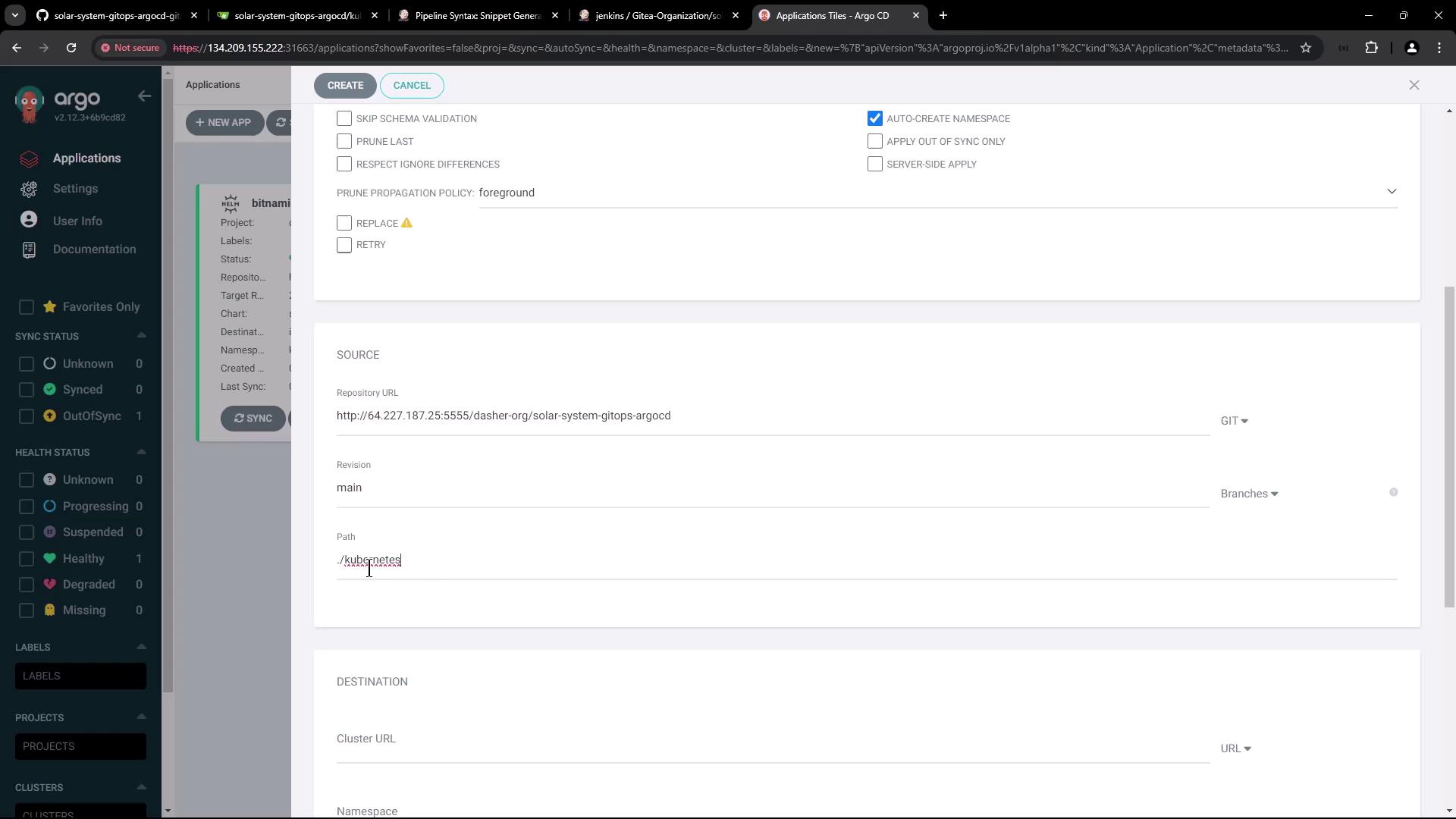
Configure the application with the following settings:
Name: Solar System Argo App
Project: default
Synchronization Policy: Manual (auto-sync is disabled for now)
Namespace: Enable auto-creation during sync if the target namespace (“solar-system”) does not exist
Repository URL: Use the URL from your migrated repository
Revision: main
Path: Kubernetes
Cluster URL: Use the default in-cluster URL
The application configuration screen looks similar to the following:
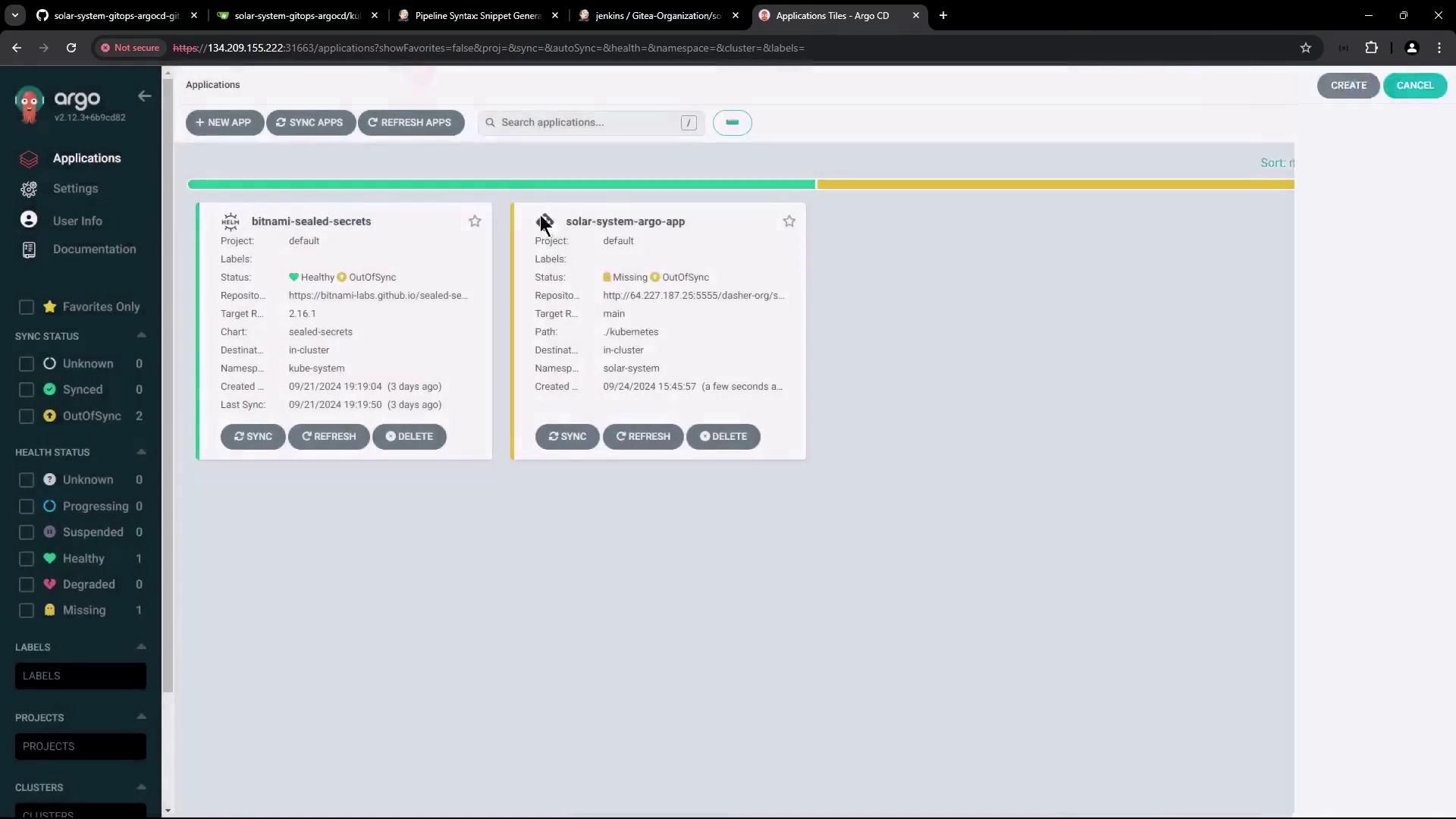
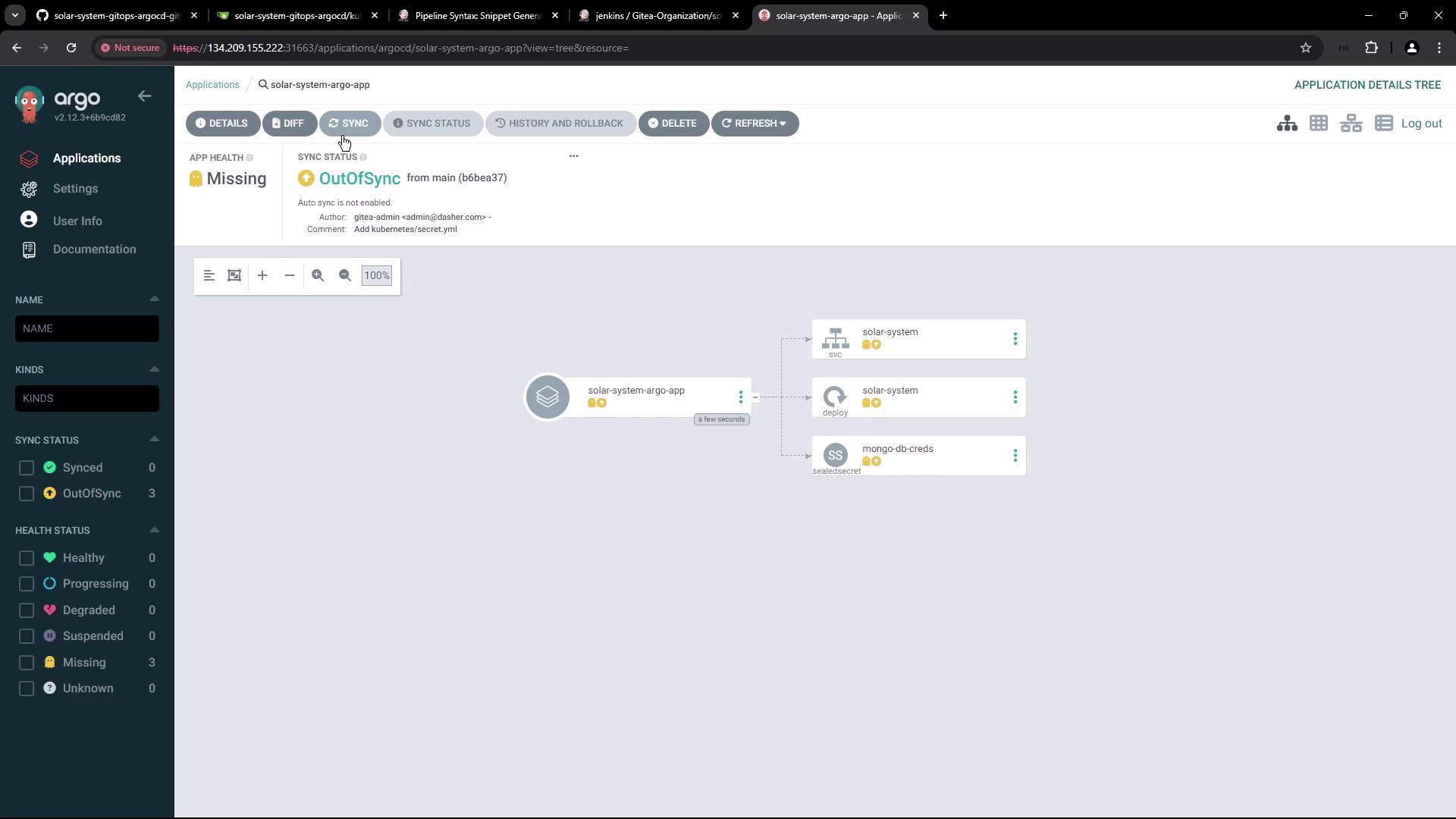
Once created, Argo CD fetches the manifests (service, deployment, and sealed secret files) from the repository. However, since manual synchronization is selected, the application remains out-of-sync until you trigger a sync:
Later, you can update the deployment manifest with the latest Docker image and then manually initiate a synchronization. The final state of the Solar System app in Argo CD is depicted here:
In this lesson, we successfully imported the manifest repository, added an encrypted secret using Bitnami Sealed Secrets, and configured an Argo CD application to manage the Solar System deployment.Thank you for following along!For more information, visit the Kubernetes Documentation and the Argo CD project page.