This article demonstrates building a Docker image within a Jenkins pipeline using the Docker CLI and environment variables.
In this lesson, we demonstrate how to build a Docker image within a Jenkins pipeline. After the SonarQube stage, the pipeline includes a stage to build the Docker image using the Docker CLI. The image is tagged with your Docker Hub username (siddharth67), the image name (solar-system), and the Git commit hash obtained from the environment variable GIT_COMMIT.
Ensure that your pipeline has executed a checkout stage before this build step so that the necessary environment variables, including the Git commit hash, are available.
Below is the Groovy snippet for the Docker image build stage. It uses the docker build command to tag the image with the specified username, image name, and Git commit:
The complete pipeline structure, with the new stage added, is shown below:
Copy
Ask AI
stages { stage('Installing Dependencies') { // Steps to install dependencies } stage('Dependency Scanning') { // Steps for dependency scanning } stage('Unit Testing') { // Steps for running unit tests } stage('Code Coverage') { // Steps for code coverage analysis } stage('SAST - SonarQube') { // Steps for static analysis with SonarQube } stage('Build Docker Image') { steps { sh 'printenv' sh 'docker build -t siddharth67/solar-system:$GIT_COMMIT .' } }}post { always { // Post-build actions }}
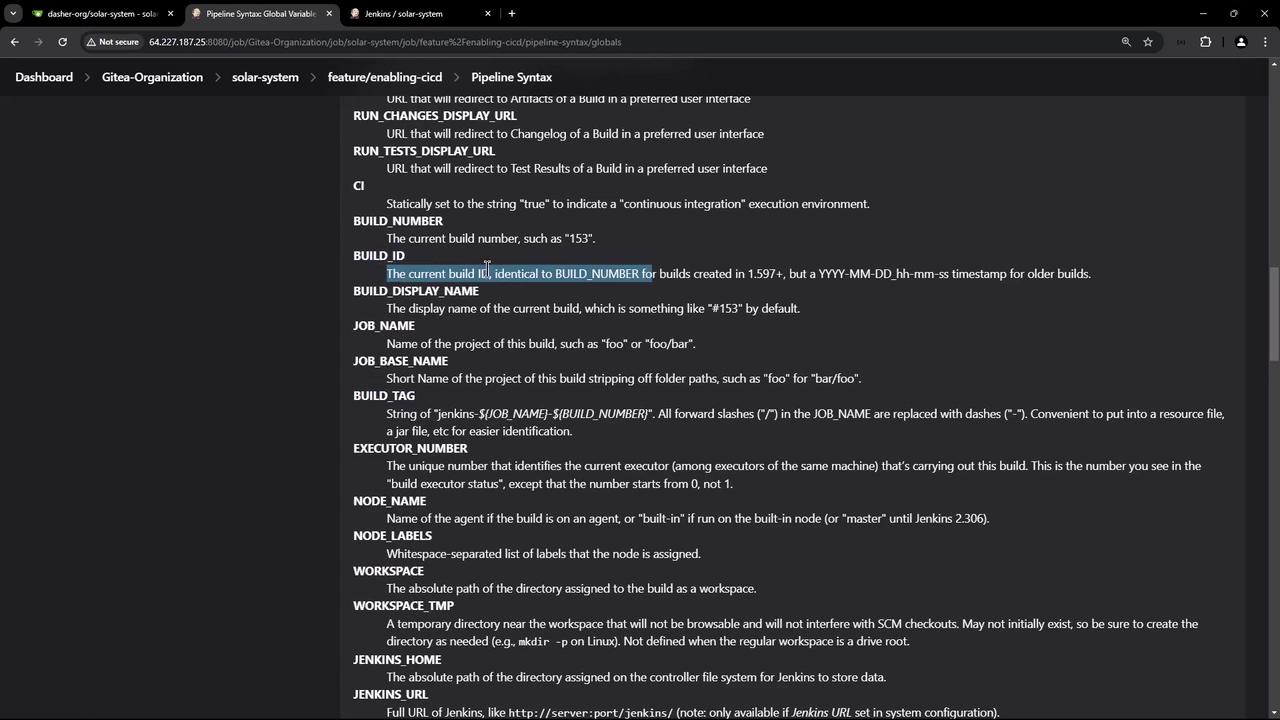
In this updated pipeline, the printenv command is invoked to display all environment variables available in the pipeline. These variables include custom ones defined in the Jenkinsfile and built-in variables such as the Git commit hash, build ID, job URL, branch name, among others. This output is useful for debugging and ensuring that the correct values are being used.
The .dockerignore file functions similarly to a .gitignore file and prevents certain files from being copied to the Docker image during the build. Below is an example of its contents:
Copy
Ask AI
npm-debug.log.git.cache# ignore all markdown files (md) besides all README*.md except README-secret.md.mdREADME.mdREADME-secret.md# GitHub related files.github/# Node-related filesnode_modulessolar-system.png.nyc_output.talismanrccoveragetest-results.xml# Reportszap*dependency*jenkins*trivy-image*
This file helps speed up the build process by ensuring only necessary files are sent to the Docker build context.
After saving and committing these changes, a new pipeline job is triggered. The build output will display the printenv command output along with the docker build command that uses the Git commit hash to build the image. Below is an example snippet from the build output:
The environment variables printed include key information such as job URL, build number, and workspace paths. The Git commit hash used in the Docker tag should correspond to the most recent commit in your repository.For instance, a GitHub log may display:
Copy
Ask AI
* docker build -t siddharth67/solar-system:9dc4ba421562f14b04dec2141938fd02a5ac0ad1 .#0 building with "default" instance using docker driver#1 [internal] load build definition from Dockerfile#1 transferring dockerfile: 282B done#2 [internal] load metadata for docker.io/library/node:18-alpine3.17#2 DONE 1.8s#3 [internal] load .dockerignore#3 transferring context: 754B done#4 [5/5] FROM docker.io/library/node:18-alpine3.17@sha256:6293c86a33900ed145ae71957411b2c2e37e839a5632beff8292a579102cdf2#5 [internal] load build context#5 transferring context: 169.77kB 0.0s# DONE 0.1s#6 [3/5] COPY package*.json /usr/app/#7 [2/5] WORKDIR /usr/app#8 CACHED#9 [4/5] RUN npm install#10 CACHED#11 [5/5] COPY . .
An extended build output example that shows image export details is provided below:
After a successful build, the image is ready to be pushed to Docker Hub. In the upcoming session, we will cover vulnerability scanning on the Docker image followed by pushing the image to Docker Hub.
For a comprehensive overview of global environment variables available in Jenkins pipelines—including details such as the job display URL, build number, tag name, and branch name—refer to the Official Jenkins Pipeline Documentation.Thank you.