

Jenkins Controller
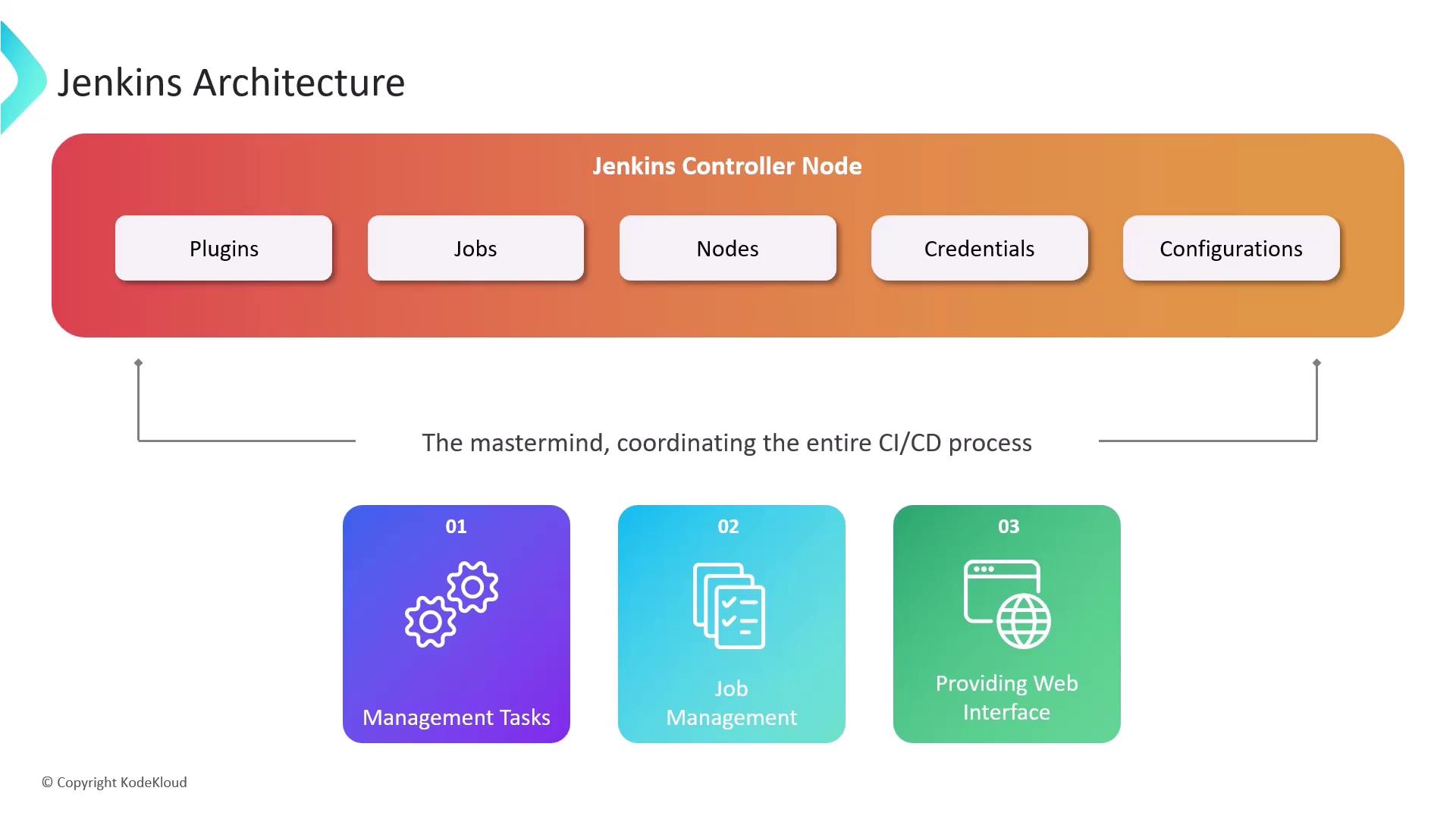
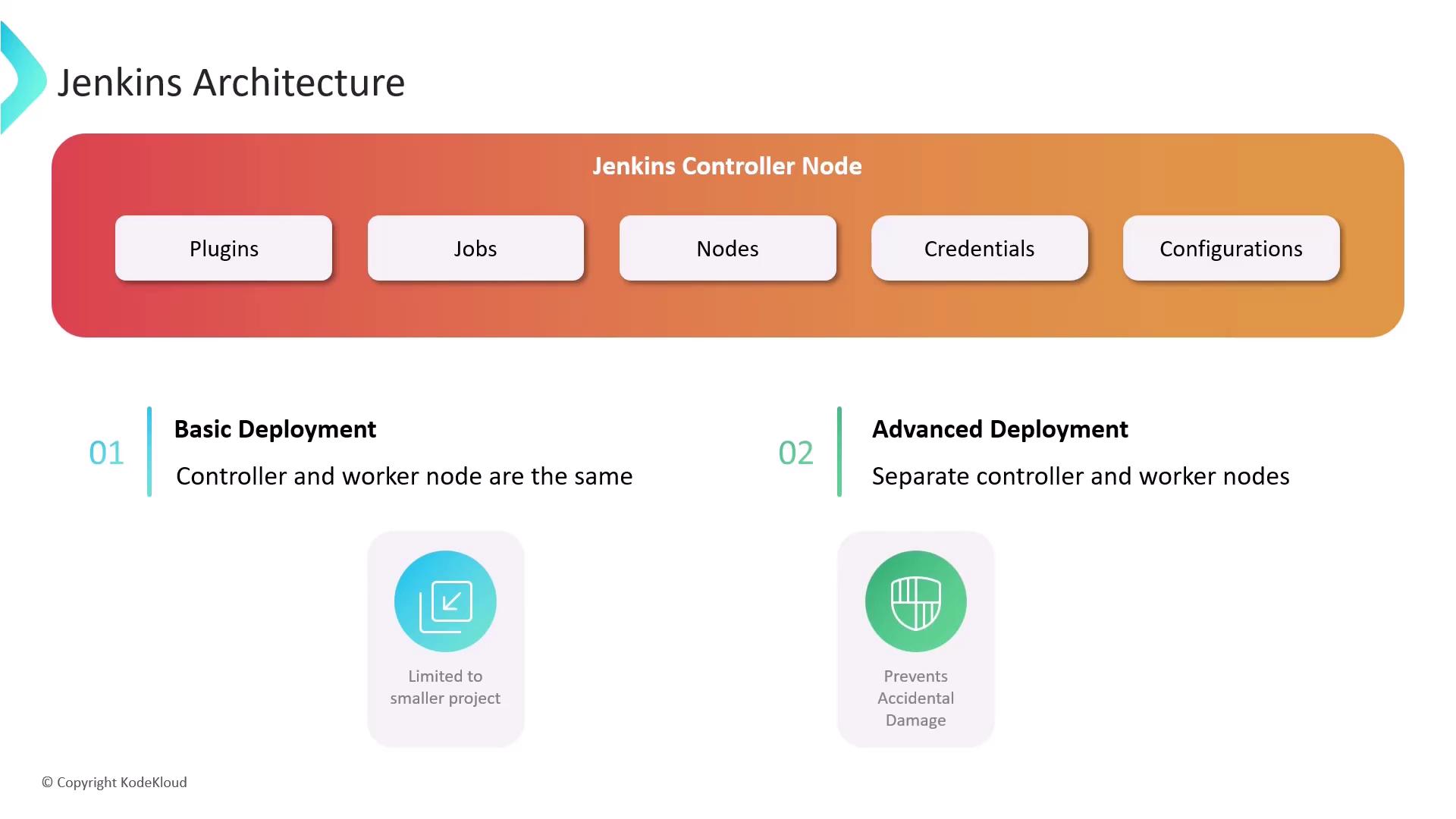
The Jenkins Controller, often referred to as the Jenkins server (formerly known as the master node), is the central hub of your Jenkins installation. It orchestrates all CI/CD processes by handling several critical management tasks:- User Management: Handles authentication and authorization exclusively on the controller.
- Job and Pipeline Management: Defines, schedules, and monitors jobs and pipelines.
- Centralized Web Interface: Provides a comprehensive interface for configuration, plugin management, user onboarding, and build monitoring.
Nodes and Executors
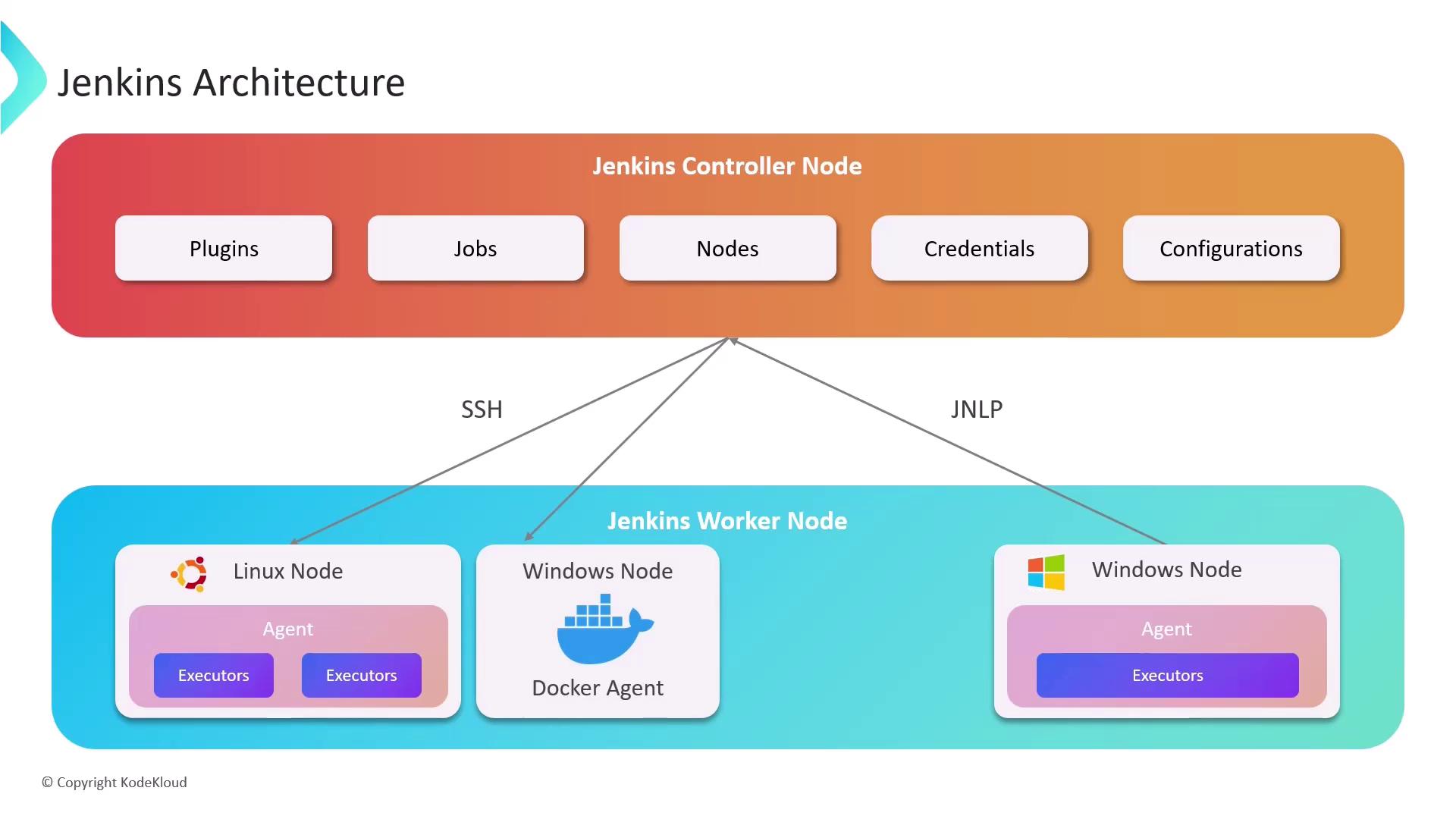
Nodes, previously referred to as Jenkins agents, are the worker machines that execute your build jobs. These machines can run on different operating systems like Linux or Windows and connect to the Jenkins Controller using protocols such as Secure Shell (SSH) or Java Network Launch Protocol (JNLP). Each node is allocated a set number of executors, which are individual threads that run build jobs concurrently. The number of executors per node is determined by the node’s available hardware resources (CPU, memory) and the complexity of the build tasks. While a one-executor-per-node configuration maximizes security, assigning one executor per CPU core is effective for managing small, lightweight tasks.Agents and Tooling
Agents extend Jenkins functionality by managing task execution on remote nodes via executors. They define the communication protocol and authentication mechanism between the node and the controller. For example:- A Java agent using JNLP.
- An SSH agent using Secure Shell.
Bringing It All Together
Consider a scenario where a Jenkins Controller is connected to two worker nodes. Within the controller, you define jobs and pipelines using its user interface, command-line interface (CLI), or REST APIs. The controller then identifies available executors on the connected nodes and distributes the build jobs accordingly. Once the nodes execute their respective jobs, the controller collects results, including build statuses, logs, and artifacts. This provides a comprehensive overview of the build processes.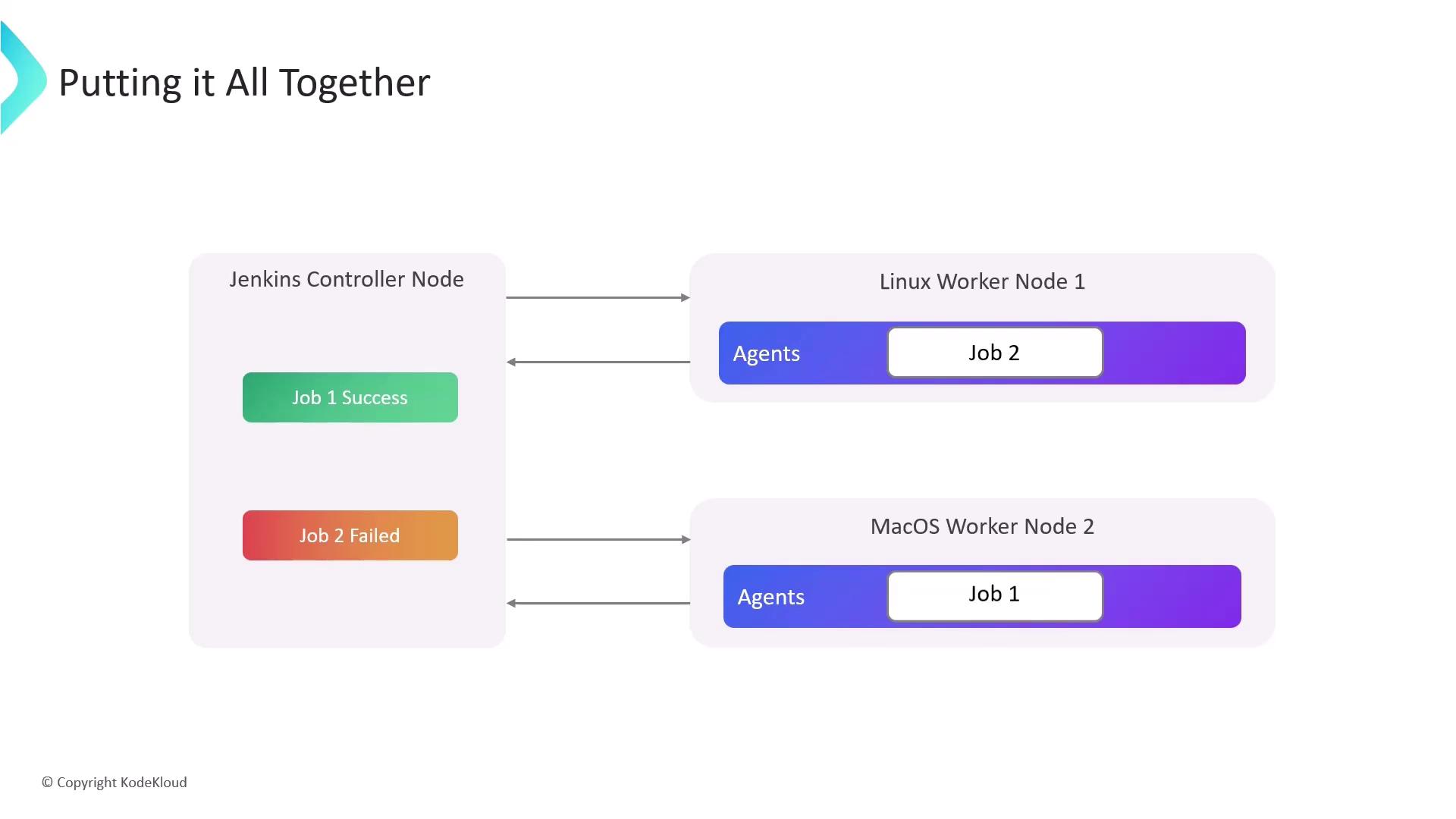
For optimal performance, continuously monitor resource usage and consider dynamically provisioning nodes using containerized environments or Kubernetes to handle peak loads.