This article demonstrates the impact of controller failures on long-running Freestyle projects in Jenkins and how to simulate such failures.
In this article, we demonstrate how a controller failure can impact a long-running Freestyle project in Jenkins. We simulate a long-running job using a sleep command to mimic work in progress and then introduce a controller failure during its execution. Follow along to see how the process unfolds.
The example simulates a long-running build by inserting a sleep command for 3600 seconds before deploying. During the sleep period, we simulate a controller failure. Use the following script to reproduce the procedure:
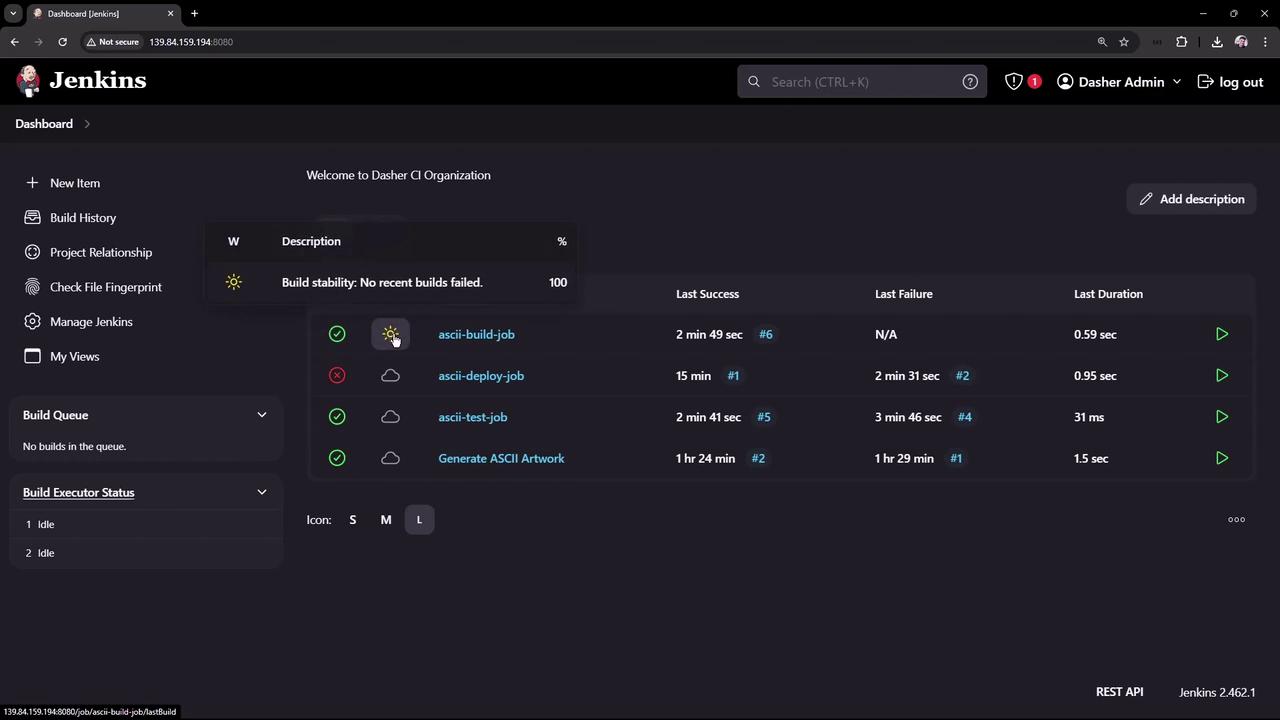
After applying these changes and saving them, trigger the build job. The build begins execution and queues the test job. As the test job runs, the Jenkins interface displays a dynamic visualization. In this scenario, the test job fails because one of the conditions to trigger the deploy job—a stable build of the test job—is not met. Review the build logs below to understand the failure:
Copy
Ask AI
Started by upstream project "ascii-build-job" build number 5originally caused by: Started by user Dasher AdminRunning as SYSTEMBuilding in workspace /var/lib/jenkins/workspace/ascii-test-jobCopied 1 artifact from "ascii-build-job" build number 5[ascii-test-job] $ /bin/sh -xe /tmp/jenkins156712682140079493978.sh+ ls advice.jsonadvice.json+ cat advice.json+ jq -r '.slip.advice'+ wc -w+ [ 4 -gt 5 ]+ cat advice.message+ echo Advice - Slate in the shower.Advice - Slate in the shower. has 5 words or less+ exit 1Build step 'Execute shell' marked build as failureSkipped archiving because build is not successfulFinished: FAILURE
The failure is not related to the simulated controller failure. It occurs because the test job’s condition expects an advice message containing more than five words.
After re-triggering the build job, the test job passes in a subsequent run, and build number five completes successfully—causing the deploy job to be queued.
When the deploy job starts, it executes the same sleep command for 3600 seconds. To simulate a controller failure manually, stop the Jenkins server with the following command:
Copy
Ask AI
systemctl stop jenkins
After stopping Jenkins, attempting to refresh the Jenkins webpage will result in an “unreachable” error. To restart Jenkins, execute:
Copy
Ask AI
systemctl start jenkins
Wait a few moments for Jenkins to come back online. Verify the server status using:
Copy
Ask AI
systemctl status jenkins
An example output is as follows:
Copy
Ask AI
● jenkins.service - Jenkins Continuous Integration Server Loaded: loaded (/usr/lib/systemd/system/jenkins.service; enabled; preset: enabled) Active: active (running) since Mon 2024-08-19 10:51:25 UTC; 3s ago Main PID: 37656 (java) Tasks: 49 (limit: 4607) Memory: 310.4M (peak: 310.9M) CPU: 15.008s CGroup: /system.slice/jenkins.service └─37656 /usr/bin/java -Djava.awt.headless=true -jar /usr/share/java/jenkins.war --webroot=/var/cache/jenkins/warAug 19 10:51:25 jenkins-controller-1 jenkins[37656]: 2024-08-19 10:51:25.575+0000 [id=31] INFO jenkins.InitReac...Aug 19 10:51:25 jenkins-controller-1 jenkins[37656]: 2024-08-19 10:51:25.612+0000 [id=33] INFO jenkins.InitReac...Aug 19 10:51:25 jenkins-controller-1 jenkins[37656]: 2024-08-19 10:51:25.613+0000 [id=32] INFO jenkins.InitReac...Aug 19 10:51:25 jenkins-controller-1 jenkins[37656]: 2024-08-19 10:51:25.619+0000 [id=32] INFO c.a.s.j.p.d.cache...Aug 19 10:51:25 jenkins-controller-1 jenkins[37656]: 2024-08-19 10:51:25.619+0000 [id=31] INFO jenkins.InitReac...Aug 19 10:51:25 jenkins-controller-1 jenkins[37656]: 2024-08-19 10:51:25.632+0000 [id=47] INFO jenkins.InitReac...Aug 19 10:51:25 jenkins-controller-1 jenkins[37656]: 2024-08-19 10:51:25.640+0000 [id=30] INFO jenkins.InitReac...Aug 19 10:51:25 jenkins-controller-1 jenkins[37656]: 2024-08-19 10:51:25.612+0000 [id=30] INFO hudson.lifecycle...Aug 19 10:51:25 jenkins-controller-1 jenkins[37656]: 2024-08-19 10:51:25.746+0000 [id=47] INFO c.a.s.j.p.d.cache...
After you log in again (due to Jenkins security protocols), you will notice that the deploy job has been terminated and is marked as a failure. This outcome occurs because Freestyle Projects stop the build execution permanently if a controller failure—whether manual or accidental—happens during a running build.The following snippet reaffirms this behavior:
Copy
Ask AI
Building in workspace /var/lib/jenkins/workspace/ascii-deploy-jobCopied 1 artifact from "ascii-test-job" build number 5[ascii-deploy-job] $ /bin/sh -xe /tmp/jenkins98367258698972721042.sh+ sleep 3600Build step 'Execute shell' marked build as failureFinished: FAILURE
A significant downside of using Freestyle Projects is that they do not support resuming tasks after a controller failure. For critical workflows, consider using Pipeline Projects.
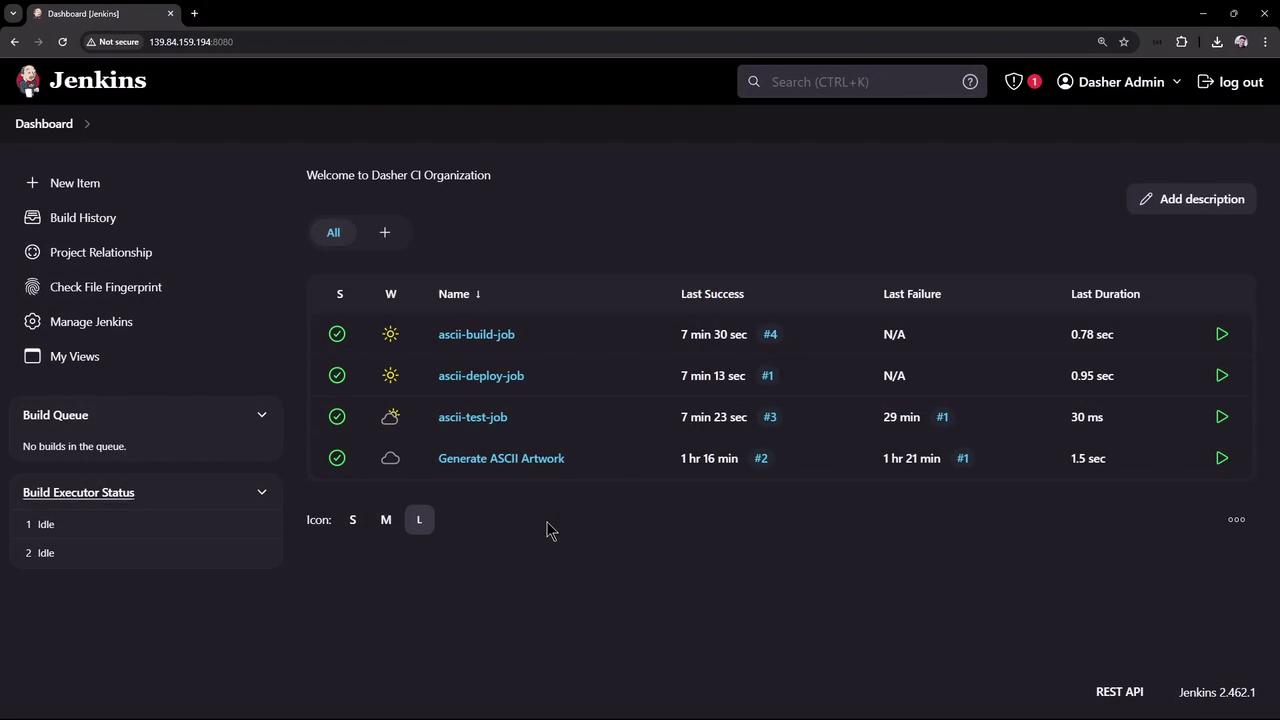
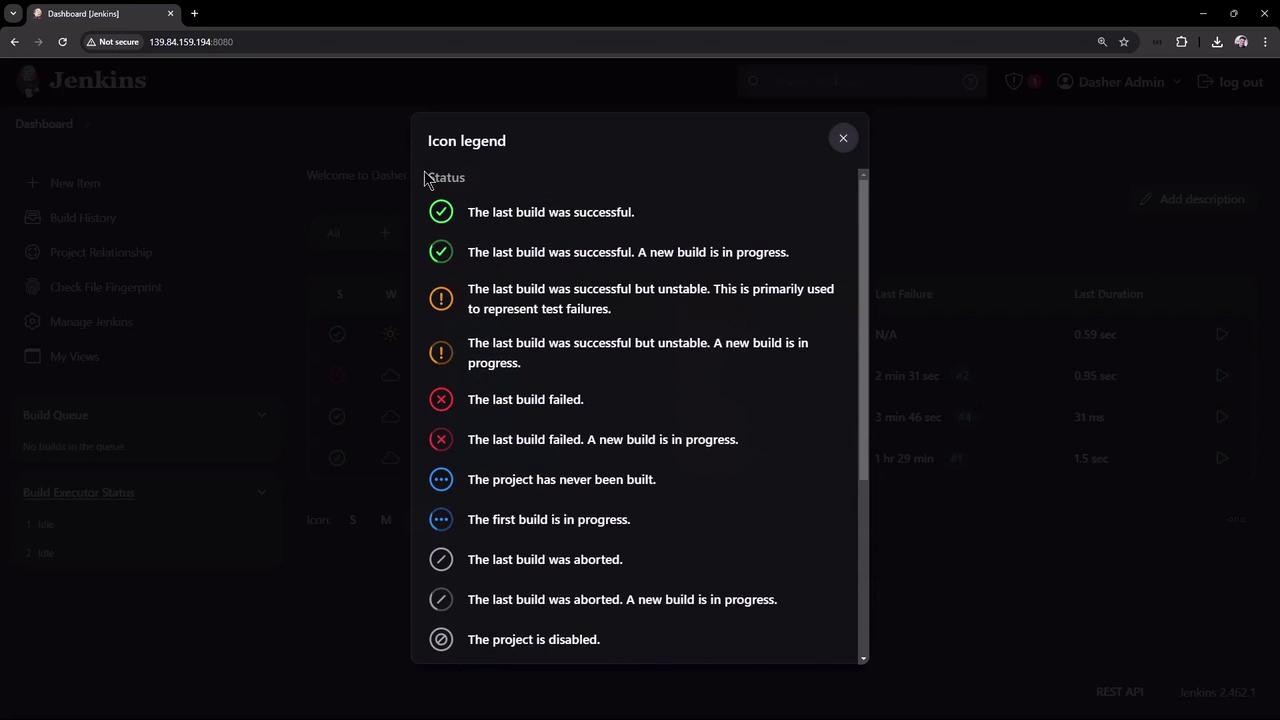
For newcomers, the Jenkins dashboard might be overwhelming at first, especially when you encounter various icons like the sun or clouds. These icons provide quick visual feedback about build statuses and overall project health. Click on “More Actions” in the dashboard to view an icon legend with detailed descriptions.
This article has explored how Freestyle Projects in Jenkins handle controller failures. As demonstrated, if a controller failure occurs during a running build, the job is terminated and does not resume automatically. In future discussions, we will examine how Pipeline Projects can overcome this challenge by supporting build continuity and recovery.Thank you for reading!