

Why Kafka Alone Isn’t Enough
Apache Kafka excels at streaming high-throughput, low-latency data. Think of it as a conveyor belt for events—but it’s not designed for indefinite storage or complex querying. Kafka enforces retention policies (by time or size) to purge old records, and it lacks built-in indexing and archiving.If you rely on Kafka for long-term storage without offloading data, retention policies will delete older events, leading to irreversible data loss.
events. You might monitor real-time cart activity on a dashboard, but what happens when you need weeks or months of historical data?
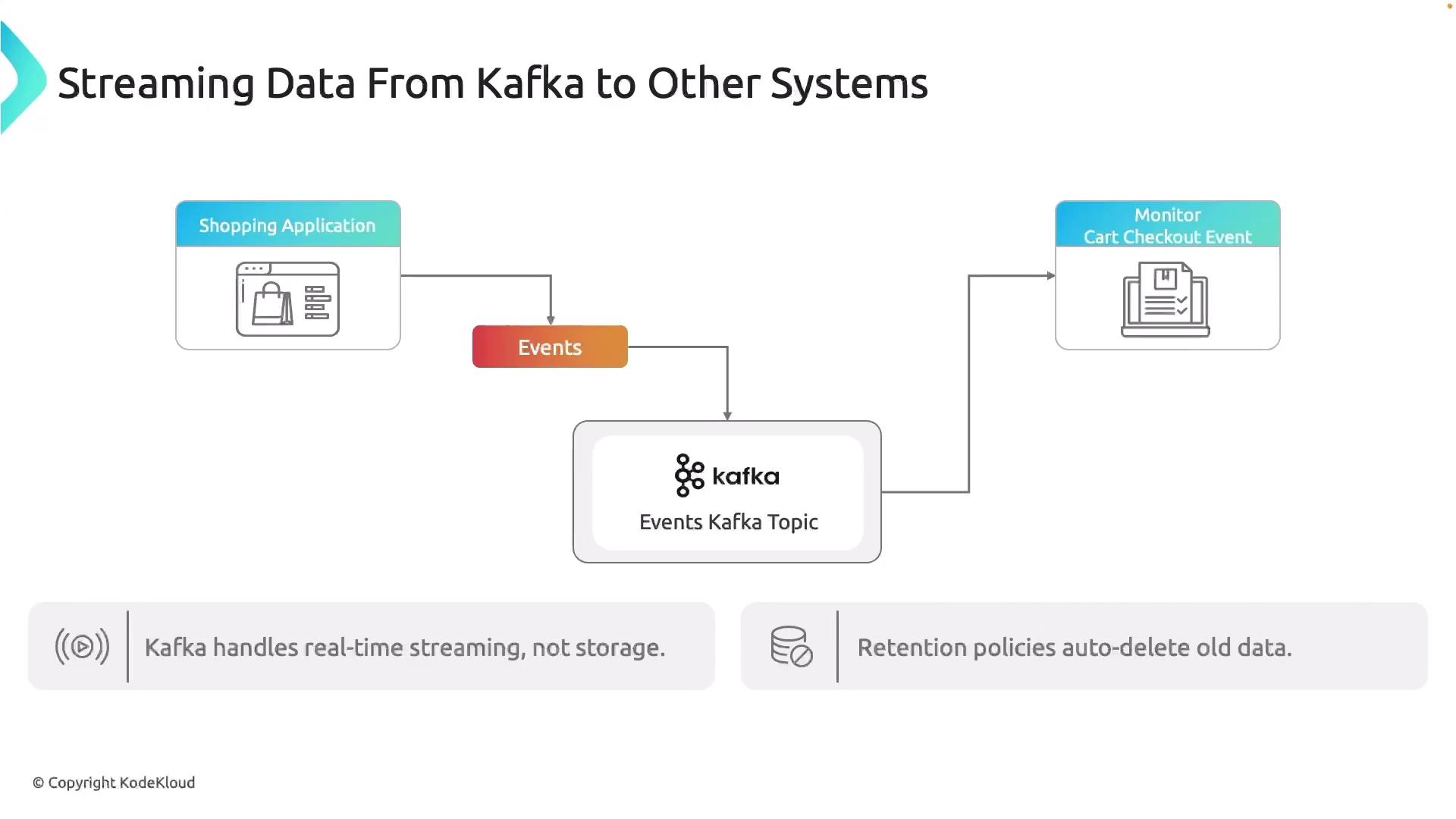
Offloading Event Data for Long-Term Analysis
To retain complete event history and perform trend analysis, archive or index records in a system built for long-term storage. Common targets include relational databases or object stores like Amazon S3, which integrate with analytics engines such as Athena or BigQuery.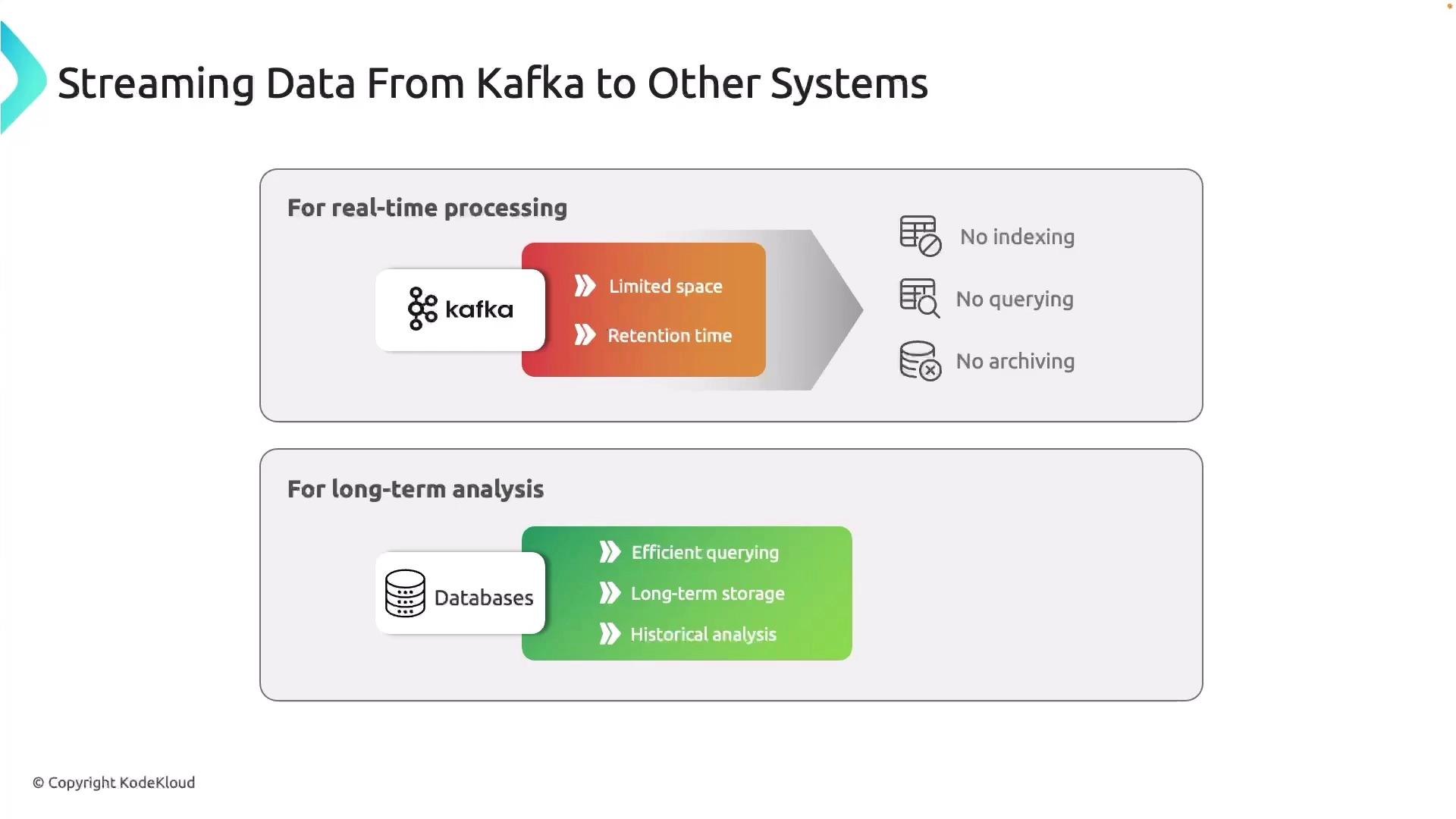
Introducing Kafka Connect
Kafka Connect is a dedicated service for streaming data between Kafka and external systems using reusable connector plugins. It can run on-premises, in VMs, containers, or Kubernetes. You scale Connect workers independently from your Kafka brokers, ensuring separation of concerns.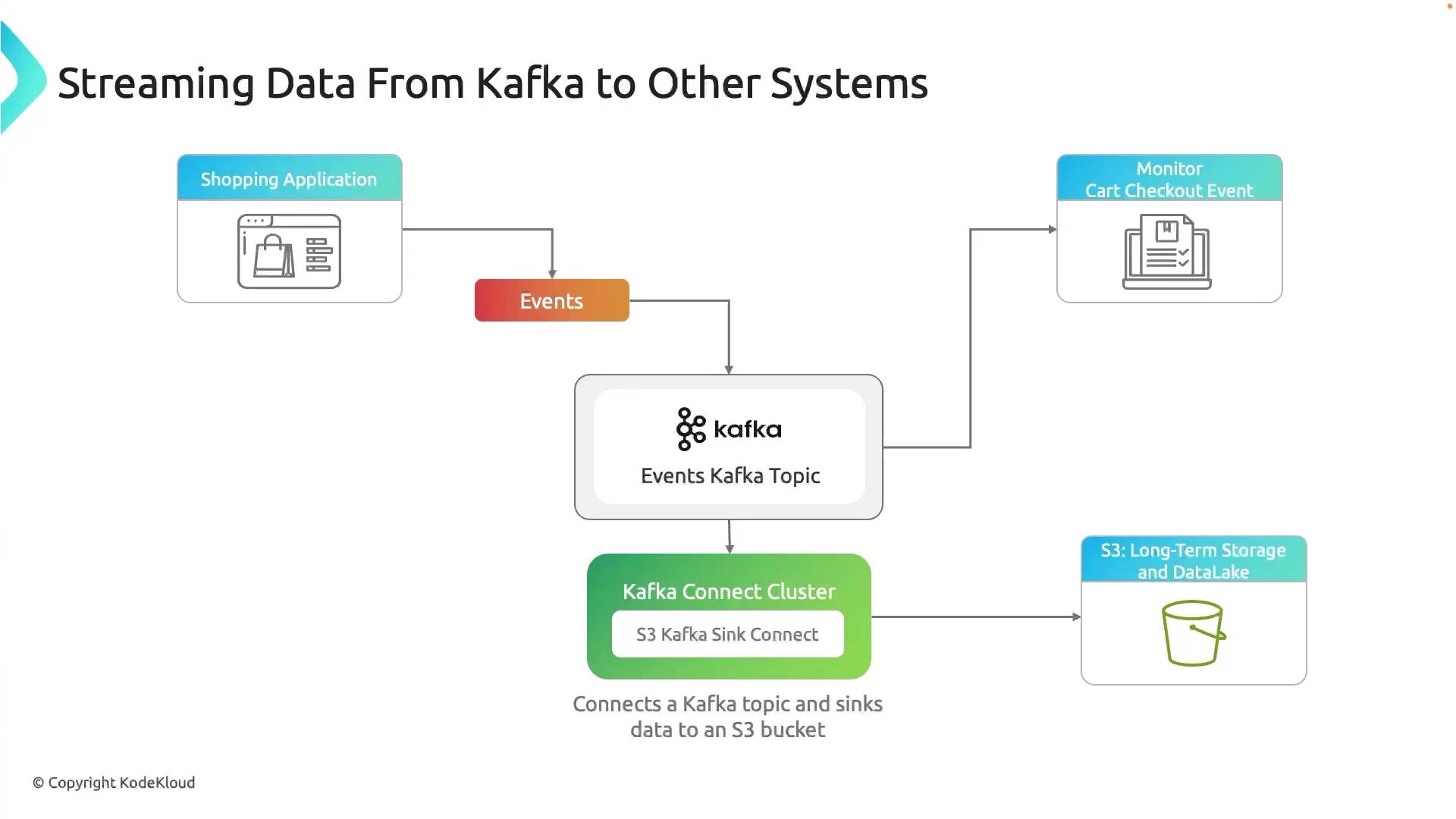
Kafka Connect supports both source connectors (ingesting data into Kafka) and sink connectors (exporting data from Kafka). Choose from a rich ecosystem of prebuilt plugins or build your own.
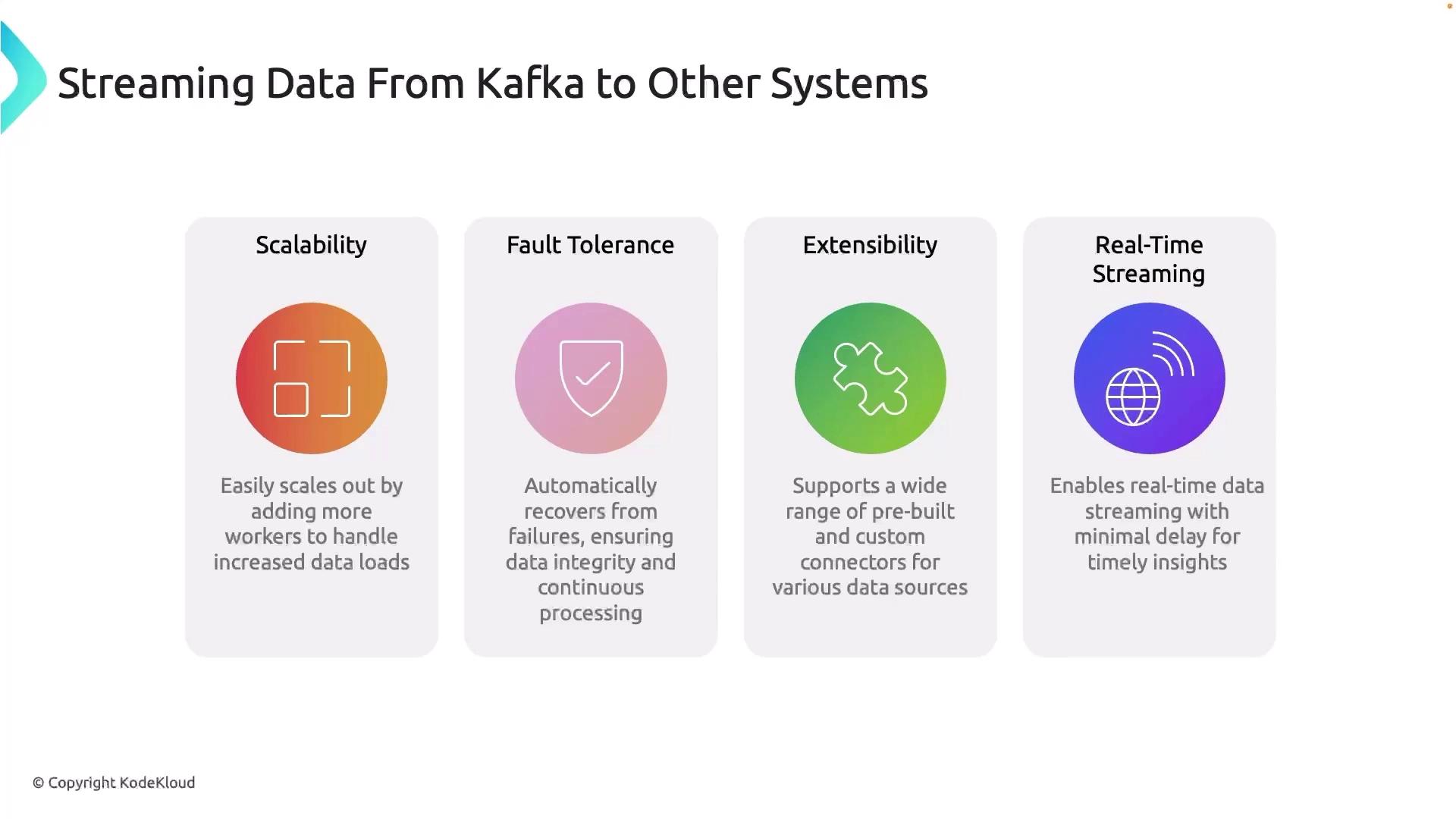
Key Benefits of Kafka Connect
| Benefit | Description |
|---|---|
| Scalability | Run connectors in a distributed cluster that you can scale horizontally. |
| Fault Tolerance | Tasks automatically handle failures and resume from the last committed offset. |
| Extensibility | Extendable via a large ecosystem of prebuilt connectors for databases, cloud storage, and more. |
| Real-Time Streaming | Delivers data in near-real time to analytics tools such as QuickSight and Looker. |
Getting Started with an S3 Sink Connector
-
Deploy Kafka Connect Cluster
Launch Connect workers in your environment (bare metal, container, or Kubernetes). -
Install the S3 Sink Plugin
-
Configure the Connector
Create a JSON file (s3-sink-config.json): -
Start the Connector
events topic data to your S3 bucket, creating a reliable data lake for analytics.