

Core Components of Docker on Linux
When you install Docker on a Linux host, you are integrating three essential components:-
Docker Daemon:
A background process that manages Docker objects such as images, containers, volumes, and networks. -
Docker REST API Server:
An interface enabling programs to communicate with the daemon. This API facilitates the development of custom tools and integrations. -
Docker CLI:
A command-line interface used to execute operations such as starting or stopping containers and managing images. The CLI communicates with the Docker daemon via the REST API.
It is important to note that the Docker CLI does not need to be on the same host as the Docker Engine. You can install it on a remote system (e.g., your laptop) and connect to a remote Docker Engine using the
-H option, specifying the host address and port.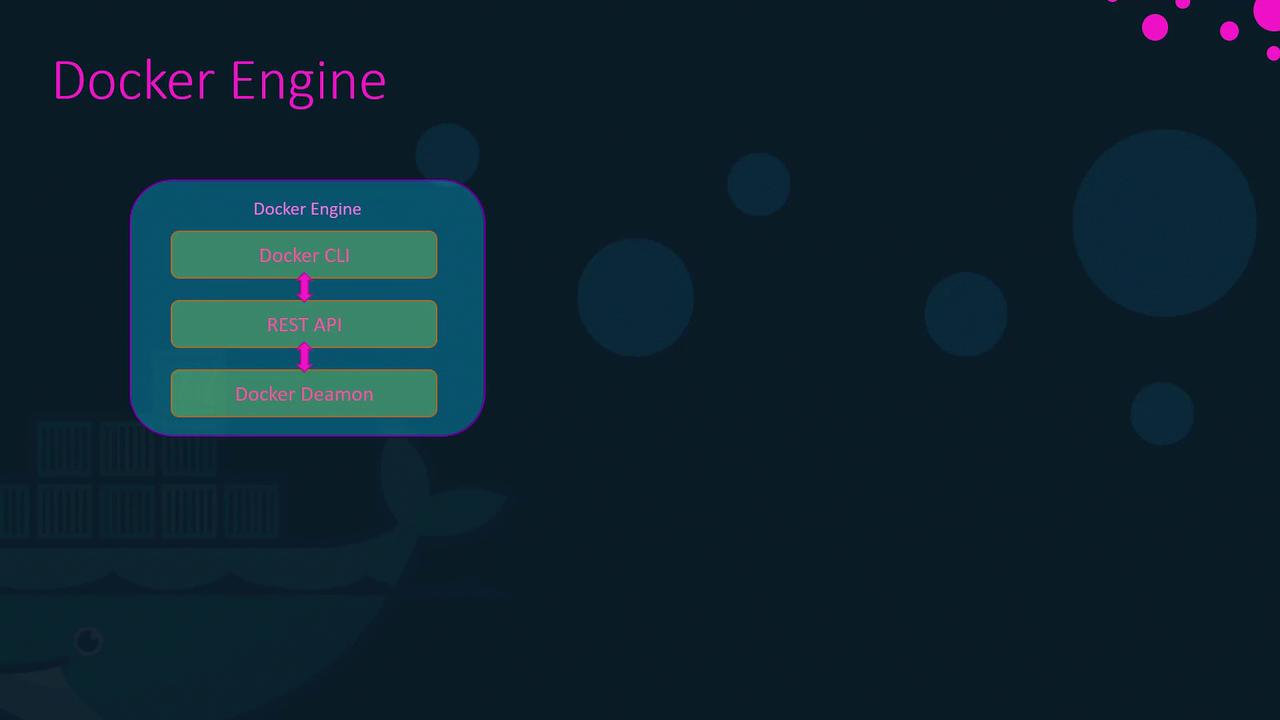
How Containers Isolate Applications
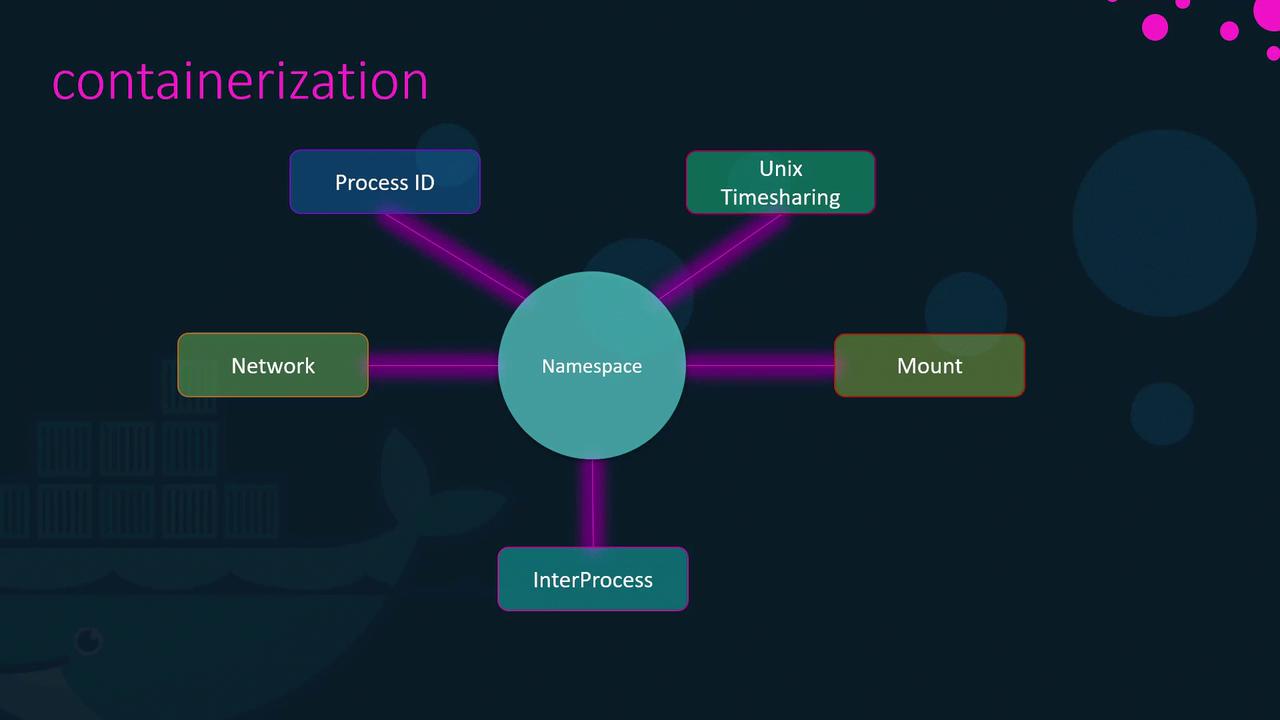
Docker leverages Linux namespaces to isolate various system resources including:- Workspaces
- Process IDs
- Network interfaces
- Inter-process communication (IPC)
- Filesystem mounts
- Unix time-sharing systems
Understanding Process ID (PID) Namespaces
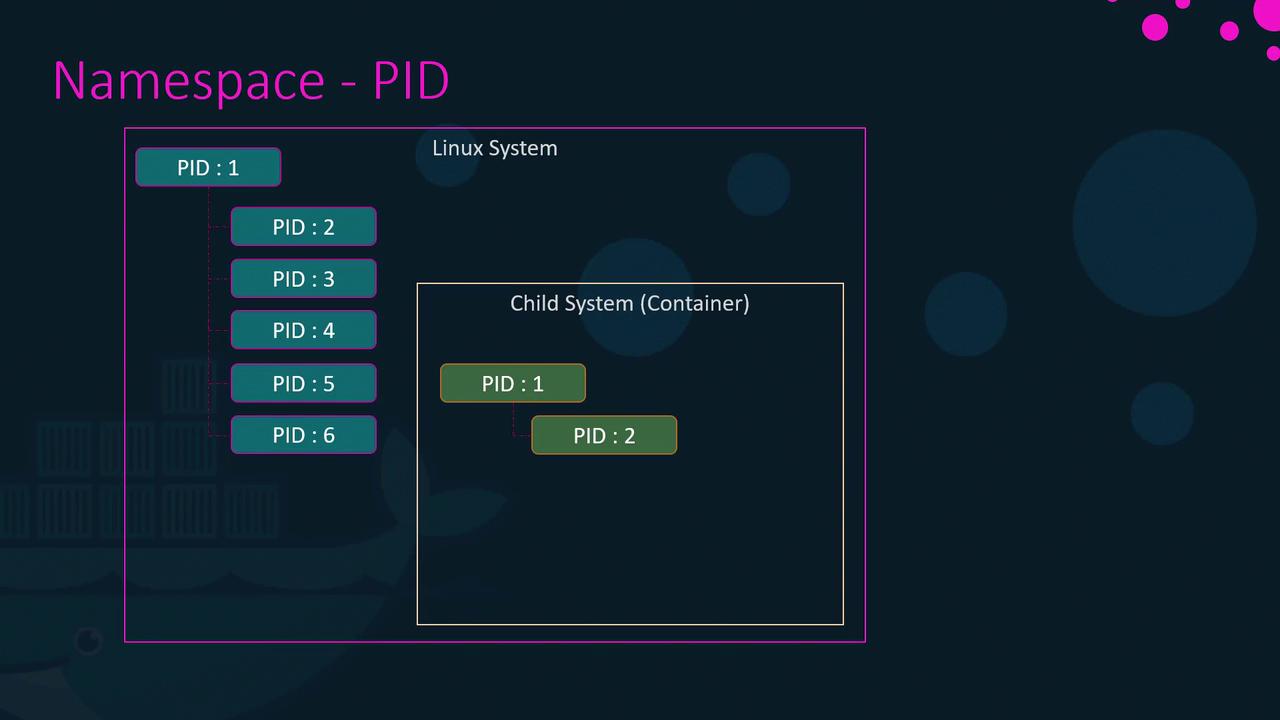
At system boot, Linux starts with a single process (PID 1) which then branches out to create all subsequent processes. When a container is created, it obtains its own PID namespace. This means that:- Processes inside the container appear to start from PID 1.
- In reality, these processes are managed by the host system with their own unique PID assignments.
ps.
Managing Resources with cgroups
Containers by default can use as much resource as they require, which may lead to resource exhaustion on the host. Docker utilizes Linux control groups (cgroups) to constrain the hardware resources available to each container, ensuring efficient resource management.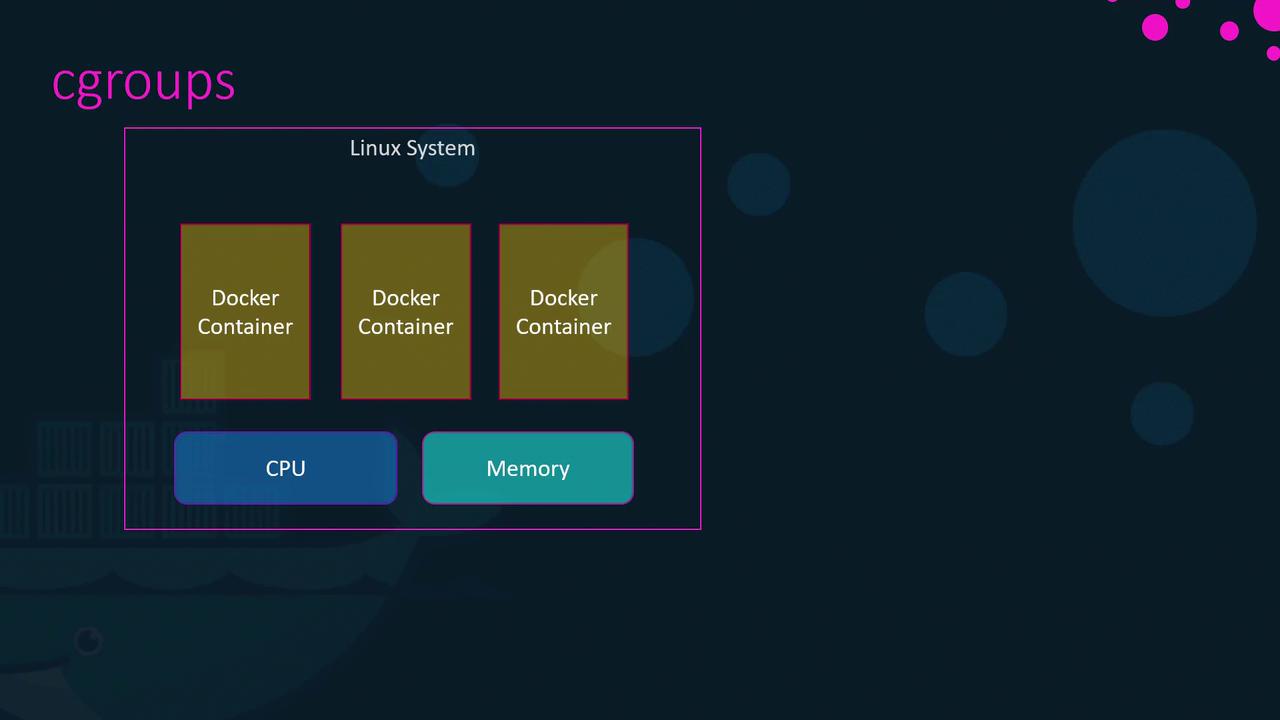
--cpus and --memory. For instance, to restrict a container to using only 50% of the host CPU and 100 megabytes of memory, run: