This article provides a guide on deploying a voting application using Docker, covering its architecture, source code, and multi-container deployment.
Welcome to this detailed guide on the example voting application from the Docker Samples GitHub repository (located under the “example-voting-app” directory). In this article, we will review the application’s architecture, explore the source code, and deploy the application using Docker. We will also extend the deployment using Docker Compose and Docker Swarm stacks for a more robust, multi-container environment.
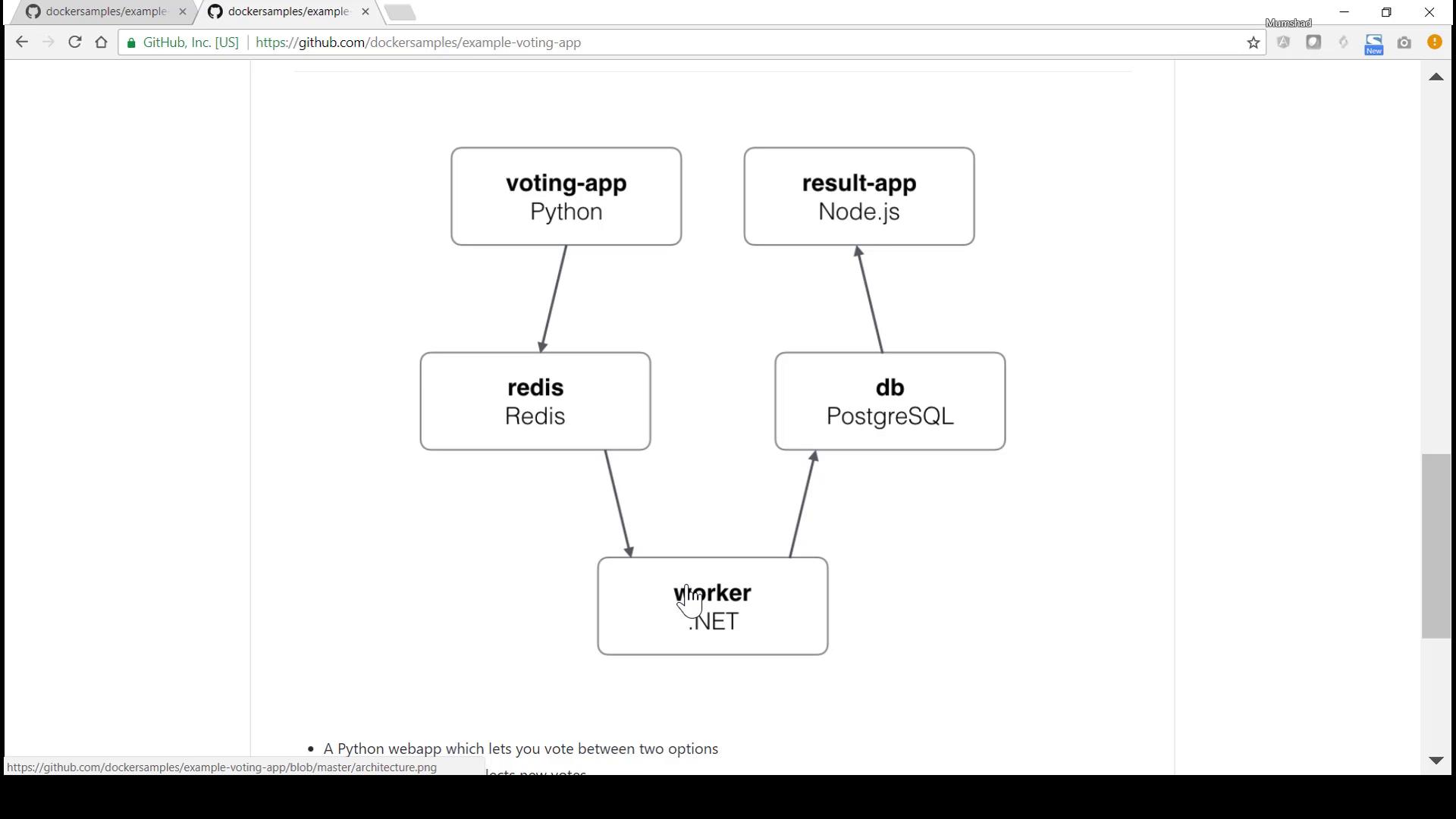
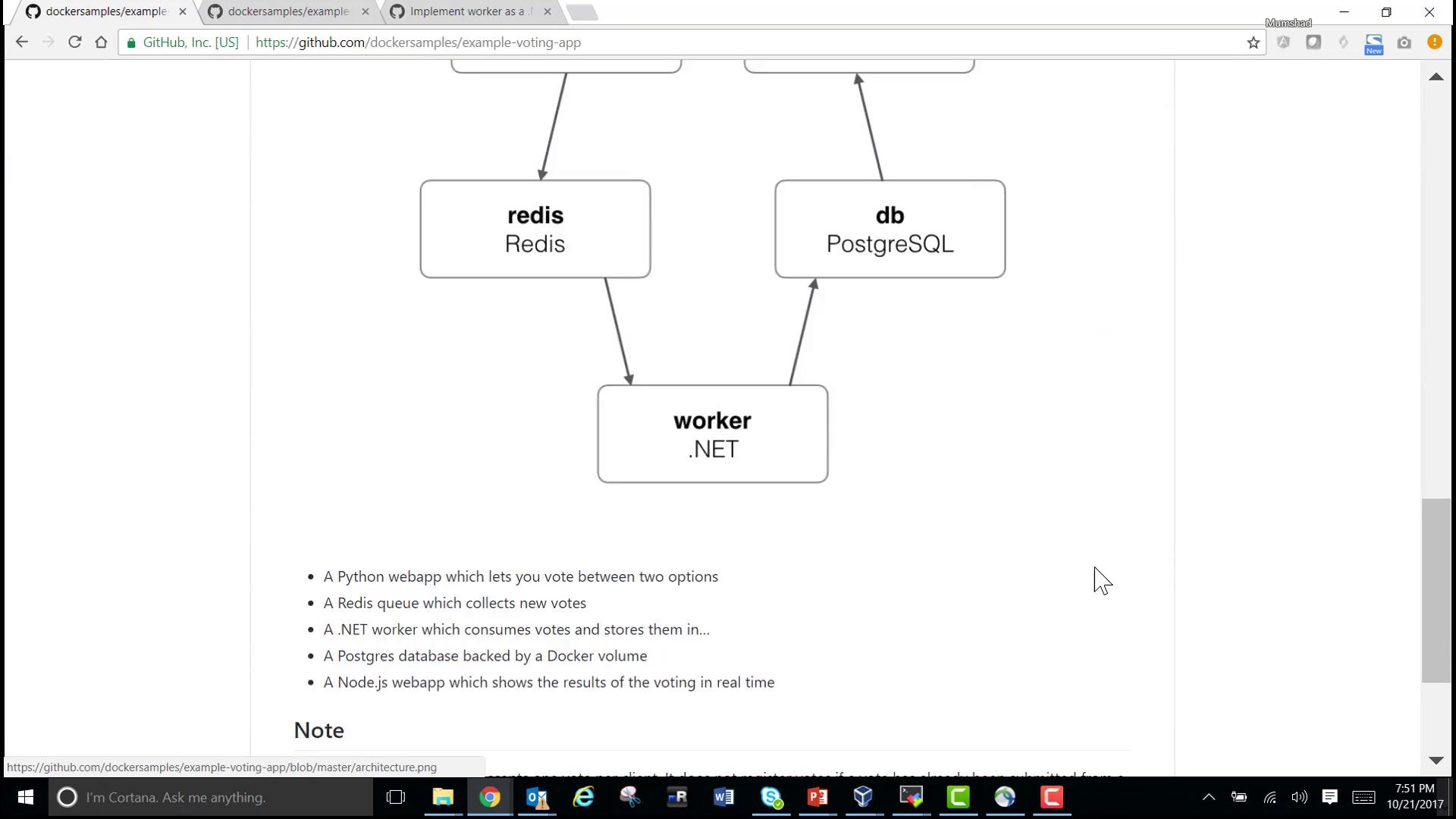
The voting application is composed of several distinct components:
Voting App: A Python-based web application built with Flask, where users cast their votes.
Redis: A messaging system that collects the submitted votes.
Worker: A .NET application (with a Java-like code sample preserved) that processes votes and updates a PostgreSQL database.
Result App: A Node.js and Express application that retrieves and displays voting results from the database.
Note that Redis and PostgreSQL are provided as prebuilt images from Docker Hub, while the Python, .NET, and Node.js applications are custom-developed and organized in separate folders within the repository.Below is the architecture diagram featured in the lesson:
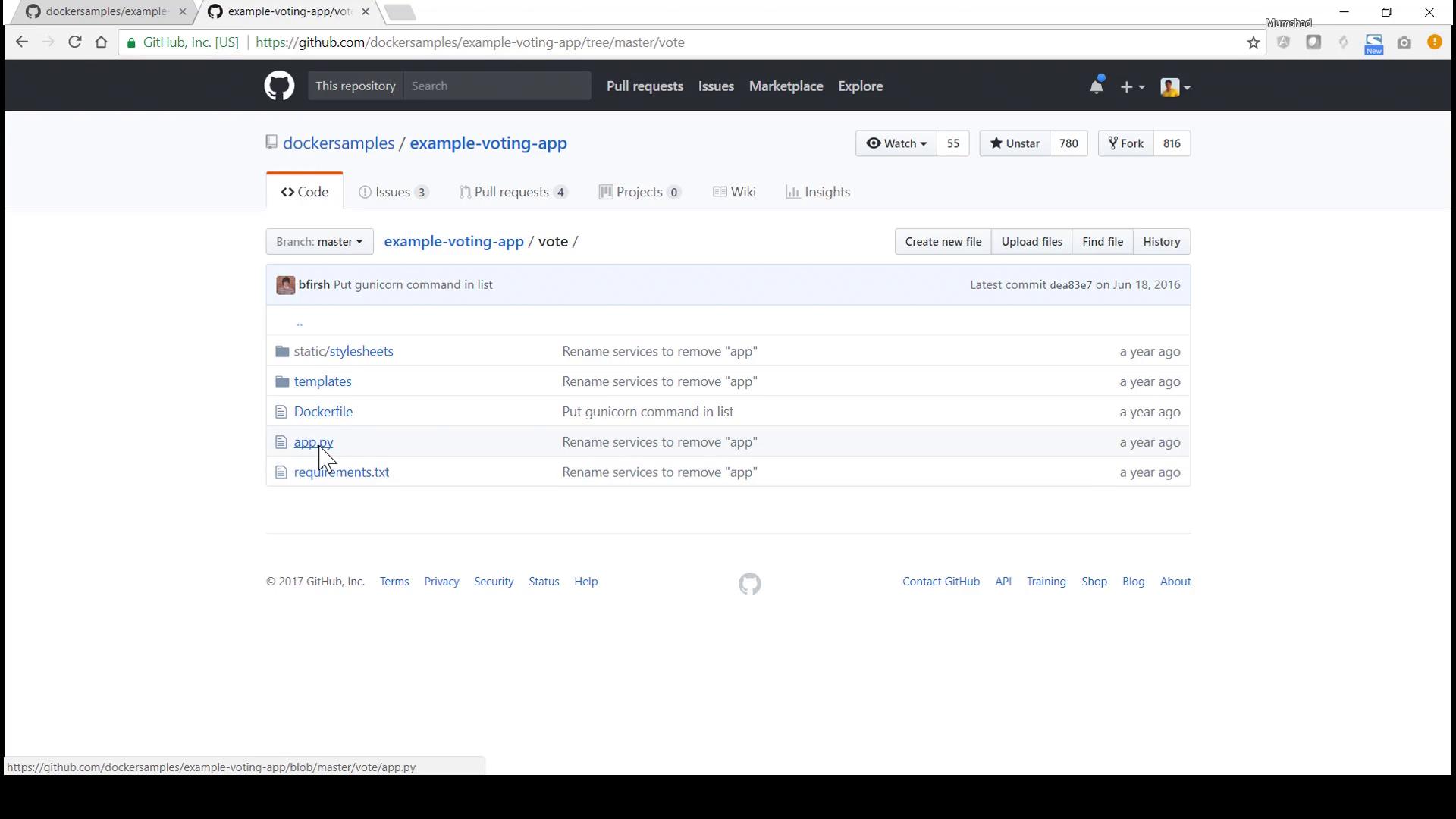
The voting app is a Flask-based Python application found in the vote directory. Its main file, app.py, defines GET and POST routes. The GET route renders the index page for voting, while the POST route captures the vote, connects to Redis, and stores the vote data.Below is an enhanced excerpt of the Python code with clear descriptions:
When a user submits a vote, the application connects to the Redis container (accessed via the hostname “redis”) and pushes the vote data into the votes list.
The Flask application is containerized using a Dockerfile based on the Python 2.7 Alpine image:
Copy
Ask AI
# Using official Python runtime base imageFROM python:2.7-alpine# Set the application directoryWORKDIR /app# Install the application requirementsADD requirements.txt /app/requirements.txtRUN pip install -r requirements.txt# Copy the application code into the containerADD . /app# Expose port 80 for accessEXPOSE 80# Define the command to run when the container startsCMD ["gunicorn", "app:app", "-b", "0.0.0.0:80", "--log-file", "-", "--access-logfile", "-", "--workers", "4", "--keep-alive", "0"]
If you inspect the repository on GitHub, you’ll notice the source code along with the Dockerfile:
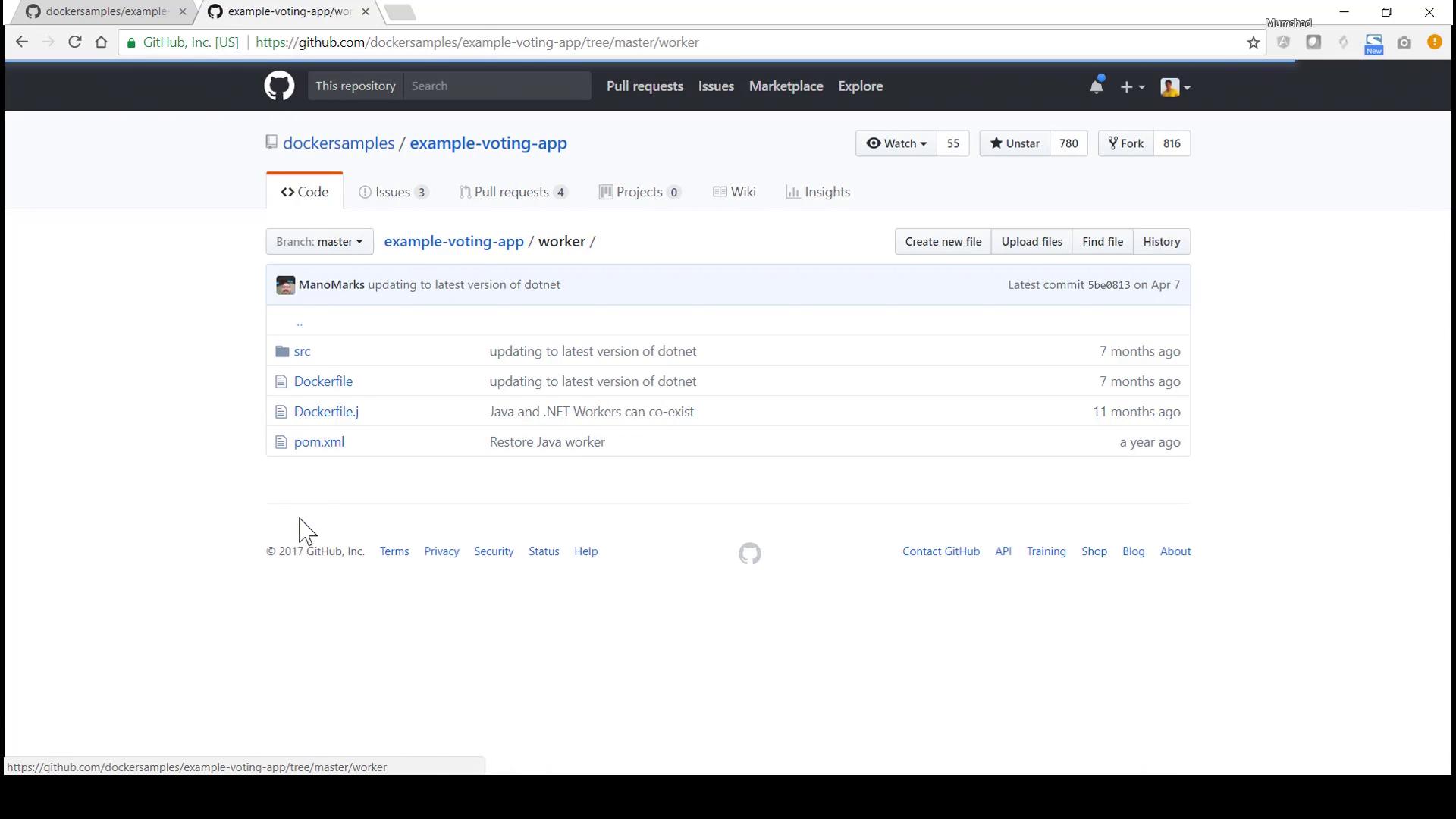
The worker component, located in the worker folder, is responsible for processing votes. It retrieves votes from Redis, updates the PostgreSQL database, and logs its activities. Below is an excerpt of the worker code (presented in Java-like syntax for historical reasons):
The result web application is built using Node.js and Express. It connects to the PostgreSQL database to query and display real-time voting results. The server.js file configures the Express server, sets up Socket.IO for live updates, and implements a retry mechanism for establishing a connection to PostgreSQL.Below is an excerpt from the Node.js application:
Copy
Ask AI
var express = require('express'), async = require('async'), pg = require('pg'), cookieParser = require('cookie-parser'), bodyParser = require('body-parser'), methodOverride = require('method-override'), app = express();var server = require('http').Server(app);var io = require('socket.io')(server);io.set('transports', ['polling']);var port = process.env.PORT || 4000;io.sockets.on('connection', function(socket) { socket.emit('message', { text: 'Welcome!' }); socket.on('subscribe', function(data) { socket.join(data.channel); });});async.retry({ times: 1000, interval: 1000 }, function(callback) { pg.connect('postgres://postgres@db/postgres', function(err, client, done) { if (err) console.error("Waiting for db"); callback(err, client); });});function getVotes(client) { client.query('SELECT vote, COUNT(id) AS count FROM votes GROUP BY vote', [], function(err, result) { if (err) { console.error("Error performing query: " + err); } else { var votes = collectVotesFromResult(result); io.sockets.emit('scores', JSON.stringify(votes)); } });}
Navigate to the vote directory and inspect the Dockerfile by running:
Copy
Ask AI
cd example-voting-app/votecat Dockerfile
Build the Docker image for the voting app:
Copy
Ask AI
docker build . -t voting-app
Verify the image build by listing available Docker images:
Copy
Ask AI
docker images
Launch the voting app container by mapping container port 80 to host port 5000:
Copy
Ask AI
docker run -p 5000:80 voting-app
Open your browser at port 5000 to access the voting interface. If you cast a vote without an active Redis container, an internal server error will occur with log messages pointing to issues at the redis.rpush('votes', data) call.
Ensure Redis is running and linked correctly before casting votes to avoid connectivity issues.
In this guide, we examined the architecture and source code for the example voting application while discussing step-by-step deployment of each component using Docker commands and container linking. The guide also offers insight into deploying multi-container applications using Docker Compose for coordinated deployments.Thank you for following along. For further details and advanced deployment techniques, consider exploring additional Docker documentation and community resources.