Principle of Least Privilege
Grant users and roles only the permissions they require. In this example, Sarah creates three groups:- Admins (Bob and Susan): full management rights across AWS services.
- Developers: access limited to a specific Sales folder.
- Test (Kathy and Alan): no access to the Sales folder.
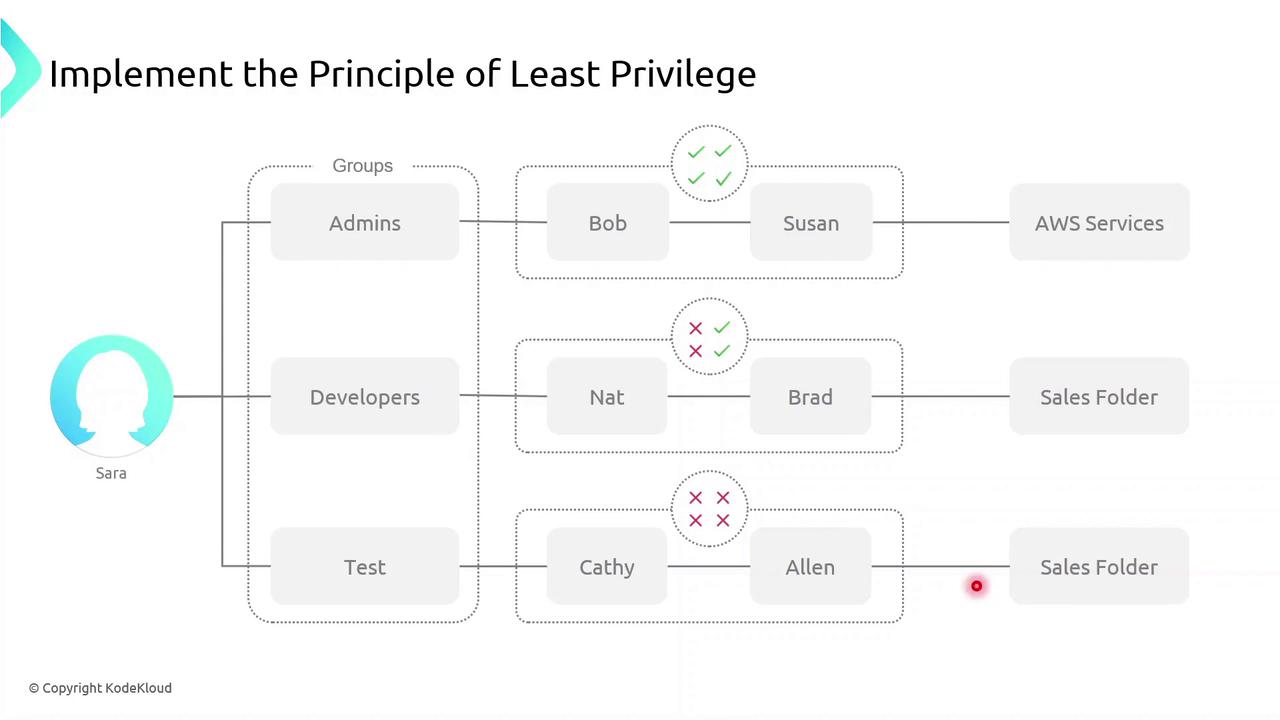
Applying least privilege minimizes the blast radius if credentials are compromised.
Defining Permissions
A permission is a fine-grained control that authorizes an action on an AWS resource. Common permission examples:ec2:StartInstances– start an EC2 instances3:GetObject– download an object from an S3 bucketsqs:CreateQueue– create a new SQS queuesns:DeleteTopic– delete an SNS topic
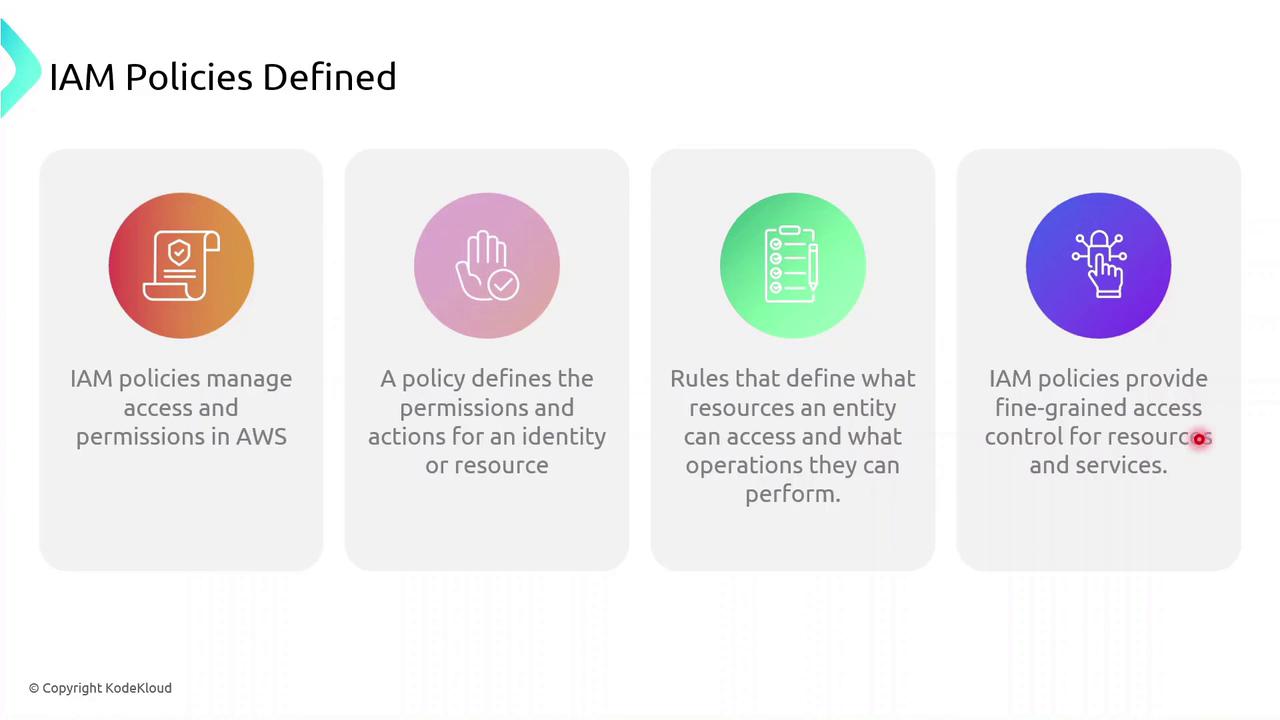
What Is an IAM Policy?
An IAM policy is a JSON document that defines:- Who (user, group, role) can perform
- What actions on
- Which resources
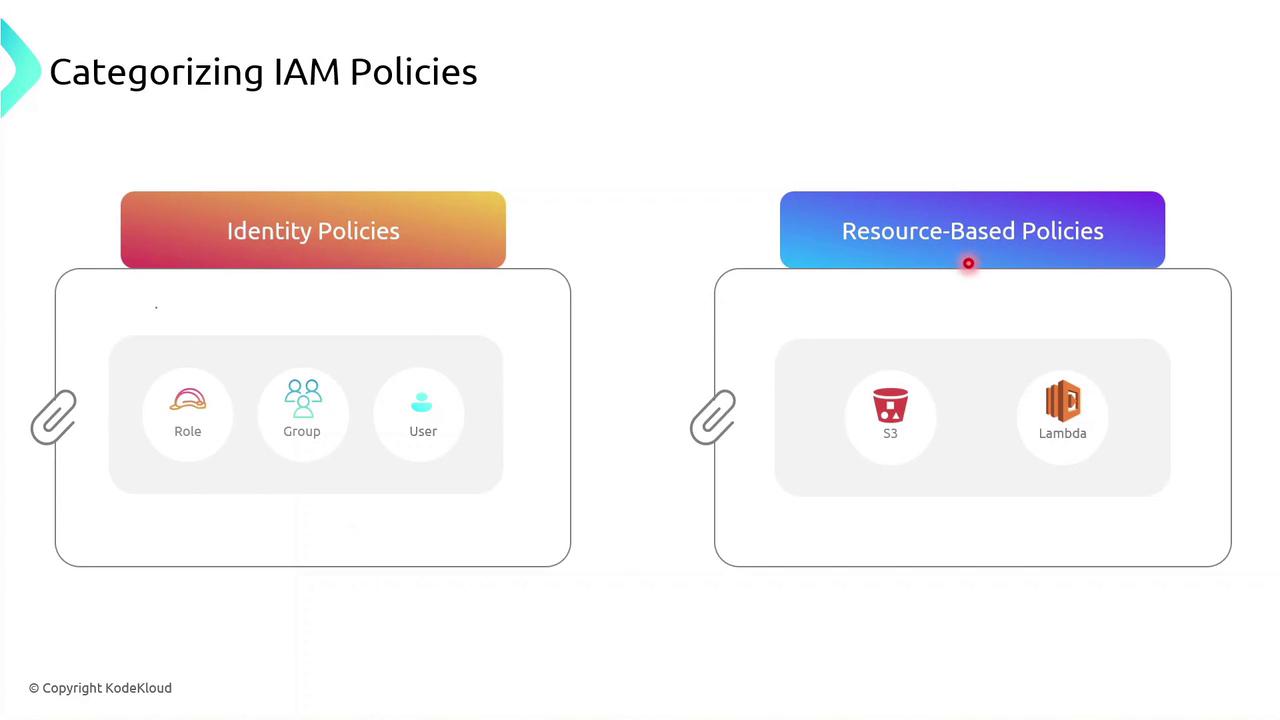
Policy Types
IAM policies fall into two primary categories:| Policy Type | Attachment Point | Use Case |
|---|---|---|
| Identity-based policy | Users, groups, roles | Grant permissions to IAM identities |
| Resource-based policy | AWS resources (e.g., S3, Lambda) | Attach policies directly to resources themselves |
Identity-based Policy Example
Below is a sample JSON identity policy with two statements:- The first statement allows all S3 actions on a specific bucket.
- The second statement allows starting a particular EC2 instance.
Use wildcard (
*) actions sparingly. Overly broad permissions increase security risks.Demo: Creating an Identity Policy
Follow these steps in the AWS Management Console to create and attach an identity-based policy to a group:- Sign in to the IAM console.
- Navigate to Policies > Create policy.
- Use the JSON editor to paste your policy document.
- Review and Create policy.
- Attach the new policy to your IAM group.