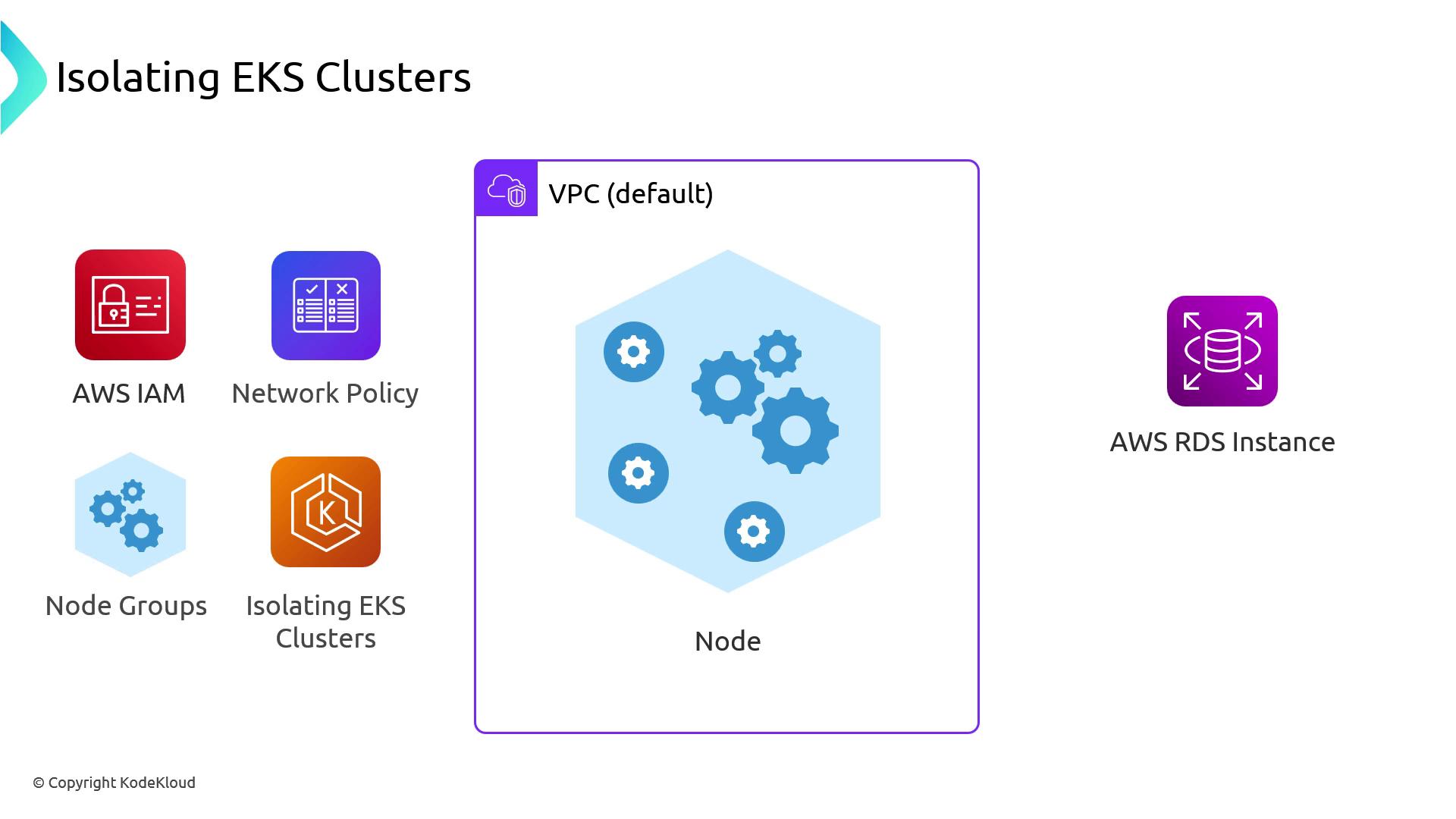
Default Pod Networking with the Amazon VPC CNI
By default, the Amazon VPC CNI plugin provisions an Elastic Network Interface (ENI) on each node. That ENI receives one primary IP for the node plus a pool of secondary IPs for pods. All of these IPs share the same security group, applied at the node level (often via your Auto Scaling group).As a result, if any pod on a node can reach an AWS resource (for example, an RDS instance), all pods on that node inherit that network-level access—even when IAM policies restrict access at the workload level.
We strongly recommend enforcing fine-grained permissions with IAM Roles for Service Accounts (IRSA) rather than relying solely on security groups for pod-level segmentation.
Kubernetes Pod Identity and Security
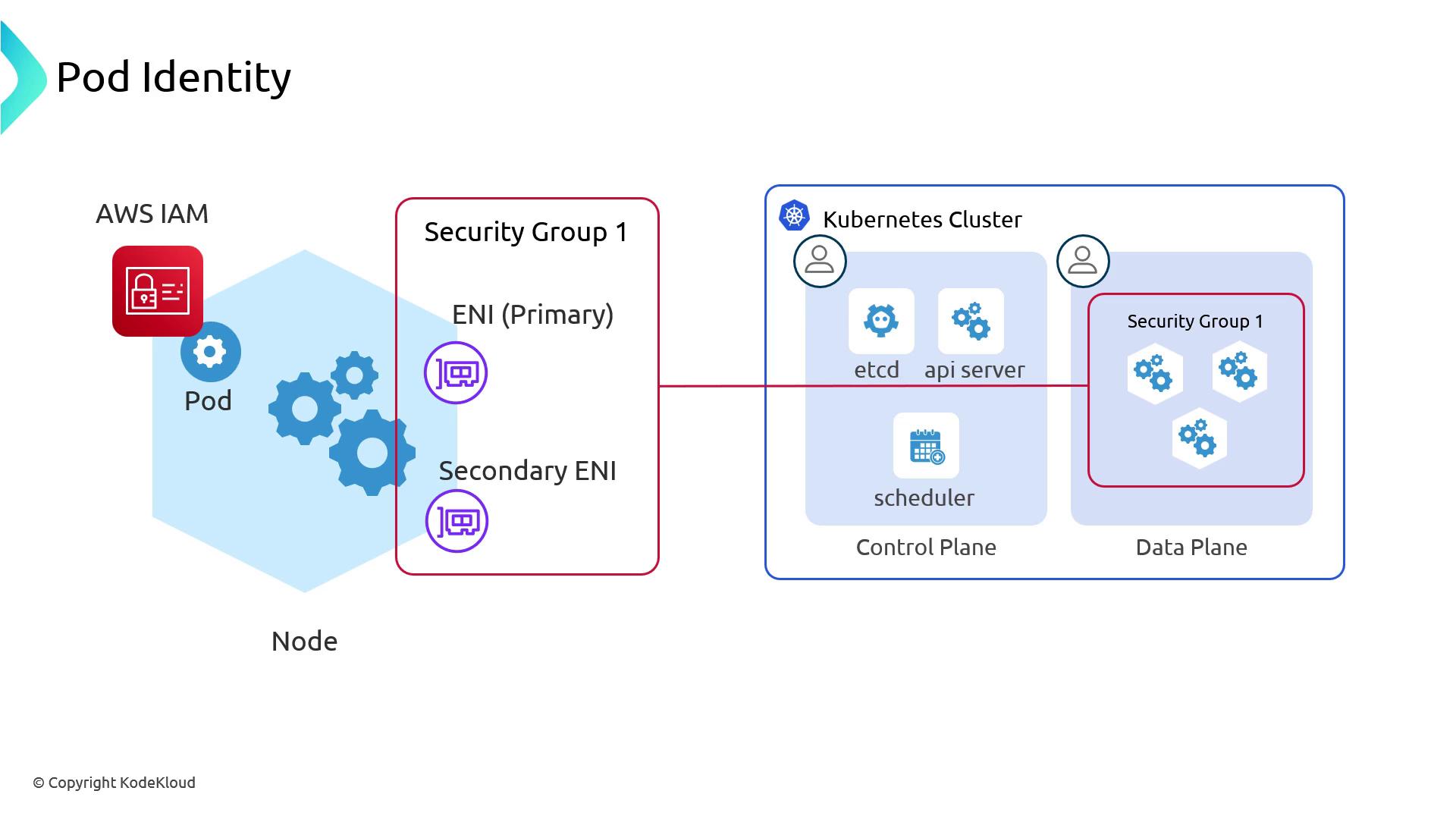
Enabling Security Groups for Pods
Behind the scenes, EKS’s VPC CNI controller:- Attaches a trunk ENI to each node.
- Provisions branch ENIs for pods, each with distinct security groups.
- Routes pod traffic through its branch ENI.
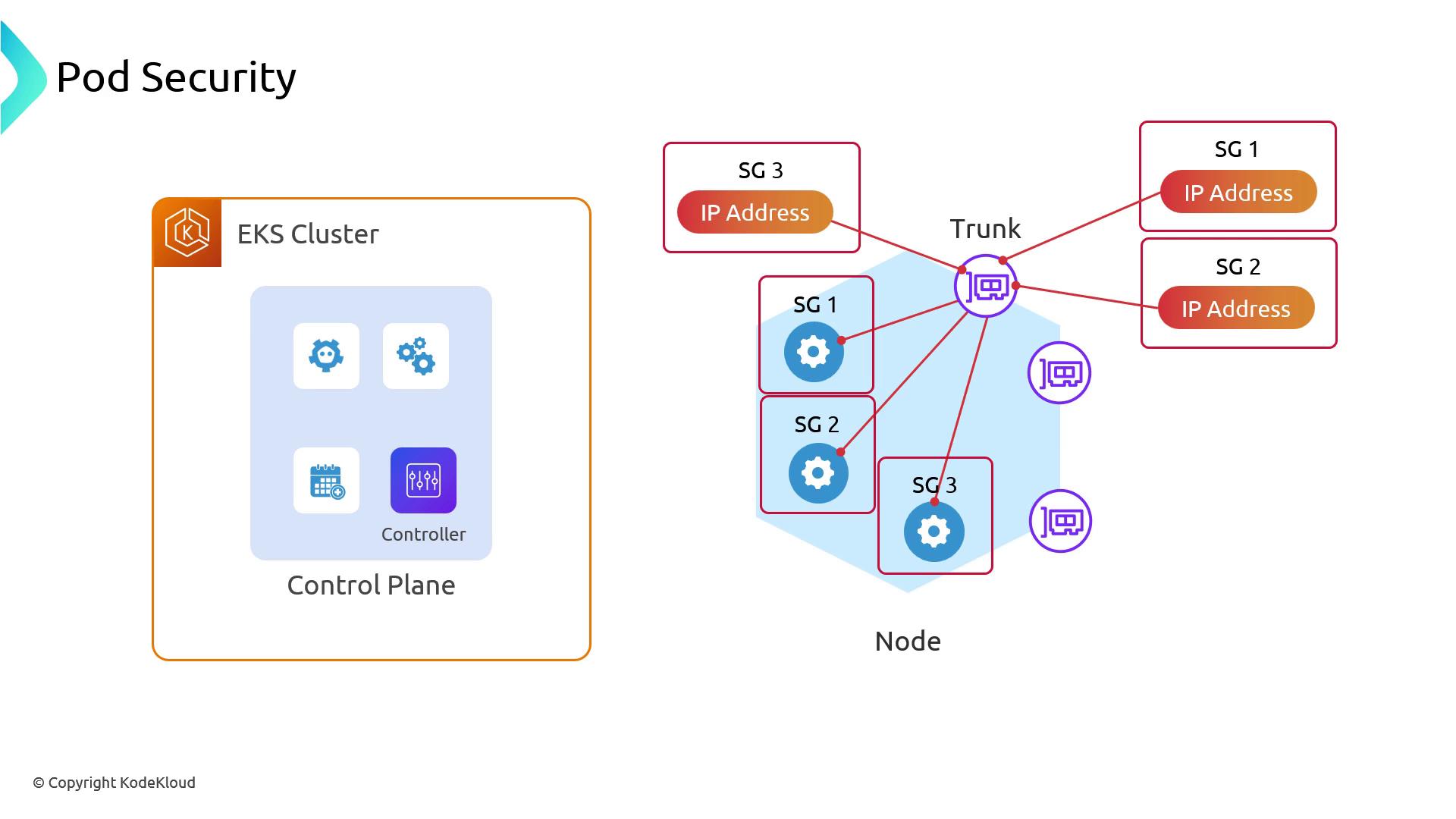
Trunk ENI Compatibility and maxPods
Not every EC2 instance family supports trunk ENIs. Before enabling pod security groups, verify your nodes against the AWS Trunk ENI Compatibility Matrix.Additionally, branch ENIs bypass the VPC CNI’s
maxPods calculation. You must manually set maxPods on your node group or Karpenter NodeClass to prevent IP exhaustion:
Setting
maxPods incorrectly may cause pods to fail scheduling when the node IP pool is exhausted.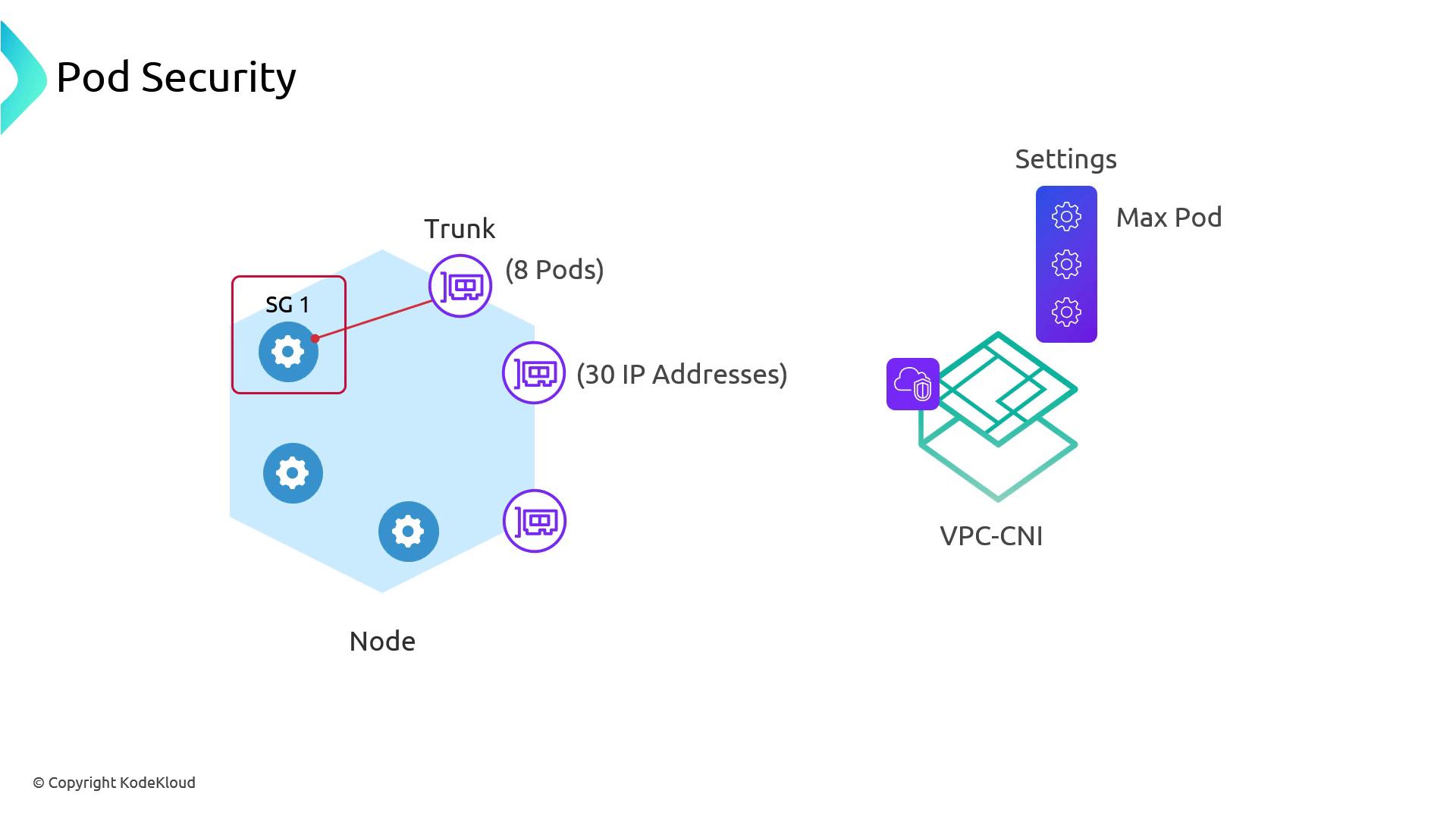
maxPods is configured per node group or provisioner, you should partition your workloads:
- Secure Nodes: Nodes with pod-level security groups.
- Standard Nodes: Nodes following default VPC CNI behavior.
Challenges with Third-Party CNIs
Replacing the VPC CNI with plugins such as Calico or Cilium can complicate pod-level security group management. Each CNI implements its own networking model, making integration with AWS private APIs and security groups more error-prone.Recommended Alternatives
Instead of micro-segmented security groups for pods, consider these strategies:| Strategy | Description | Reference |
|---|---|---|
| IAM Roles for Service Accounts (IRSA) | Assign IAM roles directly to Service Accounts, enforcing AWS-level permissions per pod. | https://docs.aws.amazon.com/eks/latest/userguide/iam-roles-for-service-accounts.html |
| Kubernetes Network Policies | Restrict pod egress/ingress by IP CIDRs or namespace labels, isolating traffic between workloads. | https://kubernetes.io/docs/concepts/services-networking/network-policies/ |
| Dedicated Node Groups / Karpenter NodeClass | Use separate node groups with distinct security groups, scheduling only sensitive pods to those. | https://eksctl.io/usage/creating-and-managing-node-groups/ |
| Isolated EKS Clusters | Deploy fully separate EKS clusters in different VPCs to achieve strong multi-tenant or compliance. | https://docs.aws.amazon.com/eks/latest/userguide/clusters.html |