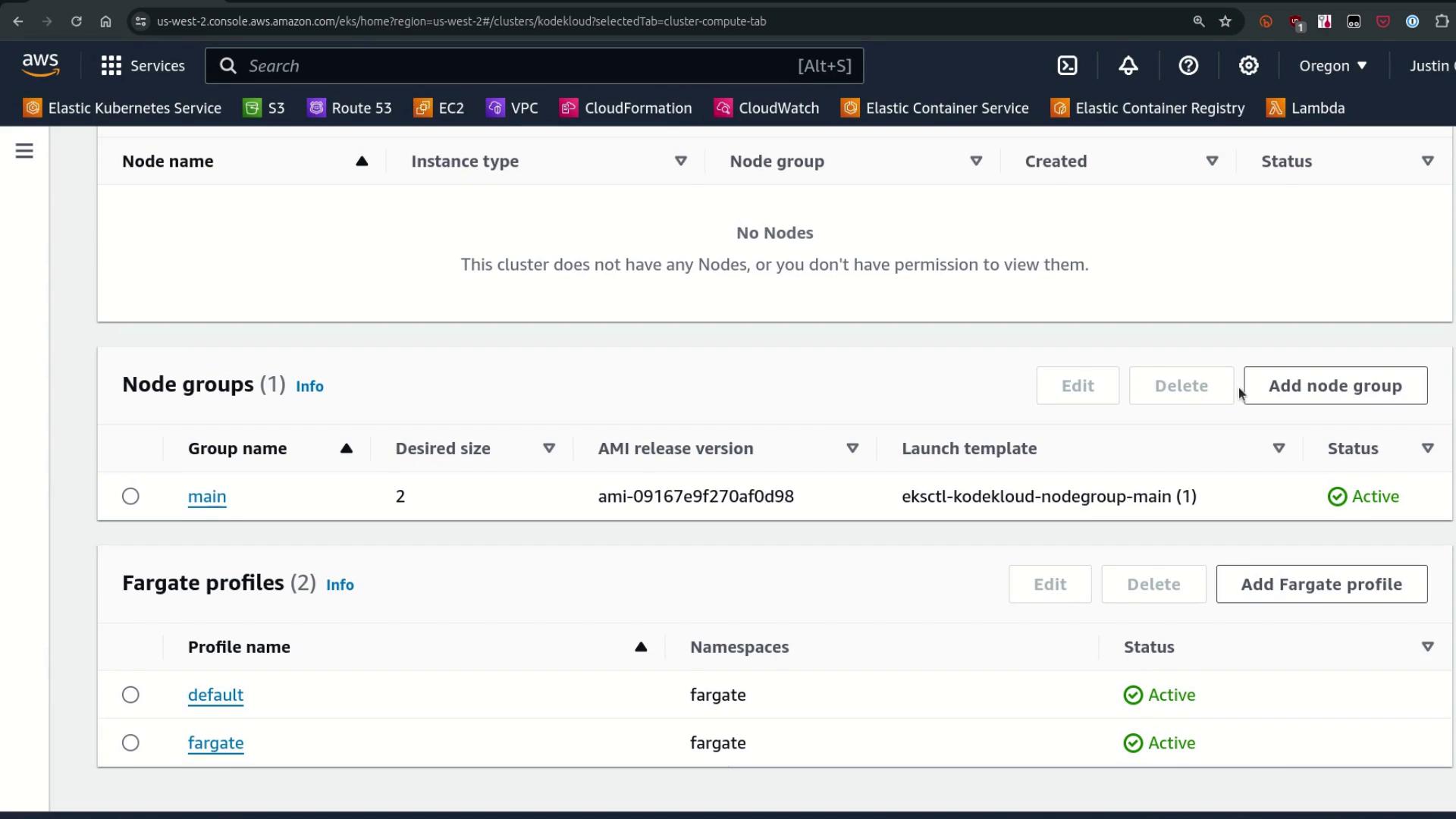
1. Cluster Setup: Managed Node Group & Fargate Profiles
We’ve created:
A managed Node Group named main (desired capacity: 2)
Two Fargate profiles: default and fargate (selects namespace: fargate)
When you schedule a Pod in the fargate namespace, the Fargate mutating webhook injects a custom scheduler that routes Pods to serverless Fargate compute.
First, confirm the Fargate mutation webhook is installed:
Copy
Ask AI
kubectl get mutatingwebhookconfigurations.admissionregistration.k8s.io
Copy
Ask AI
NAME WEBHOOKS AGE0500-amazon-eks-fargate-mutation.amazonaws.com 2 4h39mpod-identity-webhook 1 4h45mvpc-resource-mutating-webhook 1 4h45m
Next, list the current nodes in your cluster (you should see only the managed nodes):
Copy
Ask AI
kubectl get nodes
Copy
Ask AI
NAME STATUS ROLES AGE VERSIONi-05b0938045882bc66.us-west-2.compute.internal Ready <none> 4h v1.29.0-eks-5e0fddei-0b67dcfad12062f1d.us-west-2.compute.internal Ready <none> 4h v1.29.0-eks-5e0fdde
View the main Node Group details via eksdemo or your preferred CLI:
Copy
Ask AI
eksdemo get mng -c kodekloud
Copy
Ask AI
+-------+--------+------+-------+-----+-----+-----------------------------+-----------+| Age | Status | Name | Nodes | Min | Max | Version | Type |+-------+--------+------+-------+-----+-----+-----------------------------+-----------+| 4h | ACTIVE | main | 2 | 0 | 10 | ami-09167e9f270af0d8 (eks) | ON_DEMAND |+-------+--------+------+-------+-----+-----+-----------------------------+-----------+
We currently have no Cluster Autoscaler installed, so we’ll adjust the Node Group sizes manually below.
Karpenter automatically provisions compute when Pods remain unscheduled due to resource constraints.
Make sure you’ve installed Karpenter and configured the required IAM roles. See the Karpenter documentation for setup instructions.
Verify Karpenter pods:
Copy
Ask AI
kubectl get pods -n kube-system | grep karpenter
Scale the Nginx deployment to 25 replicas:
Copy
Ask AI
kubectl scale deploy nginx --replicas 25
Add CPU requests to force new node provisioning:
Copy
Ask AI
kubectl set resources deployment nginx --requests=cpu=500m
Watch Pods and Nodes:
Copy
Ask AI
kubectl get pods --all-namespaces --watchkubectl get nodes
Example of new C5 nodes:
Copy
Ask AI
NAME STATUS AGE VERSIONi-048b7c8a501cda49d.us-west-2.compute.internal Ready 66s v1.29.0-eks-5e0fddei-0c1d8c0722d4758b1.us-west-2.compute.internal Ready 25s v1.29.0-eks-5e0fdde# ... existing fargate and managed nodes ...