This guide explains how to install and run the Prometheus Node Exporter on a Linux host to collect and expose system metrics for Prometheus.
This guide explains how to install and run the Prometheus Node Exporter on a Linux host to collect and expose system metrics for Prometheus. Node Exporter gathers various system metrics—such as CPU, memory, and disk statistics—and makes them available in a Prometheus-friendly format.
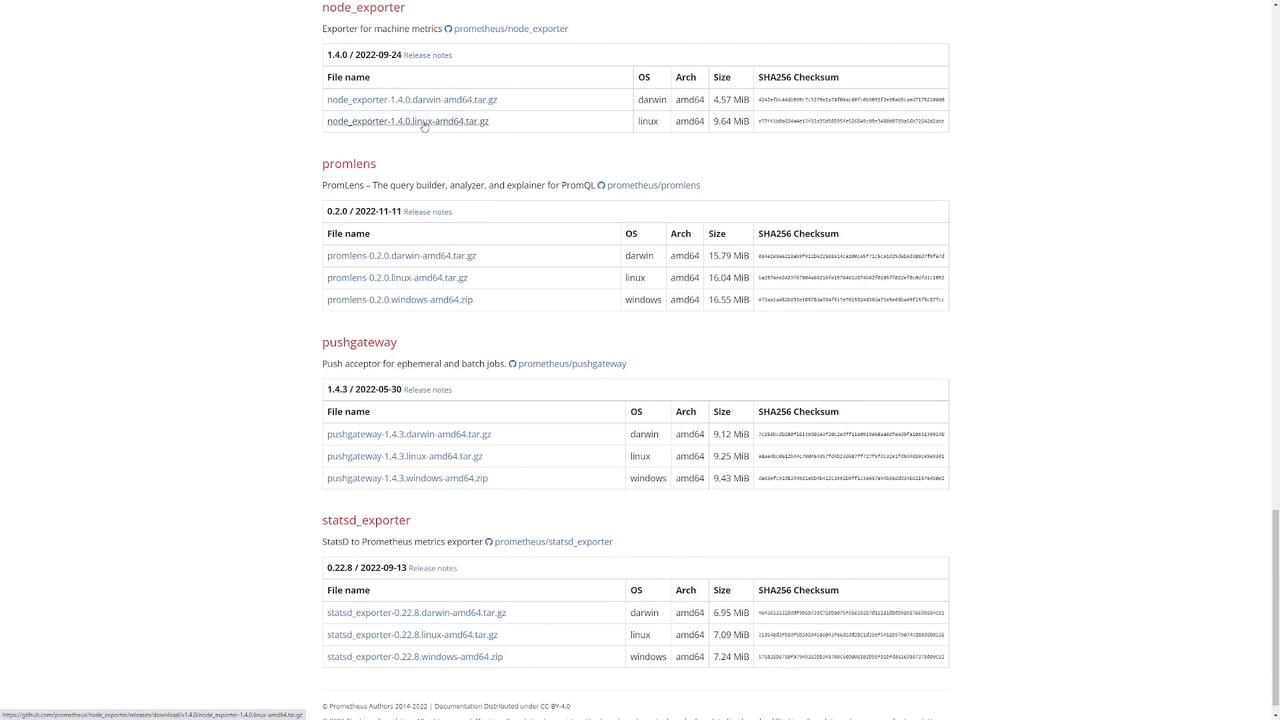
First, navigate to the Prometheus download page and select Node Exporter. Choose your desired version and either download the binary directly or copy its URL for later use.For example, to download the binary using wget, run:
By default, Node Exporter listens on port 9100. To verify that it is running correctly, open a new terminal tab and run:
Copy
Ask AI
curl localhost:9100/metrics
You should see output similar to the following, listing various Prometheus metrics:
Copy
Ask AI
# TYPE promhttp_metric_handler_requests_in_flight gaugepromhttp_metric_handler_requests_in_flight 1# HELP promhttp_metric_handler_requests_total Total number of scrapes by HTTP status code.# TYPE promhttp_metric_handler_requests_total counterpromhttp_metric_handler_requests_total{code="200"} 0promhttp_metric_handler_requests_total{code="500"} 0promhttp_metric_handler_requests_total{code="503"} 0
This confirms that Node Exporter is successfully collecting and exposing system metrics for Prometheus.
On the download page, locate the desired Node Exporter version and copy the download link for that release.
The download page displays detailed information including version numbers, supported operating systems, architectures, file sizes, and SHA256 checksums to help you verify the correct release.
To confirm that Node Exporter is exposing metrics correctly, open a new terminal tab and execute:
Copy
Ask AI
curl localhost:9100/metrics
You will see a variety of Prometheus metrics, for example:
Copy
Ask AI
# TYPE node_timex_tick_seconds gaugenode_timex_tick_seconds 0.01# HELP node_udp_queues Number of allocated memory in the kernel for UDP datagrams in bytes.# TYPE node_udp_queues gaugenode_udp_queues{ip="v4",queue="rx"} 0node_udp_queues{ip="v4",queue="tx"} 0node_udp_queues{ip="v6",queue="rx"} 0node_udp_queues{ip="v6",queue="tx"} 0# HELP node_uname_info Labeled system information as provided by the uname system call.node_uname_info{domainname="(none)",machine="x86_64",nodename="user2",release="5.15.0-52-generic",sysname="Linux",version="#58-Ubuntu SMP Thu Oct 13 08:03:55 UTC 2022"} 1...
This output confirms that Prometheus can successfully scrape the system metrics provided by Node Exporter. Alternatively, you can view the metrics by accessing http://localhost:9100/metrics in your web browser.Now your Linux system is successfully running Node Exporter, providing detailed system metrics for monitoring with Prometheus.