

Viewing Files on Linux
When troubleshooting or inspecting data, these commands will help you quickly access file contents.Basic Commands: cat and tac
cat: Dump the entire file to your terminal.tac: Display a file in reverse line order.
Inspecting Beginnings and Endings: head and tail
head -n N: Display the first N lines.tail -n N: Display the last N lines (default is 10).
Quick Reference: File Viewing Commands
| Command | Description | Example |
|---|---|---|
cat file | Dump whole file | cat /etc/hosts |
tac file | Dump file in reverse | tac /home/users.txt |
head -n N | First N lines | head -n 10 /var/log/syslog |
tail -n N | Last N lines | tail -n 50 /var/log/auth.log |
Transforming Text with sed
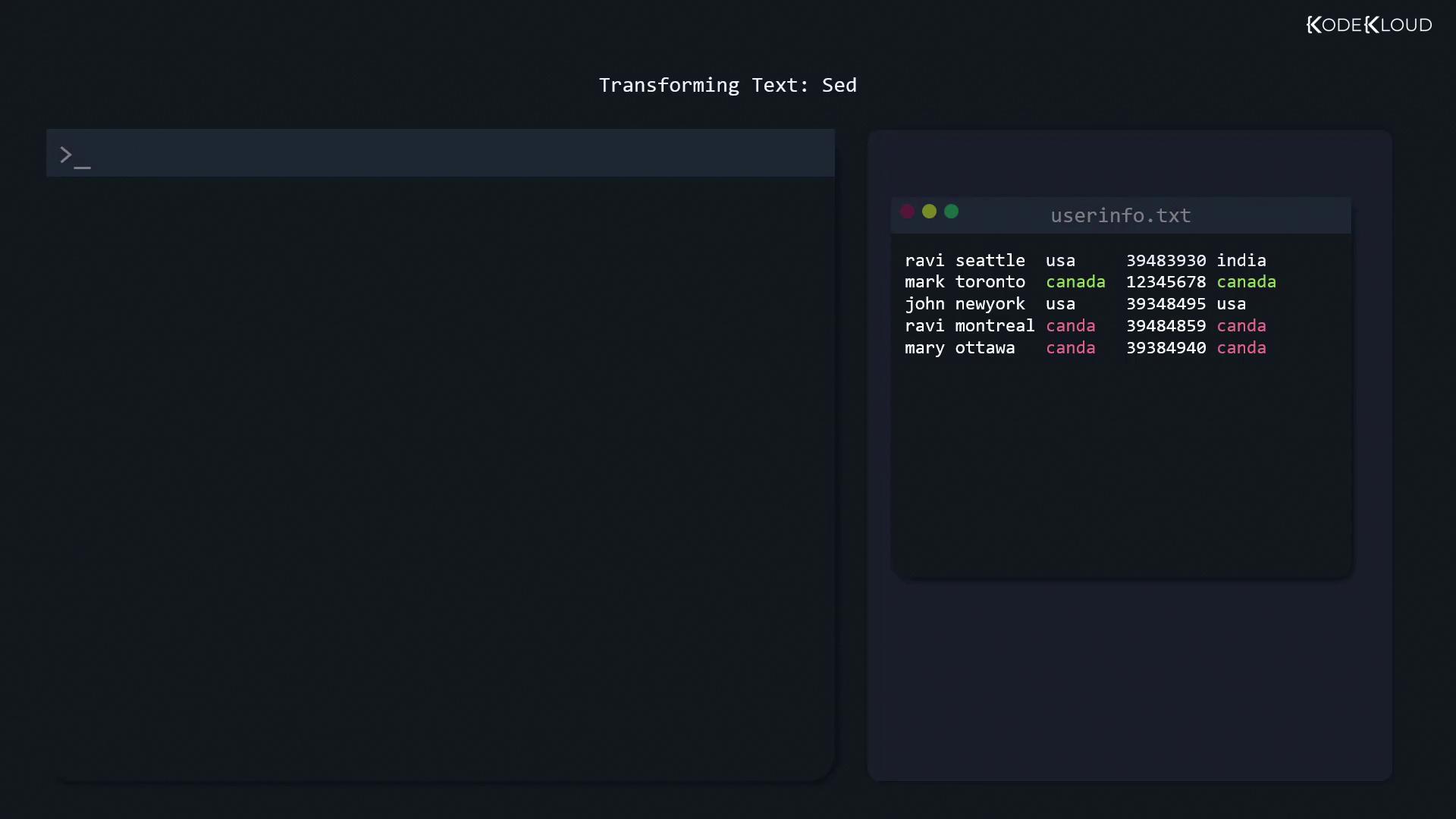
userinfo.txt contains a typo—“canda” instead of “canada.” You can preview a global replacement without altering the file:
s):
- Pattern delimiters wrapped in single quotes prevent shell expansion.
- First token (
canda) is the search string. - Second token (
canada) is the replacement. g(global) applies to every match on each line.- Specify the file at the end.
By default, omitting
g (i.e., sed 's/canda/canada/') replaces only the first occurrence per line.-i:
Extracting Columns with cut
Field extraction is straightforward using cut. For space-delimited data, grab usernames from userinfo.txt:
-d ' 'specifies a space delimiter.-f 1selects the first field.
countries.txt holds all the country names, including duplicates.
Filtering Unique Entries with uniq
The uniq command collapses only adjacent duplicate lines. To get a sorted list of unique countries:
Always sort before piping to
uniq if you want to remove all duplicate entries, not just adjacent ones.Comparing Files with diff
When a package upgrade modifies a configuration, diff helps you spot exactly what’s changed.
Summary of diff Options
| Option | Description | Example |
|---|---|---|
| (none) | Plain diff | diff file1 file2 |
-c | Context diff (shows surrounding lines) | diff -c file1 file2 |
-y or sdiff | Side-by-side diff alignment | diff -y file1 file2 |
1. Plain diff
1c1: Change at line 1.<: Content from the first file.>: Content from the second file.
2. Context Diff (-c)
Shows a few lines of context around each change, marked with !:
3. Side-by-Side Diff (-y / sdiff)
Aligns both files in columns for easy scanning:
| separates differing lines; identical lines may appear without markers.