

Understanding API Keys
An API key is a unique token that identifies and authorizes a client application when calling your API endpoints. By issuing API keys, you can:| Benefit | Description |
|---|---|
| Access Control | Restrict who can invoke your API and tailor permissions per key. |
| Usage Tracking | Monitor request volume and set rate limits to prevent abuse. |
| Scoped Permissions | Assign different access levels (read, write, admin) for each key. |
How API Keys Work
- A client includes the API key in the request header or query string.
- Your server validates the key against its database.
- If valid, the request is processed; otherwise, it’s rejected with an HTTP 401 or 403.
Example: Calling the OpenAI API in Python
Here’s a simple Python snippet using the official OpenAI client library:Never hard-code your API key in source files. Use environment variables or secret management tools instead.
Generating and Protecting Your OpenAI API Key
Follow these steps to create and secure a new secret key on the OpenAI platform:- Sign in and click the Settings (cogwheel) icon in the lower-left corner.
- Choose API keys from the sidebar menu.
- Click Create new secret key, provide a descriptive name (e.g., My Test API), and set the required scopes.
- Copy your newly generated key immediately—this is the only time it will be visible—and store it in a secure vault.
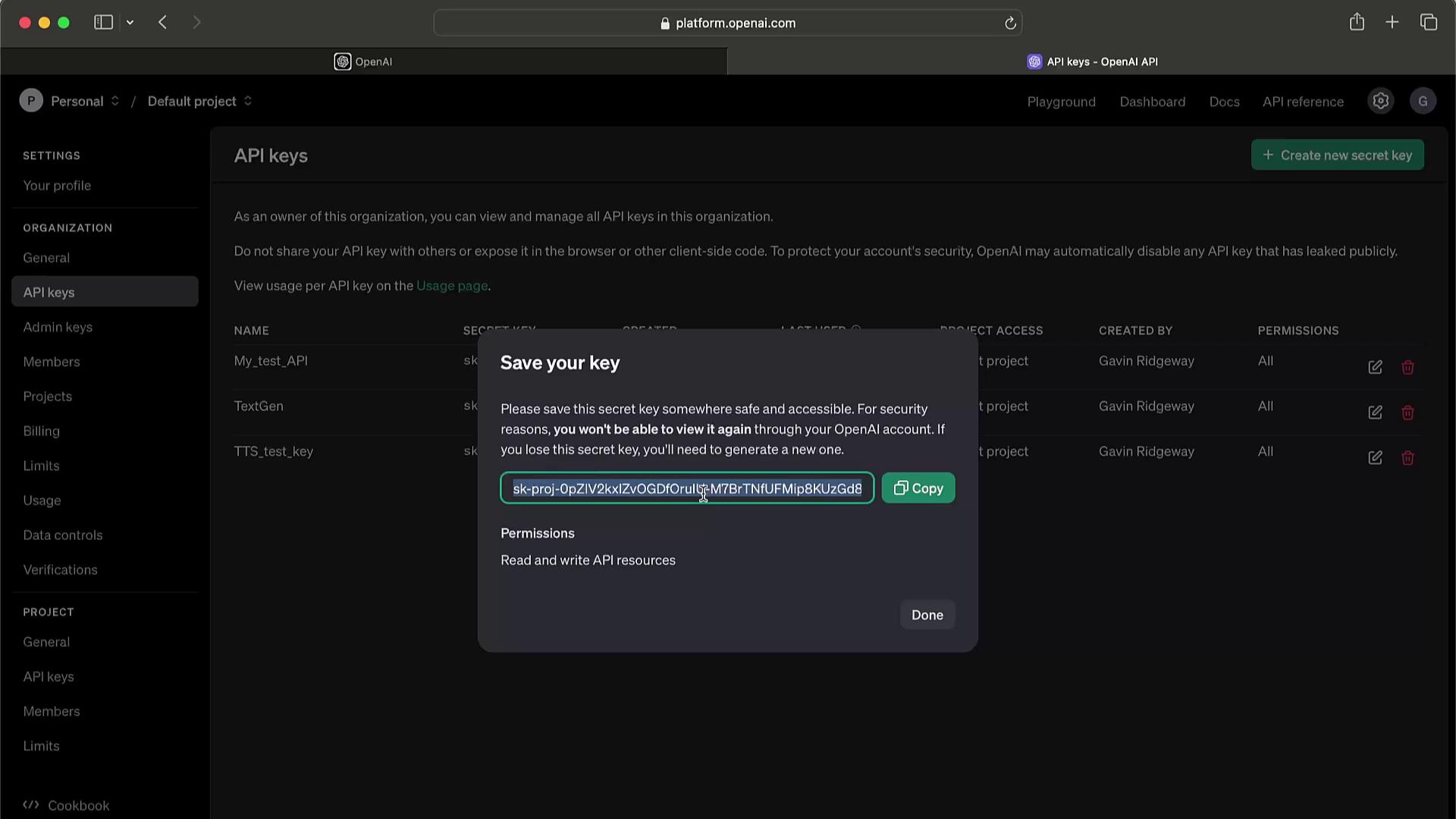
Never expose your secret key in client-side code, public repositories, or logs. If compromised, revoke it immediately to prevent unauthorized charges.
Key Management Best Practices
| Practice | Recommendation |
|---|---|
| Unique Keys | Generate separate keys for development, staging, and production. |
| Principle of Least Privilege | Grant only the permissions necessary for each key. |
| Regular Rotation | Rotate keys periodically to minimize security risks. |
| Usage Monitoring | Set up alerts on unusual request patterns. |