

Why Descriptive Package Names Matter
Consider a scenario where you have two helper functions: one for extracting names from a string and another for formatting names. Instead of grouping both functions in a generic “util” package (e.g., util.ExtractNames and util.FormatNames), it’s more informative to organize them into distinct packages that convey their purpose. This approach leads to cleaner and more intuitive code. For example, you can create:- An extract package that includes a function named
names. - A format package that also includes a function named
names.
Avoid reusing the package name in the function names. For example, if your package is named
extract, do not name your function extractNames since the package context already implies the functionality.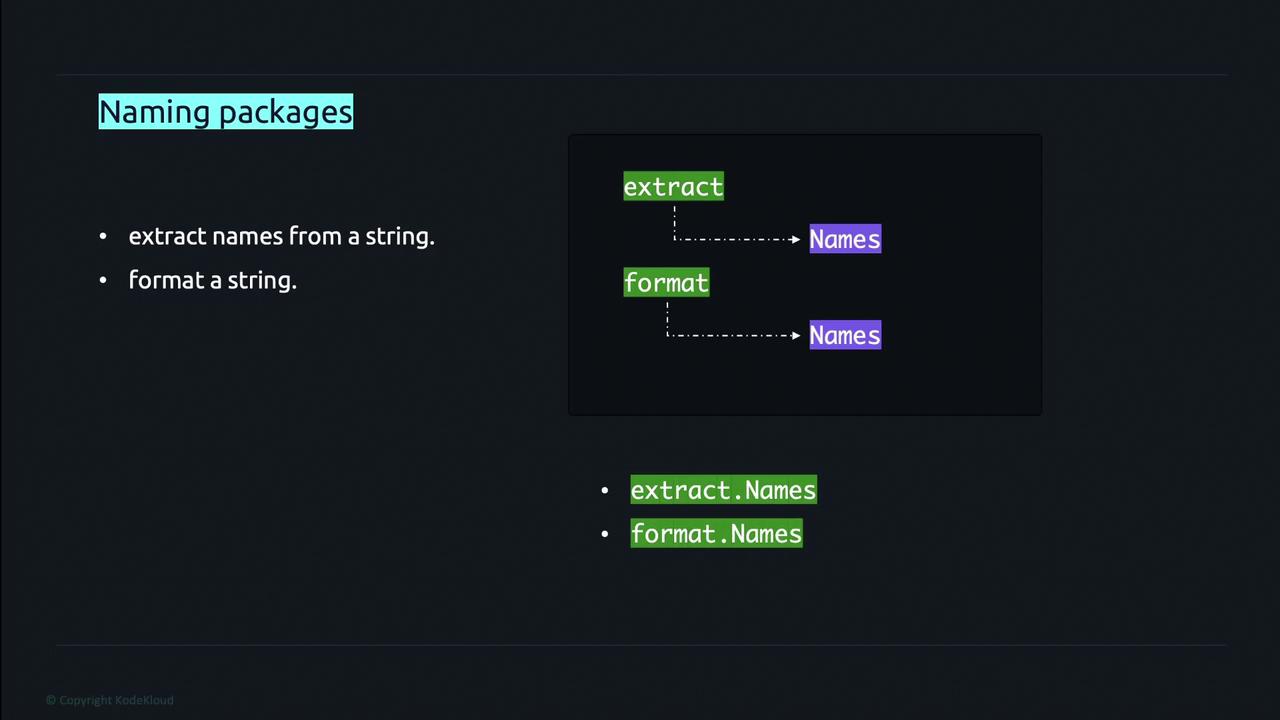
Organizing Files and Directories
Every Go file within a directory must begin with the same package clause. As a best practice, the package name should match the directory name containing the files. This convention ensures that the package’s purpose and origin are instantly recognizable. In some cases, this guideline is relaxed. A common exception is the use of the special package namemain. The main package serves as the entry point for a Go application and cannot be imported. Therefore, it is acceptable for the directory name to differ from the package name without causing confusion in import statements.
Be cautious not to overcomplicate your package structure. While organizing by functionality is beneficial, ensure that each package remains focused and doesn’t become a catch-all for unrelated functions.
Quick Reference
| Aspect | Best Practice | Example |
|---|---|---|
| Package Naming | Use descriptive names that reflect functionality | extract, format |
| Function Naming | Avoid redundancy; do not include the package name in the function name | names in both extract and format packages |
| File Organization | Ensure all files in a directory start with the same package clause | Package name = directory name |
| Special Case - Main Package | Use the main package as the entry point and understand its unique properties | package main |