This guide explains how to implement a DELETE endpoint in an inventory API to complete CRUD operations.
In this guide, we extend our inventory API by adding a DELETE endpoint. Previously, our API supported creating, reading, and updating products. Now, we will implement the functionality to delete a product.
To build and run the application, use the following commands:
Copy
Ask AI
go buildDesktop/kodekloud/my-inventory via 🐹 v1.19.3./my-inventory
At this stage, our API supports two endpoints for reading resources and one for updating a resource. The DELETE endpoint is the final piece to complete the CRUD operations.
To support the DELETE method, update your router configuration to include it. Note that the DELETE endpoint extracts the product ID from the URL variable.
The delete handler retrieves the product ID from the URL and validates it, much like the update handler did. First, review the snippet for obtaining the product ID:
Copy
Ask AI
func (app *App) updateProduct(w http.ResponseWriter, r *http.Request) { vars := mux.Vars(r) key, err := strconv.Atoi(vars["id"]) if err != nil { sendError(w, http.StatusBadRequest, "invalid product ID") return } // Further handling...}
Now, create the DELETE handler that leverages similar logic to remove a product from the database:
Copy
Ask AI
func (app *App) deleteProduct(w http.ResponseWriter, r *http.Request) { vars := mux.Vars(r) id, err := strconv.Atoi(vars["id"]) if err != nil { sendError(w, http.StatusBadRequest, "invalid product ID") return } p := product{ID: id} err = p.deleteProduct(app.DB) if err != nil { sendError(w, http.StatusInternalServerError, err.Error()) return } sendResponse(w, http.StatusOK, map[string]string{"result": "successful deletion"})}
In the product model, you already have an update function. Now add a delete function that executes a SQL DELETE statement. This function ensures proper error handling, as demonstrated below:
Copy
Ask AI
func (p *product) updateProduct(db *sql.DB) error { query := fmt.Sprintf("update products set name='%v', quantity=%v, price=%v where id=%v", p.Name, p.Quantity, p.Price, p.ID) result, err := db.Exec(query) if err != nil { return err } rowsAffected, err := result.RowsAffected() if err != nil { return err } if rowsAffected == 0 { return errors.New("no such product exists") } return nil}func (p *product) deleteProduct(db *sql.DB) error { query := fmt.Sprintf("delete from products where id=%v", p.ID) _, err := db.Exec(query) return err}
After implementing the delete function in your model, ensure you handle errors gracefully to improve user feedback and debugging.
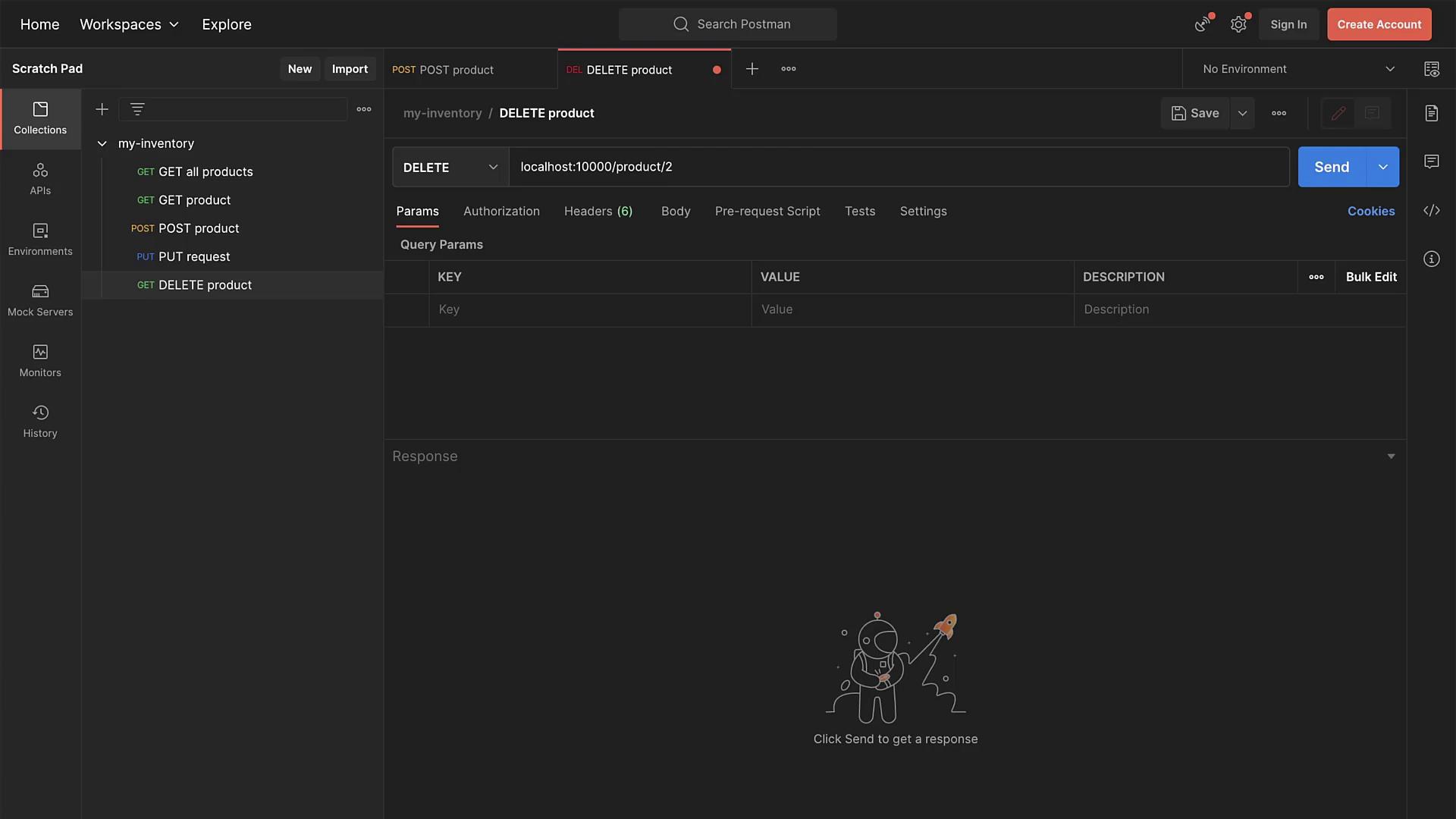
To test the DELETE endpoint, you can use Postman. Configure a DELETE request targeting a specific product ID. For example, to delete the product with ID 2, send a DELETE request to:
Copy
Ask AI
localhost:10000/product/2
The response should indicate a “successful deletion.” You can verify the removal by using the getAllProducts API endpoint to confirm that the product is no longer in the inventory.
With all API endpoints implemented, your inventory API is now fully functional. Enjoy working with your enhanced project and efficient product management!