This article explains how Internet Gateways provide internet access for subnets in an AWS VPC, converting private subnets into public ones.
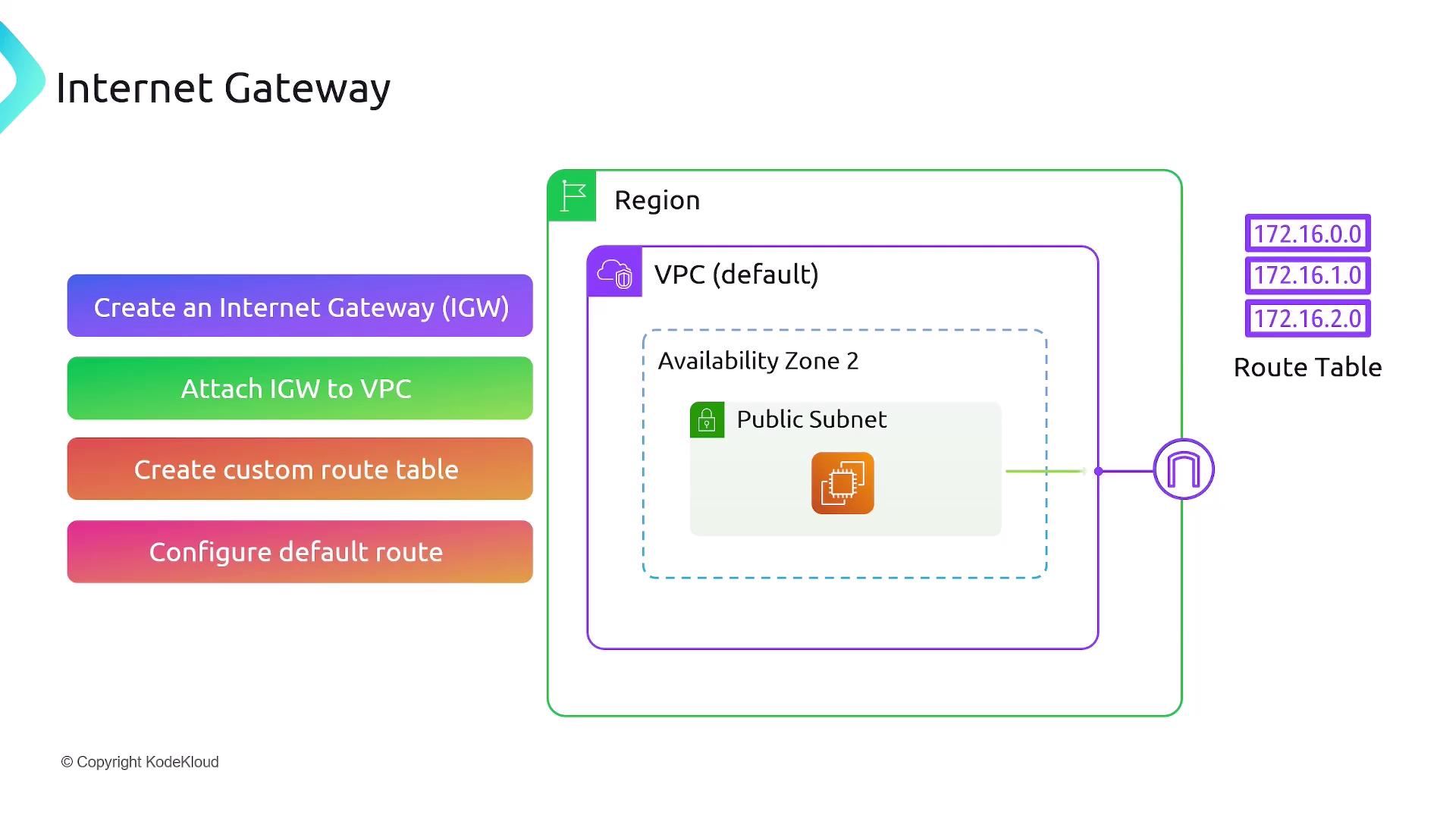
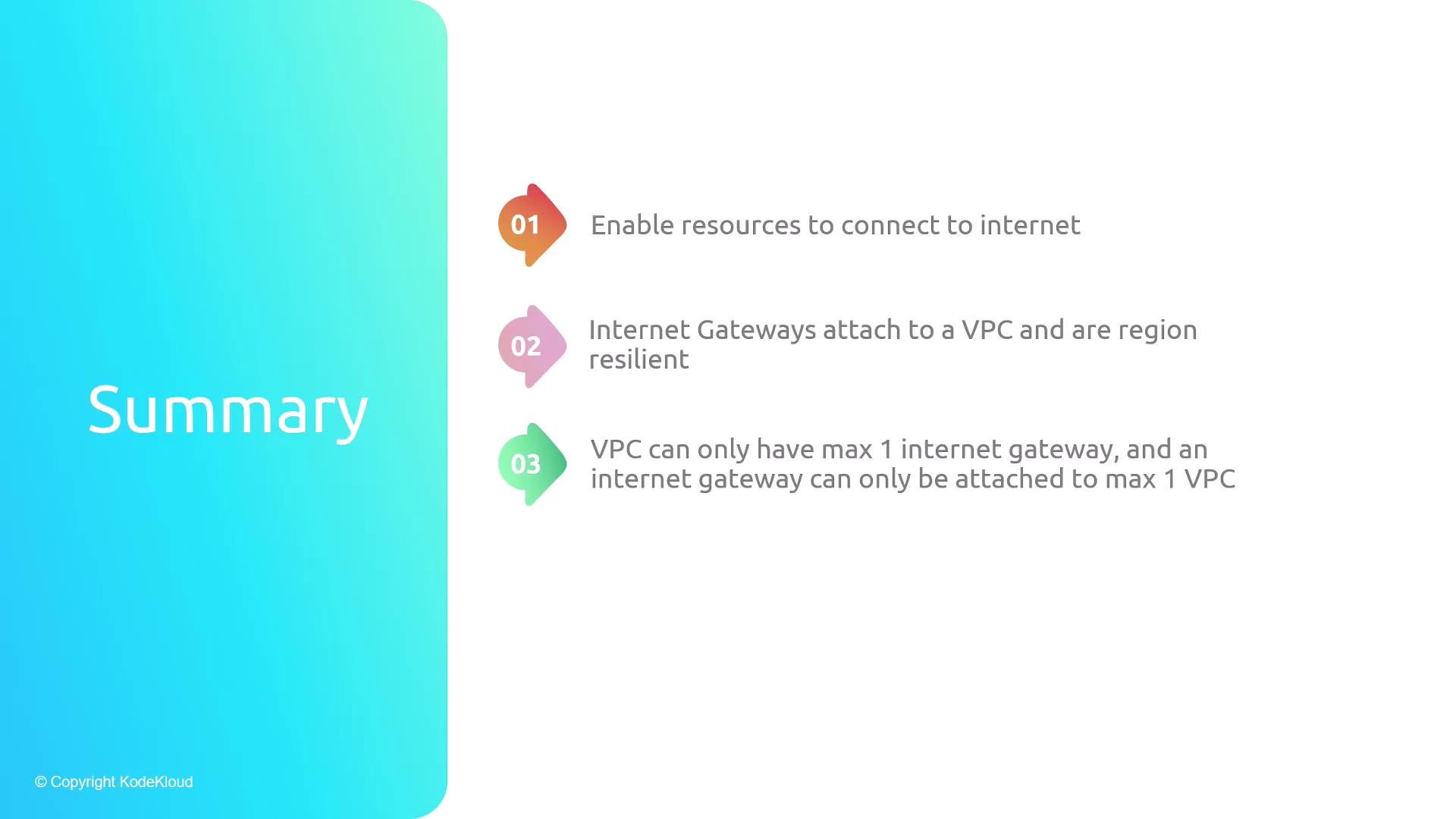
In this lesson, we’ll explore how Internet Gateways enable internet access for subnets in an Amazon Virtual Private Cloud (VPC), effectively converting private subnets into public ones.By default, all newly created subnets are private: instances cannot reach the internet, nor can external clients initiate connections to them. Attaching an Internet Gateway to your VPC and updating route tables provides the necessary ingress and egress paths for internet communication.
The default route (0.0.0.0/0 → igw-xxxxxxxx) ensures that any traffic not matching more specific routes is forwarded to the Internet Gateway. Associating your subnet with this route table makes it a public subnet, enabling instances to send and receive internet traffic.
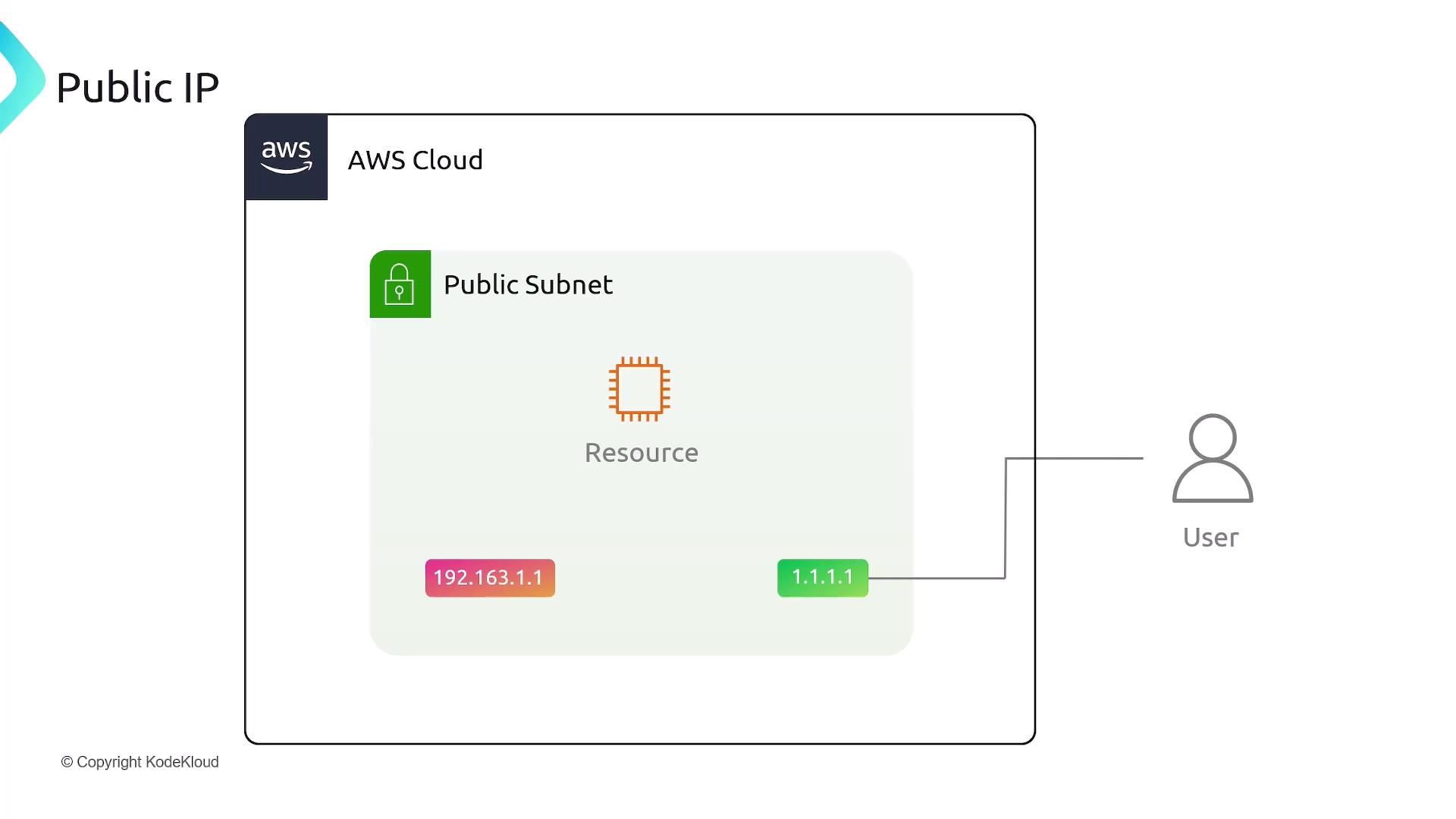
Instances in a public subnet only receive a private IP address (e.g., 192.168.1.1) by default. To allow access from the internet, enable Auto-assign Public IPv4 address on the subnet or assign a public IP when launching the instance. This allocates a public IP (e.g., 1.1.1.1) and automatically maps it to the private IP.From the instance’s perspective:
Incoming requests target the public IP.
AWS Network Address Translation (NAT) translates the public IP to the instance’s private IP.
The instance processes traffic using its private IP, unaware of the public endpoint.
If an instance has multiple Elastic Network Interfaces (ENIs), each interface can have its own public IP address mapped to a private IP. AWS uses these mappings to direct internet traffic to the correct interface.