

Prerequisites
| Requirement | Purpose | Link |
|---|---|---|
| Docker Desktop | Container runtime and local Kubernetes cluster | https://www.docker.com |
| .NET 6 SDK | Build and run ASP.NET Core 6 applications | https://dotnet.microsoft.com/download/dotnet/6.0 |
| JetBrains Rider (or other IDE) | Project creation and code editing | https://www.jetbrains.com/rider/ |
These steps work on Windows, macOS, or Linux. Adjust commands for your OS and editor of choice.
1. Enable Kubernetes in Docker Desktop
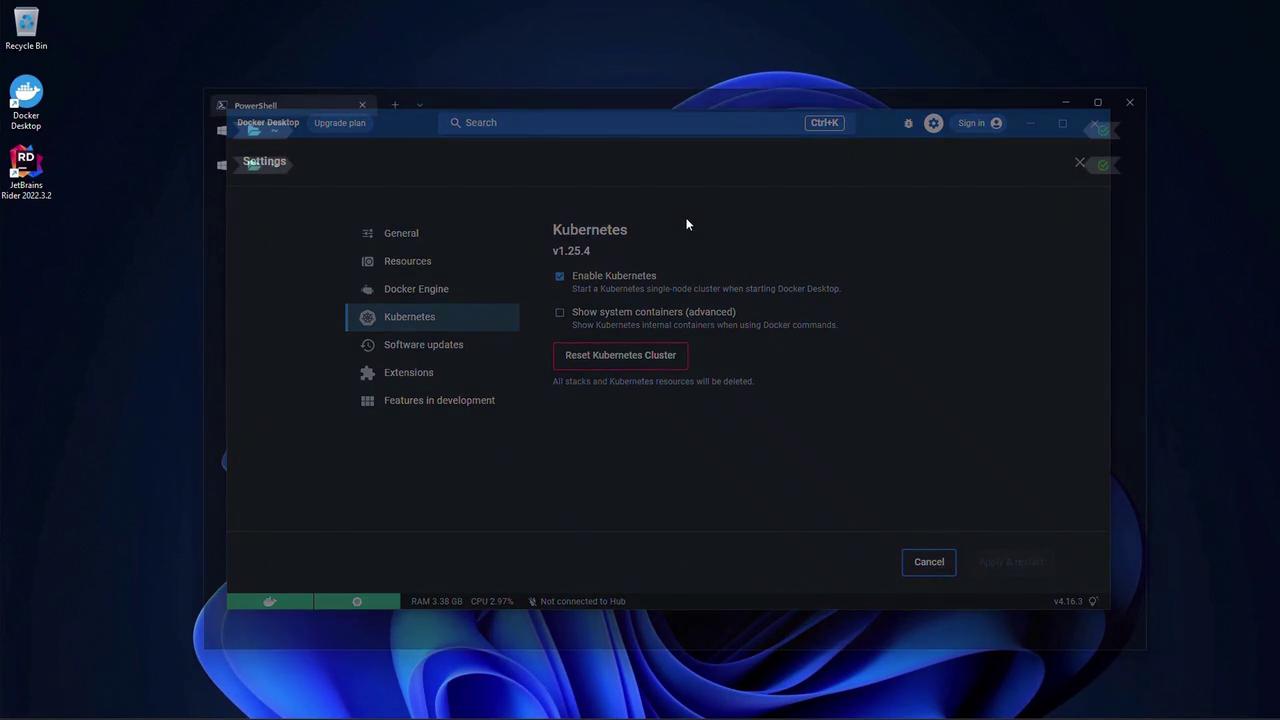
Open Docker Desktop, go to Settings > Kubernetes, then:- Check Enable Kubernetes.
- Click Apply & Restart to bootstrap a single-node cluster.
2. Verify Your .NET 6 Installation
Run:Make sure
.NET 6.x appears in the list. Earlier versions will not compile this sample.3. Create the ASP.NET Core Web App
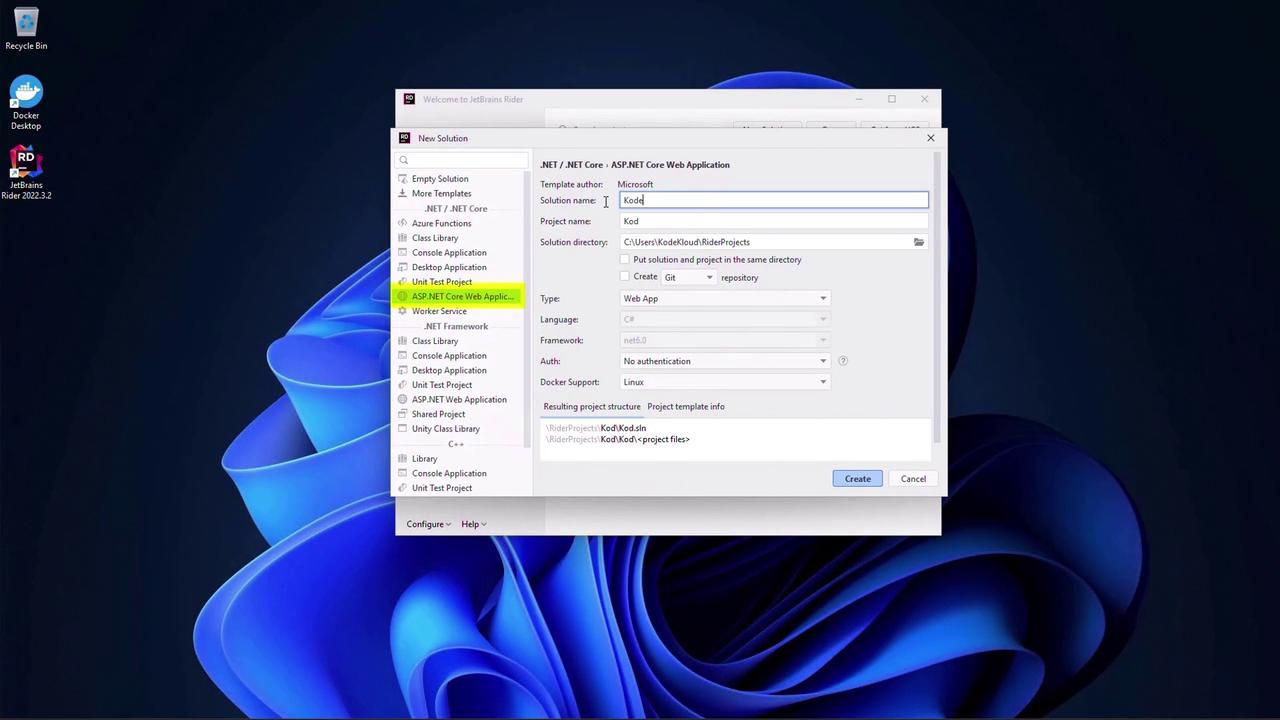
- Launch JetBrains Rider and click New Solution.
- Select ASP.NET Core Web Application. Name the project
KodeKloudAppand set the solution folder. - Choose the Web App template.
- Enable Docker support and select Linux containers.
4. Modify the Page Model
OpenPages/Index.cshtml.cs and inject IConfiguration to read a custom message:
5. Configure appsettings.json
Add the"Message" key to the JSON file:
6. Update the Razor Page
InPages/Index.cshtml, render the message:
7. Run and Validate
Start the application:https://localhost:5001). You should see Hello World.Stop the app, update
"Message" in appsettings.json to "Hello World changed", save, then restart and refresh:

8. Multi-Stage Dockerfile
Use this Dockerfile to build and run with a minimal runtime image:| Stage | Image | Purpose |
|---|---|---|
| base | mcr.microsoft.com/dotnet/aspnet:6.0 | Runtime |
| build | mcr.microsoft.com/dotnet/sdk:6.0 | Restore, build, publish |
| final | mcr.microsoft.com/dotnet/aspnet:6.0 | Copy published output and run |