Initializing Your Working Directory
After creating your Terraform configuration file, initialize your working directory by running the following command:Provider Tiers
Terraform providers are organized into three tiers based on ownership and maintenance:| Provider Tier | Description | Examples |
|---|---|---|
| Official Providers | Maintained by HashiCorp. They include major cloud providers and providers like the local provider used in our examples. | AWS, GCP, Azure, Local |
| Partner Providers | Managed by third-party technology companies that have completed HashiCorp’s partner provider process. | F5 Networks (BigIP), Heroku, DigitalOcean |
| Community Providers | Developed and maintained by individual contributors within the HashiCorp community. | Various community-driven plugins |
Example: Terraform Initialization Output
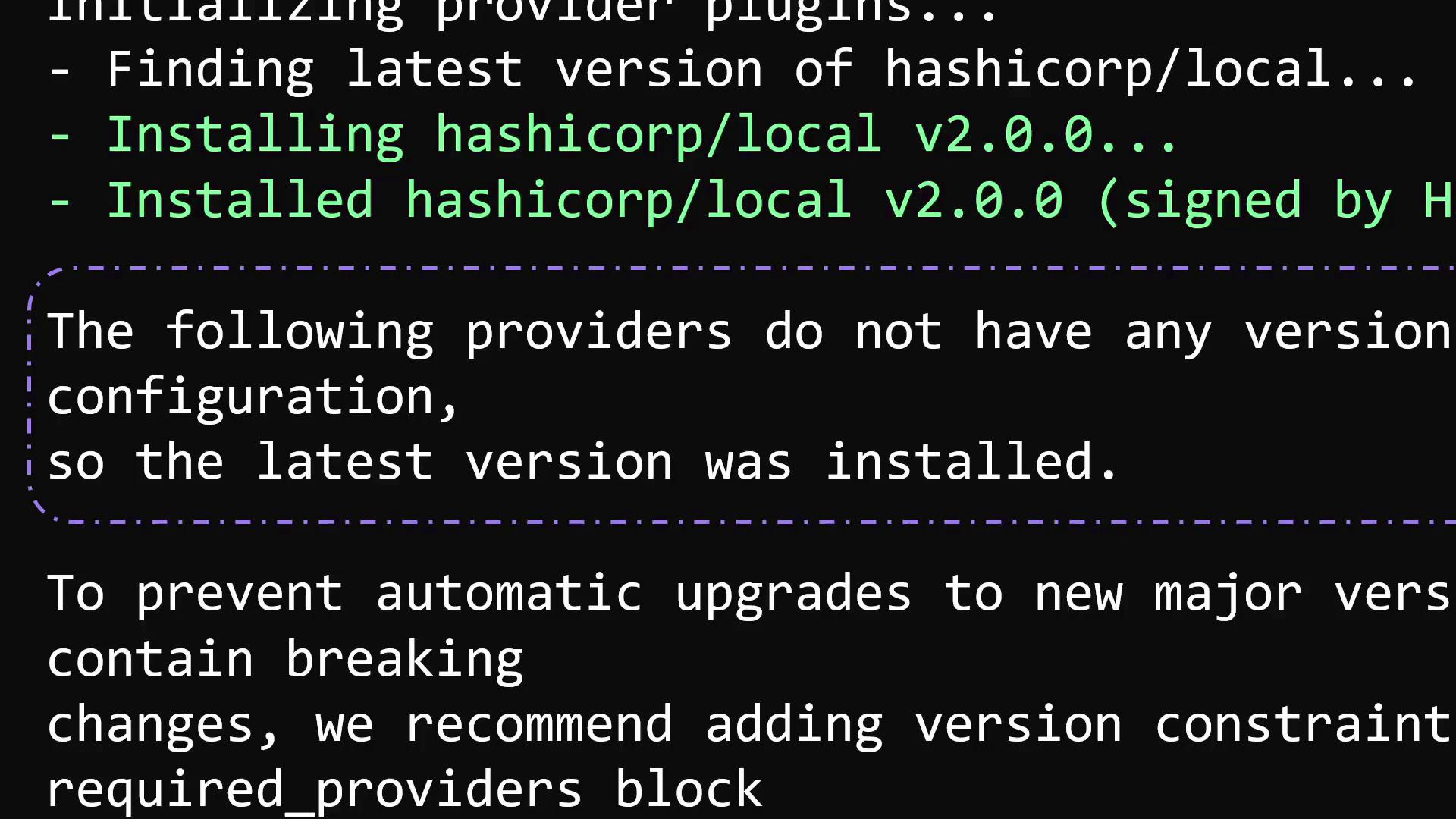
When you runterraform init, Terraform displays the version of each provider plugin being installed. The following example shows the initialization process and output details:
The
terraform init command is safe to run repeatedly. It only updates the local plugin installation without modifying your deployed infrastructure.Understanding Provider Source Addresses
The provider name, such ashashicorp/local, is the source address Terraform uses to locate and download the plugin from the registry. This identifier consists of:
- An organizational namespace (
hashicorp) - A provider name (
local)
registry.terraform.io.
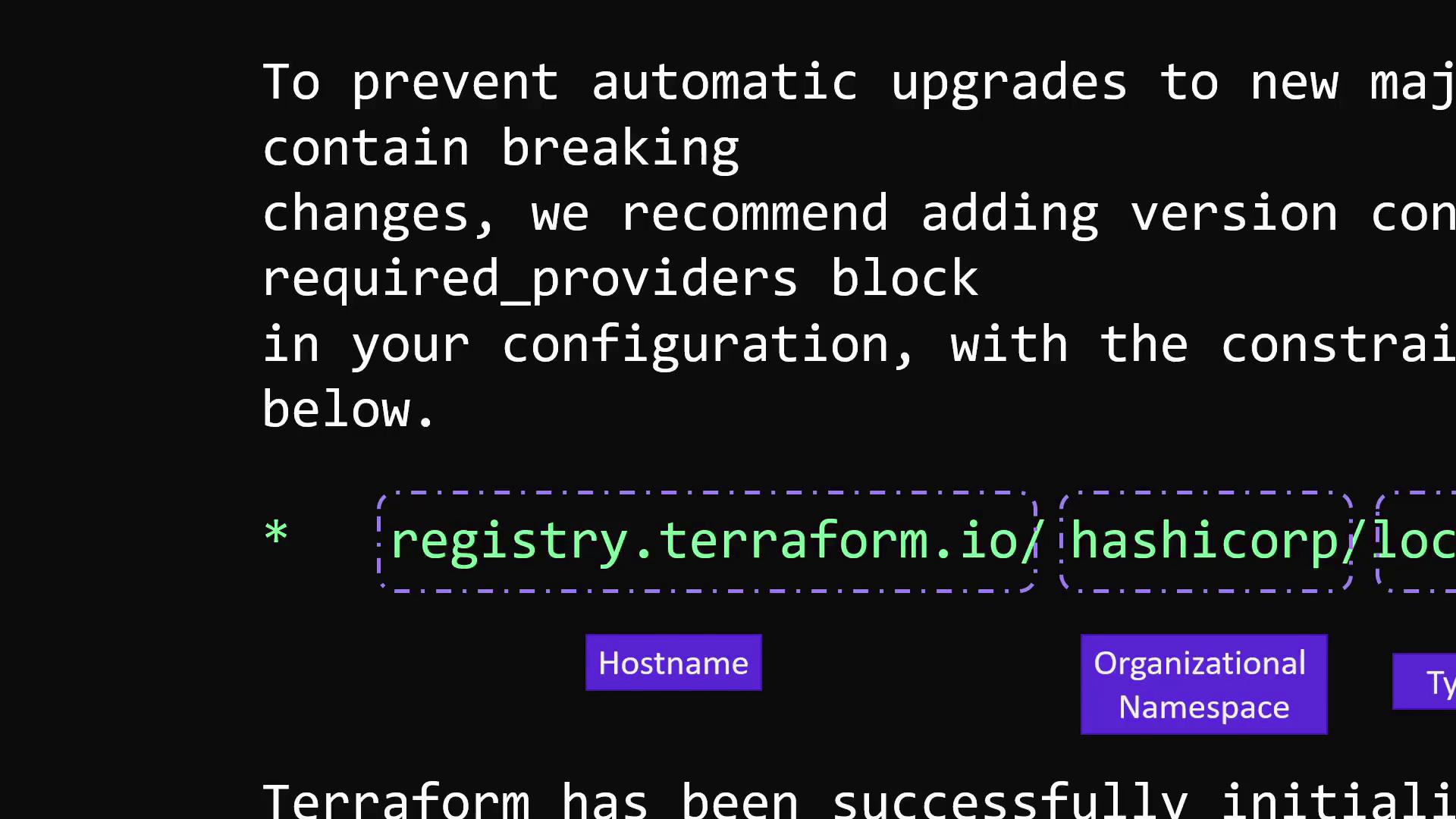
- Full source address:
registry.terraform.io/hashicorp/local - Simplified:
hashicorp/local
Without version constraints, Terraform installs the latest available version by default. Automatic updates may introduce breaking changes. Lock your configuration to a specific provider version to ensure stable and predictable deployments.