This article explores how Jenkins parameters enhance CI/CD pipelines by allowing dynamic configuration through key-value pairs for customizable pipeline behavior.
In this lesson, we explore how Jenkins parameters enhance your CI/CD pipelines by allowing dynamic configuration through key-value pairs. By introducing parameters, you can customize pipeline behavior, control stage execution, and adjust logic based on input values at build time.For example, you can use parameters to dictate the deployment environment (e.g., staging or production) or to decide whether tests should be executed. The diagram below illustrates a typical Jenkins pipeline with stages and parameters such as “ENVIRONMENT=Staging” and “RUN_TESTS=True.”
Jenkins parameters enable you to control pipeline behavior without altering your Jenkinsfile code, making your builds flexible and environment-specific.
The Jenkinsfile below demonstrates how to define and use parameters:
Copy
Ask AI
pipeline { agent any parameters { string(name: 'ENVIRONMENT', defaultValue: 'dev', description: 'Specify the deployment environment') booleanParam(name: 'RUN_TESTS', defaultValue: true, description: "Toggle test execution in the pipeline") } stages { stage('Test') { when { expression { params.RUN_TESTS == true } } steps { echo "Testing application" } } stage('Deploy') { steps { echo "Deploying to ${params.ENVIRONMENT} environment" } } }}
In this example:
The ENVIRONMENT parameter is a string with a default value of “dev”, indicating the target deployment environment.
The RUN_TESTS parameter is a Boolean that decides whether the “Test” stage should run.
Within the Jenkinsfile, you reference these parameters using ${params.PARAMETER_NAME}. For instance, the condition:
Copy
Ask AI
when { expression { params.RUN_TESTS == true }}
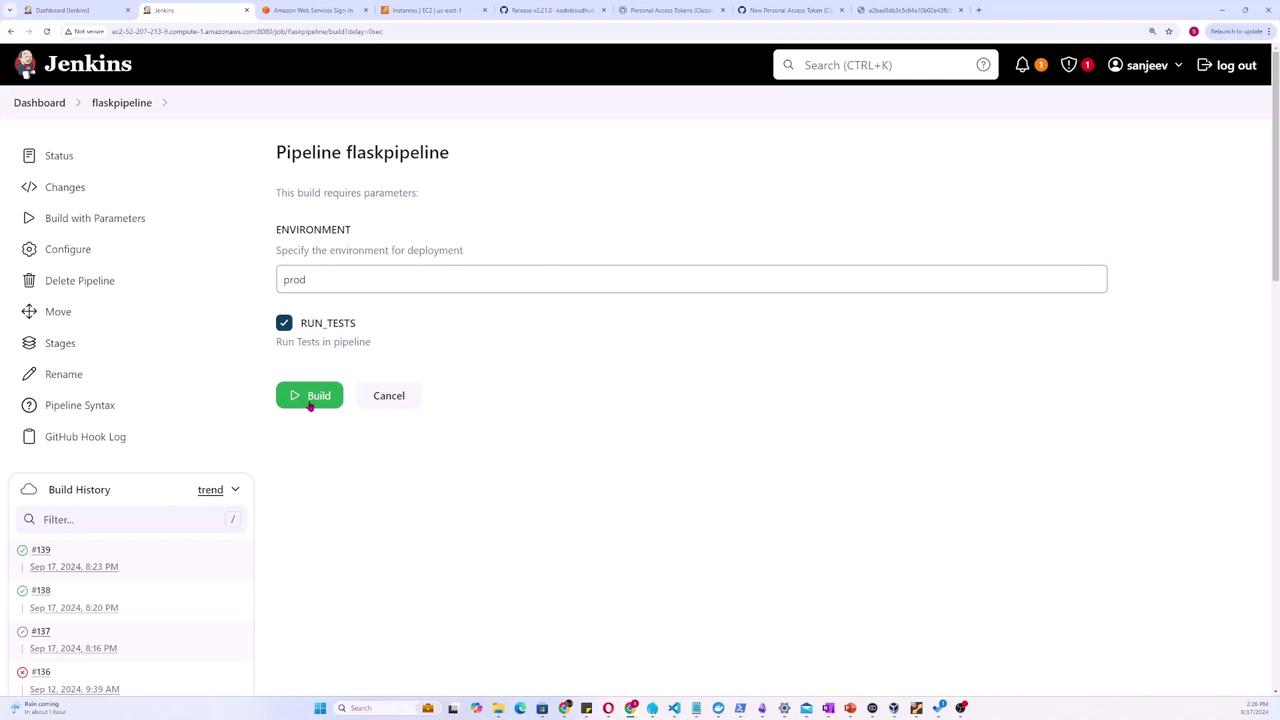
ensures that the “Test” stage is executed only when the RUN_TESTS parameter is set to true.When triggering a build manually from the Jenkins GUI via the “Build with Parameters” option, you can override the default values. For example, you might set ENVIRONMENT to “production” and choose whether to run tests by toggling the RUN_TESTS option.The interface diagram below shows where you can specify these parameters:
Jenkins supports various parameter types to suit different needs. The example below introduces additional parameter types like text, choice, and password:
Copy
Ask AI
pipeline { agent any parameters { string(name: 'PERSON', defaultValue: 'Mr Jenkins', description: 'Who should I say hello to?') text(name: 'BIOGRAPHY', defaultValue: '', description: 'Enter detailed information about the person') booleanParam(name: 'TOGGLE', defaultValue: true, description: 'Switch this value on or off') choice(name: 'CHOICE', choices: ['One', 'Two', 'Three'], description: 'Select one of the available options') password(name: 'PASSWORD', defaultValue: 'SECRET', description: 'Input a secure password') }}
Key highlights of these parameter types:
Text Parameter: Allows multi-line input for detailed information.
Choice Parameter: Offers a predefined set of options.
Password Parameter: Ensures secure handling of sensitive information.
The Test stage executes only if RUN_TESTS is true.
The Deploy stage uses the ENVIRONMENT parameter to indicate the target deployment environment.
When a build is manually triggered with parameters (for example, setting ENVIRONMENT to “production” and RUN_TESTS to true), the pipeline adjusts its flow accordingly. This ensures that your deployment and test stages run based on dynamic input values.
Jenkins parameters bring flexibility to your pipeline configurations by enabling dynamic behavior based on user input. Whether you are setting up a simple build or a complex deployment process, parameters help you control each stage precisely and adapt to varying conditions without changing the core pipeline code.For further reading on Jenkins and CI/CD best practices, consider exploring these resources: