

Step 1: Create a Destination Rule
Before applying the fault injection rule, it is essential to configure a Destination Rule. This rule defines a subset (in this case, “v1”) of the details service required for the fault injection configuration.Step 2: Set Up the Virtual Service
Begin by creating a Virtual Service named “details.” Within the virtual service configuration, specify the affected service in the host section. Next, include a fault section under the HTTP protocol configuration. The following configuration delays 70% of the traffic destined for the “v1” subset of the details service by an extra 7 seconds:Save the above configuration to a file (for example,
virtual-service-fault.yaml) and apply it using kubectl to implement the fault injection rule.Step 3: Verify the Configuration in Kiali
After applying the configuration, verify that the Virtual Service and associated settings are active and error-free within your service mesh. Kiali provides a visual confirmation of the Istio configurations in use: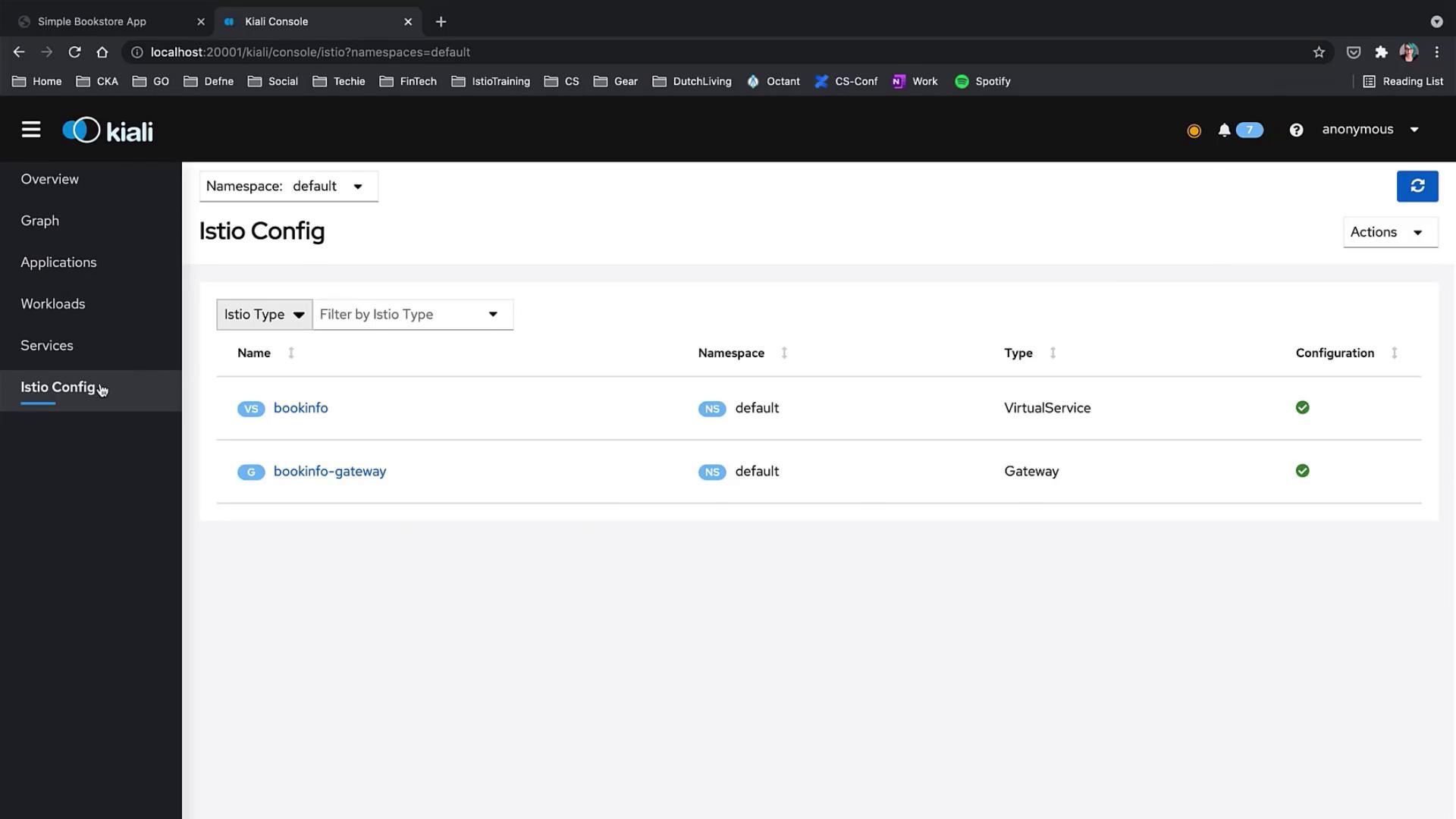
Step 4: Observe the Impact on the Application
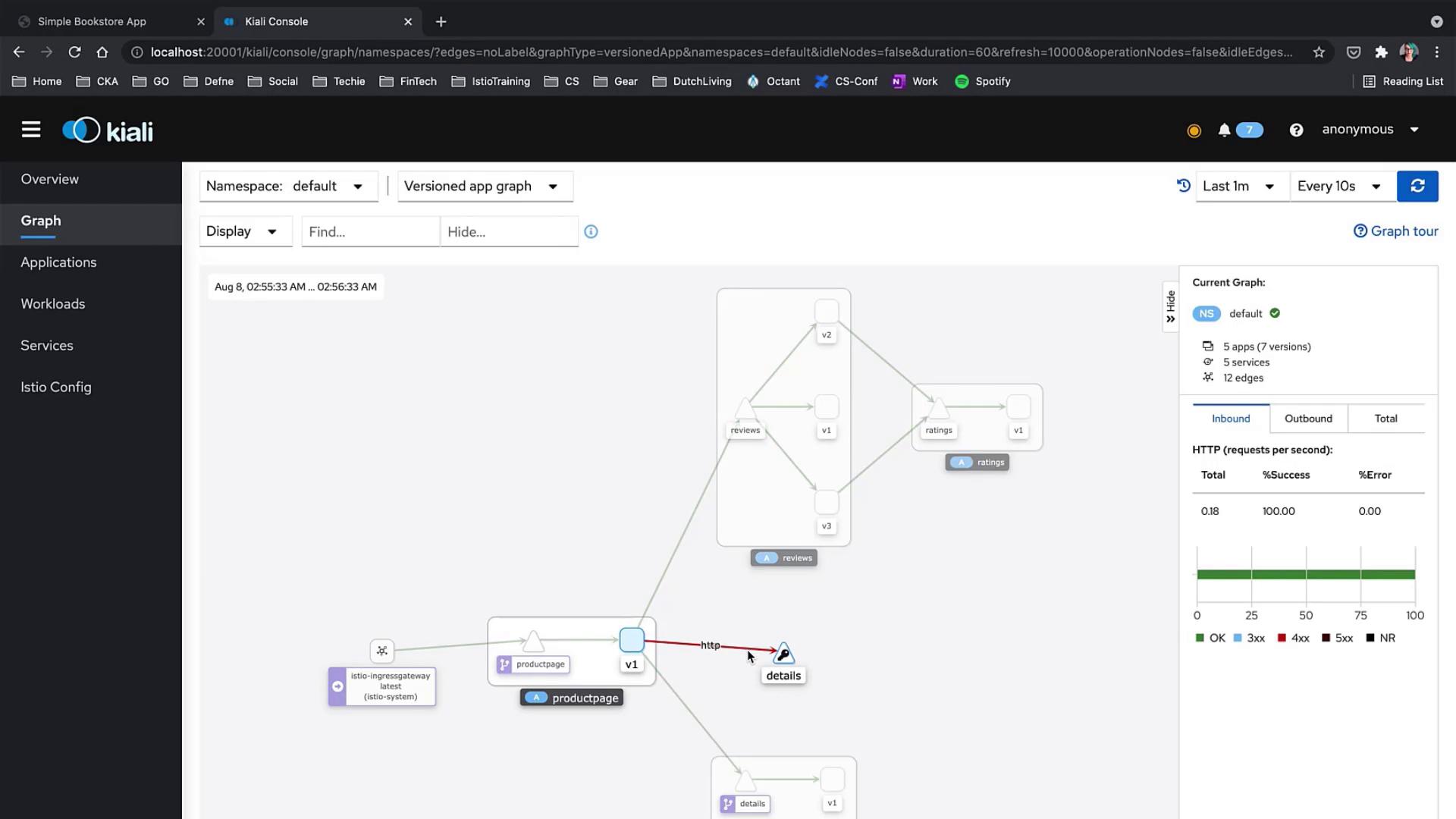
Navigate to the application to see the effect of the fault injection. In Kiali, you will observe that:- The details service experiences performance degradation, as indicated by problematic connections from the product page.
- Some requests (approximately 30%) remain unaffected and continue to operate normally.
Fault injection is an effective technique to simulate real-world service degradations. It can help identify weaknesses in your service architecture and guide you in developing stronger, more resilient applications.