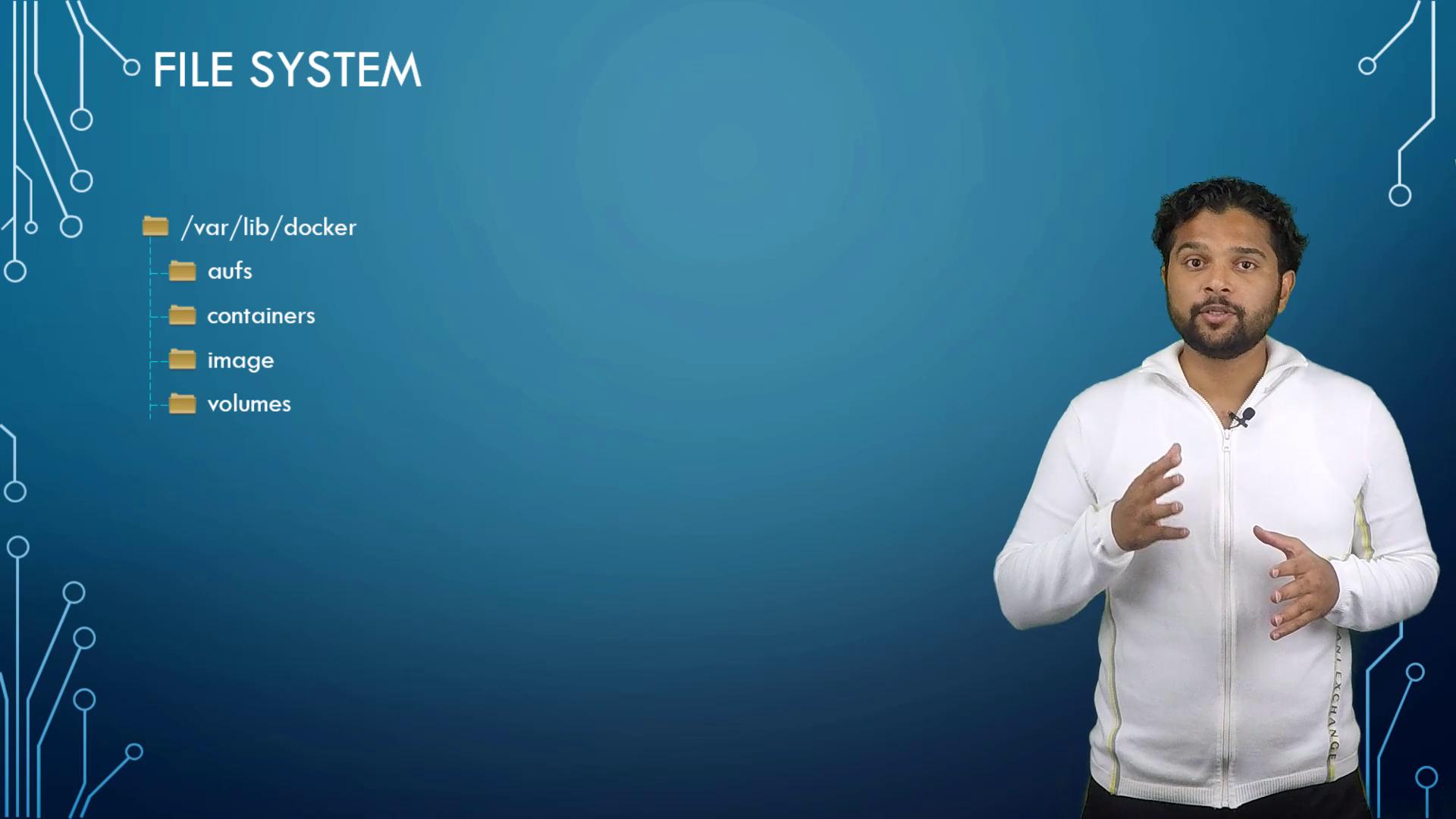
/var/lib/docker that contains several subdirectories such as aufs, containers, images, and volumes. These directories are critical because they store all Docker-related data, including files for images, running containers, and persistent volumes. For example, files related to containers reside in the containers folder, while image files are stored in the images folder.
Docker Image Layered Architecture
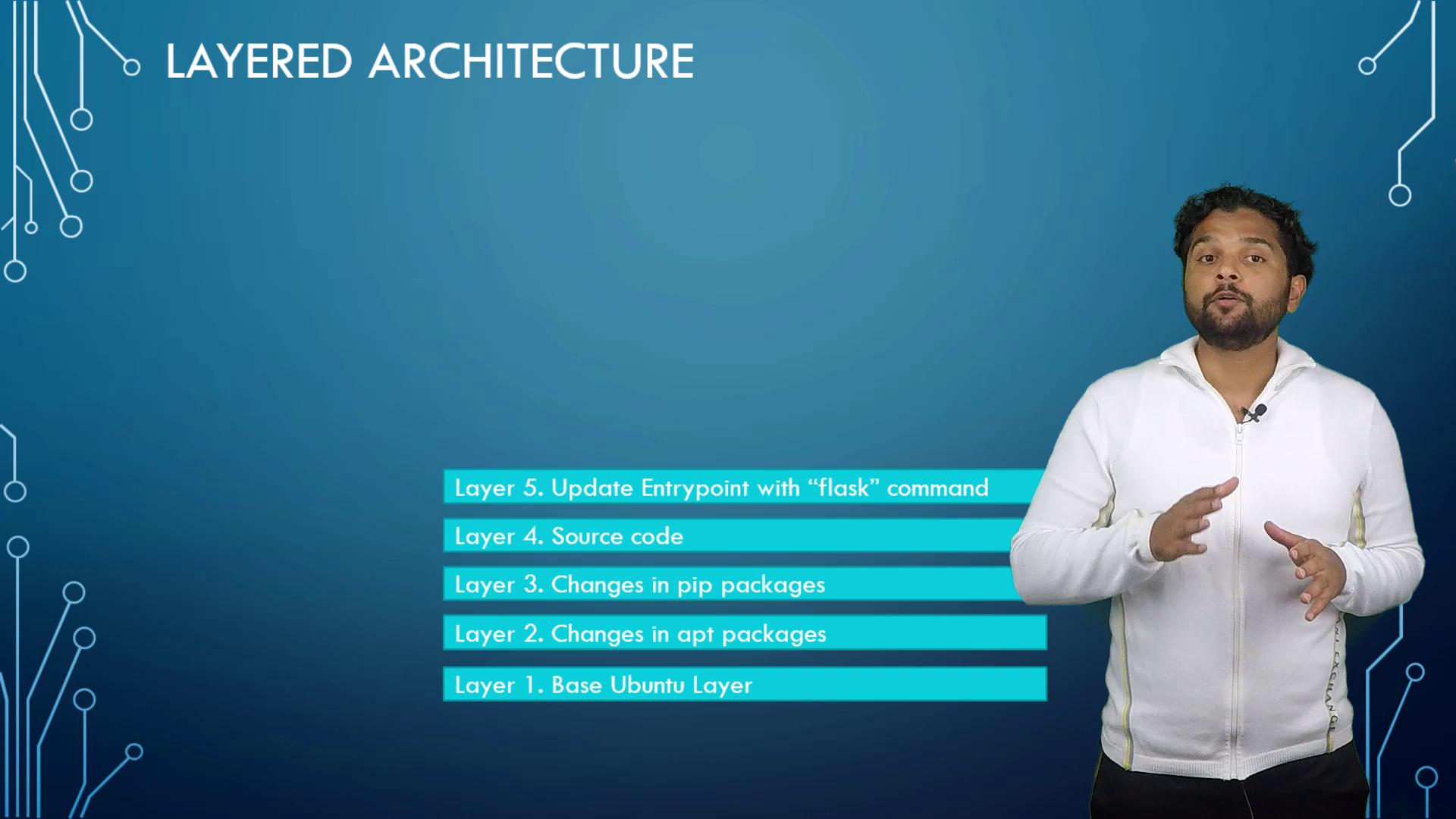
Docker images use a layered architecture. Every instruction in a Dockerfile results in the creation of a new layer that only contains the changes from the previous one. Consider the following example Dockerfile:- The base Ubuntu image (~120 MB) is established.
- A subsequent layer installs APT packages (around 300 MB).
- Additional layers add Python dependencies.
- The application source code is injected.
- Lastly, the entry point is configured.
- Base Ubuntu image
- Installed packages
- Python dependencies
- Application source code
- Entry point configuration
docker run command, Docker mounts a new writable layer on top of these image layers. This writable layer manages any changes made during runtime—such as log files, temporary files, or user modifications. For instance, if you log into a container and create a file (like temp.txt), that file is stored in the writable layer:
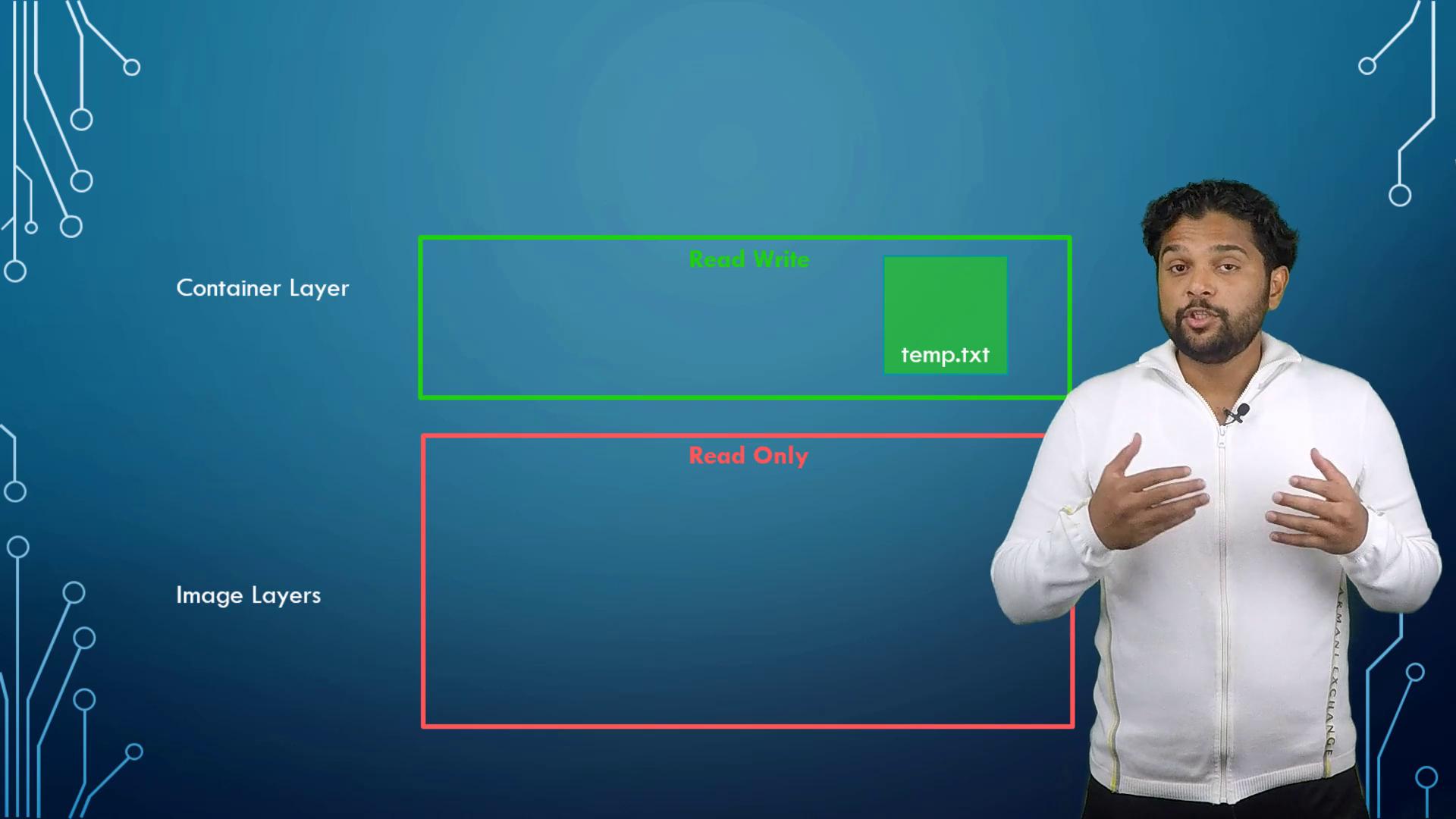
app.py), Docker first copies the file to the writable layer and then applies your modifications. This method ensures that the original image remains unchanged while allowing each container to keep its own changes.
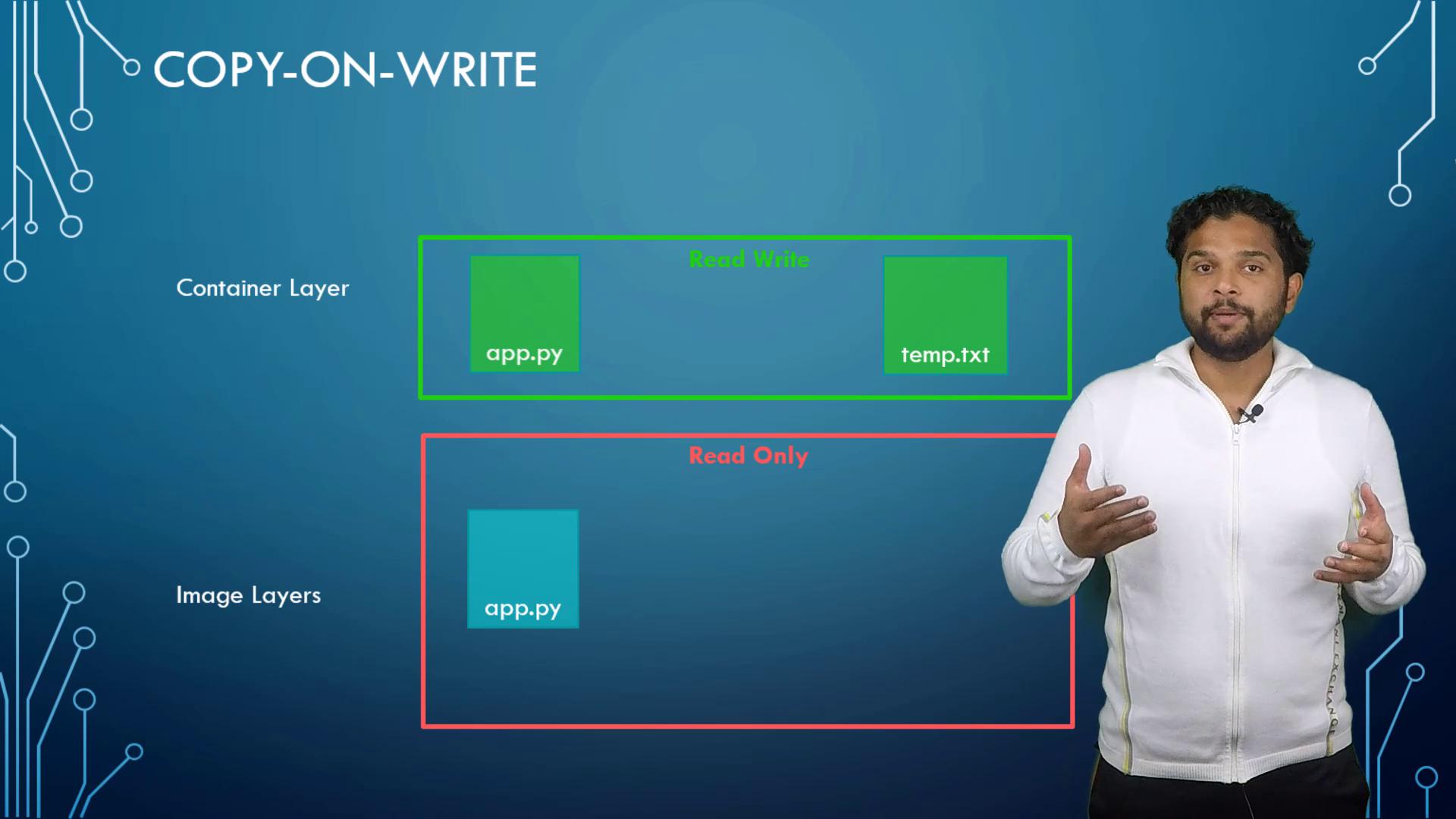
When a container is removed, its writable layer, along with all modifications, is deleted. To preserve critical data, such as database files, mount an external volume.
Persisting Data with Volumes and Bind Mounts
Persisting data is crucial for stateful applications. To create a volume:/var/lib/docker/volumes. Then, run a container with the volume mounted to a specific directory:
data_volume, ensuring data persistence even if the container is removed. Docker will also automatically create the volume if it does not exist, and you can verify this by listing the contents of /var/lib/docker/volumes.
Alternatively, if you prefer using an existing directory on the Docker host (for example, /data/mysql), use a bind mount:
Although the
-v flag is widely used for mounting volumes, the newer --mount option is preferred for its explicit syntax. For example:Docker Storage Drivers
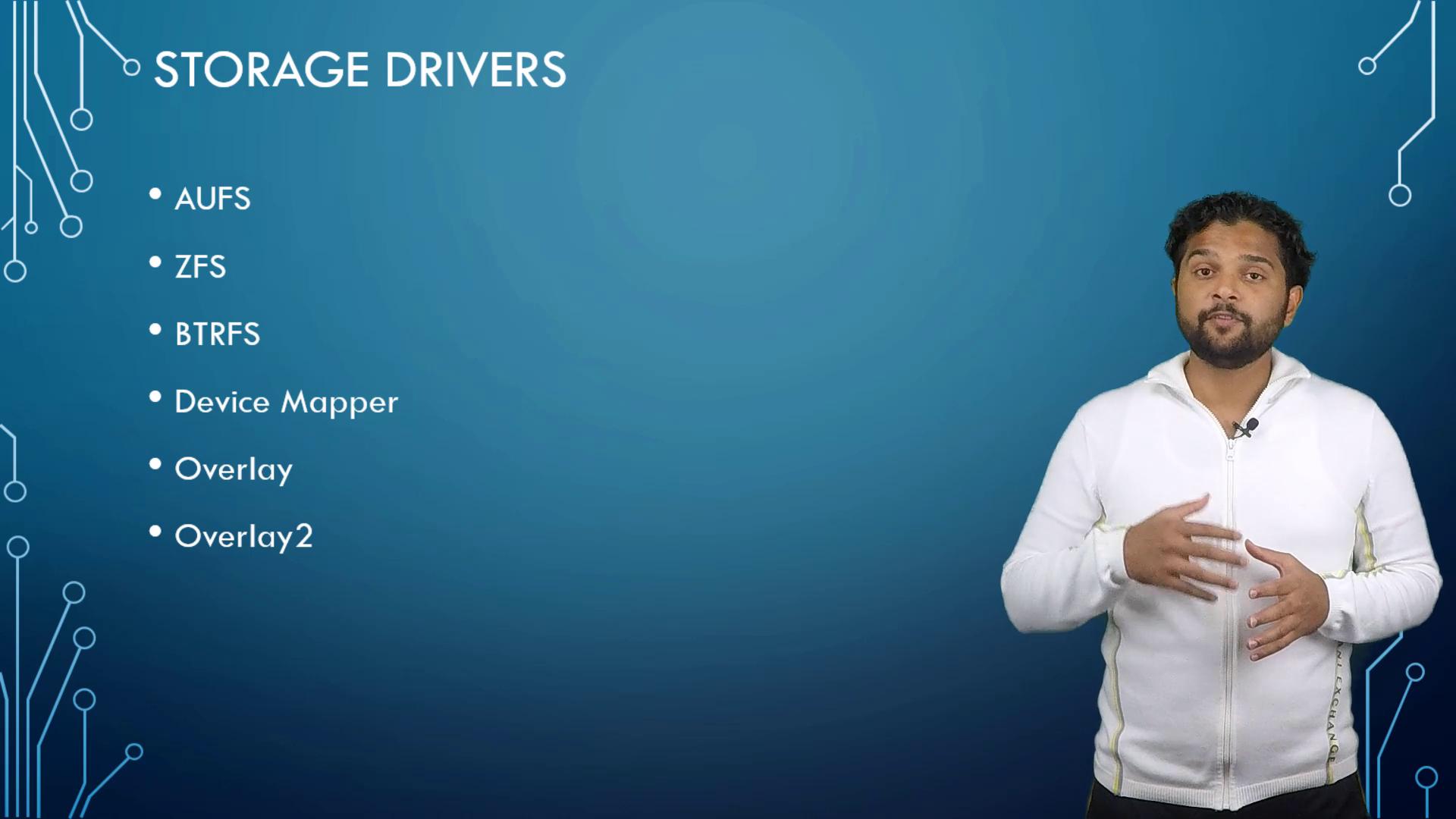
The layered architecture, writable container layers, and copy-on-write features are all made possible by Docker storage drivers. Popular storage drivers include:| Storage Driver | Description | Common Use Case |
|---|---|---|
| AUFS | Advanced multi-layer union filesystem | Default on Ubuntu |
| BTRFS | Modern Copy-on-Write filesystem | Advanced usage scenarios |
| VFS | Simple filesystem used for debugging | Limited to specific cases |
| Device Mapper | Uses Linux’s device-mapper | Fedora/CentOS defaults |
| Overlay/Overlay2 | Efficient copy-on-write drivers | Modern Linux distributions |