

Components of Docker Engine
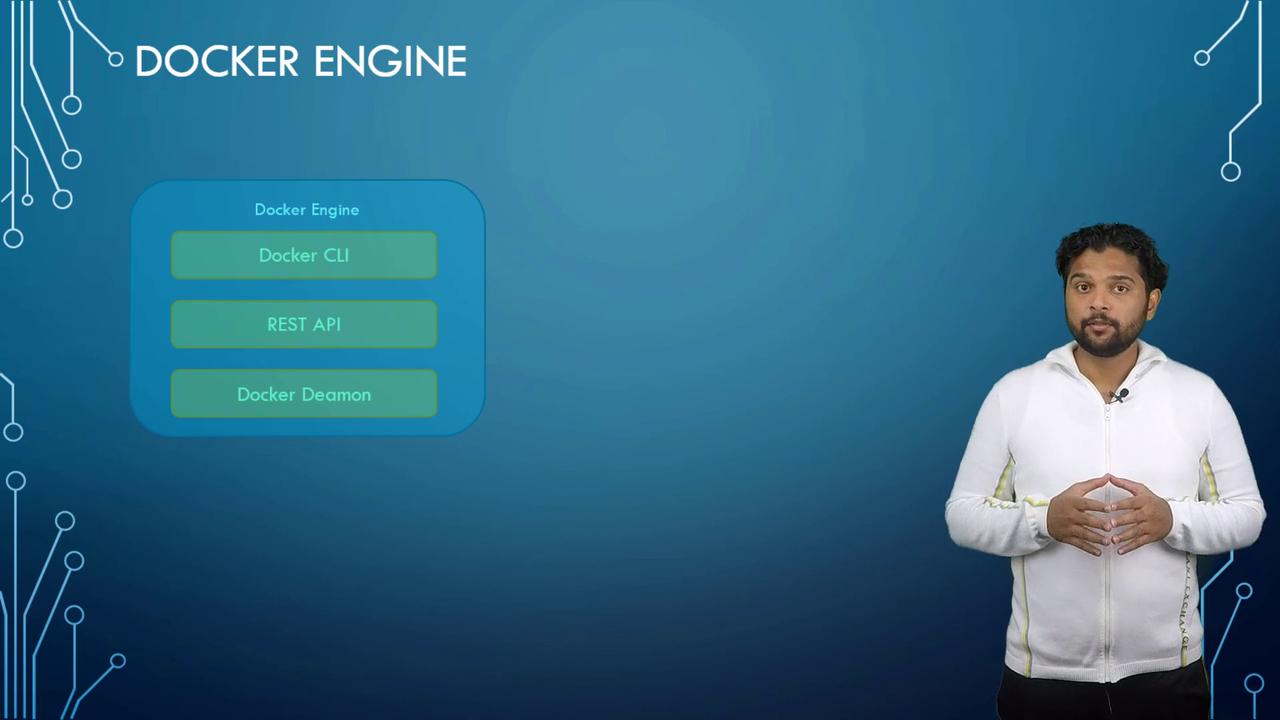
Docker Engine is the core component running on a host where Docker is installed. On a Linux host, Docker sets up three primary components:- Docker Daemon – A background process that manages all Docker objects, including images, containers, volumes, and networks.
- Docker REST API Server – An interface enabling applications and custom tools to communicate with the Docker daemon.
- Docker CLI – A command-line interface that allows you to execute commands for running and managing containers. It communicates with the Docker daemon using the REST API. Notably, the CLI can be installed on a separate machine (such as your local laptop) to control a remote Docker Engine by specifying the remote host’s address and port.
-H option as shown below:
Containerization with Namespaces
Understanding namespaces is key to grasping how Docker containers isolate applications. Docker leverages several types of namespaces such as process IDs, network, mounts, and more, to ensure that containers operate independently, despite sharing the same host system.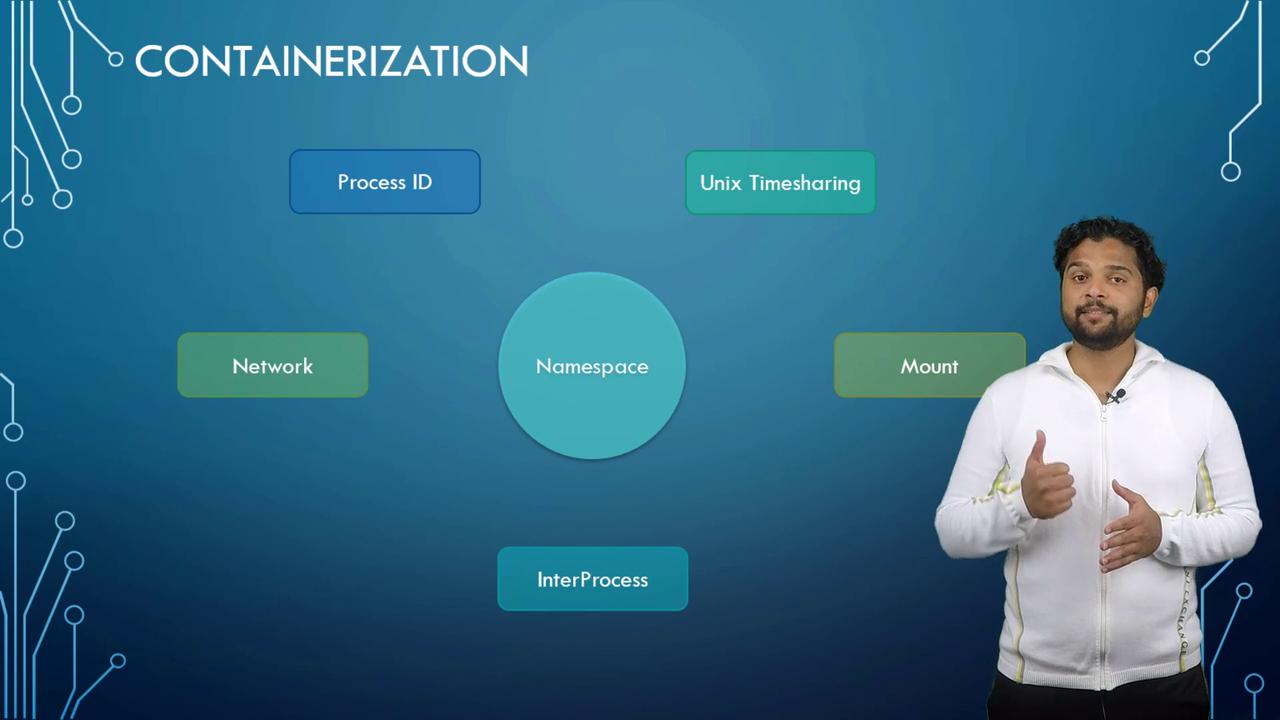
Process ID Namespaces
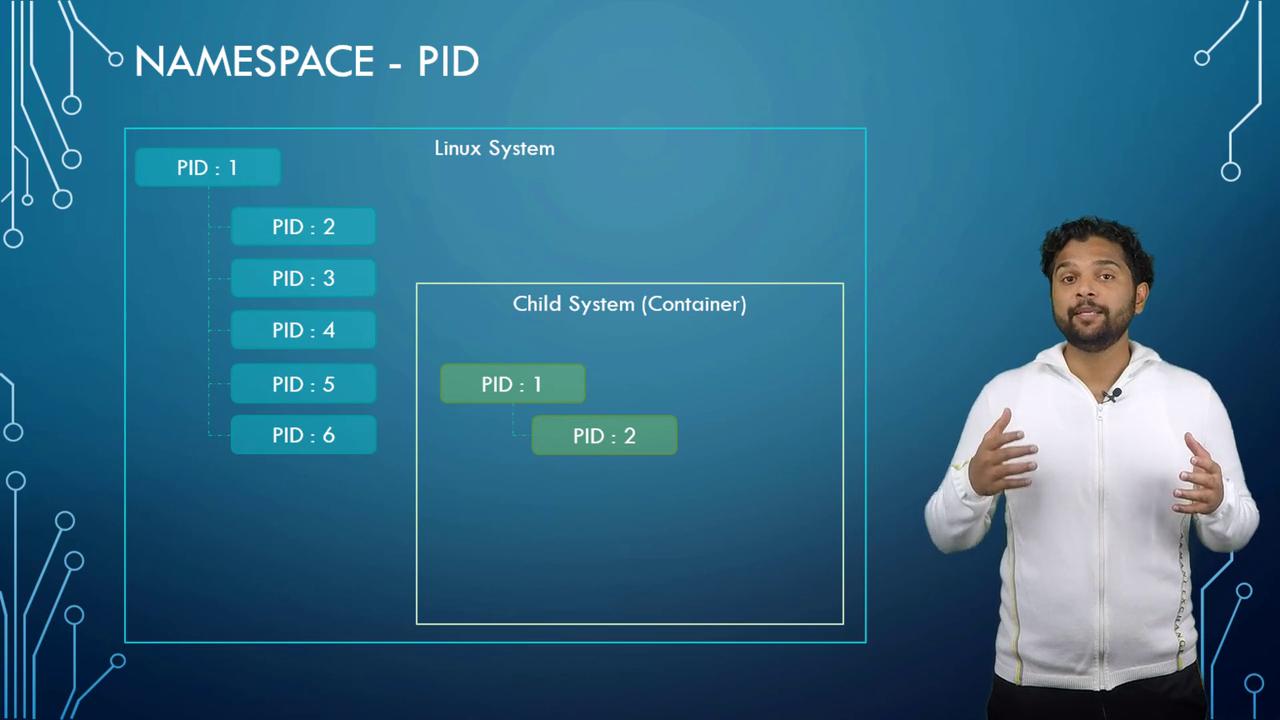
At the core of a Linux system is a single process with a process ID (PID) of one – the root process. As the system operates, more processes start with unique PIDs. When a container is launched, it mimics an independent system by creating its own root process (PID 1) even though its processes are part of the host’s process table. Docker uses process ID namespaces to maintain this separation. Inside a container, processes have two distinct views:- The actual PID in the host’s process table.
- A unique PID within the container’s namespace, starting at 1.
Resource Management with Control Groups (Cgroups)
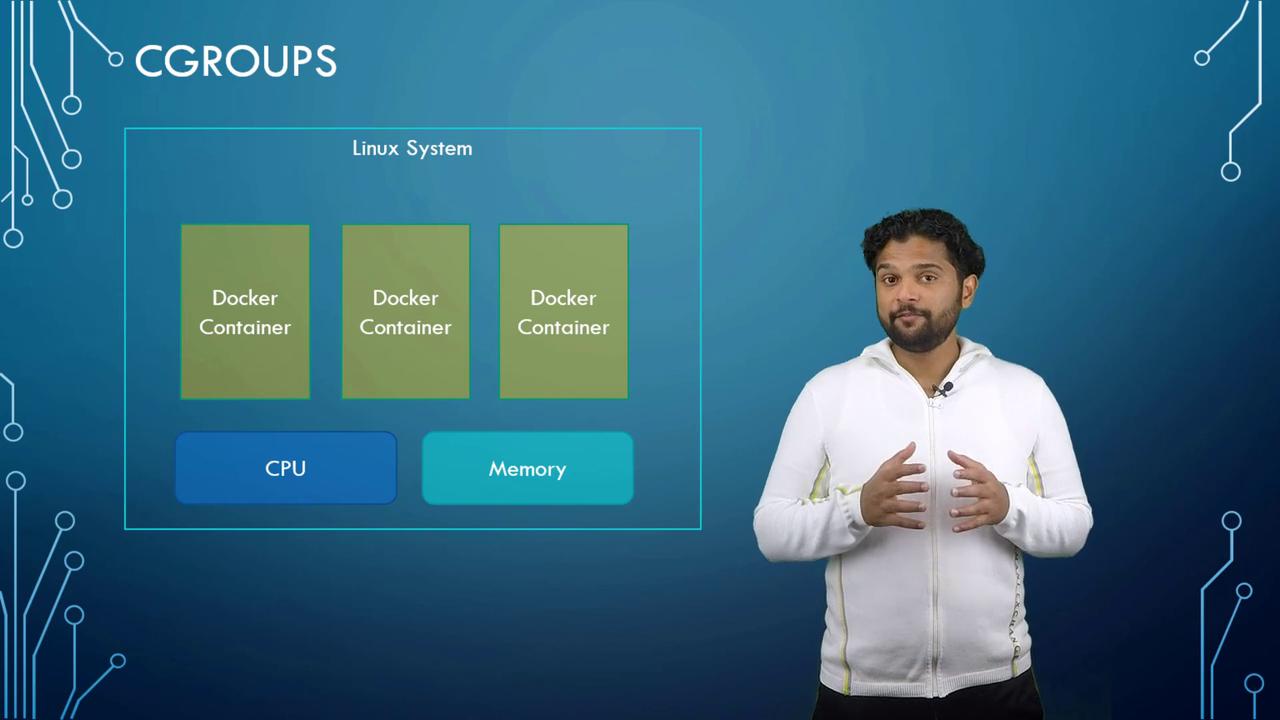
Both Docker hosts and their containers share system resources like CPU and memory. By default, a container can access all available resources, but Docker uses control groups (Cgroups) to restrict and manage these allocations. For example, you can limit CPU usage by using the--cpus option. Setting this value to 0.5 ensures the container uses no more than 50% of the host’s CPU capacity. Similarly, memory can be capped by specifying the --memory option (e.g., 100M limits the container to 100 megabytes).
To explore additional resource management techniques and best practices for Docker containers, check out our extended documentation on Docker Resource Management.