1. Running Flask Application Tests
Start by defining fixtures and writing basic tests for your Flask app:2. Browsing Model Options in Cursor
Open the chat interface to explore AI model settings:- Left sidebar: Toggle autocompletion modes (Ask, Agentic, Edit).
- Right pane: Choose a specific model or leave on Auto-select.
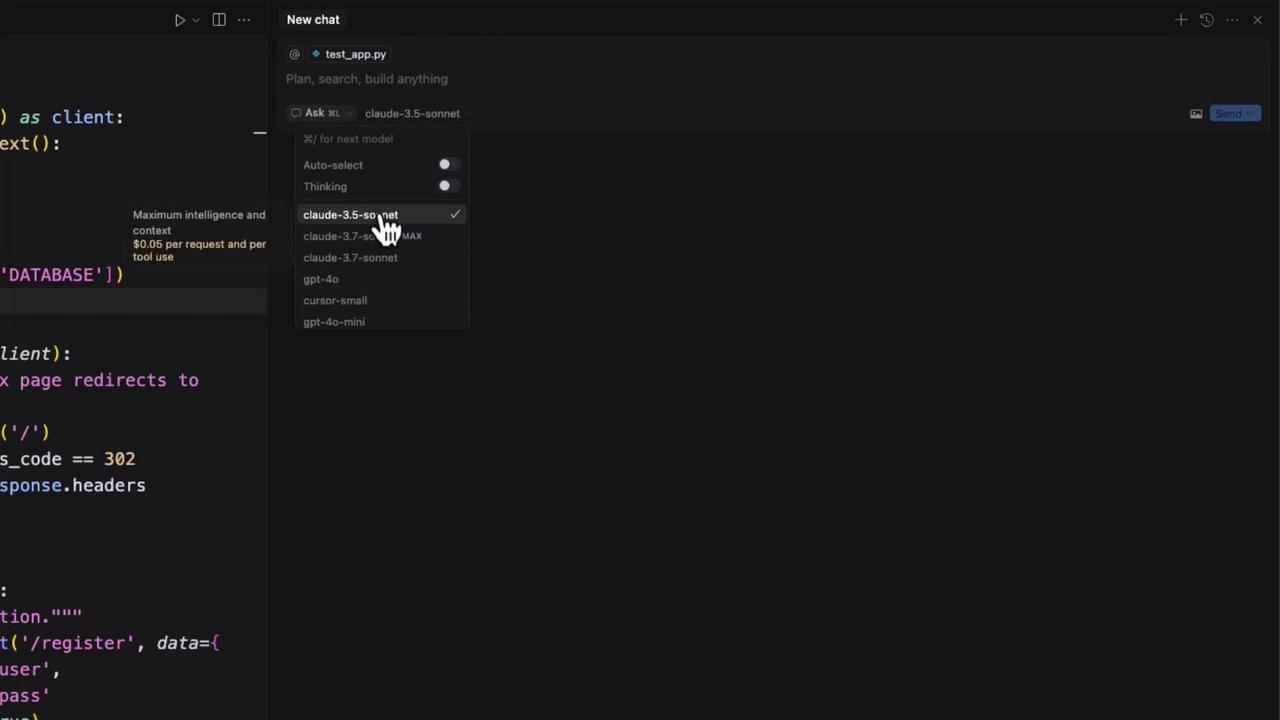
Auto-select lets Cursor pick the best model based on your preferences and credits.
3. AI Model Categories
| Category | Description |
|---|---|
| Traditional LLM | Direct response (e.g., ChatGPT, Claude). |
| Thinking LLM | Returns answer + step-by-step reasoning. |
| Agentic LLM | Automates complex, multi-step workflows (Agentic mode). |
Example: 2 + 2
Traditional LLM4. Popular Models in Cursor
| Model | Key Strength | Pricing Example |
|---|---|---|
| Claude 3.5 Sonnet | Reliable baseline | — |
| Claude 3.7 | Advanced reasoning | $0.05 per request/tool |
| GPT-4 | High speed & accuracy | — |
| GPT-4 Mini | Cost-effective | — |
Costs can add up quickly—monitor your credits and usage in Cursor Pro or via public API billing.
5. Ask Mode for Detailed Explanations
Switch to Ask Mode to request human-friendly explanations:
“Explain what def test_index_redirect means.”
“This function uses Flask’s test client to ensure a request toExperiment by selecting a thinking model and adding prompts like “explain it like I’m five” for varied results./returns a 302 redirect to/login.”
6. Customizing Models in Settings
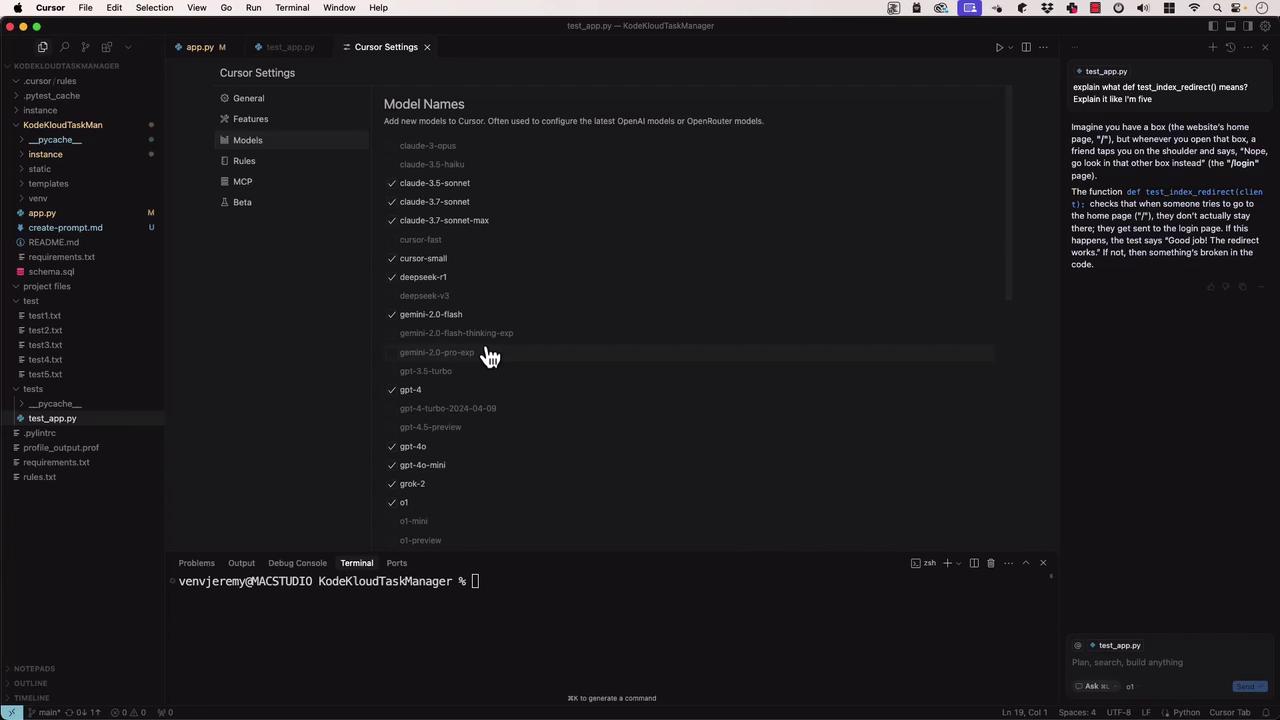
Under Cursor Settings → Models, you can:- Toggle models on/off
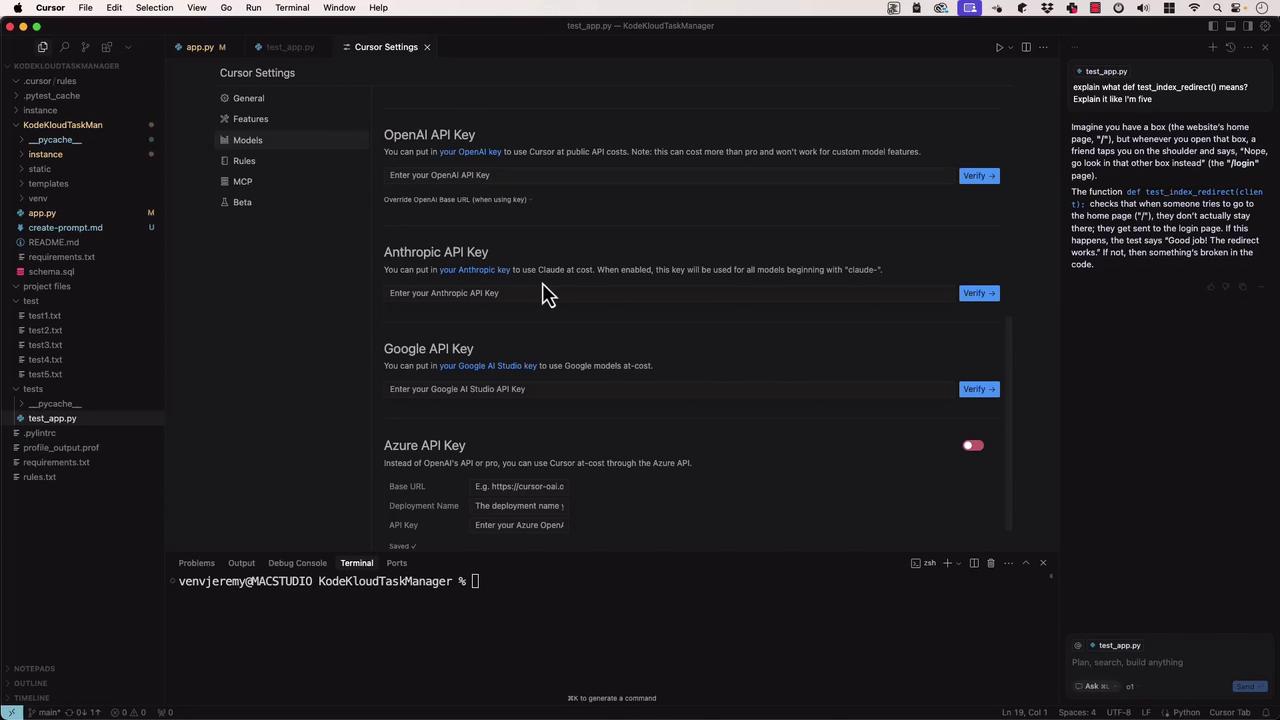
- Enter API keys for OpenAI, Anthropic, Google Cloud, Azure
- Manage billing preferences (Cursor Pro vs. public API)