

Table of Contents
- What You’ll Learn
- 1. Create an S3 Bucket with Object Lock
- 2. Upload an Object
- 3. Configure Object Lock Retention
- 4. Test Deletion with a Restricted IAM User
- 5. Delete with an Admin User
- 6. Demonstrate Object Legal Hold
- 7. Deny Legal Hold Removal
- Summary
- References
What You’ll Learn
- How to enable Object Lock on an S3 bucket
- The difference between Governance and Compliance retention modes
- Applying and testing IAM policies that enforce or bypass retention settings
- Using Object Legal Hold for indefinite protection
1. Create an S3 Bucket with Object Lock
- In the AWS S3 console, click Create bucket.
- Under Advanced settings, check Enable Object Lock.

Object Lock requires versioning. When you enable Object Lock, S3 automatically enables versioning for the bucket (the Versioning option is grayed out).
2. Upload an Object
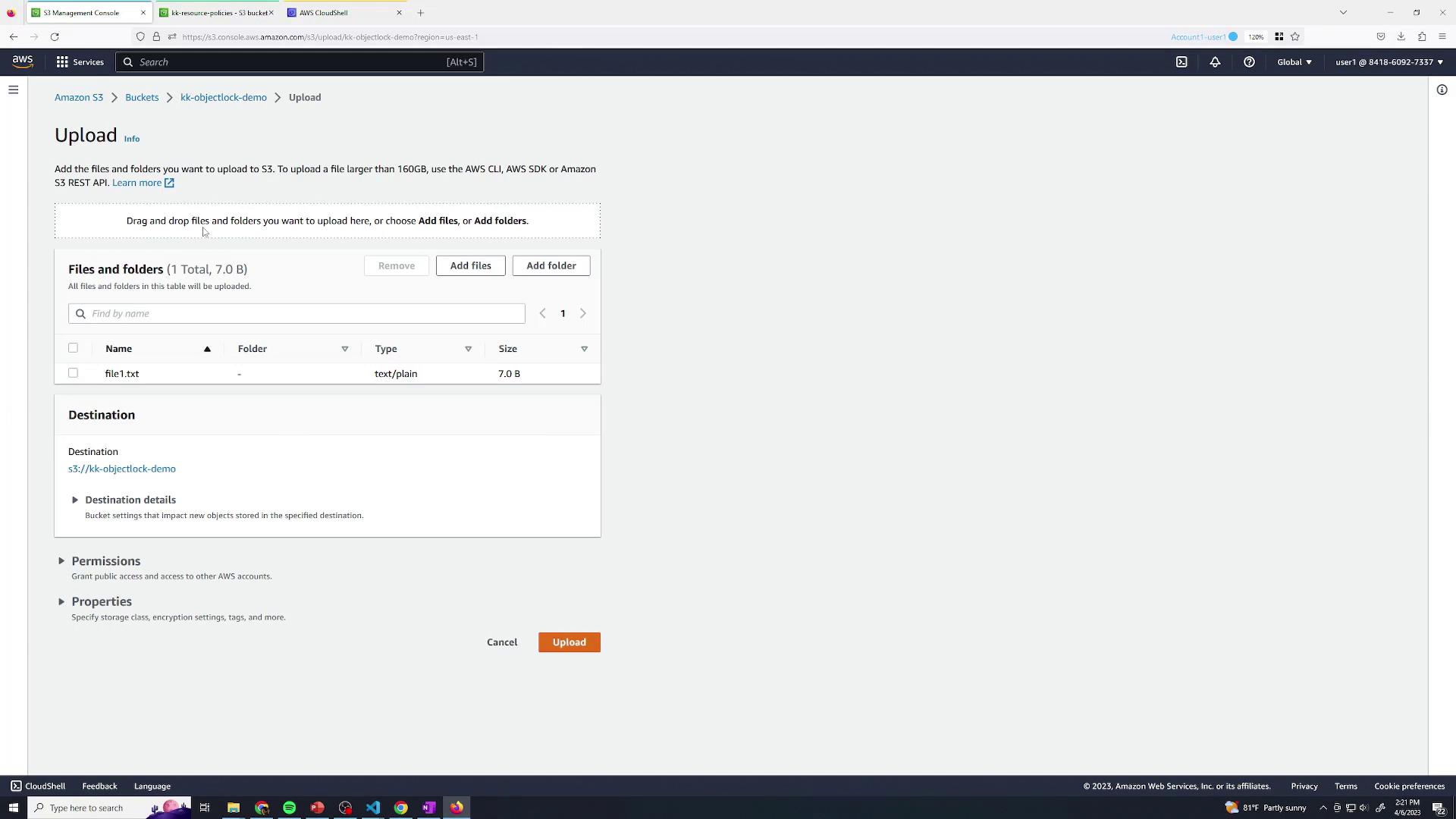
Upload a test file, for examplefile1.txt, to your new bucket:
- Click Upload.
- Select
file1.txt. - Confirm and upload.
3. Configure Object Lock Retention
In the object’s Object Lock section you can choose:- Legal Hold: Indefinite hold without a retention date.
- Retention Mode: Specify Governance or Compliance mode and a retention date.
| Retention Mode | Bypass Permission Required | Use Case |
|---|---|---|
| Governance Mode | s3:BypassGovernanceRetention | Temporary holds with exception |
| Compliance Mode | Not bypassable | Regulatory or compliance mandates |
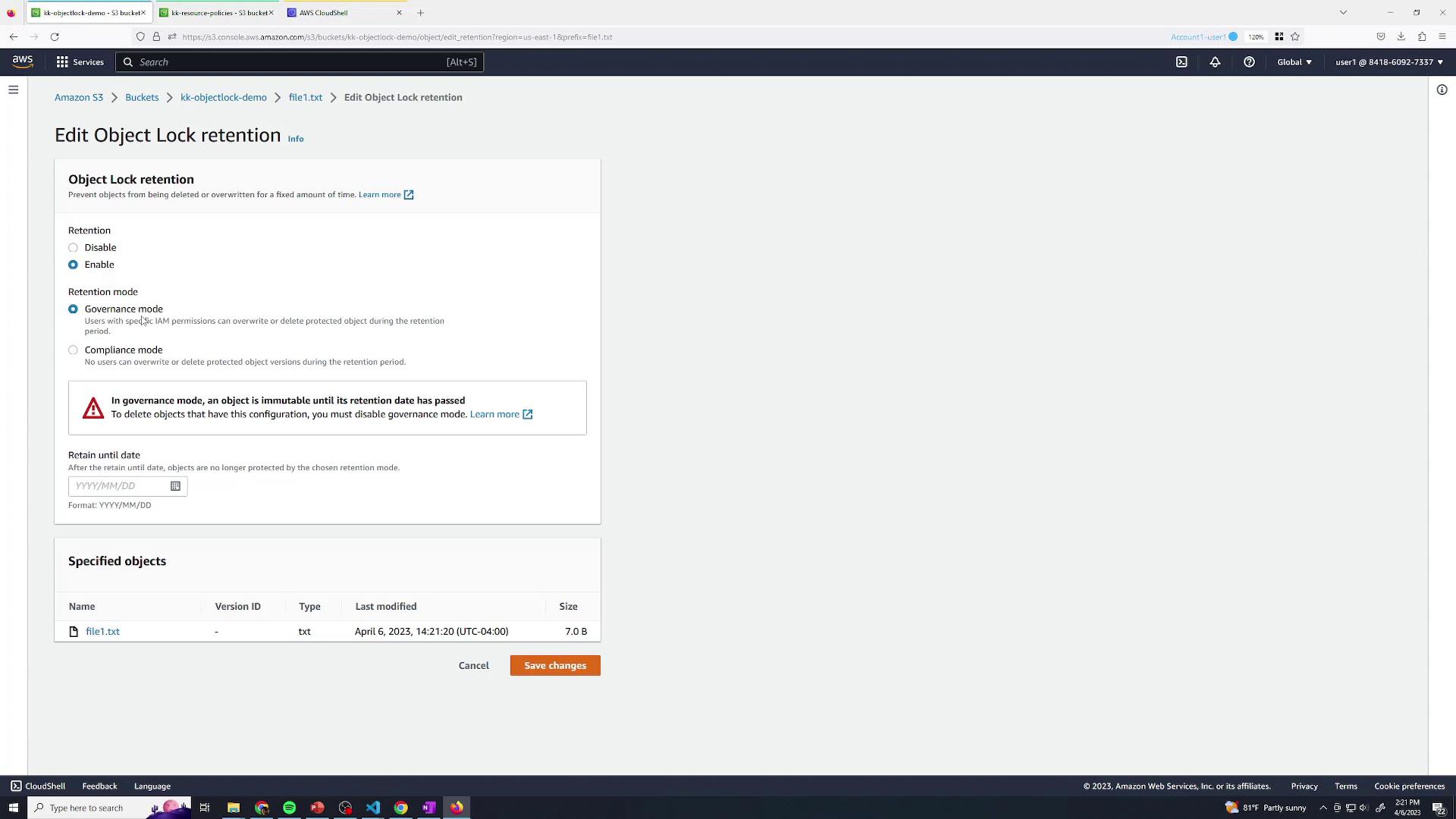
- Select Governance mode.
- Set the retention date (e.g., tomorrow).
- Click Save.
In Compliance mode, objects cannot be deleted or overwritten until the retention period expires.
4. Test Deletion with a Restricted IAM User
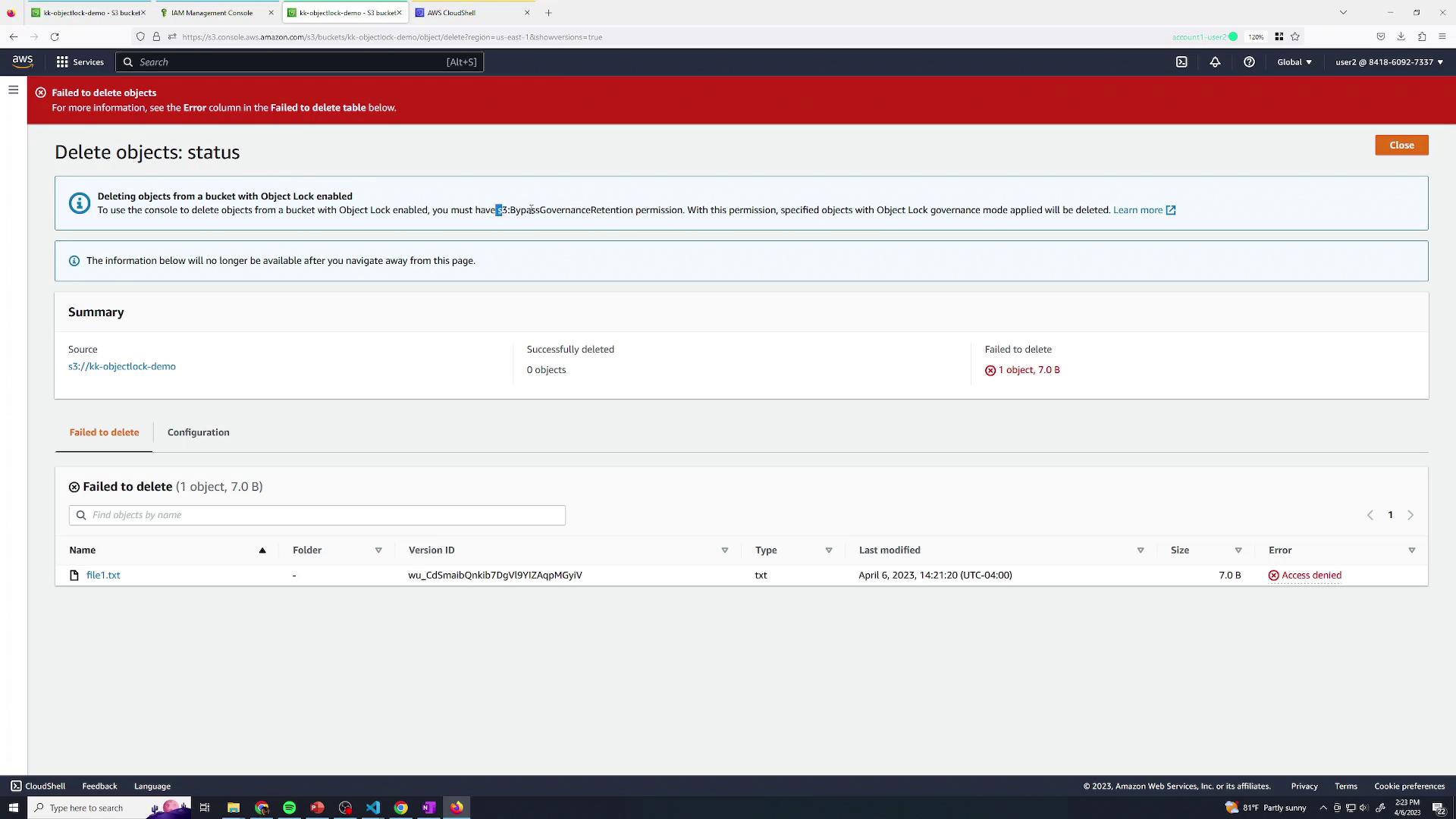
Switch to User Two, who has a policy denyings3:BypassGovernanceRetention. They have full S3 access but cannot bypass governance locks:
5. Delete with an Admin User
Switch back to User One (Administrator) with full permissions, includings3:BypassGovernanceRetention:
6. Demonstrate Object Legal Hold
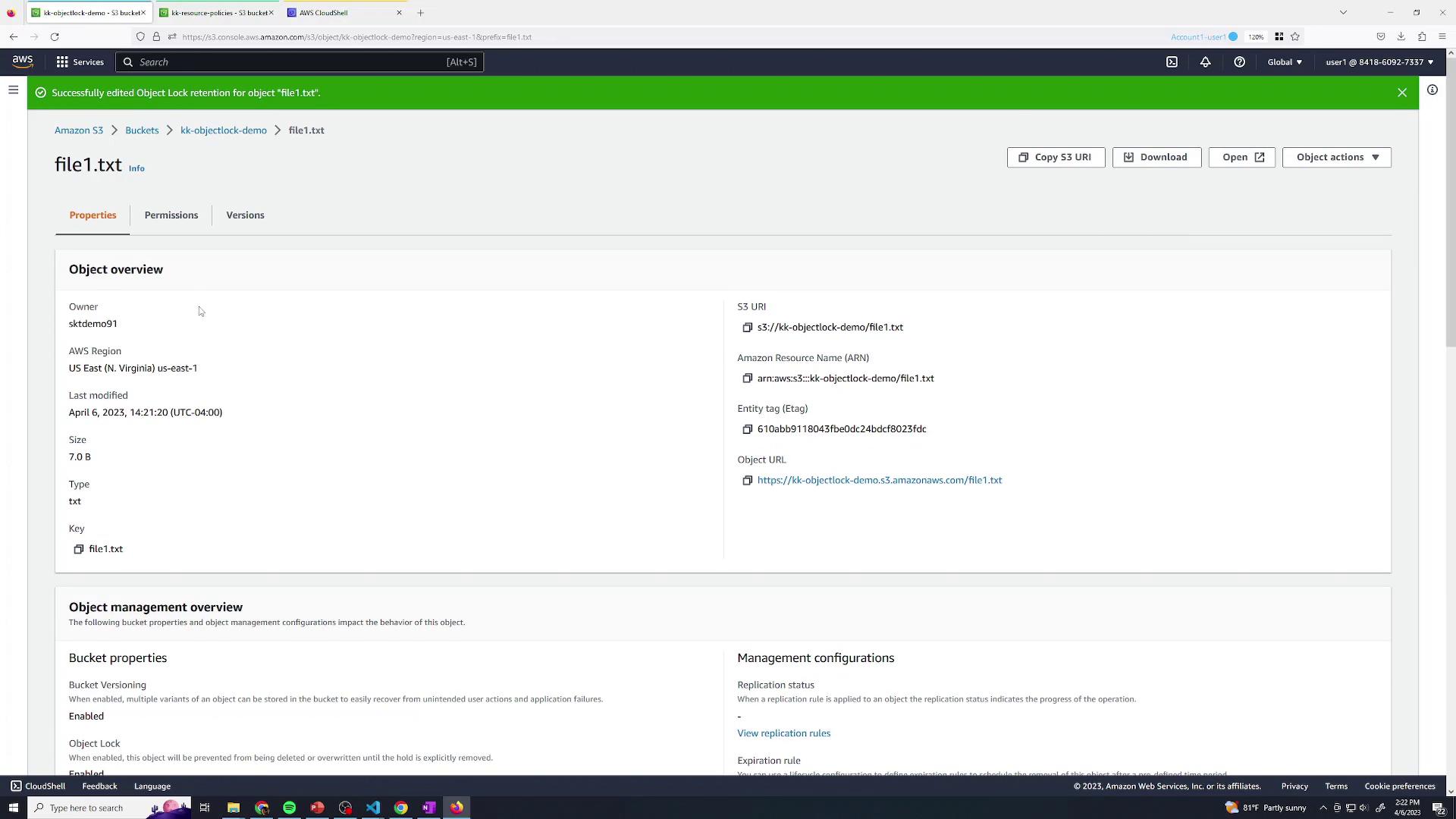
- Upload a second file, e.g.,
file2.txt. - Open its Properties and scroll to Object Lock.
- Enable Legal Hold, then Save.
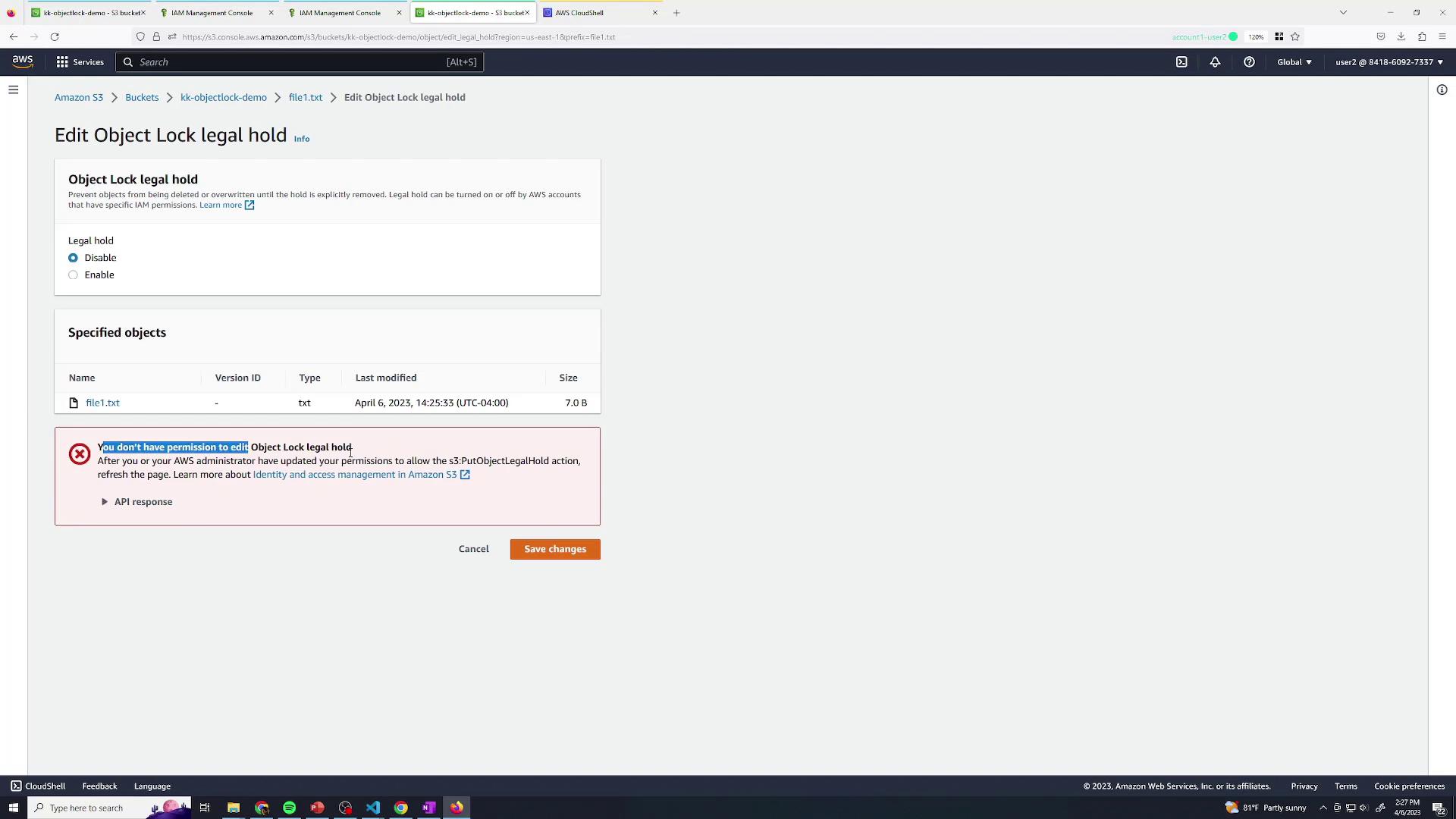
7. Deny Legal Hold Removal
Update User Two’s policy to also denys3:PutObjectLegalHold, preventing removal of legal holds:
Summary
In this lesson, you’ve learned to:- Enable Object Lock on an S3 bucket
- Apply Governance and Compliance retention modes
- Test deletion restrictions with IAM policies
- Use Object Legal Hold for indefinite protection