This article covers troubleshooting Ingress for Kubernetes applications, focusing on path handling and implementing URL path rewriting to resolve 404 errors.
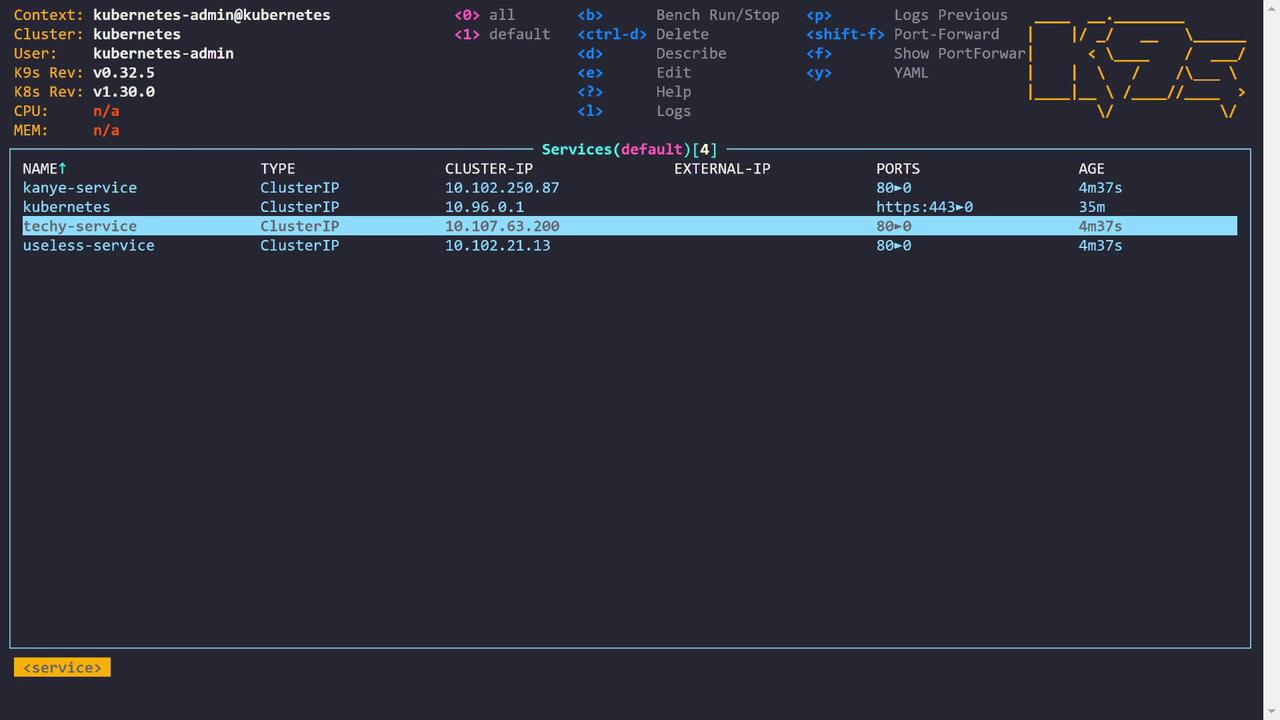
In this lesson, we troubleshoot a sample application that exposes web services through an Ingress. The application consists of three pods—Kanye, Techie, and Useless—each paired with its corresponding service. These services deliver distinct types of quotes: Kanye quotes, tech-related quotes, and random humorous quotes.
All services are hosted behind an Ingress controller. The Ingress resource routes incoming requests based on the URL path. For instance, requests to /techy are directed to the Techie service—similarly for the Kanye and Useless services. This configuration utilizes the Nginx Ingress Controller.
controlplane ~ ➜ k get ingressNAME CLASS HOSTS ADDRESS PORTS AGEapp-ingress <none> * 10.109.243.168 80 5m36s
Curling the Ingress IP without specifying a path returns an HTML 404 error accompanied by an image:
Copy
Ask AI
controlplane ~ ➜ curl 10.109.243.168<!doctype html><title>Hello from Flask</title><body style="background: #3e169d;"><div style="color: #e4e4e4; text-align: center; height: 90px; vertical-align: middle;"><img src="https://res.cloudinary.com/cloudusthad/image/upload/v1547053817/error_404.png"></div></body></html>
When using a specific service path (e.g., /techy), the response is:
Copy
Ask AI
controlplane ~ ➜ curl 10.109.243.168/techy<!DOCTYPE html><html lang="en"><head><meta charset="utf-8"><title>Error</title></head><body><pre>Cannot GET /techy</pre></body></html>
Using verbose curl output confirms the 404 status:
Copy
Ask AI
bashcurl -v 10.109.243.168/techy* Trying 10.109.243.168:80...* Connected to 10.109.243.168 (10.109.243.168) port 80 (#0)> GET /techy HTTP/1.1> Host: 10.109.243.168> User-Agent: curl/7.81.0> Accept: */** Mark bundle as not supporting multiuse< HTTP/1.1 404 Not Found< Date: Sat, 13 Jul 2024 23:51:47 GMT< Content-Type: text/html; charset=utf-8< Content-Length: 144< Connection: keep-alive< X-Powered-By: Express< Content-Security-Policy: default-src 'none'< X-Content-Type-Options: nosniff<<!DOCTYPE html><html lang="en"><head><meta charset="utf-8"><title>Error</title></head><body><pre>Cannot GET /techy</pre></body></html>* Connection #0 to host 10.109.243.168 left intact
Similarly, requests to /kanye yield a 404 error:
Copy
Ask AI
bashcontrolplane ~ ➜ curl -v 10.109.243.168/kanye* Trying 10.109.243.168:80...* Connected to 10.109.243.168 (10.109.243.168) port 80 (#0)> GET /kanye HTTP/1.1> Host: 10.109.243.168> User-Agent: curl/7.81.0> Accept: */** Mark bundle as not supporting multiuse< HTTP/1.1 404 Not Found< Date: Sat, 13 Jul 2024 23:52:08 GMT< Content-Type: text/html; charset=utf-8< Content-Length: 144< Connection: keep-alive< X-Powered-By: Express< Content-Security-Policy: default-src 'none'< X-Content-Type-Options: nosniff<<!DOCTYPE html><html lang="en"><head><meta charset="utf-8"><title>Error</title></head><body><pre>Cannot GET /kanye</pre></body></html>* Connection #0 to host 10.109.243.168 left intact
The Ingress Controller logs indicate that the requests are reaching the controller, but the backend services return a 404 because they are not configured to handle the prefixed path.
To isolate the problem, we use kubectl port-forward to bypass the Ingress and directly access the Techie service:
Copy
Ask AI
# Forward a local port (4444) to the techy-service on port 80 (mapped internally to 3000)controlplane ~ ➜ k port-forward svc/techy-service 4444:80# In another terminal, test the service with curl:curl -v localhost:4444
The direct request returns a valid Techie quote:
Copy
Ask AI
bashcontrolplane ~ ➜ curl localhost:4444All you have to do is hash the capacity adaptercontrolplane ~ ➜
This confirms that the application is functioning as expected and that the issue lies in the path handling between the Ingress and the backend services. When the Ingress passes the original path (e.g., /kanye), the backend applications do not recognize the prefix, resulting in a 404 response.
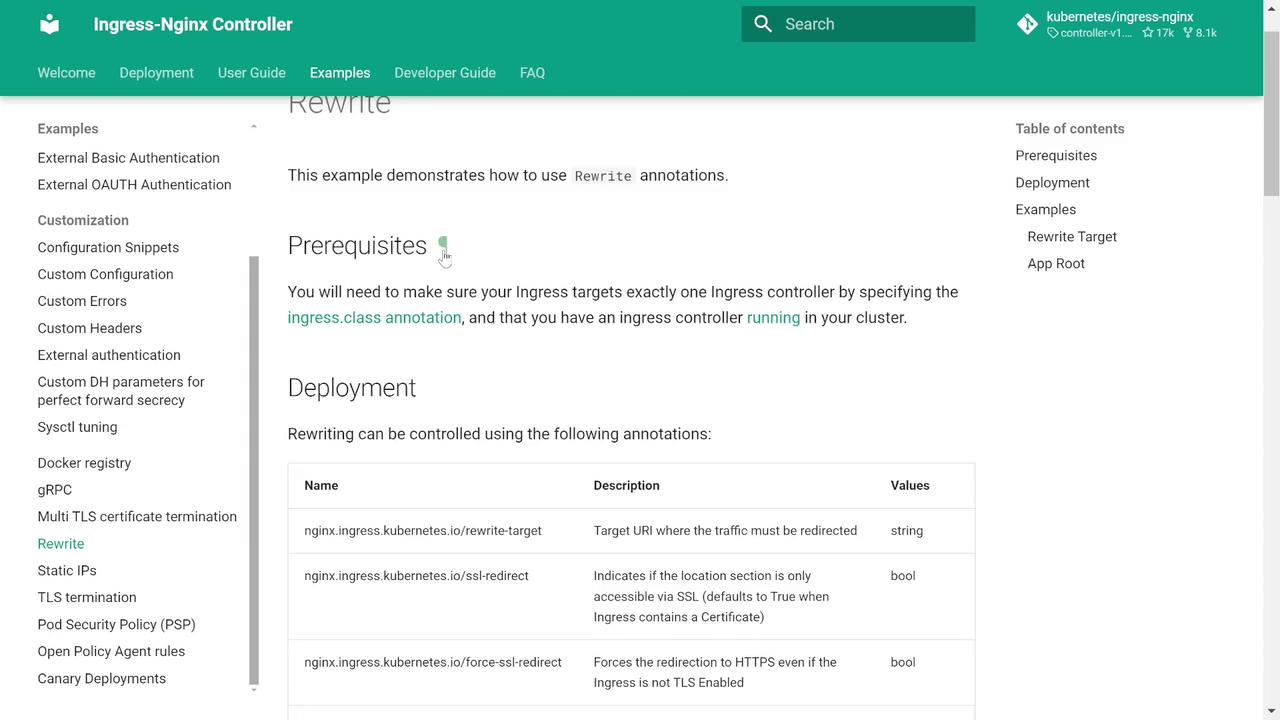
The solution involves using the Nginx Ingress Controller’s Rewrite Target annotation. This annotation modifies the URL path before it reaches your backend service. In other words, it strips the service-specific prefix so that the service receives requests on its root path.Refer to the Nginx Ingress Controller documentation on rewrite annotations for additional details.
A common pattern uses a capture group in a regular expression to pass only the desired part of the path to the backend. Consider this example configuration:
After applying this updated Ingress configuration, testing with curl shows that the services now receive the expected, rewritten requests. For example:
Copy
Ask AI
bashcontrolplane ~ ➜ curl -v 10.109.243.168/techy* Trying 10.109.243.168...* Connected to 10.109.243.168 (10.109.243.168) port 80 (#0)> GET /techy HTTP/1.1> Host: 10.109.243.168> User-Agent: curl/7.81.0> Accept: */*...< HTTP/1.1 200 OK...I spent a lot of time setting up the modulation coupling
Other services can be verified similarly:
Copy
Ask AI
controlplane ~ ➜ curl 10.109.243.168/kanye{"quote":"Life is the ultimate gift"}
Copy
Ask AI
controlplane ~ ➜ curl 10.109.243.168/useless{"id":"6df415f6379dc42d110a6e5353b1da41","text":"Obsession is the most popular boat name.","source":"djtech.net","source_url":"http://www.djtech.net/humor/useless_facts.htm","language":"en","permalink":"https://uselessfacts.jsph.pl/api/v2/facts/6df415f6379dc42d110a6e5353b1da41"}
This demonstrates the importance of both correctly defining an Ingress resource and understanding how request path rewrites impact backend service behavior.
To further troubleshoot, it is useful to examine the Nginx configuration generated by the Ingress Controller. This configuration defines the load balancer behavior, including the evaluation order for location blocks and timeout settings.
Copy
Ask AI
# Backend for when default-backend-service is not configured or lacks endpointsserver { listen 8181 default_server reuseport backlog=4096; listen [::]:8181 default_server reuseport backlog=4096; set $proxy_upstream_name "internal"; access_log off; location / { return 404; }}# Default server used for NGINX healthcheck and stats accessserver { listen 127.0.0.1:10246; set $proxy_upstream_name "internal"; keepalive_timeout 0; gzip off; access_log off; location /healthz { return 200; } location /is-dynamic-lb-initialized { content_by_lua_block { } }}
Additional configuration snippets such as timeout settings can be defined by annotations or directly in the configuration file:
Reviewing the effective Nginx configuration is critical to ensure that your timeout and proxy settings match your expectations. Adjust these values as necessary to optimize your application’s performance.
This troubleshooting session has demonstrated not only how to define an Ingress resource but also the importance of proper URL path rewriting. By implementing the Nginx Ingress Controller’s rewrite-target annotation, we ensure that backend services receive requests in the expected format—eliminating 404 errors caused by unexpected path prefixes.Mastering the nuances of Ingress configurations is essential for managing traffic routing and resolving production issues effectively. Happy troubleshooting!