This guide explains how to create a custom ArgoCD project with restrictions on source repositories and cluster-level resources.
In this guide, you’ll learn how to create a custom ArgoCD project that enforces specific restrictions on source repositories and cluster-level resources. We begin by reviewing the default project configuration, then move on to creating and configuring a custom project, and finally deploy and synchronize an application to validate the restrictions.
Before implementing a custom project, it is important to understand how the default project is configured. The default project is highly permissive—it allows deployments to any destination and namespace without restrictions on source repositories or resources.Run the following command to list the projects:
Copy
Ask AI
argocd proj list
The output will show that the default project accepts any source (*) and destination (*,*), with no restrictions on cluster-level or namespace-level resources:
The default project does not limit which clusters or namespaces can be deployed to, nor does it restrict source repositories. This open configuration may not be suitable for every production environment.
Next, we will create a new custom project. This project will restrict allowed source repositories and control cluster-level resource deployment. You can create this project using either the UI or CLI. Below is the CLI output that shows the default state before introducing our custom project:
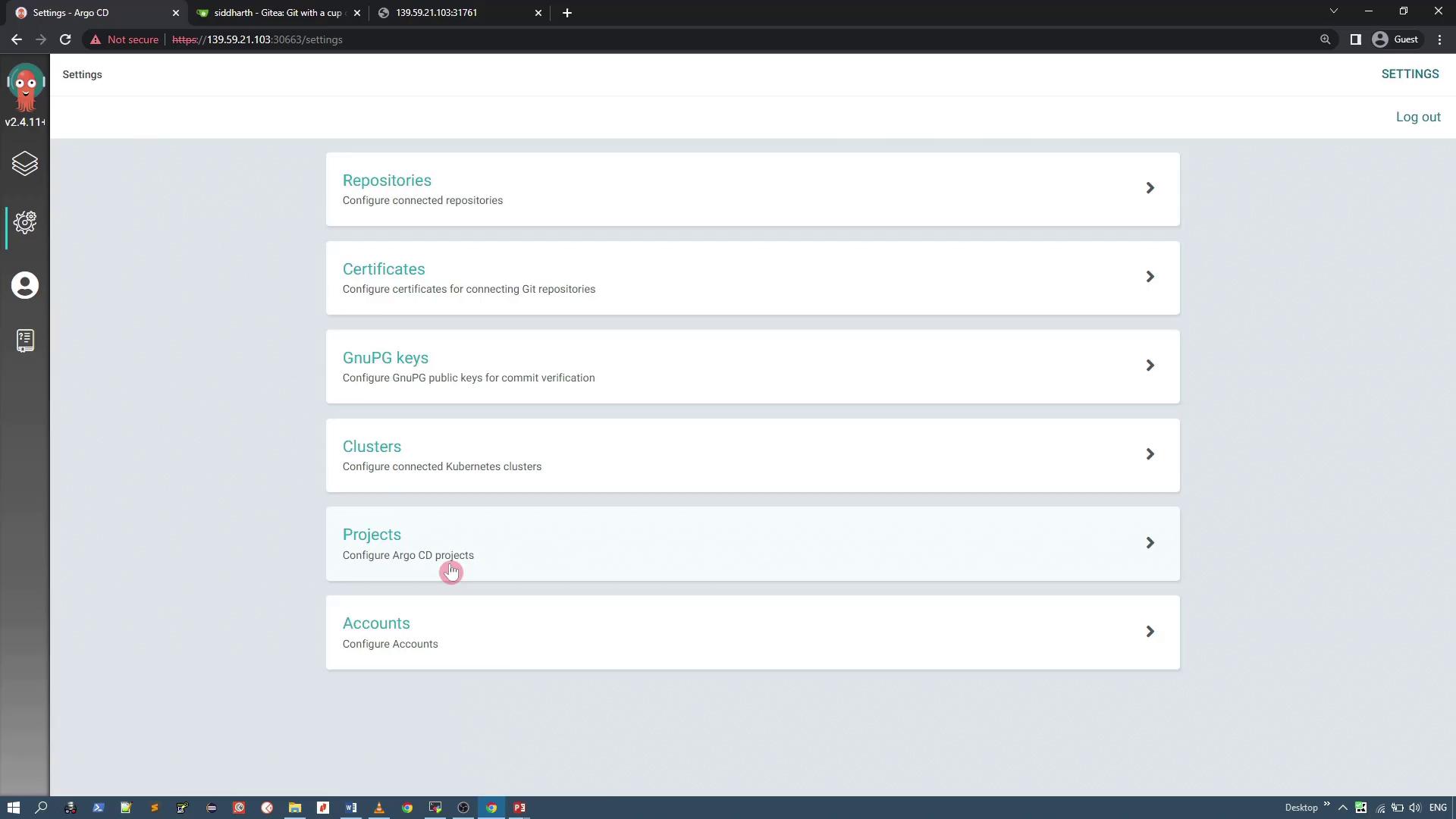
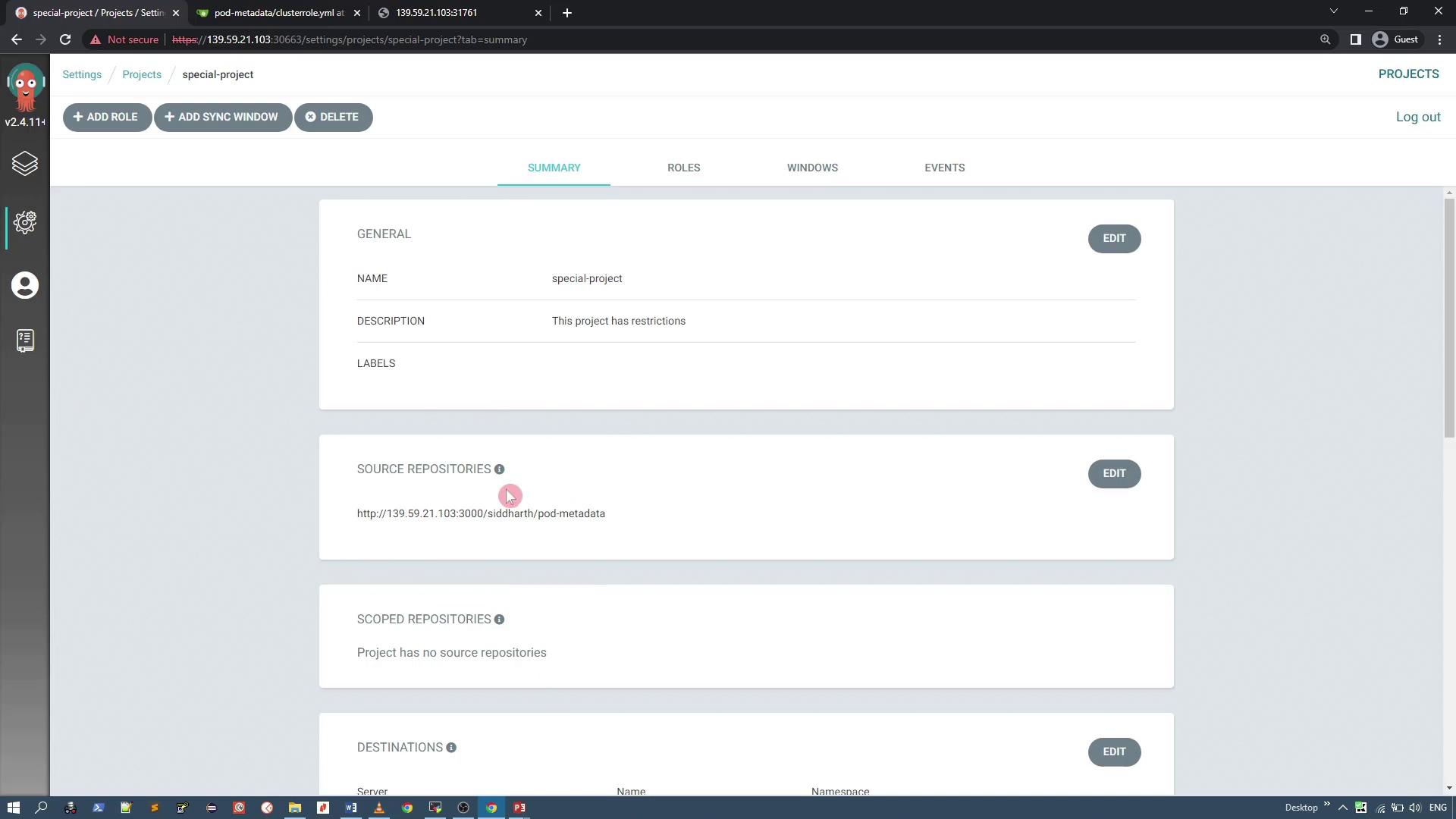
To start, open the ArgoCD user interface and navigate to the Projects configuration via the sidebar. You will see the default project configuration listed. Click on “Create a new project” to begin setting up your custom project, for instance named “special-project”. Provide a clear description outlining the restrictions that will be applied.
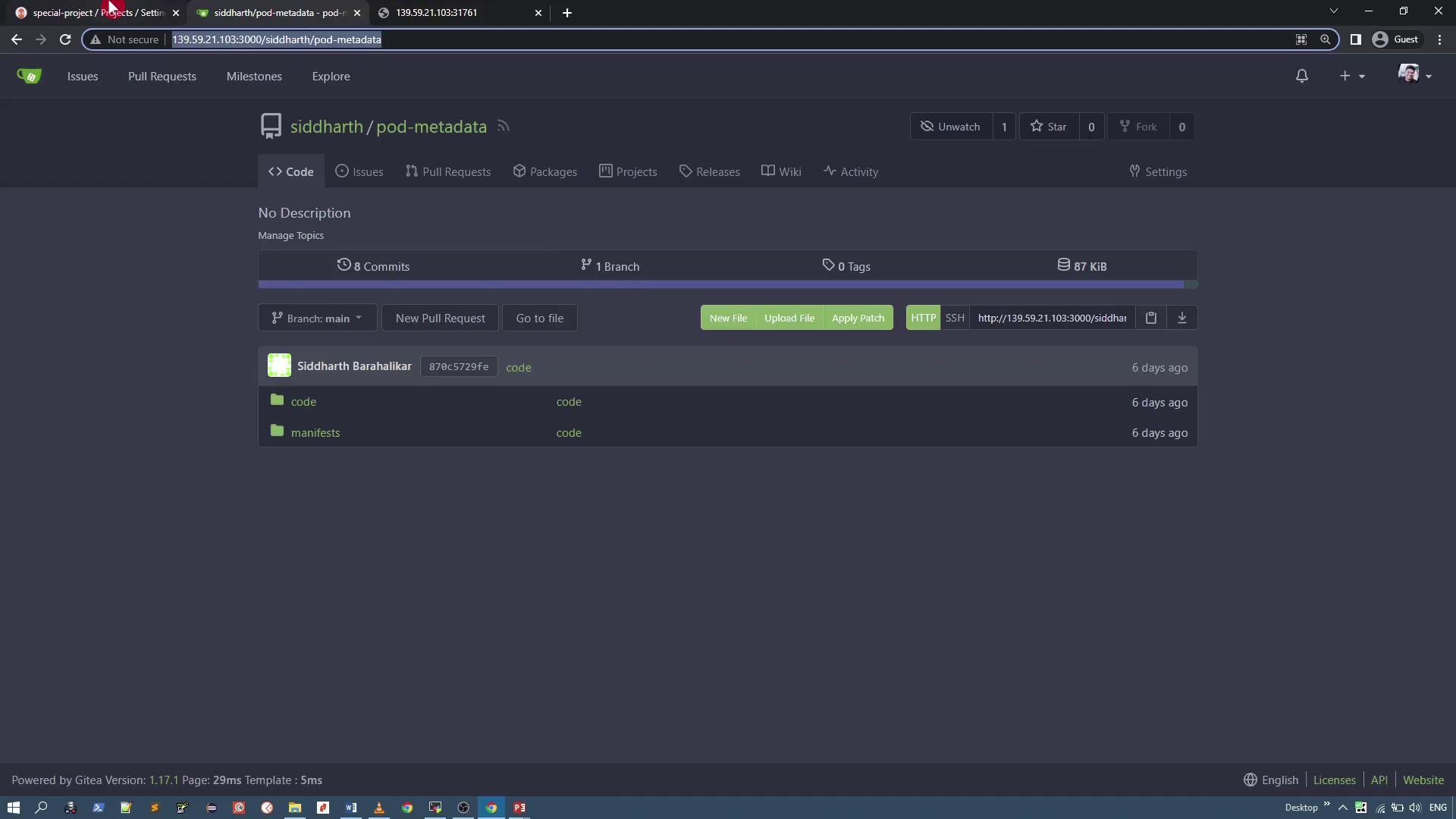
Within the project settings, limit the allowed source repositories by replacing the default wildcard (*) with the specific Git repository URL containing the pod metadata resources. For example, allow only the “pod metadata” repository:
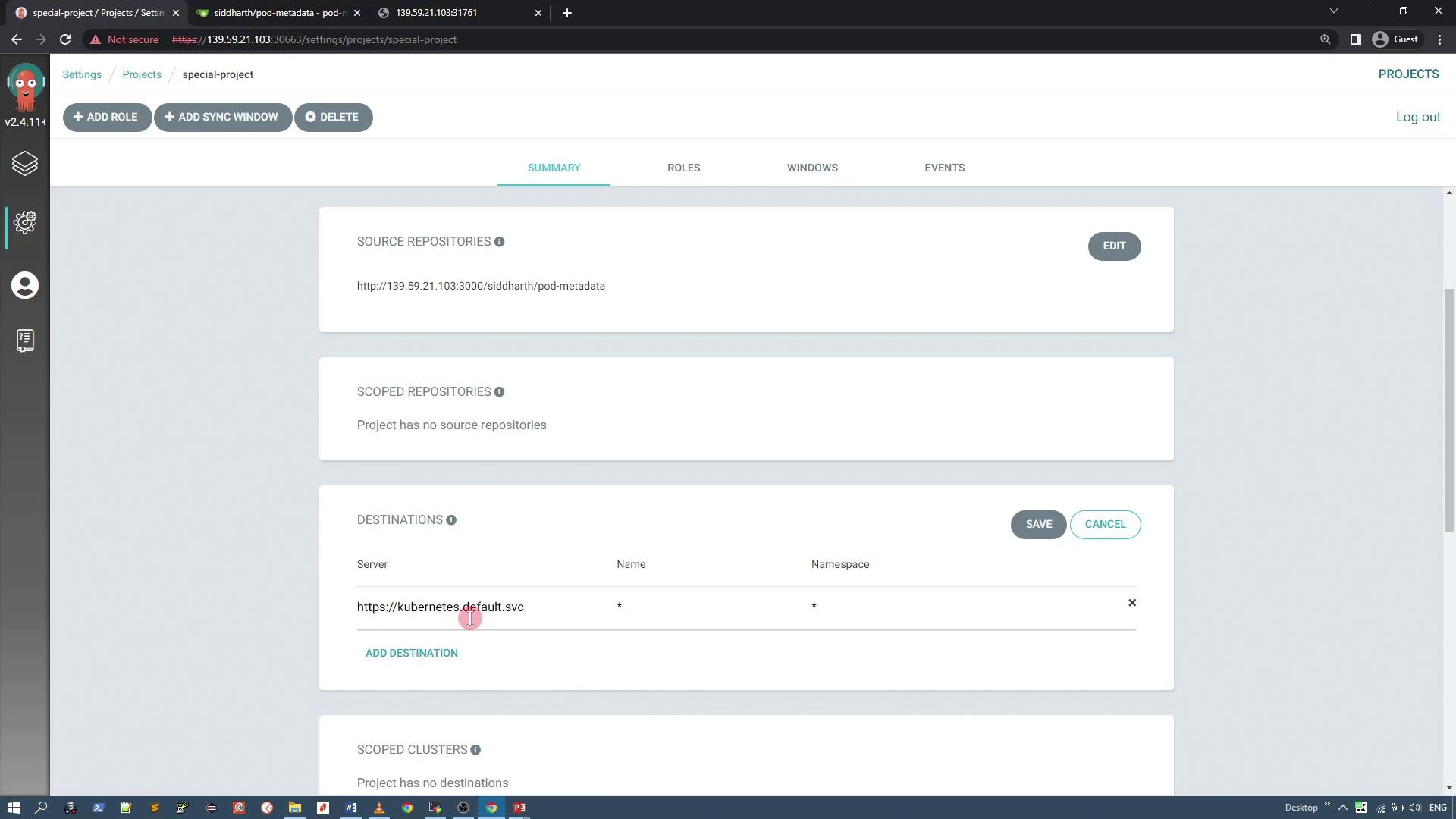
Under the Destinations section, restrict deployments to the current cluster by specifying its server URL (e.g., https://kubernetes.default.svc). You may keep the namespace wildcard (*) to allow flexible namespace usage.
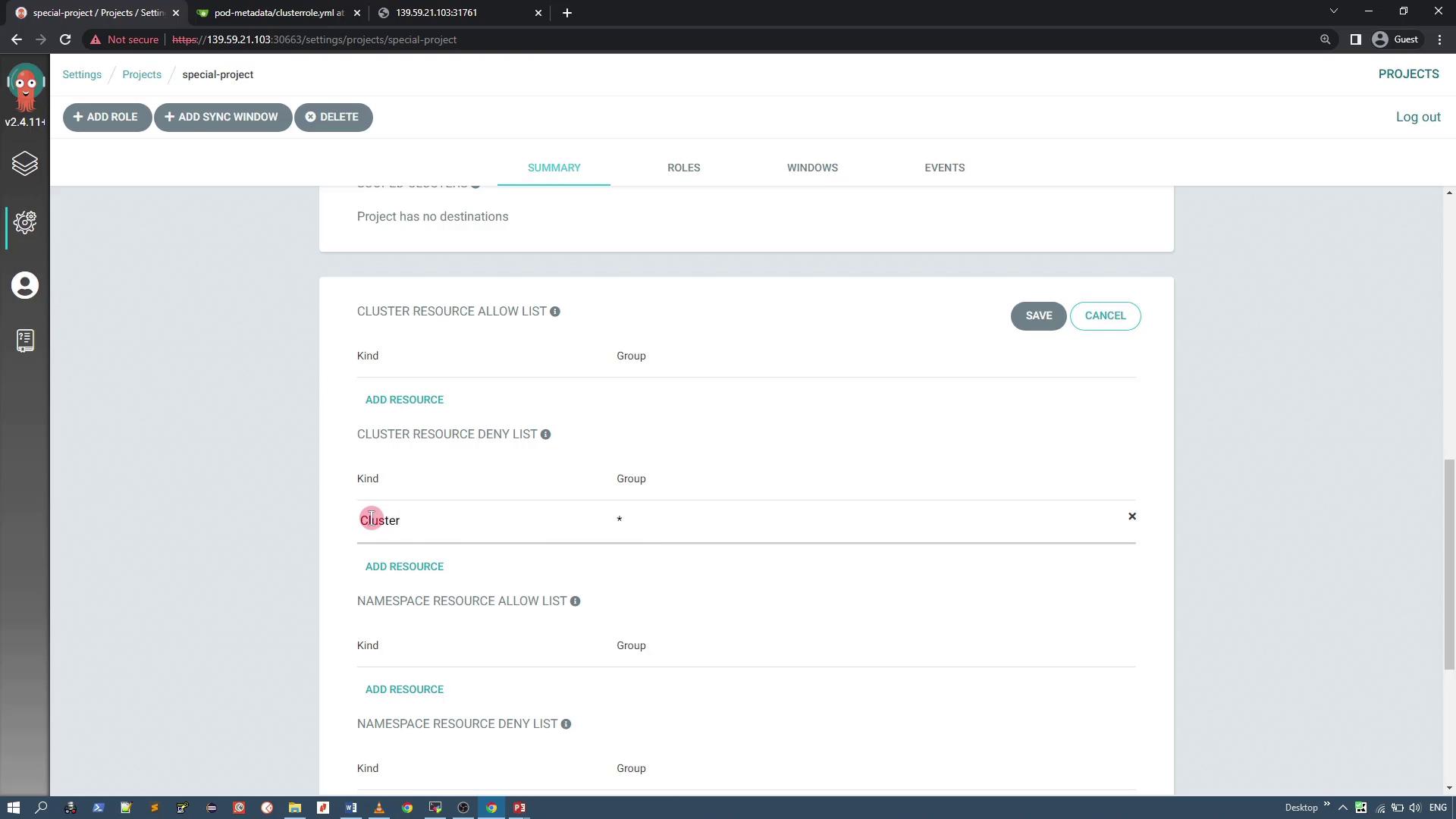
To enhance security, configure the project to deny certain cluster-level resources. In this example, we restrict ClusterRole resources to prevent unauthorized full-access permissions. Suppose you have a manifest for a ClusterRole resource as shown below:
Creating and Testing an Application with the Custom Project
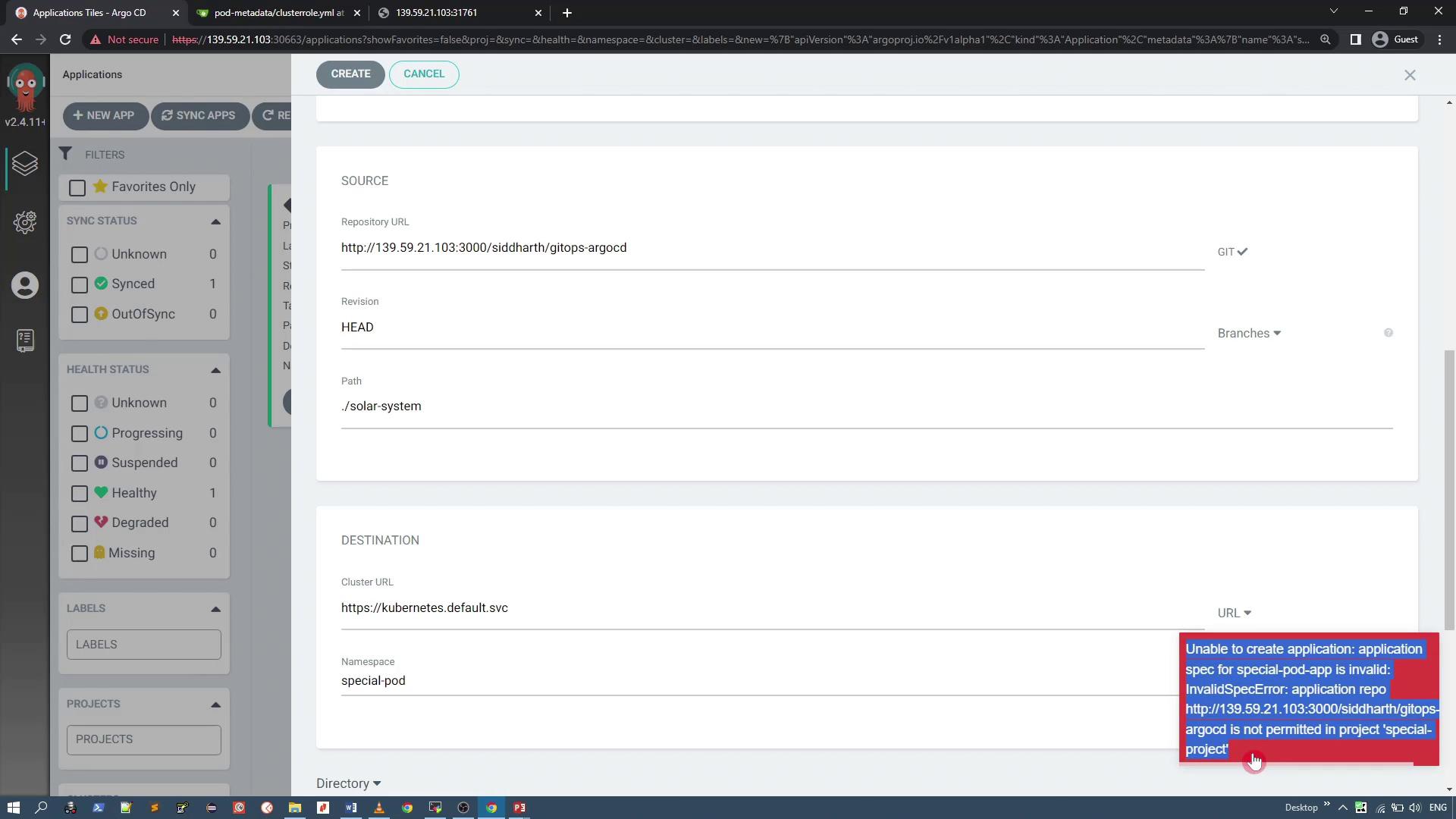
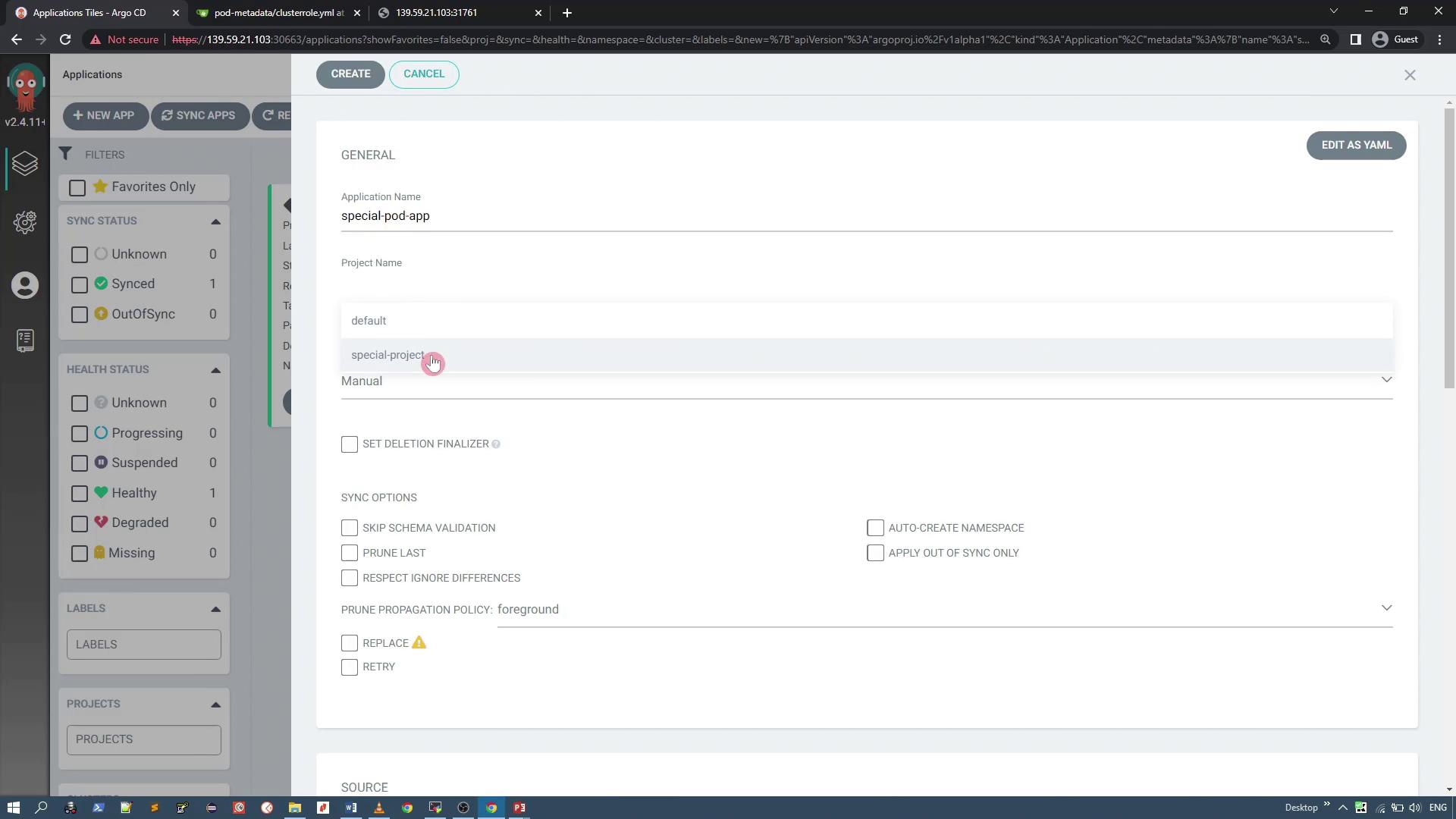
Now, create an application that is associated with the “special-project” custom project. When creating the application (e.g., “special-pod-app”), verify that the connected repository is correct. Note that the application sync policy should be set to manual and the namespace will be auto-created if necessary.If you try deploying an application from a disallowed repository, an error will appear similar to the following:
Once you select the approved pod metadata repository and set the application manifest path (e.g., “manifest”), click “Create.” The application should now appear in the dashboard.
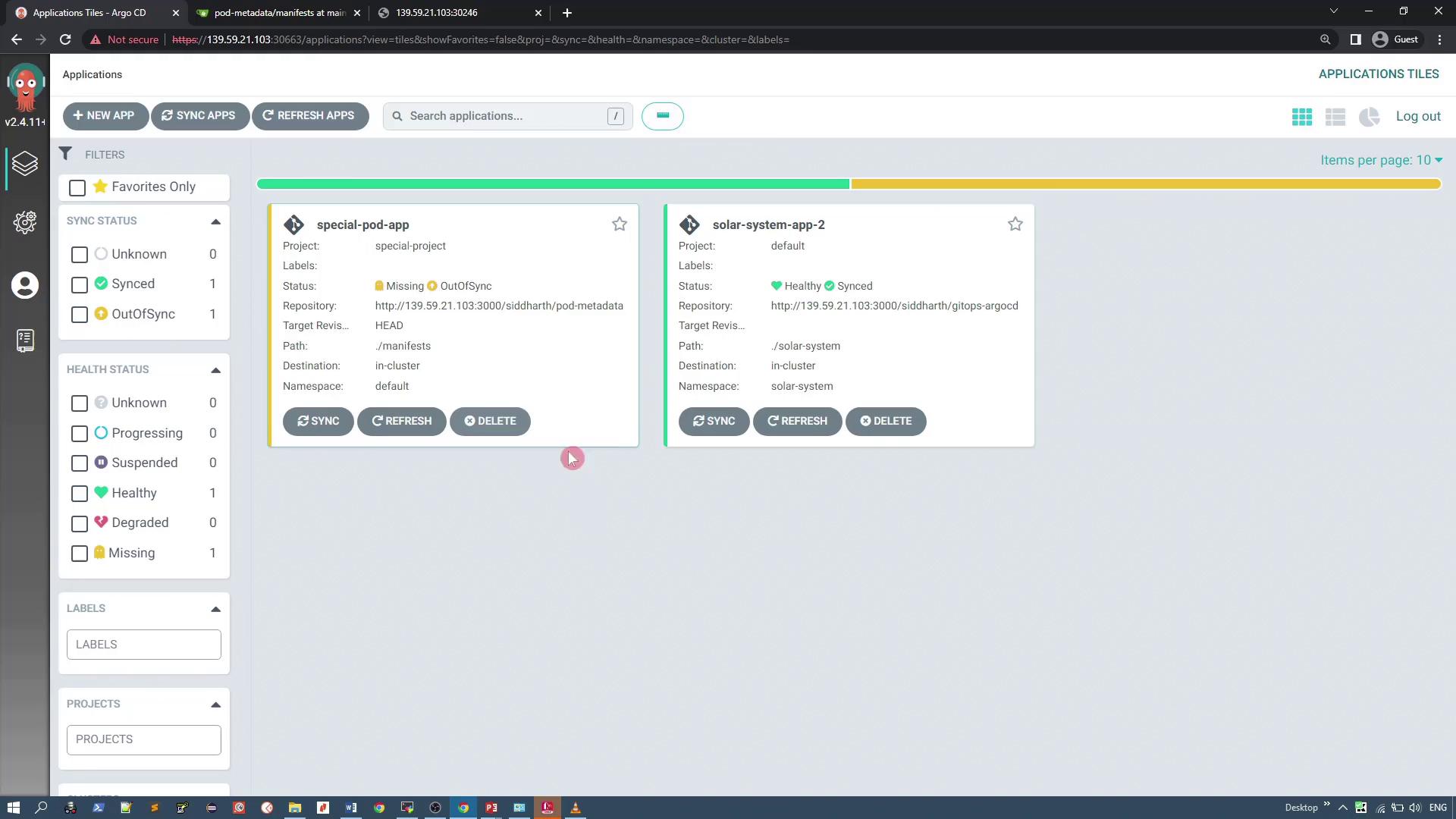
The ArgoCD dashboard will display both “special-pod-app” and the previously existing “solar-system-app-2”:
Synchronizing the Application and Handling Denied Resources
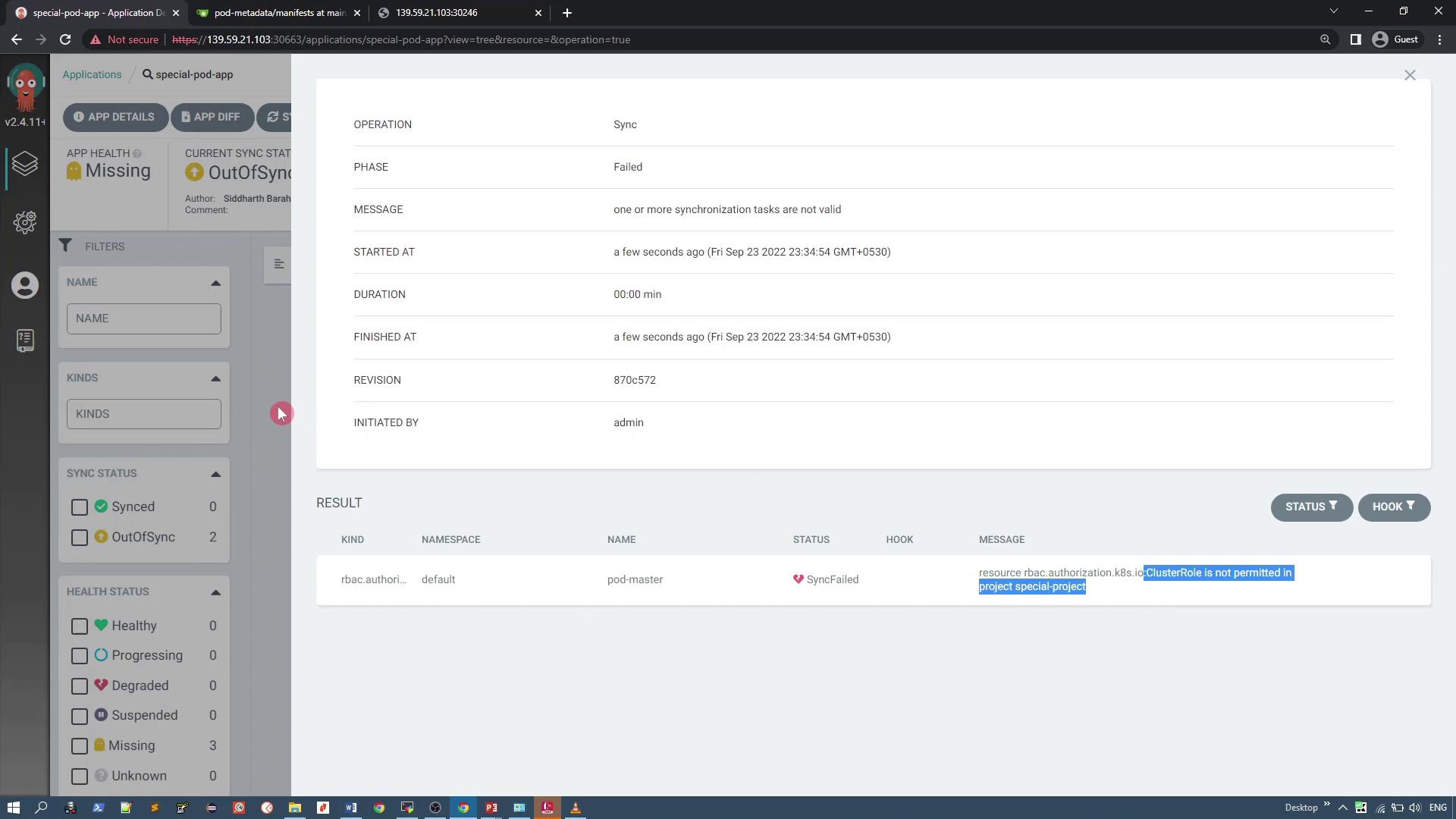
To deploy the application, click “Sync” for “special-pod-app.” During synchronization, ArgoCD will try to apply all resources defined in the repository—including a ClusterRole resource. Since the custom project denies ClusterRole resources, the sync will fail with an error indicating that the resource is not permitted.
To resolve this, deselect the ClusterRole resource during the sync operation. This will deploy the remaining resources (the deployment and service) successfully. After resynchronizing, “special-pod-app” should deploy the pod metadata application and expose it via the configured service.
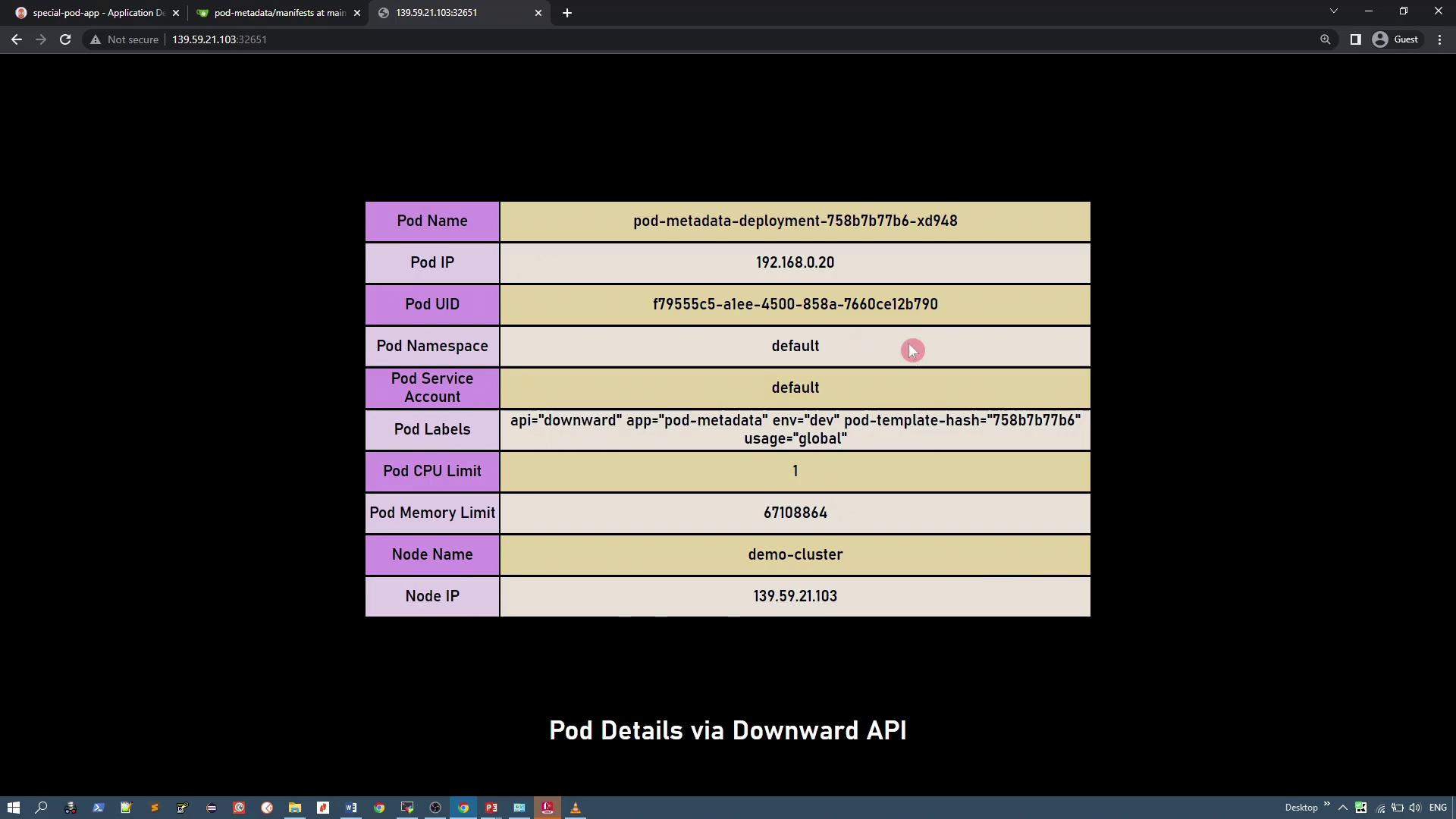
Upon successful synchronization, the application deploys a simple PHP application that displays pod details (such as pod IP, pod name, UID, CPU requests, etc.) using the Kubernetes Downward API.For reference, here is part of the deployment manifest:
After deployment, access the application via node port 32651 to view pod details, including pod name, IP, UID, host IP, and other metadata retrieved via the Downward API.
Create a custom project with restrictions on source repositories and cluster-level resource deployment.
Configure project settings via the UI by whitelisting an approved repository and denying ClusterRole resources.
Deploy an application using the custom project, address synchronization errors due to denied resources, and verify a successful deployment of allowed resources.
Implementing project restrictions in ArgoCD allows you to enforce fine-grained control over application deployments, ensuring that only authorized resources and repositories are used.Thank you.