Introduction to Digital Transformation with Google Cloud
Demo How to select a region
This article explores the GCP Region Picker tool for selecting optimal regions based on carbon footprint, price, and latency.
Previously, we discussed the global infrastructure of GCP. In this article, we explore a handy GCP tool called the Region Picker. This tool helps you choose the optimal region for your application by evaluating three key parameters:
Lower carbon footprint
Lower price
Lower latency
Let’s dive into a demonstration of how to use this tool.
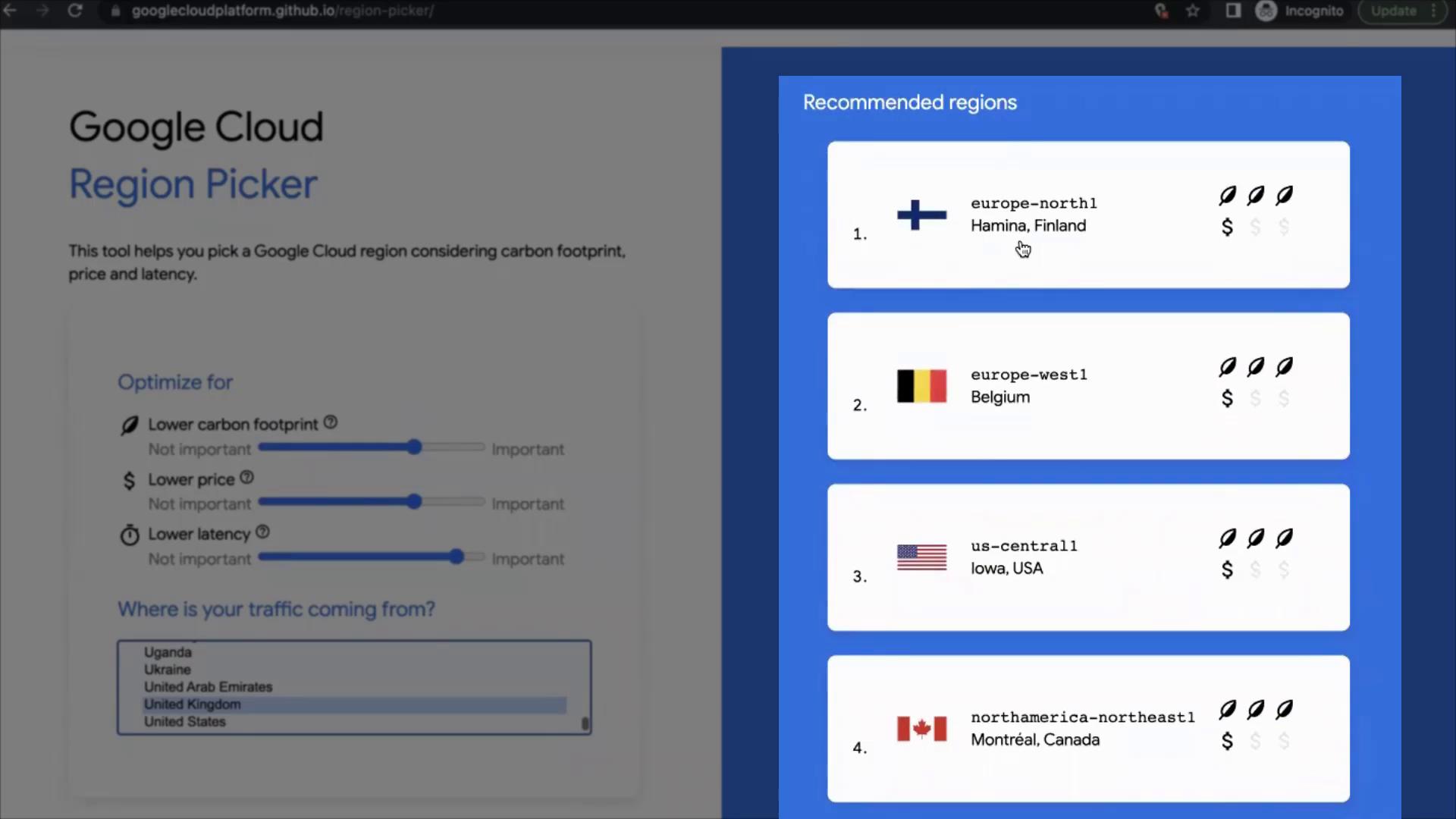
Open your browser and search for “GCP Region Picker”. Click on the first link from the search results.
On the landing page, you will notice two panels:
Left Panel: Contains adjustable parameters.
Right Panel: Displays a list of recommended regions.
Try experimenting with different settings. For example, increase the importance of having a lower carbon footprint, emphasize cost efficiency, or prioritize lower latency.
When you adjust the parameters, consider the origin of your traffic. For instance:
If you select a region far away from your user base—say, the United Kingdom—you might see recommendations like Finland (Europe North One) as the optimal region. The tool may also suggest other regions, such as Belgium and locations in the USA.
Alternatively, if you choose a different starting region such as Switzerland, the tool might then recommend Belgium as the best option. This demonstrates that the optimal region is closely tied to the origin of your incoming traffic.
This tool is invaluable if you want to ensure you’re selecting the best region to accommodate your application’s needs or if you’re uncertain about where to deploy. By adjusting key parameters, you can balance factors like environmental impact, cost, and latency effectively.That is all for this article—thank you for reading.