

- “launching” when the launch is in progress
- “success” when the launch completes successfully
- “failed” when the rocket crashes
How Conditional Statements Work
Shell scripting utilizes theif statement similarly to natural language. The condition is placed inside square brackets, and if it evaluates to true, the subsequent commands are executed. The structure includes the if keyword, followed by a condition, the then statement, and finally the closing fi to mark the end of the conditional block.
Before entering the conditional block, the script captures the output of the rocket status command in the variable rocket_status. Based on its value, the script decides whether to trigger additional commands, such as running a debug command.
Ensure there is at least one space between the square brackets
[ ] and the condition when using conditional statements.Example: Using if, elif, and else Blocks
Below is an example demonstrating how to implement conditional logic in a shell script:rocket_status equals “failed,” it triggers the debugging command. For a “success” status, it displays a confirmation message. Any other response results in a default message.
String Comparisons and Conditional Operators
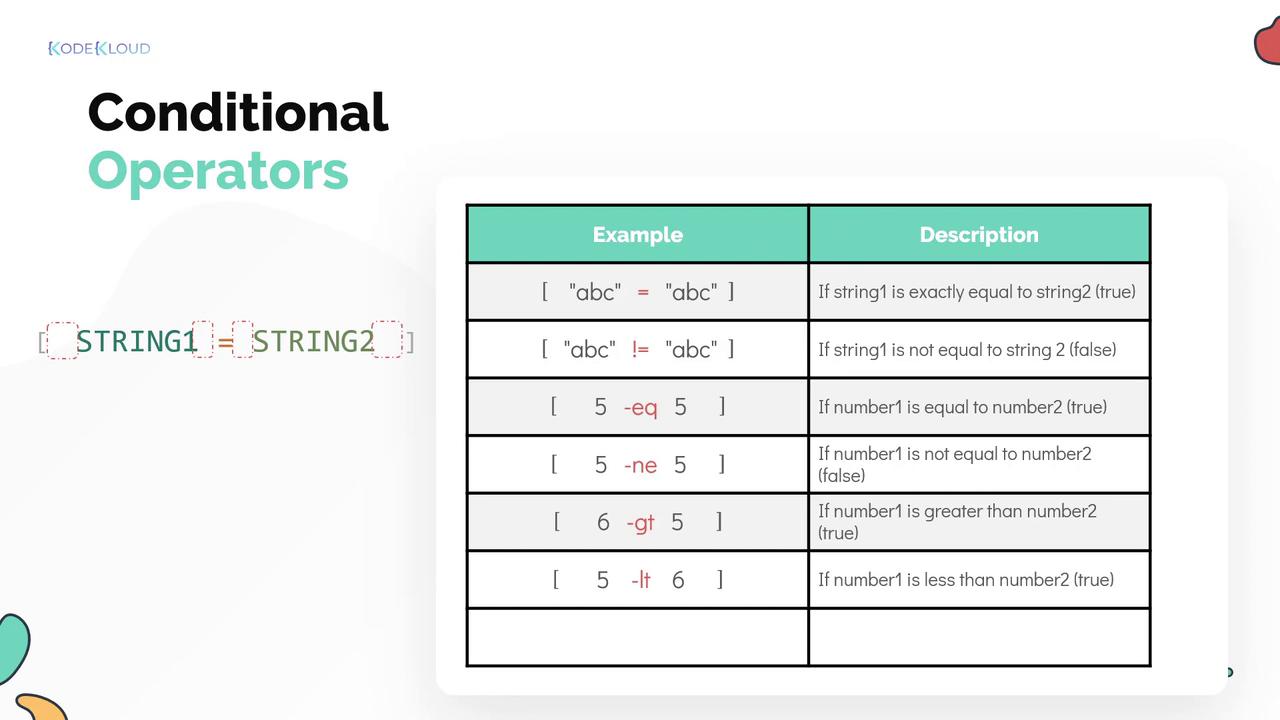
In shell scripts, string comparison uses the equals operator (=) for equality and the not-equals operator (!=) for inequality. Make sure the condition is placed inside square brackets with proper spacing.
Numeric Comparisons
For numeric values, different operators are employed:- Use
-eqto check if two numbers are equal. - Use
-neto verify that numbers are not equal. - Use
-gtfor “greater than.” - Use
-ltfor “less than.”
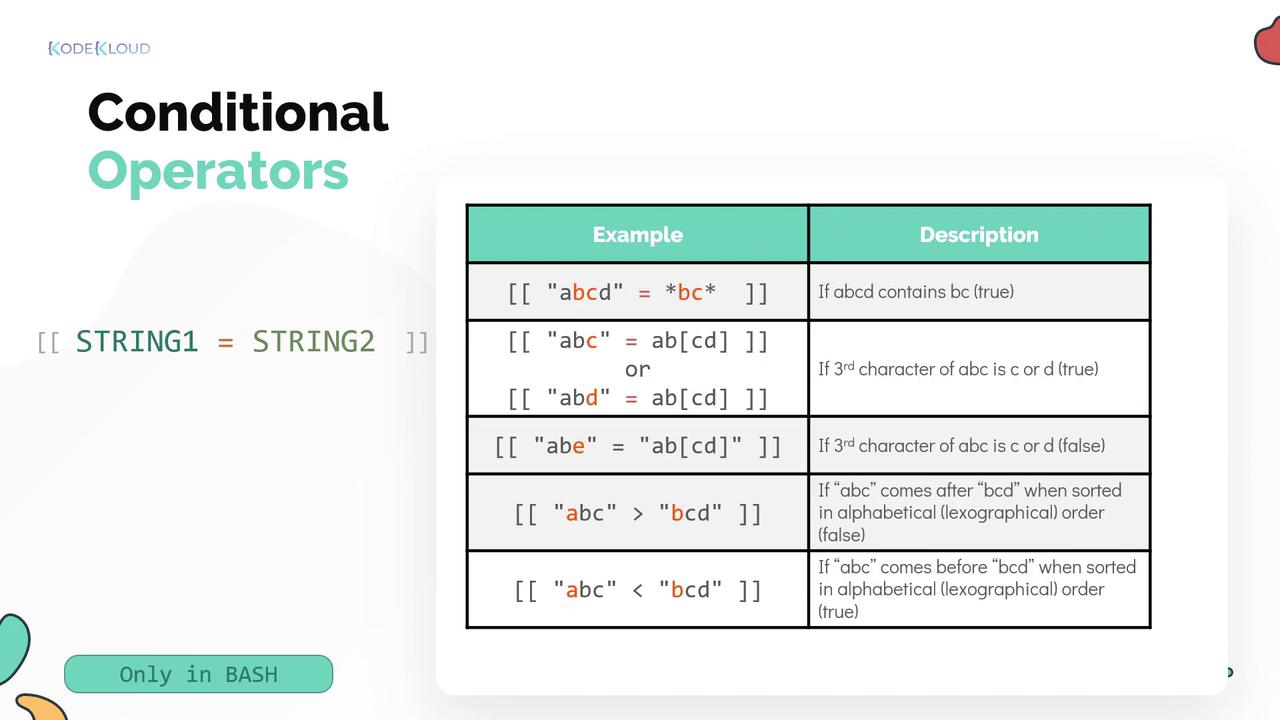
[[ ]] provides additional functionality such as pattern matching, which is a Bash extension and might not be available in all shells.
Pattern Matching Example
To check if the string “ABC” contains the substring “BC”, you can use pattern matching with asterisks (*) outside double quotes:
Sorting and Logical Operators
Alphabetical comparisons use sort order operators. For example, “ABC” comes before “BCD” when sorted alphabetically, and operators reflect that order during comparisons. You can combine multiple conditions using logical operators:-
The AND operator (
&&) ensures both conditions are true. -
The OR operator (
||) checks if at least one condition is true.
File-Level Conditional Operators
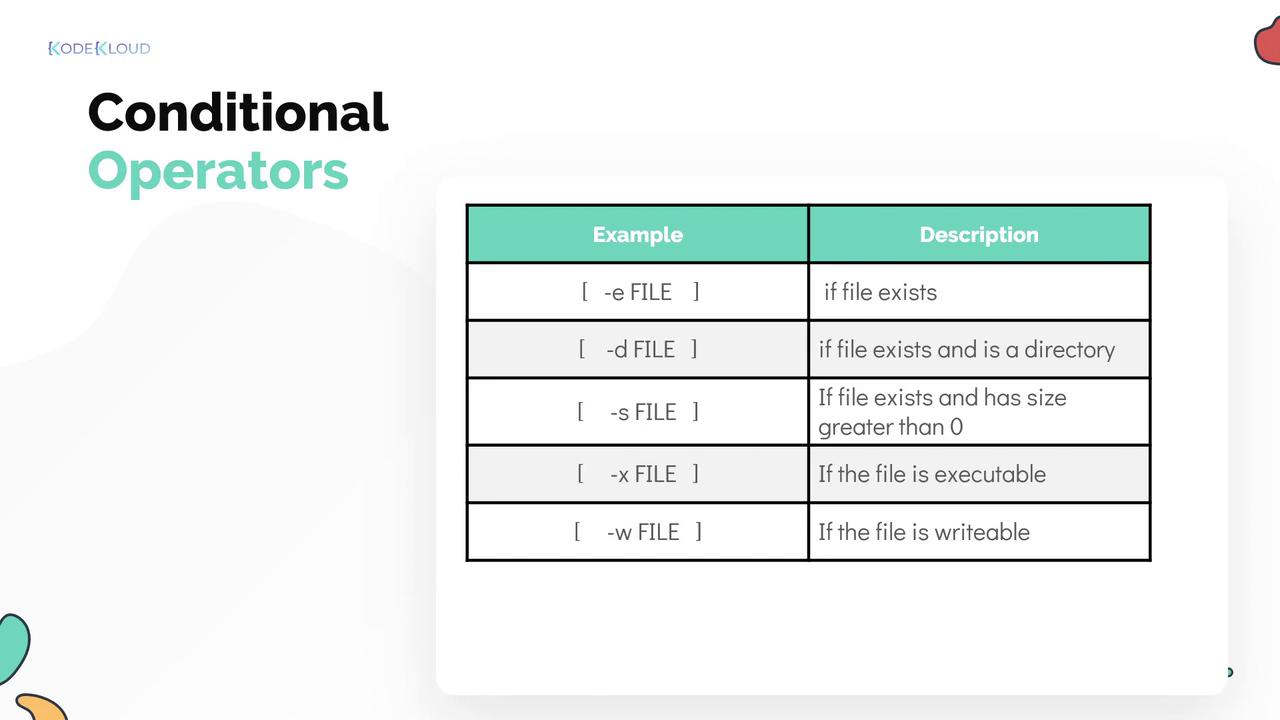
Shell scripts also allow file-level checks. Some common file operators are:| Operator | Purpose | Example |
|---|---|---|
| -e | Check if a file exists | [ -e filename ] |
| -d | Check if a path is a directory | [ -d /path/to/directory ] |
| -s | Check if a file is not empty | [ -s filename ] |
| -x | Check if a file is executable | [ -x filename ] |
| -w | Check if a file is writable | [ -w filename ] |
Be cautious with file operators and always verify that the file or directory you are checking has the correct permissions to avoid unexpected behavior.