

For repeatable workflows, consider using Terraform and the Linode Terraform provider.
Prerequisites
- A Linode account with Kubernetes Engine enabled
- Familiarity with basic Kubernetes concepts
- Access to the Linode Cloud Manager (cloud.linode.com)
Navigate to the Kubernetes Dashboard
- Log in to the Linode Cloud Manager.
- In the left sidebar, click Kubernetes.
- You’ll see options to Create Cluster or browse documentation for deployments, ingress, CI/CD, monitoring, and observability.
1. Create a New Cluster
Click Create Cluster and configure these options:-
Cluster Name
Enter a unique identifier, for example:
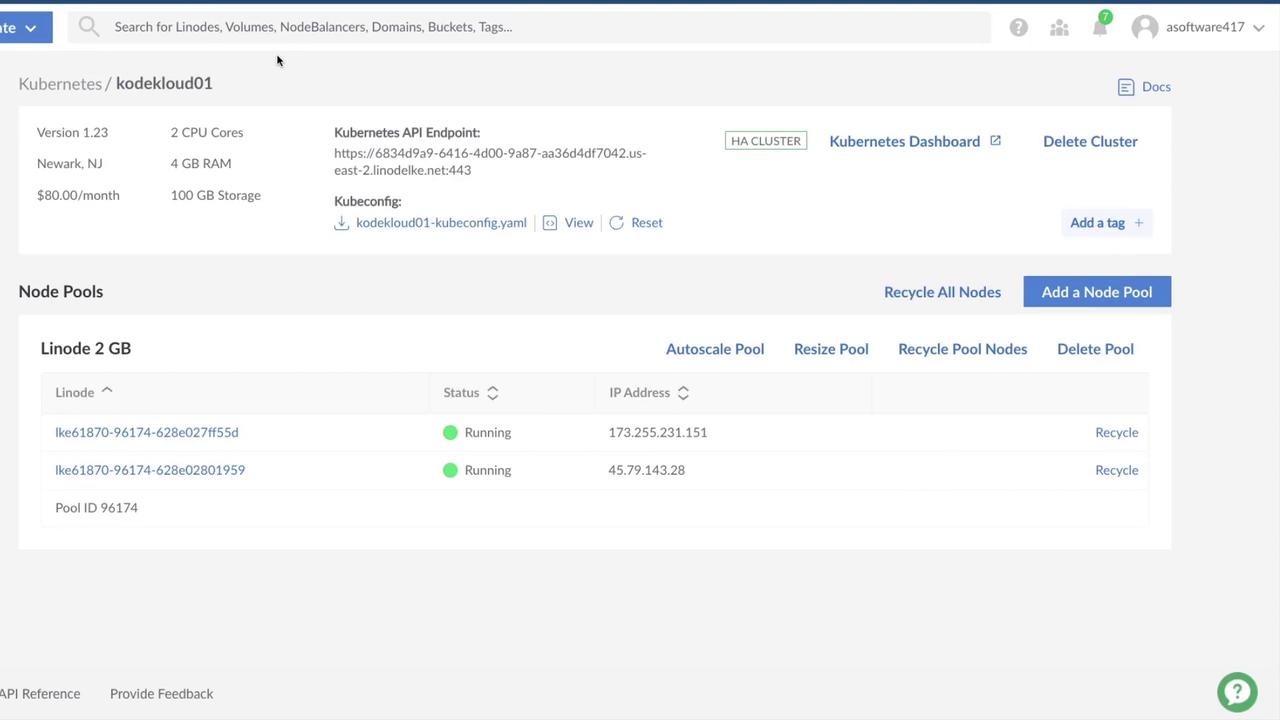
kodekloud01 -
Region
Select the data center nearest your users (e.g., Newark, NJ). -
Kubernetes Version
Choose the latest supported release (e.g., v1.23). -
High-Availability Control Plane
Enable to provision three control-plane nodes instead of one. This setup eliminates a single point of failure for etcd and the Kubernetes API.
Enabling High Availability adds approximately $60/month to your bill. Ensure this aligns with your budget.
1.1 Define Your Worker Node Pools
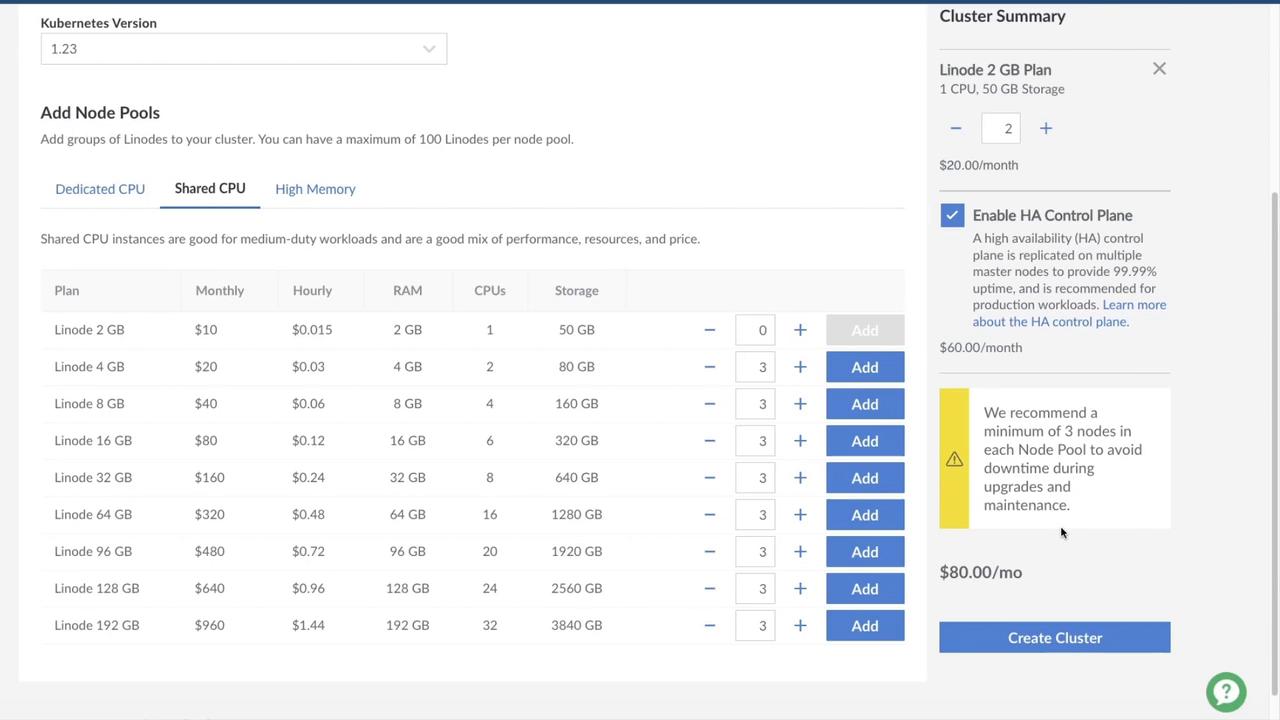
Choose a node pool based on your workload:| Node Pool Type | Use Case | Example Plan |
|---|---|---|
| Dedicated CPU | CPU-bound builds and CI workloads | Linode 4 GB |
| Shared CPU | General development or testing | Linode 2 GB |
| High Memory | Memory-intensive applications | Linode 16 GB |
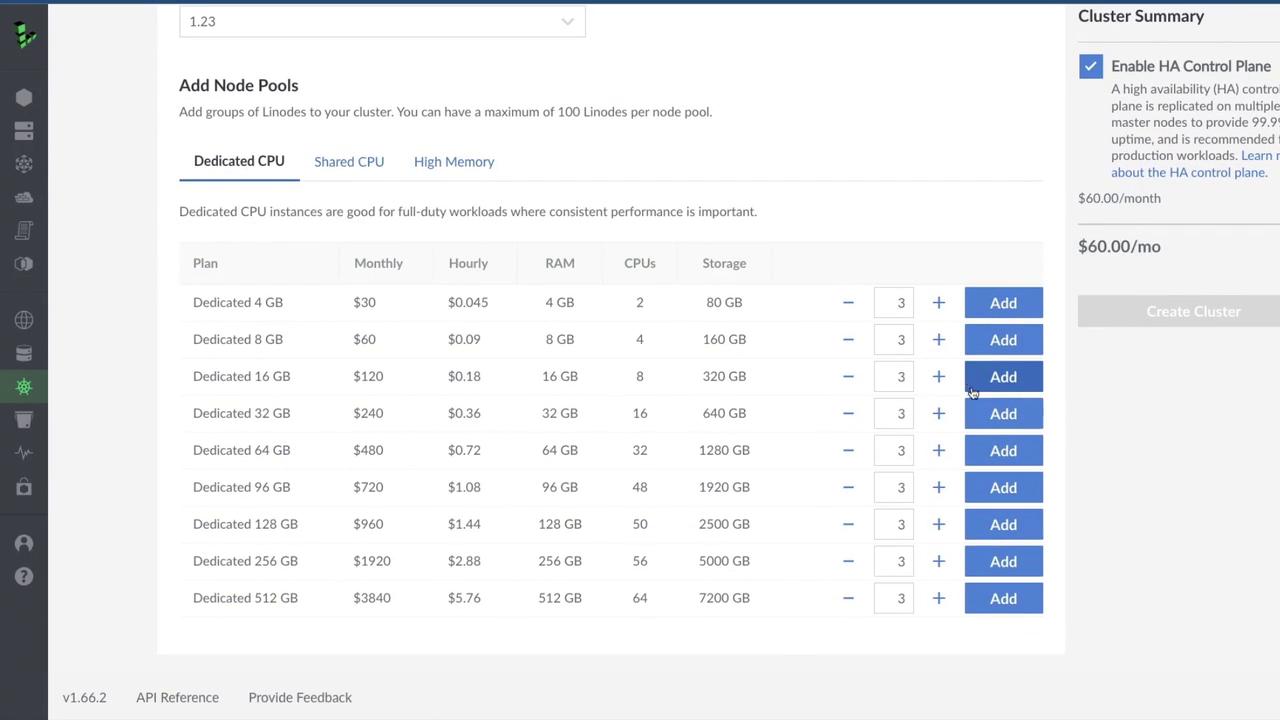
- Development: 1–2 nodes
- Production: 3–4 nodes for redundancy and scaling
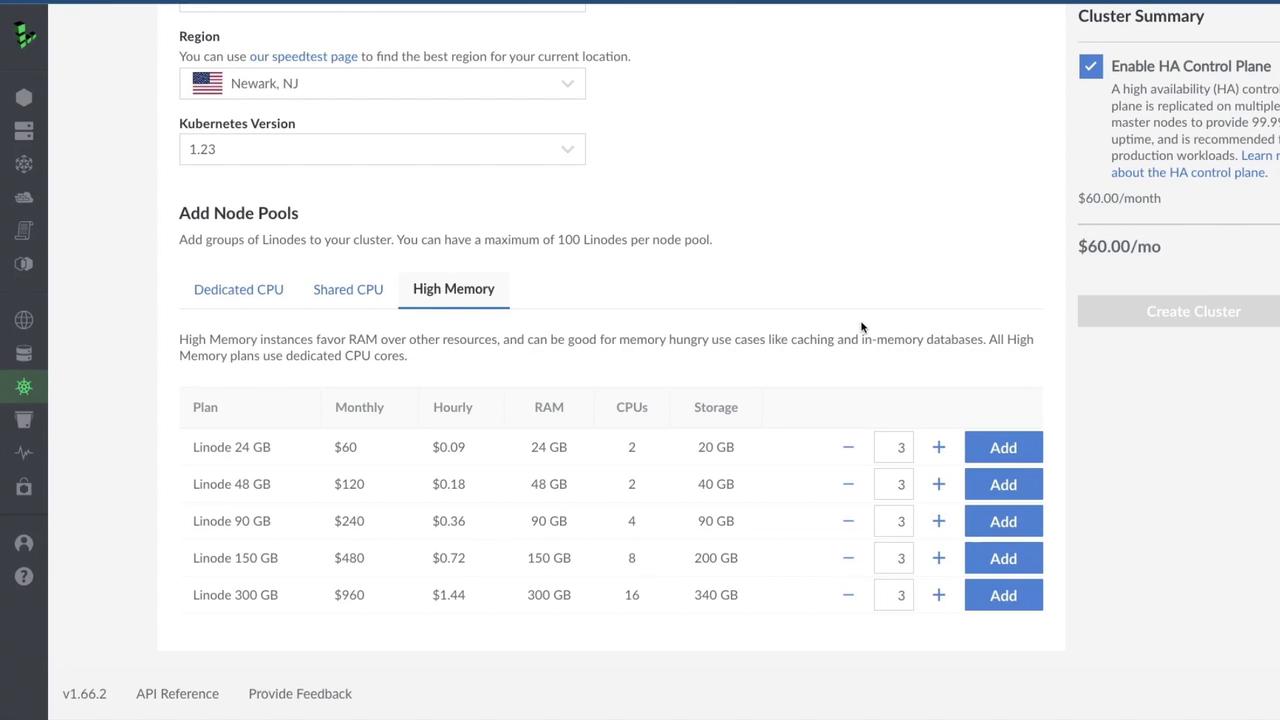
- Review & Create
Confirm your settings and review the estimated monthly cost (~$80).
2. Delete a Cluster
When you no longer need the cluster, delete it to stop billing:- In the Kubernetes dashboard, locate your cluster.
- Click Delete Cluster, then confirm.