Demo Configure container native load balancing using Ingress
This tutorial explains setting up container-native load balancing on GKE using Ingress and Network Endpoint Groups.
In this tutorial, you’ll learn how to set up container-native load balancing for your GKE applications using Ingress and Network Endpoint Groups (NEGs). We’ll cover:
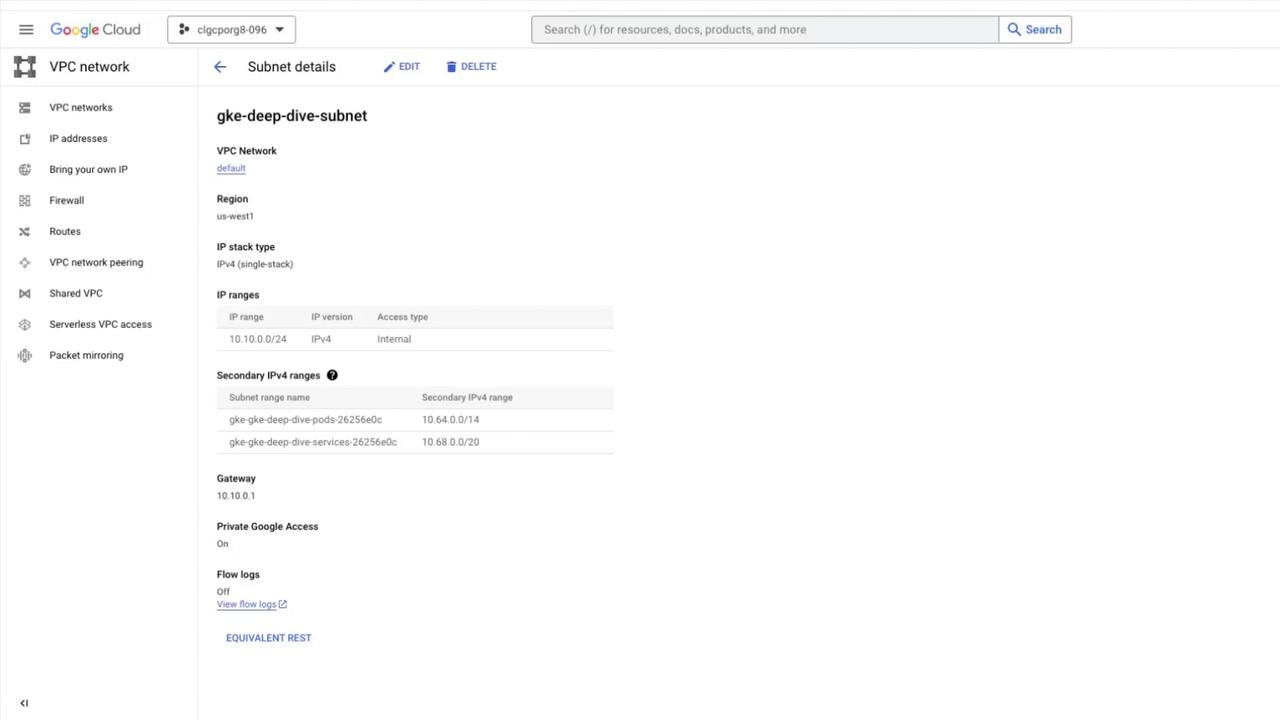
Creating a custom subnet in your VPC
Provisioning a VPC-native GKE cluster with IP aliasing
Deploying a simple HTTP server
Exposing it via Ingress backed by a NEG
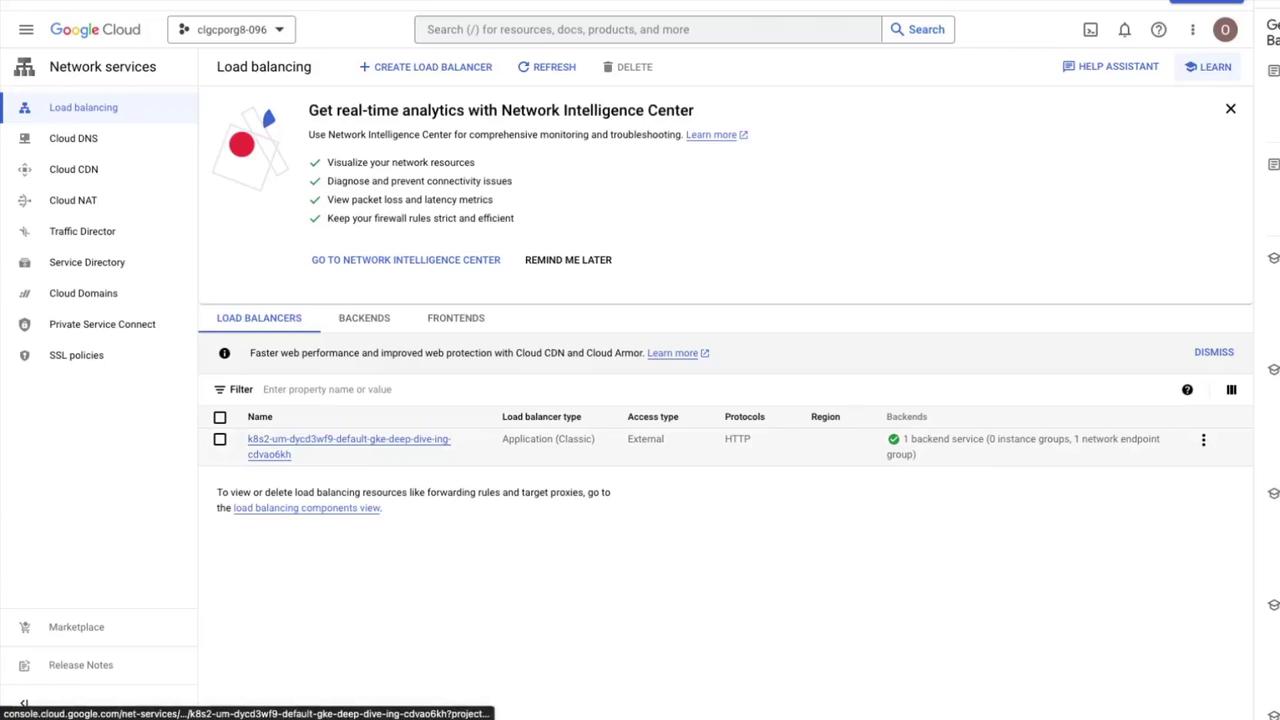
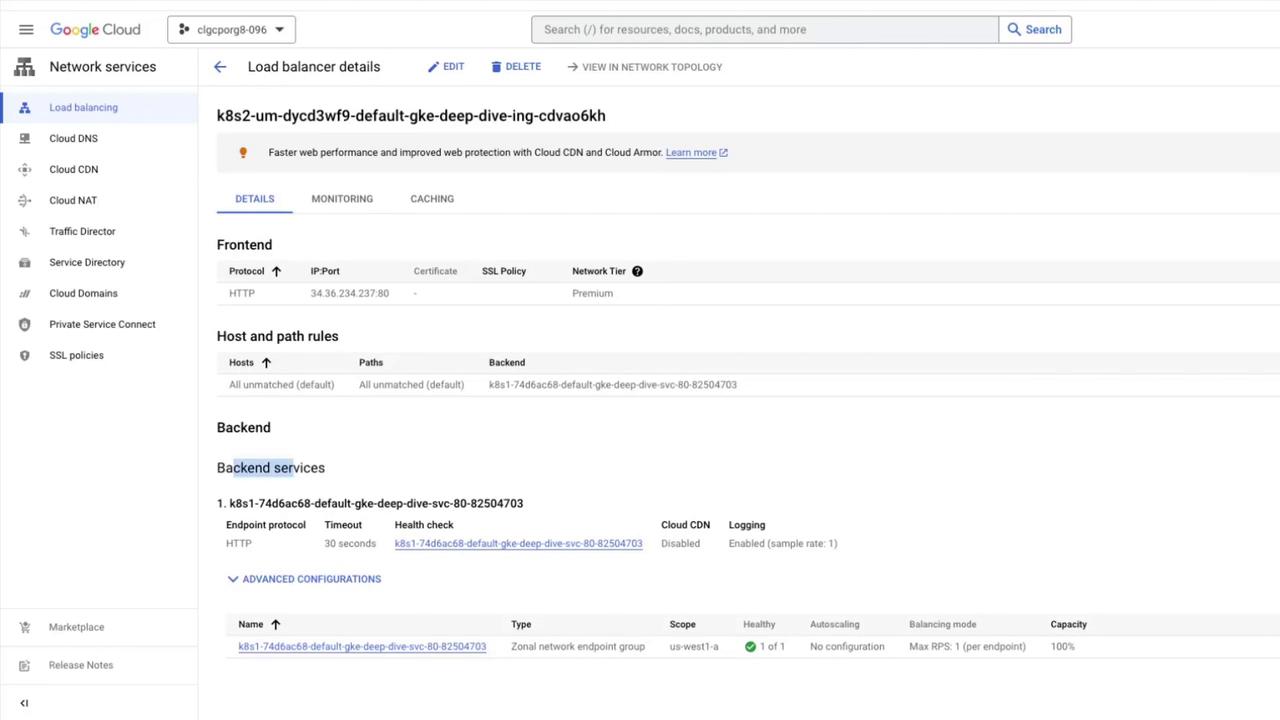
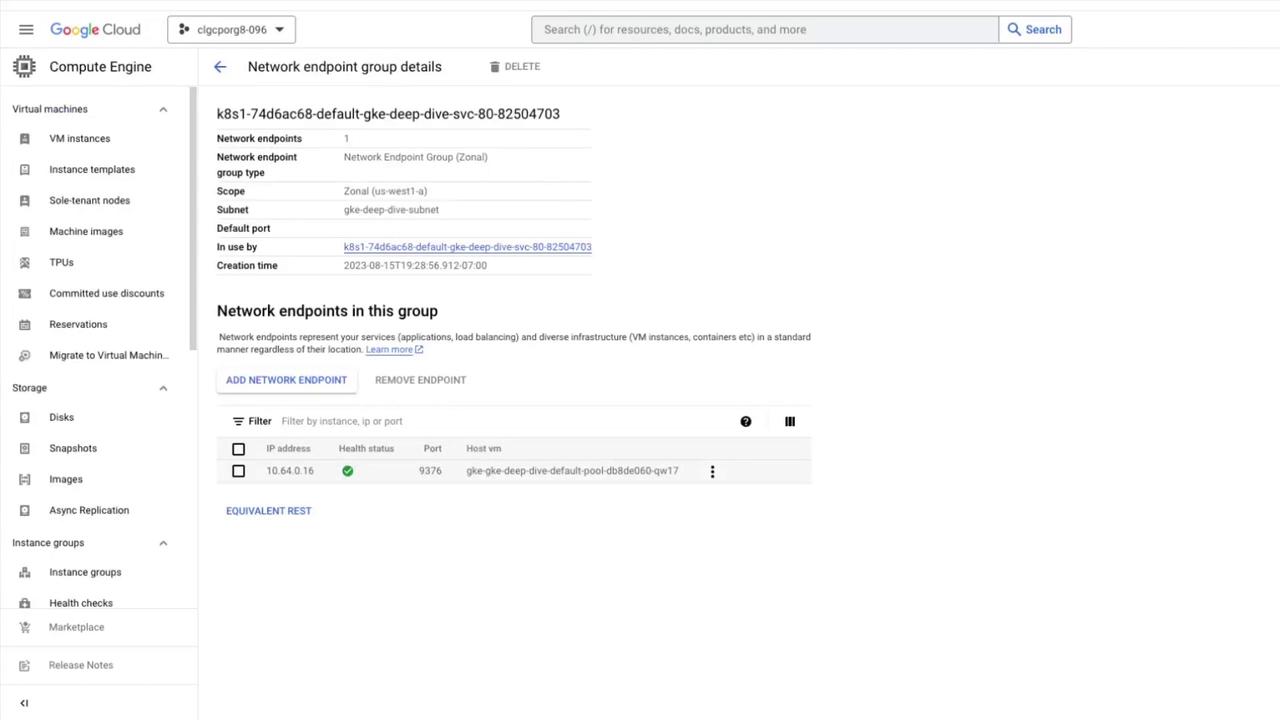
Viewing the resulting Load Balancer and NEGs
Scaling the deployment and validating load balancing
This end-to-end guide uses Google Cloud Platform commands, Kubernetes manifests, and Console walkthroughs.
kubectl scale deployment gke-deep-dive-app --replicas=3kubectl get deployment gke-deep-dive-app
Refresh your browser at the Ingress IP. You’ll see responses cycling through the three Pod hostnames, demonstrating container-native load balancing via Ingress + NEGs.