Learn how Python compares strings, sorts lists, and converts data types with methods and examples for better understanding.
In this article, you’ll learn how Python compares strings, sorts lists, and converts data types. We’ll explore various methods and provide examples to help you understand these processes.
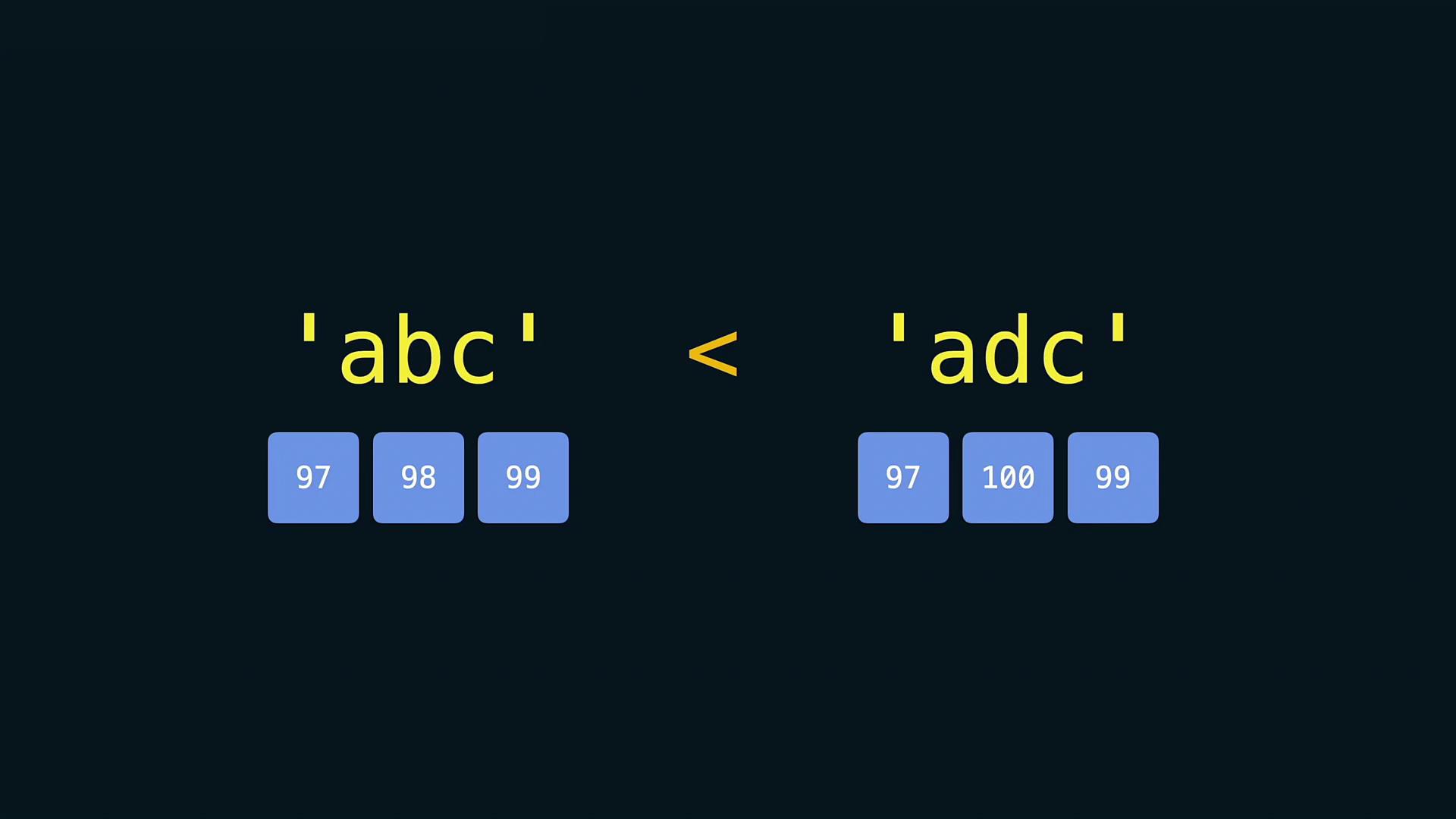
Python allows you to compare strings using comparison operators such as <, >, and ==. When comparing two strings, Python checks the Unicode (code point) values of each character sequentially. For example, consider the comparison:
Copy
Ask AI
print('apple' < 'banana')
This outputs:
Copy
Ask AI
True
Two strings are considered equal only if they consist of the same characters in the same order. If the strings differ, even if they are of the same length, Python determines the result based on the first pair of characters that differ. Remember that string comparisons are case sensitive; uppercase letters have different code point values than lowercase ones.
Be mindful that comparisons between strings are influenced by Unicode character values. This means that special characters and punctuation might affect comparison outcomes.
Python offers two primary ways to sort elements. You can either use the built-in function sorted() which returns a new sorted list, or the list’s sort() method, which sorts the list in place.
In many scenarios, you may need to convert non-string elements into strings, particularly when printing messages that include numeric values. Use the str() function for this purpose:
Copy
Ask AI
age = 23print('I am ' + str(age) + ' years old')
Attempting to concatenate a string with an integer directly without conversion will result in a TypeError:
Copy
Ask AI
age = 23print('I am ' + age + ' years old')
Console output:
Copy
Ask AI
I am 23 years oldTypeError: can only concatenate str (not "int") to str
Similarly, when comparing numeric values with numbers represented as strings, it is necessary to convert the string to a numerical type. For instance:
TrueTypeError: '>' not supported between instances of 'str' and 'int'
If you do not convert the string to a floating-point number before making the comparison, Python will raise a TypeError.
Always ensure that you convert data types appropriately when performing operations. Failure to do so may result in errors that can interrupt your program’s execution.
That’s it for now! It’s time to put these concepts into practice. Happy coding!