This article reviews the evolution of Helm and highlights the major architectural changes introduced in Helm 3 compared to Helm 2.
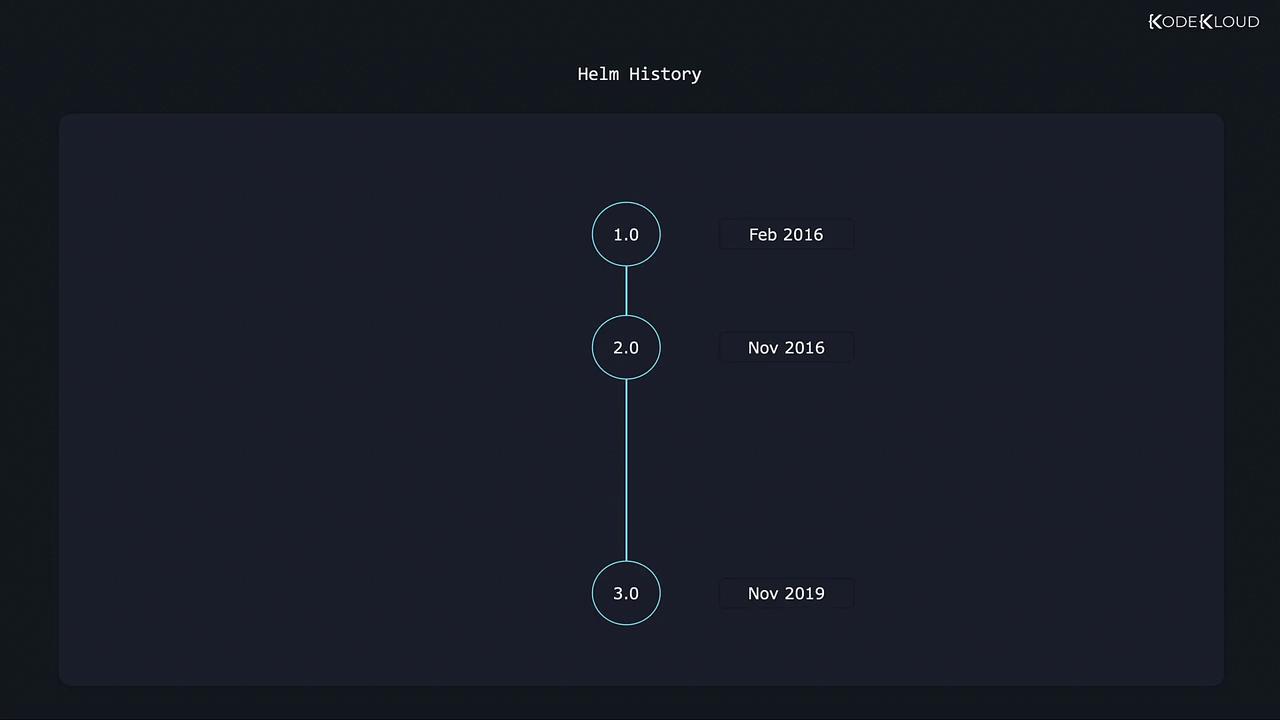
Helm has come a long way since its inception. Understanding the differences between Helm 2 and Helm 3 is crucial when browsing charts and technical articles. This article reviews the evolution of Helm and highlights the major architectural changes introduced in Helm 3.Helm 1.0 debuted in February 2016, followed by Helm 2.0 in November 2016 and Helm 3.0 in November 2019. The project has matured significantly, driven largely by enhancements in Kubernetes.
Improvements in Kubernetes empowered Helm with more robust tools, enabling a simpler and more effective design in Helm 3 compared to Helm 2. In this lesson, we focus on Helm 3, which simplifies the overall design and introduces enhanced features—particularly in security and revision management.
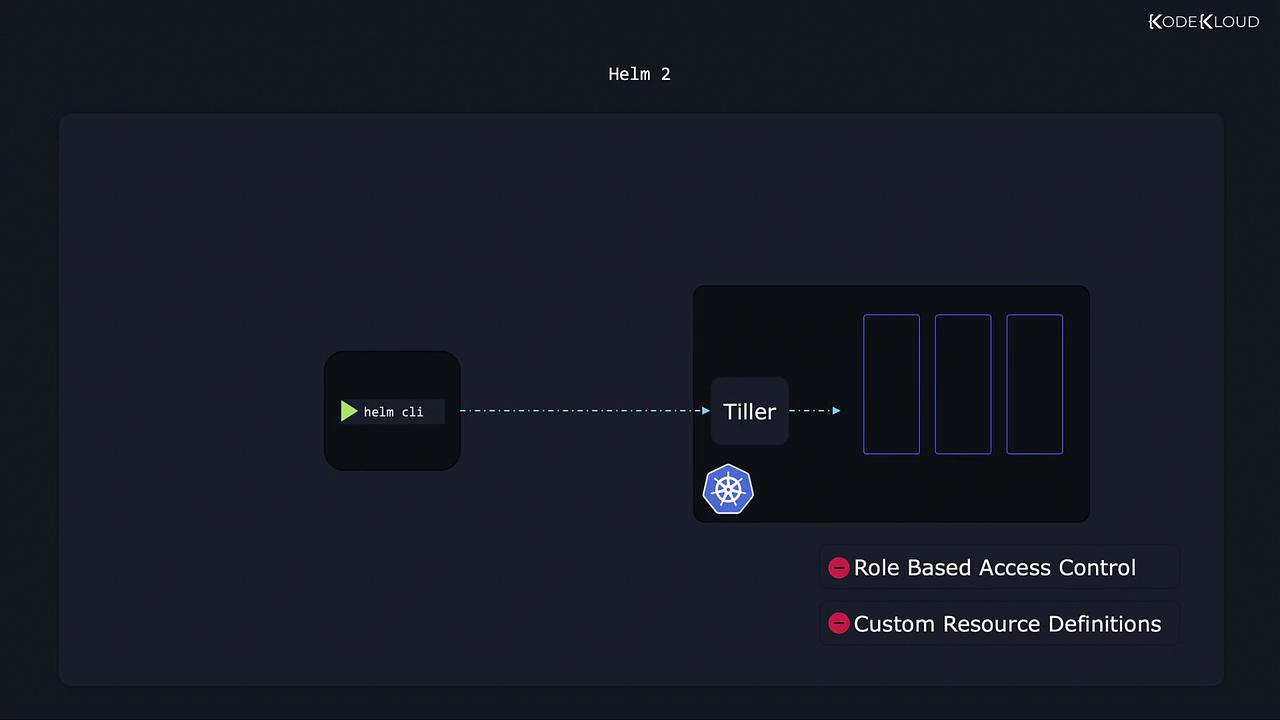
Helm uses a command-line client on your local machine to execute commands on a Kubernetes cluster. In Helm 2, limitations in Kubernetes—such as the absence of role-based access control (RBAC) and custom resource definitions (CRDs)—necessitated an extra component called Tiller. The Helm client communicated with Tiller, which then interacted with Kubernetes to implement your commands.
In Helm 2, Tiller functioned with full privileges by default, which introduced significant security concerns.
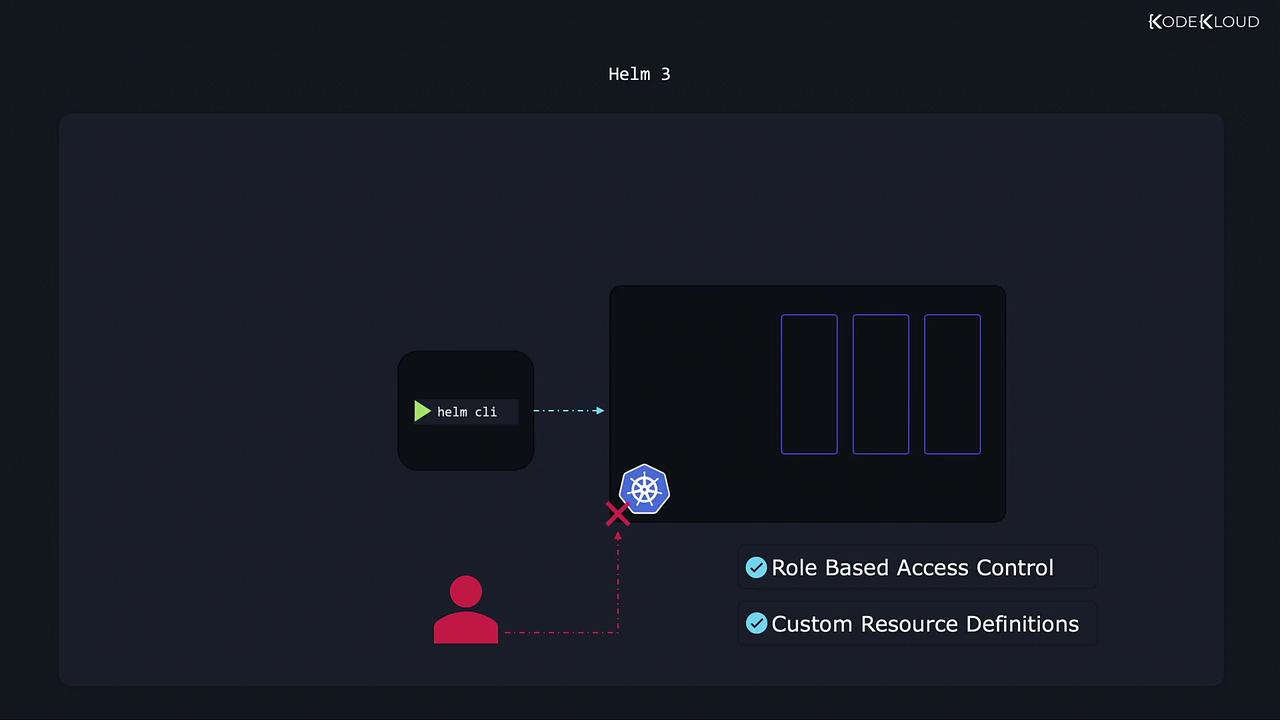
With the introduction of RBAC and CRDs in Kubernetes, the need for Tiller was eliminated. Consequently, Helm 3 removes Tiller entirely, allowing direct communication between the Helm CLI and the Kubernetes API. This change not only reduces complexity but also enhances security by enforcing Kubernetes’ RBAC policies consistently—whether commands are executed via kubectl or Helm.
Three-Way Strategic Merge Patch: Intelligent Rollbacks and Upgrades
One of the standout improvements in Helm 3 is the introduction of a three-way strategic merge patch mechanism. This mechanism functions as a snapshot system, creating revisions of the release state to facilitate intelligent rollbacks and upgrades.Consider the following example:
Install a WordPress website using a Helm chart, which creates revision number one:
Copy
Ask AI
$ helm install wordpress
Later, upgrade to a newer chart that changes the image version from WordPress 4.8 to WordPress 5.8. Before the upgrade, your deployment configuration might look like this:
Copy
Ask AI
containers:
  - image: wordpress:4.8-apache
After the upgrade, the configuration updates to:
Copy
Ask AI
containers:
  - image: wordpress:5.8-apache
Execute the upgrade command with:
Copy
Ask AI
$ helm upgrade wordpress
At this point, Helm assigns revision number two to record the new state. These revisions act as snapshots, enabling you to roll back to a previous version if necessary. Running a rollback command results in the creation of a new revision that reflects the restored state:
Copy
Ask AI
$ helm rollback wordpress
In Helm 2, rollbacks based solely on comparing the current chart with the previous chart did not accommodate manual changes made via kubectl. For instance:
Install the WordPress deployment (revision one):
Copy
Ask AI
$ helm install wordpress
A user manually updates the application image using kubectl:
Copy
Ask AI
$ kubectl set image wordpress wordpress=5.8-apache
Since this modification occurred outside of Helm, no new revision was created. Attempting a rollback:
Copy
Ask AI
$ helm rollback wordpress
would yield no change as Helm 2 simply compares the charts and sees no differences.In contrast, Helm 3 performs a three-way strategic merge patch by comparing:
The current chart in use (if a revision exists),
The desired chart from the previous revision, and
The live state of the Kubernetes objects.
For example, if the live state shows the WordPress image as 5.8-apache but revision one indicates wordpress:4.8-apache, Helm 3 detects the difference and reverts the changes accordingly.
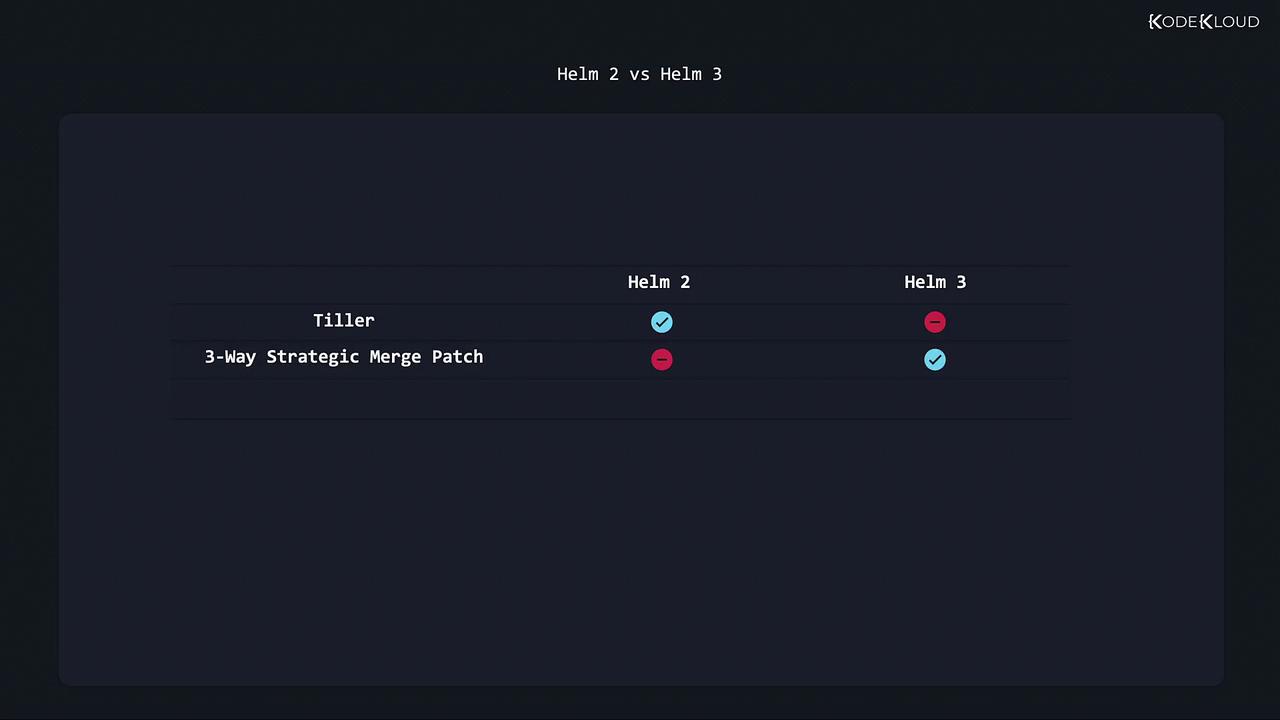
The key differences between Helm 2 and Helm 3 are summarized below:
Feature
Helm 2
Helm 3
Tiller
Required for managing releases, with full privileges by default
Removed for direct CLI-to-Kubernetes communication
Rollback Mechanism
Based solely on chart comparison, ignoring manual changes
Uses a three-way strategic merge patch to intelligently record and revert state changes
That concludes this article. In the next lesson, we will explore more advanced Helm topics and further refine our practices in managing Kubernetes deployments.