This article explains arrays in Go, covering their declaration, initialization, indexing, and manipulation.
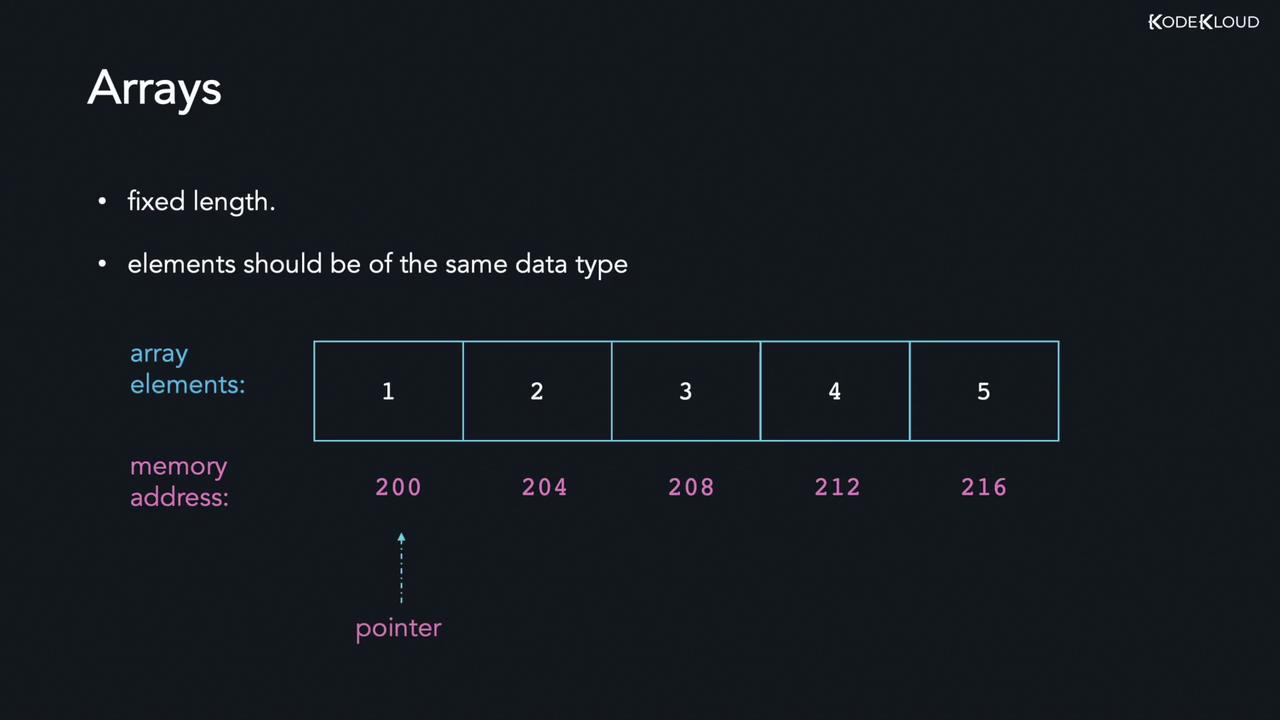
Golang supports primitive data types such as numbers, booleans, and strings. In this guide, we explore arrays, slices, and maps, beginning with arrays.An array is a collection of elements stored in contiguous memory locations. For instance, you could use an array to hold a series of integers representing students’ roll numbers or strings representing character names in a show.Because array elements are stored contiguously, if an integer occupies 4 bytes and the first element is at memory address 200, the next will be at address 204. Arrays are known as homogeneous collections since they store elements of a single data type.
In many situations, you may need to store a significant amount of data of the same type. For example, instead of creating three different integer variables to store a student’s marks in three subjects, you can declare an array named grades to hold all the values together.Remember, arrays in Go have a fixed length. After declaring an array with a specific size, you cannot change its length, and every element must be of the same type. In Go, an array stores a pointer to its first element along with its length (the number of elements) and capacity (which, for arrays, is the same as the length).
Because of the contiguous nature of memory allocation, you can even compute the address of any element using its index.
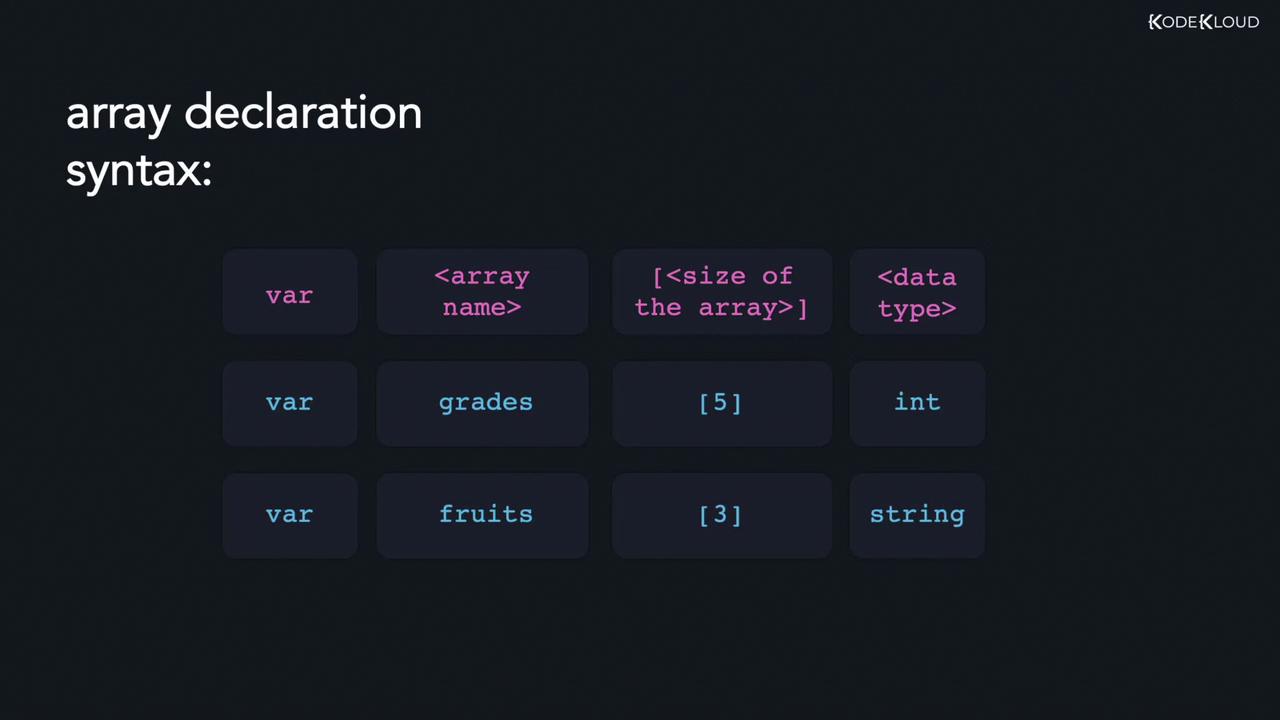
Declaring arrays is straightforward. You use the var keyword, specify the array name, define its size inside square brackets, and mention the data type. For example, to declare an array of five integers:
Copy
Ask AI
var grades [5]int
Similarly, to declare a string array with three elements:
Let’s declare an array of five integers and print its contents. By default, an uninitialized array of integers holds the zero value (0):
Copy
Ask AI
package mainimport "fmt"func main() { var grades [5]int fmt.Println(grades)}
When you run the program:
Copy
Ask AI
>>> go run main.go[0 0 0 0 0]
Since the array is not explicitly given values, each element defaults to zero.We can also print an array of strings. Although empty strings may not be visibly apparent, each element is initialized to the empty string ("") by default:
Copy
Ask AI
package mainimport "fmt"func main() { var grades [5]int fmt.Println(grades) var fruits [3]string fmt.Println(fruits)}
Output:
Copy
Ask AI
>>> go run main.go[0 0 0 0 0][ ]
An empty string is the zero value for a string in Go.
Initialize an array of three integers by explicitly specifying all values:
Copy
Ask AI
var grades [3]int = [3]int{10, 20, 30}
If the number of provided values is less than the declared size, the remaining elements are set to the zero value. Conversely, if you supply more values than the array’s capacity, the compiler will throw an error.
This automatically sets the size of the names array to the number of elements provided.Below is a complete example that declares and prints three arrays:
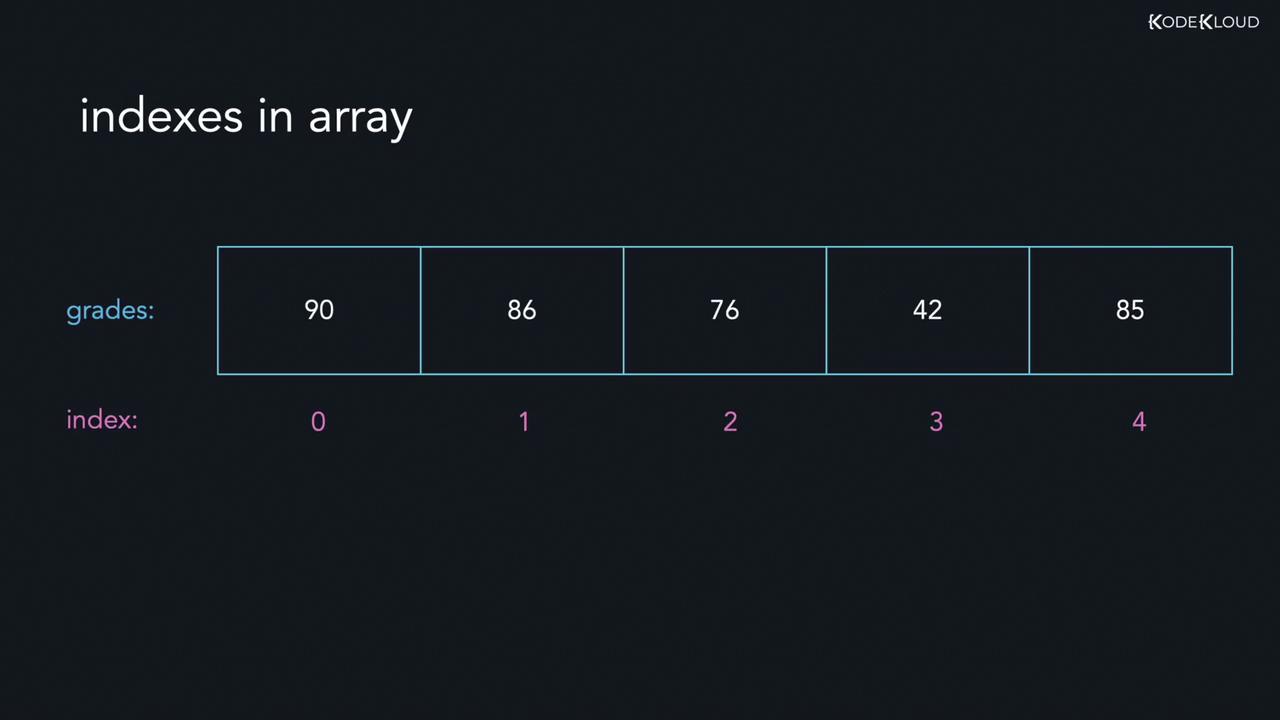
Array indexing starts at 0. For an array of five elements, the first element is at index 0 and the last element at index 4. The diagram below illustrates an array named “grades” with values 90, 86, 76, 42, and 85, along with their corresponding indices:
To access an element, use its index within square brackets. For example, given that the element at index 1 is 86:
Copy
Ask AI
// Accessing element at index 1:fmt.Println(grades[1]) // Outputs: 86// Accessing element at index 0:fmt.Println(grades[0]) // Outputs: 90
Accessing an index outside the valid range (0 to length-1) results in a compiler error.
A multi-dimensional array is essentially an array of arrays. The simplest form is a two-dimensional (2D) array. For example, a 3x2 array has three sub-arrays with two elements each.To access elements in a 2D array, use two indices. Consider the following guidelines:
To access the element 64, use: arr[2][1]
To access the element 4, use: arr[1][0]
To retrieve the first element of the first sub-array, use: arr[0][0]
Below is an example that demonstrates a 3x2 array and prints an element from it:
In this code, the sub-array at index 2 is {8, 64}, and the element at index 1 within that sub-array is 64.That’s it for this guide on arrays in Go. Head over to the labs to start practicing these concepts. Happy coding!